Snap Circuits Motion Review: Testing the 165-Project Physics Kit
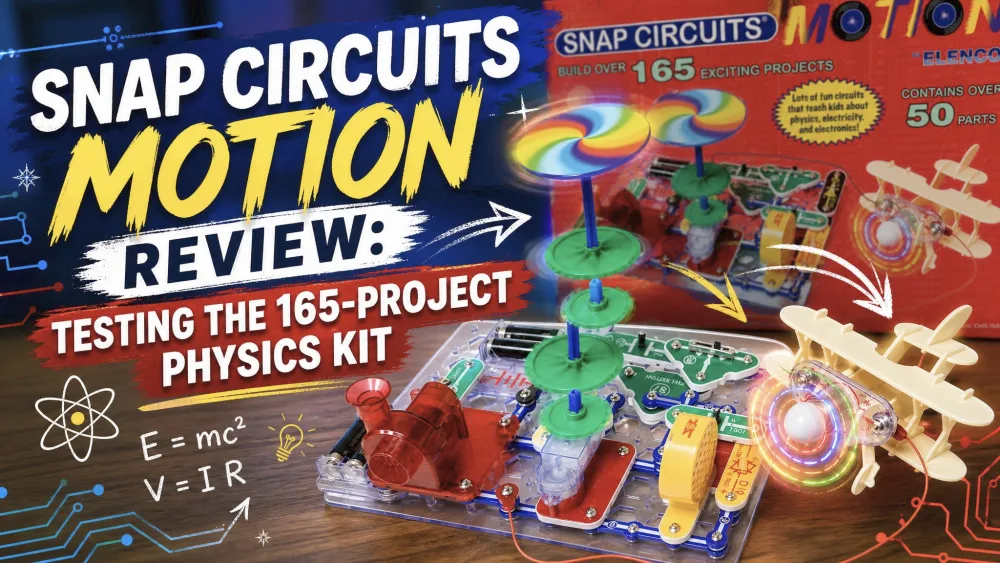
We cleared the dinner dishes one evening, snapped open the Snap Circuits Motion box on the kitchen table, and watched our eight-year-old hunt for the right colored part. The first build was a small lighted fan, and by the time the blades spun and changed color, two more kids had pulled up chairs. That is the whole pitch: physics you can hold, snap together, and watch move.
This hands-on review comes from real household use. Our eight-year-old led the building, a younger sibling snapped pieces alongside, and the box kept coming back out over weeks of after-dinner sessions. Below we cover what is in the box, which builds held attention, how it held up, what kids learn, and whether the price is fair.
NoteOur eight-year-old did most of the building, with a six-year-old sibling sitting alongside to help snap parts in place. The color-changing fan and the spinning propeller builds were the ones they came back to again and again. The gear and motor projects needed an adult hand to line things up, but the snapping itself was all theirs.
Snap Circuits Motion at a Glance
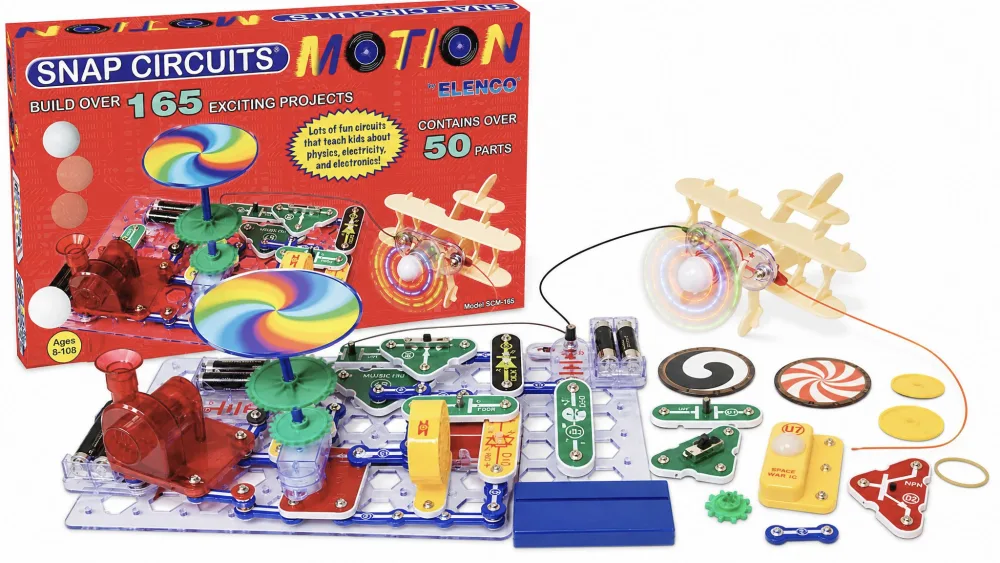
The Snap Circuits Motion kit, model SCM-165, is the physics and movement entry in the Snap Circuits family. Instead of radios or alarms, it is built around things that spin, lift, and react, using the same color-coded, snap-together parts the brand is known for. No soldering, no tools.
Specs and What's in the Box (50+ parts, 165+ projects, SCM-165)
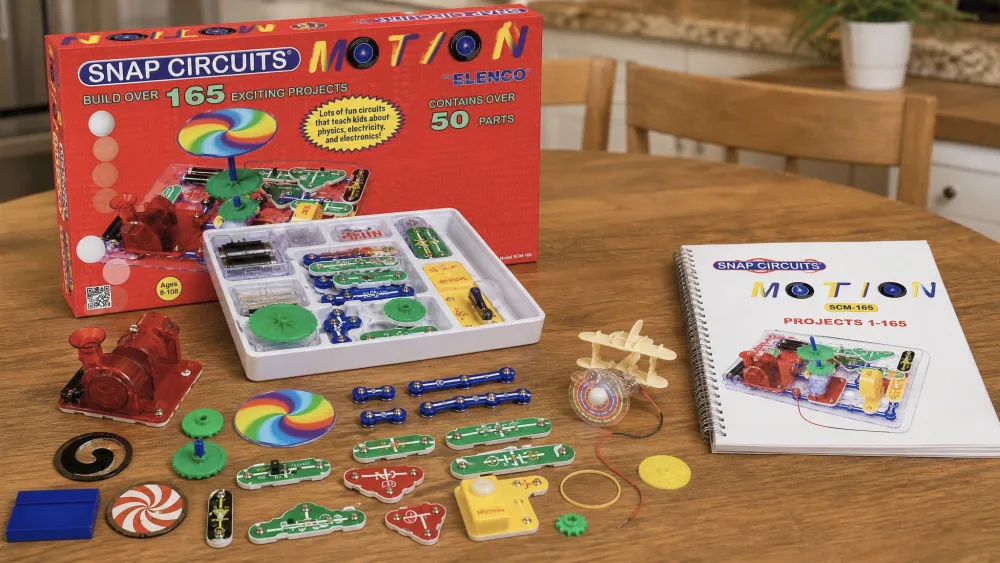
The kit ships with over 50 parts and over 165 projects. Inside you get a switch, wires, a model base, LED lights, a motor, gears, pulleys, a propeller, a rubber band, and a spiral-bound instruction book. The Snap Circuits Motion (SCM-165) listing on Amazon has the current part breakdown.
One thing the box does not include is power. The kit needs 4 AA alkaline batteries, and they are not in the box. This is the most common gripe we have seen from owners, and it caught us out too, so grab a fresh pack before gift-wrapping day.
Who It's For (ages 8+, grade level)
The maker lists this kit for ages 8 and up, and retailers tag it around Grade 2 reading level. That floor is fair: the reading is light, but the gear and motor builds ask for steadier hands than a plain circuit does.
Younger children can still enjoy it with an adult alongside. Our six-year-old completed several builds with help, snapping parts while an older sibling read the steps. If you want the kit to run solo, eight is the honest target.
The Projects: Physics in Action
Gears, Pulleys, and Gear Ratios
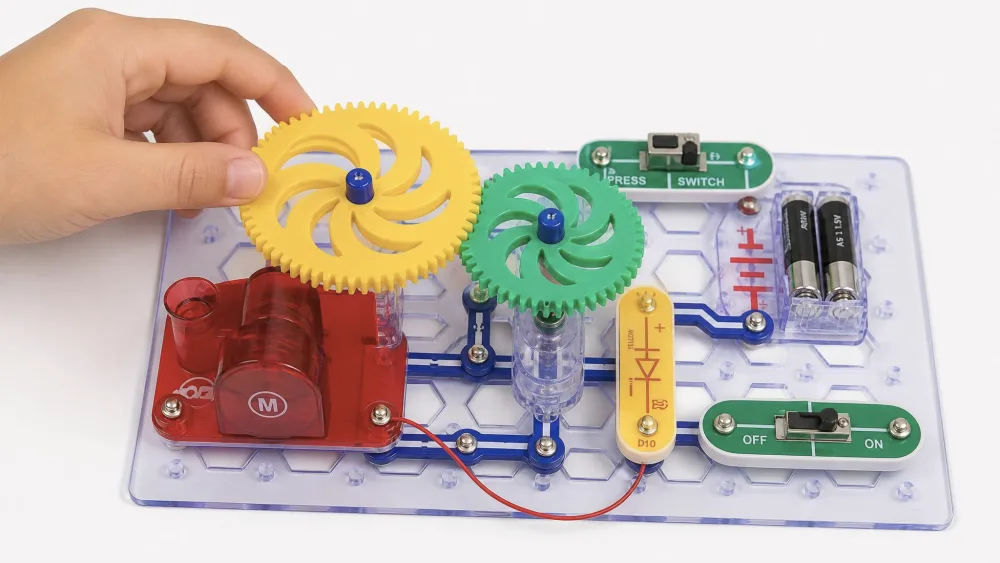
The standout learning here is mechanical. The projects walk kids through changing gear ratios to trade speed for power. Pair a small gear with a large one and the output slows but pushes harder. Flip it and the output speeds up. Watching that trade-off in real time is the kind of lesson that sticks, and it is exactly how a gear train works, translated into snap parts a kid can rearrange.
Parent tipHave your child predict whether a gear swap will make the propeller faster or stronger before flipping the switch. Guessing first, then testing, turns a quick build into a real experiment.
Standout Builds (color-changing fan, air "fountain", motion detector)
A few projects pulled the kids back more than the rest. The color-changing lighted fan was the runaway favorite, and the spinning propeller experiments drew the most repeat play in our house. The kit also includes an air "fountain" that floats a light object on a stream of air, plus a motion detector that reacts when something passes by.
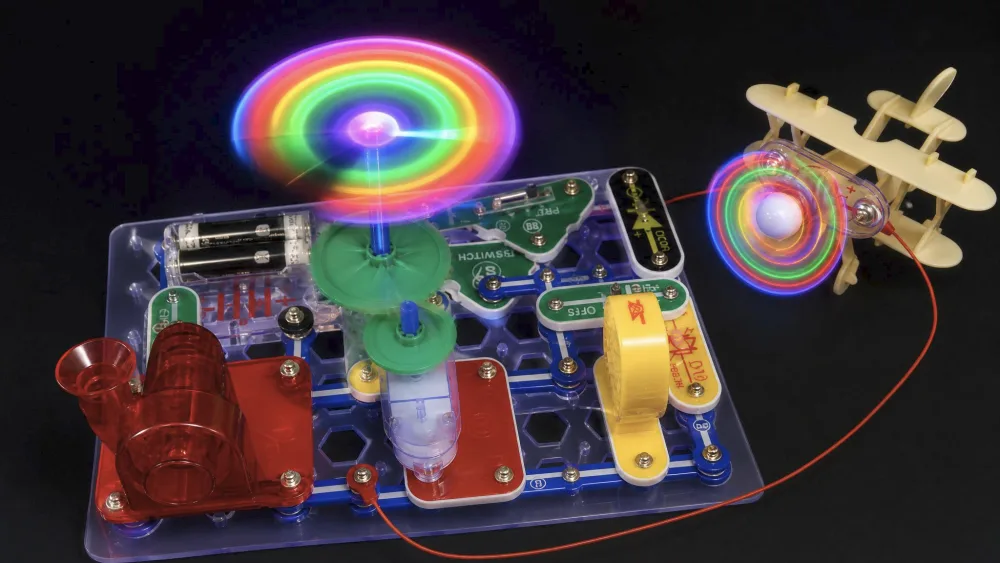
The air "fountain" is a kit project rather than a textbook demonstration, but it is fun to set up. The motion detector earned the most repeat showings for visiting cousins.
Building and First Impressions
Setup and the Project Manual
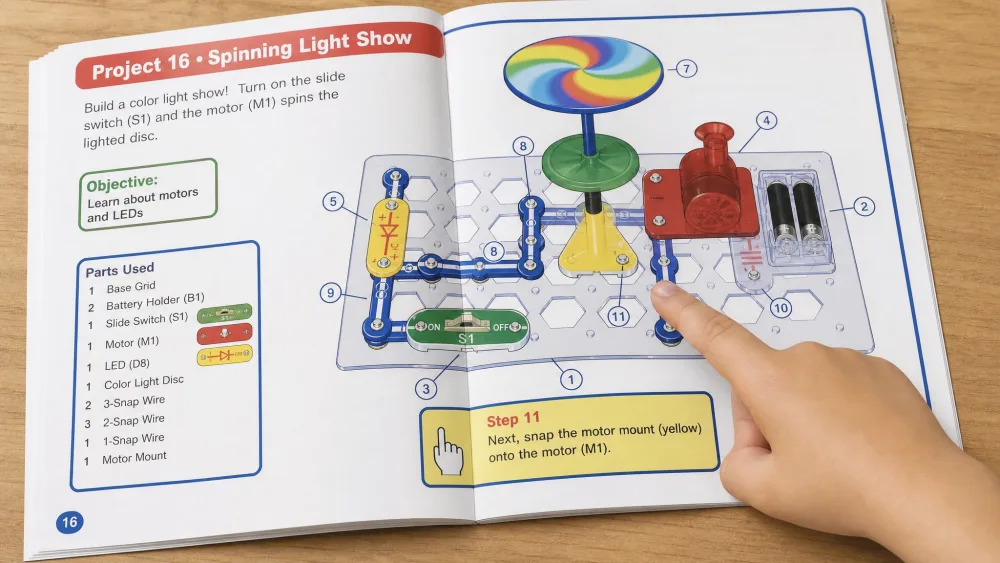
Setup friction is low. The spiral-bound manual uses large color illustrations clear enough for a child to follow with little adult help. Each project shows the parts in place by color and number, so an eight-year-old can match pieces to the page. Our first build took only a few minutes once we sorted the parts.
Build Quality and Durability
The core connectors are the strong point. The snap parts came apart and pressed back together across many rebuild cycles without losing function, and they held up to hours of play. That repeated snapping is where a kit lives or dies, and this one took the abuse.
The weak point is the small hardware. The tiny screws can shear off under heavy or repeated use, and a part may stop working after a lot of play. The kit ships with no spare hardware, so a lost or stripped screw becomes a real annoyance. We learned to keep the little pieces in a labeled bag between sessions.
Watch outThe gear and motor builds are fiddlier than plain snap circuits, and the small screws are easy to lose. Build over a tray so a dropped gear does not vanish under the table.
Educational Value (STEM Learning)
Concepts Kids Actually Learn
Kids come away with a working feel for a few big ideas: how a closed circuit powers a motor, how gear ratios trade speed for force, and how a motion sensor turns movement into a signal. Because every concept drives something that spins or lights up, the abstract part stays grounded. These are the same building blocks behind any electronic circuit, just sized for small hands.
Ages and Skill Progression
The project sequence builds nicely. Early projects are simple snap-and-go circuits, and later ones layer in gears, pulleys, and the motion detector. That progression keeps an eight-year-old challenged for weeks rather than an afternoon, while the early builds are a gentle on-ramp for a younger sibling with a parent nearby.
What Is the Snap Circuits Motion Kit?
Snap Circuits is a line of educational electronics kits from Elenco, the maker of Snap Circuits: each part is a plastic block that snaps onto a grid base, with no soldering or tools. Motion is the edition built around movement and mechanical physics, expandable with other Snap Circuits sets.
Pros and Cons
Pros
- Physics-in-action projects that make gears, pulleys, and gear ratios click
- Color-coded snap parts that survive hours of play and repeated rebuilds
- A clear, illustrated manual a child can follow with little help
- Expandable with other Snap Circuits sets on the same base
- Standout builds like the color-changing fan keep kids coming back
Cons
- Small screws can shear off, and no spare hardware is included
- Gear and motor assembly is fiddlier than plain snap circuits
- Needs 4 AA batteries that are not in the box
- Some owners feel it runs expensive for the parts count
- The age 8+ floor means younger kids need an adult alongside
How Snap Circuits Motion Compares to Other Kits
| Spec | Snap Circuits Motion (SCM-165) | Classic SC-300 | Jr. SC-100 | Light SCL-175 |
|---|---|---|---|---|
| Projects | 165+ | 300+ | 100+ | 175+ |
| Parts | 50+ | 60+ | 28 | 55+ |
| Recommended age | 8+ | 8+ | 8+ (entry-level) | 8+ |
| Focus | Physics and motion | General electronics | Beginner basics | Light and sound |
| Expandability | Works with other sets | Works with all sets | Upgrade path | Works with other sets |
| Approx price | ~$87 to $113 | Mid-range | Best value | Mid-range |
Motion vs. Classic SC-300
The Snap Circuits Classic SC-300 review covers the all-rounder. Classic offers over 300 projects and over 60 parts across general electronics like radios and alarms. If your child wants the broadest project library, Classic wins on breadth. If they light up at things that spin, Motion is the better fit.
Motion vs. Jr. SC-100
The Snap Circuits Jr. SC-100 review is the entry point. Jr. keeps it simple with over 100 projects and 28 parts, and it skews younger. It is the best value and the gentlest start, but it lacks the gears and motors that make Motion a physics kit. Many families start here and step up to Motion later.
Motion vs. Arcade and Light
The Snap Circuits Arcade review leans into game-based learning, with over 200 projects and 36 parts that build playable games. The Snap Circuits Light review focuses on light and sound, with over 175 projects, over 55 parts, a color organ, and fiber-optic builds. Pick Arcade for games, Light for color and sound, and Motion for the kid fascinated by how things move.
The science clicks because every project spins, lifts, or lights up. Movement is the lesson, and kids do not tune it out.
What Other Owners Say
Owners broadly land where we did. The physics builds get praise for being engaging, and the come-back-to-it factor shows up again and again. At one retailer the kit averages around 4.5 out of 5, though that rides on only a small handful of reviews and shifts between storefronts, so treat it as a hint rather than a verdict. The recurring complaints are consistent too: the missing batteries top the list, followed by the small screws and a sense that the kit runs a little pricey for the parts count.
Price and Where to Buy
Street price swings widely by retailer and over time, so treat it as a ballpark. Expect roughly $87 to $113 depending on where and when you shop, lower at some electronics retailers and higher at big-box stores. You can see the current price on Amazon and weigh it against your local options.

Frequently Asked Questions
What age is the Snap Circuits Motion (SCM-165) kit for?
The maker recommends ages 8 and up, and retailers list it around Grade 2 reading level. Eight is the right age to build mostly solo, since the gear and motor steps need steady hands.
How many projects and parts does it include?
The kit comes with over 165 projects and over 50 parts, including a motor, gears, pulleys, a propeller, LED lights, a switch, and wires.
Can younger children use this kit?
Yes, with an adult alongside. Our six-year-old completed several builds with help, snapping parts while someone else read the steps. For solo building, eight is the honest target.
Is it compatible with other Snap Circuits sets?
Yes. Motion uses the same snap-together base as the rest of the range, so it works with other Snap Circuits sets like Classic and Light.
Does it need batteries or tools?
It needs 4 AA alkaline batteries, which are not included. It needs no tools and no soldering, since every part simply snaps onto the grid.
How is Motion different from Snap Circuits Classic?
Motion focuses on physics and movement with gears, pulleys, and motors. Classic is a general electronics kit with over 300 projects built around radios and alarms.
Is it good for homeschool or classroom use?
It works well for both. The illustrated manual and progressive sequence suit independent learning, and the physics focus pairs naturally with lessons on forces and motion.
Final Verdict: Is Snap Circuits Motion Worth It?
For a child curious about how things move, Snap Circuits Motion earns its place on the shelf. The physics-in-action builds make gears and ratios genuinely click, the core parts survive hard use, and the project list keeps a kid busy for weeks. The honest knocks are the losable screws, the missing batteries, and a price that asks patience. None outweigh what the kit teaches.