Snap Circuits Light Electronics Exploration Kit Review: Hands-On STEM Learning
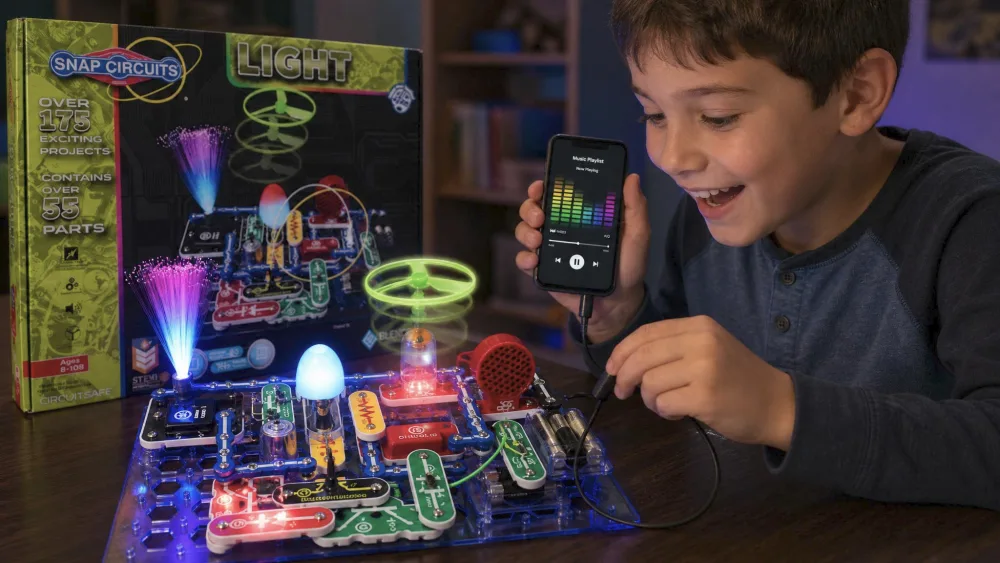
The first thing our eight-year-old reached for, before the box was even open, was the color organ. She snapped a few pieces together, plugged in a phone, and watched the lights pulse to the beat. She played three songs straight before anyone made her take a break, and the rest of the kids crowded in to see. That moment told us most of what we wanted to know about the Snap Circuits LIGHT Electronics Exploration Kit: it gets kids building, and keeps them building.
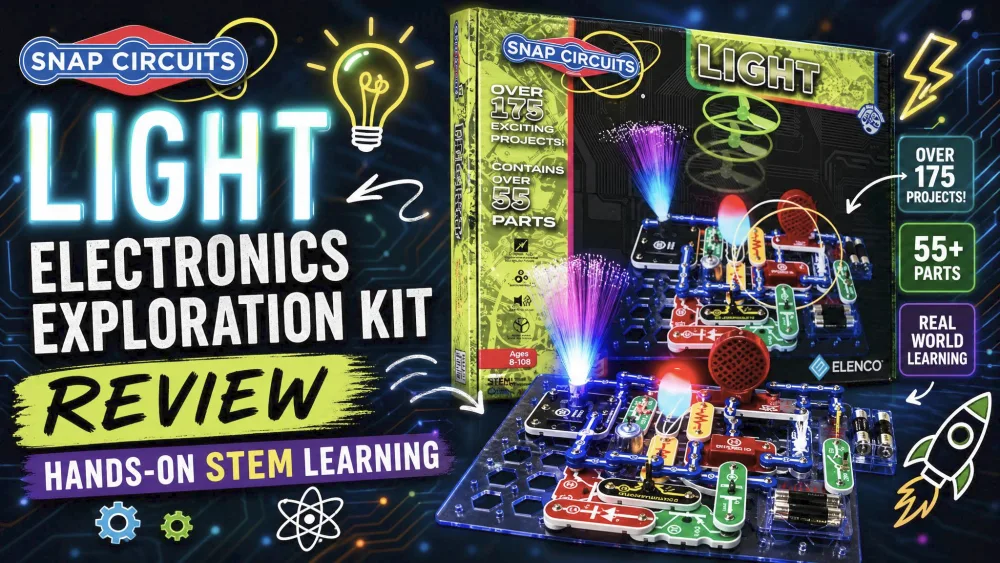
This is the kit that turns electronics into a light show. The headline number is 175+ projects, and they lean into what kids want to see happen: flashing LEDs, fiber-optic glows, strobe patterns, and music you can watch. We bought our own SCL-175 and tested it with our crew, ages six to fourteen, across several weeks.
First Impressions and Unboxing
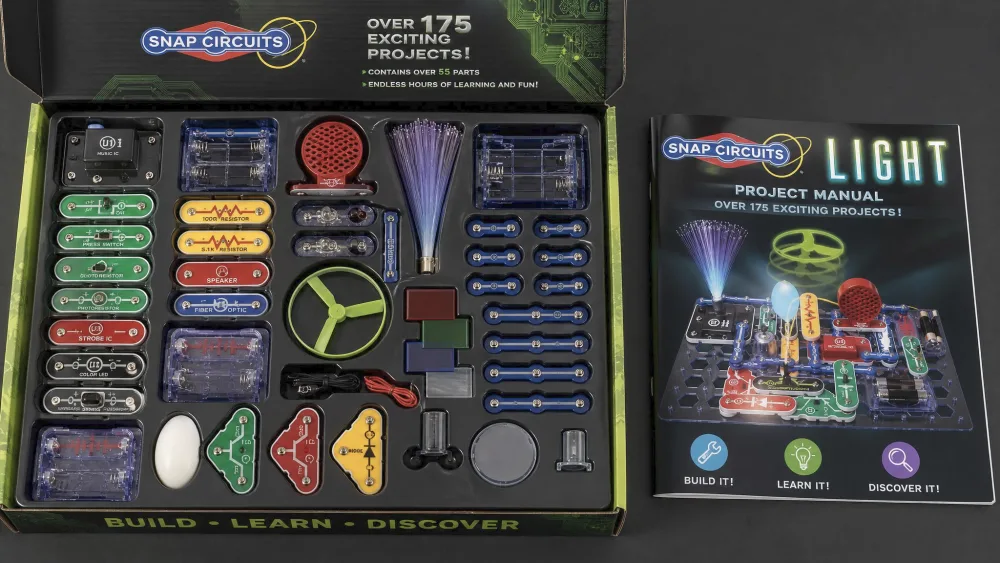
Opening the box, the first impression is color. The snap-together parts are color-coded and numbered, the manual is full-color, and everything keys into a plastic base grid that looks more like a board game than a science kit. No wires, no tools, nothing to solder, so a kid can open the lid and start building within a minute. The small parts arrive loose in the tray, and missing pieces are the most common complaint we saw, so inventory against the manual first.
Snap Circuits Light at a Glance (Verdict + Rating)
The short version: the 55+ parts and 175+ projects cover real electronics ground, but the hook is the light-and-sound payoff. The LIGHT is not the cheapest or broadest kit, but for a child drawn to anything visual it is arguably the most fun per build in the eight-and-up range.
What's in the Box: Parts and the 175+ Projects
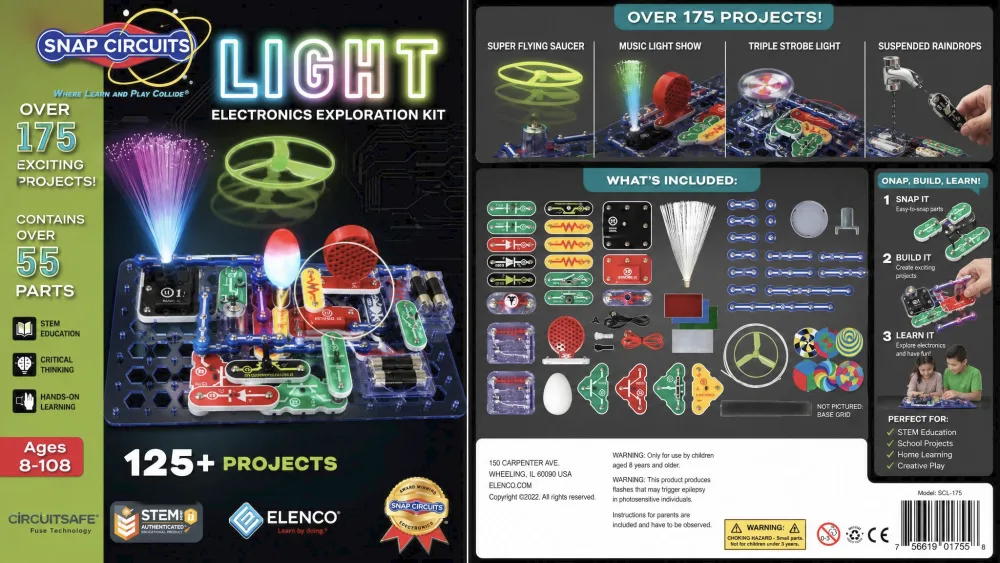
The LIGHT kit (model SCL-175) ships with 55+ snap-together parts and a full-color manual covering more than 175 projects. The manual itself numbers 182 builds, but 175+ is the box figure. Either way, that is weeks of material, because the manual builds difficulty deliberately from simple loops to clever circuits.
Every project ends in something you can see or hear, so the reward is immediate and the learning sneaks in behind it.
Key Components (Fiber Optics, LEDs, Color Organ)
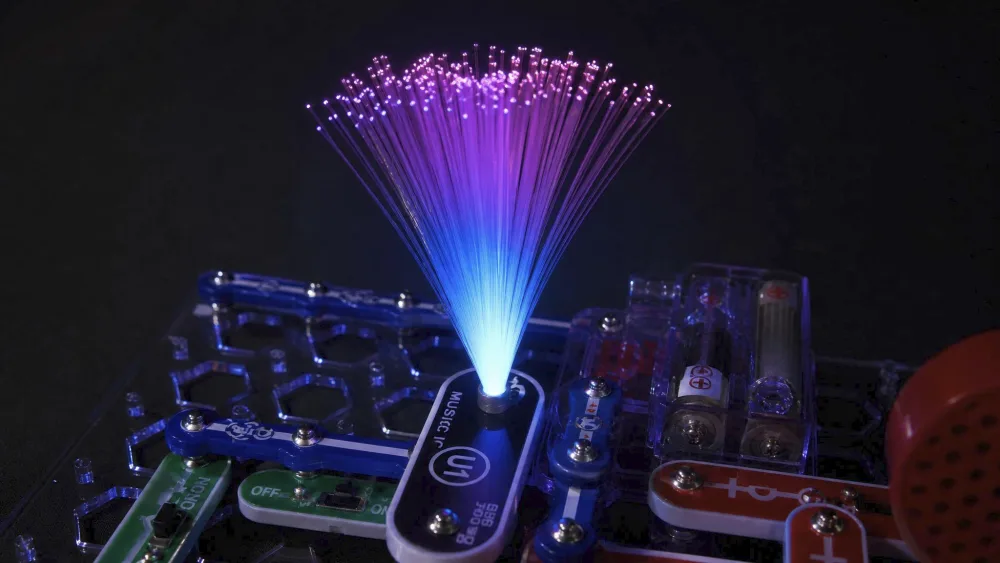
The parts list is where this kit earns its name. Alongside the standard capacitors, transistors, resistors, motor, microphone, and battery holders, you get the components that put on the show: a fiber-optic setup, color-changing LEDs, a strobe light with spinning patterns, a strobe IC, an infrared detector, and a glow-in-the-dark flying fan. The headline piece is the color organ, which is finger-, voice-, and music-controlled and syncs to a phone so the lights flash to whatever your kid is playing.
NoteEverything snaps onto a numbered base grid using color-coded blocks, so children match the manual's diagram rather than read a schematic. It is a clever on-ramp to real circuit concepts without loose-wire frustration.
What You Build (Light Show, Strobe, Music-Reactive Projects)
The builds are the selling point. Across the 175+ projects, kids assemble music-reactive light shows, strobe and spinning-pattern effects, a voice-activated light show, fiber-optic communication circuits, and color-organ projects that flash to music. The fiber-optic builds were the surprise hit; watching light travel down the cable and glow at the far end sparked real wonder, even from the older kids who think they are too cool for most things.
Hands-On: Building and Playing
Our kids returned to the LIGHT across several weeks, with the older ones just as absorbed as the eight-year-old who started it all. A kit can look great on paper and still gather dust; this one did not.
Ease of Use and Setup (No Tools, No Soldering)
Setup friction is close to zero. Kids match the color-coded parts to the manual, and a working circuit comes together in a snap. Our eight-year-old could jump in independently, and the payoff of building something that lights up produced real pride; the joy on her face when her circuit worked is the whole reason we recommend this kit. It is also far safer than the old wire-and-spring boards some of us grew up with.
Parent tipHave your child work through the manual in numbered order rather than jumping to the flashiest builds. The early projects teach the snap logic every later light show depends on.
Durability and Build Quality
The plastic blocks are chunky and feel well made, with the kind of solid snap-fit you want in a kit that gets handled by several kids. The one part that needs care is the fiber-optic cable, which has to stand straight up in its holders without bending for the light to carry. Handle that one part gently, and the rest is the kind of sturdy, simple construction that suits a kit meant for repeated building.
NoteAcross several weeks of building, the LIGHT kit pulled the older kids back to the table more often than almost anything else we have tested.
The Learning Experience: STEM Value
The light show is the bait; the electronics knowledge is the catch. Because every project ends in a visible result, kids stay motivated long enough to absorb the why behind each circuit, and the manual explains what each component does.
Skills It Teaches (Circuits, Problem-Solving, Critical Thinking)
Working through the projects, kids pick up the fundamentals: how a circuit completes, what resistors and capacitors do, and how components combine to make light, sound, and motion. Just as valuable is the problem-solving: when a build does not work, the fix is usually a misplaced block, and tracing it is exactly the patient critical thinking these lessons build.
Best Age Range and Difficulty Curve (8+)
The kit is rated for ages 8 and up, and that is the sweet spot. An eight-year-old can build most projects independently, and engagement holds into the teen years as the difficulty curve climbs. A few advanced builds, motor circuits in particular, can need an adult to troubleshoot, and the reading and fine motor demands make eight a fair floor, though younger children can enjoy it with a parent.
Watch outThe kit needs 4 AA batteries, not included. Buy a pack ahead of time so the first build session does not stall.
How It Compares to Other Snap Circuits Kits
Snap Circuits makes a lot of kits, and the LIGHT sits in an interesting spot: mid-priced, mid-sized, but uniquely focused on visual and audio payoff. If your child is motivated by spectacle, that focus is a feature, not a limitation.
Light vs Nite Lite vs Classic SC-300 vs Jr. SC-100
The Snap Circuits Jr. SC-100 is the entry point, with 28 parts and 100+ projects, and the cheapest way in. The Classic SC-300 is the general-purpose flagship, with 60+ parts and 300+ projects, and the best all-rounder if you want breadth over theme. Step up to the Pro SC-500 or the Extreme SC-750R for 500+ and 750+ projects, the Extreme adding a study program for classroom STEM use. The Snap Circuits Nite Lite is a different animal: the current USB version is a night-light projector with five light shows, rated for ages 5 and up and needing no batteries, so it suits a younger child.
| Set | Projects | Age | Standout feature | Price tier |
|---|---|---|---|---|
| Snap Circuits LIGHT (SCL-175) | 175+ | 8+ | Fiber optics, LEDs, music-reactive color organ | Mid (~$109–$125) |
| Jr. SC-100 | 100+ | 8+ | Entry-level basics, upgradeable | Lowest |
| Classic SC-300 | 300+ | 8+ | Broad general electronics | Low–mid |
| Pro SC-500 / Extreme SC-750R | 500+ / 750+ | 8+ | Most projects; STEM training program | Highest |
| Snap Circuits Nite Lite | 5 light shows | 5+ | USB night-light projector, no batteries | Low |
Pros and Cons
Pros
- 175+ projects centered on genuinely fun light, strobe, and music-reactive builds
- Color organ and fiber-optic components are real crowd-pleasers across a wide age range
- No tools and no soldering; an eight-year-old can build independently
- Chunky, color-coded blocks with a solid snap-fit that feels built for repeated building
Cons
- Needs 4 AA batteries that are not included
- The fiber-optic cable is delicate and needs careful handling
- A few advanced builds may need adult troubleshooting
- Small parts arrive loose and can be missing; inventory before the first build
- The project manual is English-only
What Other Parents and Reviewers Say
Beyond our own table, the LIGHT kit is well liked, and the praise lines up with what we saw: kids stay engaged for days while older siblings and cousins get pulled in too. The most frequent gripe is the occasional missing small part. Reassuringly, Elenco expects this and replaces parts directly rather than through the retailer; reach them at 800-533-2441.
Frequently Asked Questions
Is the LIGHT kit good for beginners?
Yes, the snap-together, color-coded design is very beginner-friendly, though the Classic SC-300 covers more ground as a first set.
Can it be combined with other Snap Circuits kits?
Yes, the parts are cross-compatible, so LIGHT blocks work with a Classic or Pro set.
Where can I get missing or replacement parts?
Elenco handles replacements directly, so contact them with your model and part number at 800-533-2441 or help@elenco.com rather than returning the whole kit.
Does the color organ work with any phone or music player?
It connects through an audio cable to an MP3 player or a phone's audio output, so any source with a standard headphone jack will drive the light show; a phone without one needs a simple adapter.
Is it a good fit for a classroom or several kids at once?
It is built around one builder at a time, so a single set suits one child or a pair sharing. For a classroom or STEM-curriculum setting, the Extreme SC-750R adds a structured study program for group use.
How should we store all the loose parts?
The parts ship loose in the tray and small pieces are easy to misplace, so a divided box or labeled bags sorted by part number keeps the set build-ready between sessions.
Final Verdict: Is Snap Circuits Light Worth It?
After several weeks of building, the answer is an easy yes for the right child. The LIGHT is not the biggest or cheapest kit, but it is the one our family kept coming back to, because every project ends in something you can see or hear. There are a couple of small caveats noted above, but they were footnotes against weeks of self-directed engagement.
If your child is eight or older and lights up at light shows, flashing LEDs, and music they can watch, this kit earns its place. In our home it became the set the older kids pulled the younger ones over to share, the rare STEM buy that turned into a family favorite rather than a shelf decoration.