Snap Circuits Extreme SC-750R Review: We Tested the 750-Project Electronics Kit
We bought the Snap Circuits Extreme SC-750R the way most families do: as a single big-ticket gift, hoping it would earn its keep. We set it up on the kitchen table over a long weekend and handed it to three eleven-year-olds, plus an older sibling who kept drifting back to the computer interface. We did not test it in a lab, and we did not build all 750 projects. The three of them finished about 40 builds, which is the most honest thing we can tell you about this kit.
That number matters. The Extreme is not a toy you exhaust in an afternoon; it rewards depth over speed. This review covers what is in the box, what building with it feels like, what it teaches, how it holds up, and how it compares to the kits below it.
Snap Circuits Extreme at a Glance
The Extreme sits at the top of the Snap Circuits family: over 750 do-it-yourself projects, more than 80 color-coded parts, and the CI-73 programmable computer interface that none of the smaller kits include. Here is our verdict before the details.
You can check the current price on Amazon, since it moves around by seller and season.

What's in the Box
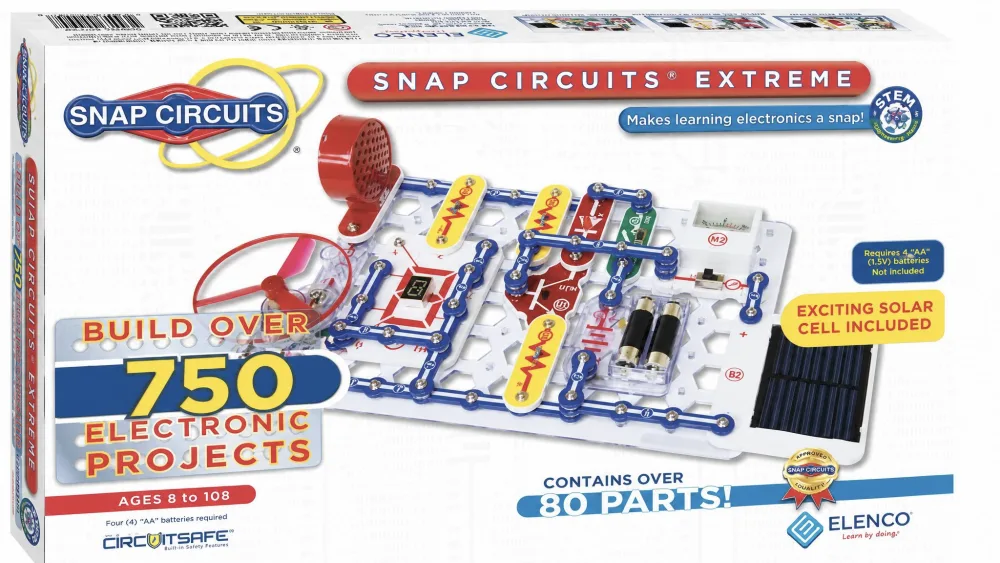
Open the case and the first impression is how organized everything is. The parts are color-coded and numbered, they snap onto a plastic rows-and-columns base grid, and a sturdy storage case keeps the 80+ pieces sorted between sessions. A kit with this many small parts lives or dies by whether you can find the right piece quickly, and this one passed.
Parts and Components
The SC-750R ships with over 80 color-coded snap-together parts. Beyond the basic wires, switches, and lamps, you get the components that separate the flagship from the cheaper kits: an electromagnet, a power amplifier, an analog meter, and a solar cell. None of it requires soldering, and you will not need any tool to build a working circuit. The kit runs on 4 AA batteries, not included, so have a set ready before the big unboxing.
One reassuring detail: Snap Circuits parts use Elenco's patented CircuitSafe fuse technology, designed to protect components if a circuit is wired wrong. A few parts feel a little flimsy, and a circuit wired wrong can still damage a component. If something fails, Elenco supplies free replacement parts, worth knowing before you write off a dud piece.
The Project Manuals and CI-73 Computer Interface
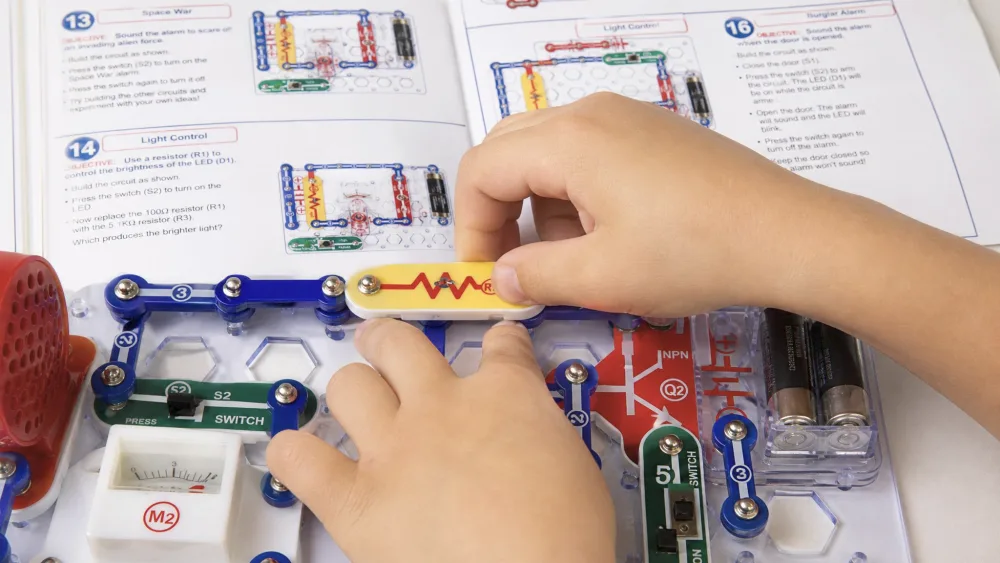
Two full-color, step-by-step project manuals walk kids through each experiment in pictures, not jargon. They are easy to follow, and a kid can start building without an adult reading every step aloud.
The headline extra is the CI-73 programmable computer interface. It connects the circuits to a computer so kids can see what their electronics are doing on screen, and it is the biggest reason to choose the Extreme over the Pro. One caveat: the CI-73 software requires Windows 95 or later and a microphone input port, and it is not Mac-compatible.
NoteThe kit is sold as both the SC-750 and the SC-750R. The components and the project count are identical. The SC-750R is the education bundle: it adds a student study guide (around 137 to 138 pages), a teacher guide, and a custom storage case, which is why homeschoolers and classrooms tend to choose the R version.
What It's Like to Build With
This is where a spec sheet stops helping and real use takes over. Kids stayed absorbed for hours, the easy projects landed immediately, and the hard ones earned the "extreme" name.
Getting Started and Ease of Use
There is no setup ritual beyond dropping in four batteries. Kids snap the pieces onto the grid by matching the picture in the manual, and a first working circuit takes only a few minutes. Because nothing requires soldering or tools, an eight-year-old can start independently, exactly what you want from a self-directed gift.
The 750 Projects: Range and Standouts
The 750 figure is real, and the range is the point. Early projects are single-step light and sound circuits. Later ones are devices kids recognize, from an FM radio and an AM radio to a digital voice recorder, a burglar alarm, a doorbell, a lie detector, electronic games, and solar and electromagnetism experiments. Our crew gravitated to the flashy light shows, the alarms, and the games, and those held attention longest.
Three eleven-year-olds working across a full weekend completed roughly 40 of the 750 projects. That is not a knock. The kit rewards depth, not speed, and the remaining hundreds are why it stays useful long after the first session.
The 750 projects are not a weekend to-do list. They are the reason the kit keeps coming back out of the case.
The Programmable Computer Interface
The CI-73 is what makes the Extreme feel different from every cheaper kit. Connecting a circuit to a laptop let one of our testers watch a sound-activated switch send its signal across the screen in real time, turning an abstract idea into something you could point at. The oldest in the group called it the coolest part "because it looks like what real scientists do," and that reaction tells you who this feature is for. The manual is easy enough for an eight-year-old to follow, but a child that age may not grasp the significance of the waveforms. It gives younger kids a fun result and older kids a real glimpse of instrumentation.
Educational and STEM Value
Strip away the marketing and the Extreme is a structured electronics course disguised as a toy, teaching real circuitry on a base grid that works like the printed circuit boards inside actual devices.
Concepts Kids Actually Learn
Kids learn how switches, resistors, and capacitors behave, how a circuit must be complete to work, and how the electromagnet and the solar cell convert one kind of energy into another. Building a working radio or alarm turns those ideas into something tangible, and the computer interface lets kids visualize signals rather than just hear the result. The kit is a strong gift that builds a child's confidence with electronics, and that confidence is the real curriculum here.
Best Age Range and Skill Progression
Elenco recommends the Extreme for ages 8 and up, and that is honest. The simplest projects suit a new eight-year-old, while the advanced builds and the computer interface keep a tech-curious teen engaged. The progression is the strength: the kit that introduces a beginner to a light circuit can later walk a confident builder through a programmable experiment. Some advanced projects need adult supervision, so plan to sit in for the harder builds.
Parent tipLet a new builder work through the first manual front to back before jumping to the computer interface. The early projects build the snap-and-match habit that makes the CI-73 experiments click much faster.
Build Quality and Durability
The snap connectors are the heart of the system, and they held up to repeated building and rebuilding across our weekend without trouble. The storage case is genuinely sturdy and is a big part of why the kit survives daily use; loose parts that scatter get lost. That said, a few parts feel flimsy, and a circuit wired incorrectly can damage a component. The occasional part can also arrive with a loose internal wire that makes it work only when held a certain way. Reassuringly, Elenco's free replacement-parts policy makes a single bad piece an annoyance rather than a dealbreaker.
Watch outSmall parts are exactly that. The Extreme is built for ages 8+, and the pieces are not suitable for younger siblings who put things in their mouths. Keep the case closed and stored up high between sessions.
Pros and Cons
Pros
- Over 750 projects with a clear ramp from beginner to genuinely advanced
- More than 80 color-coded snap-together parts, no soldering or tools needed
- The CI-73 programmable computer interface, a feature no smaller kit includes
- Strong STEM value and age progression that lets one kit last for years
- Sturdy storage case keeps the 80+ parts organized between sessions
Cons
- The highest price in the Snap Circuits line
- The parts and manuals are bulky to store and the project count can feel daunting
- Many small parts, and some feel a little flimsy
- Recommended for ages 8+, so it is not right for younger children
- Some advanced projects and the computer interface need adult help
How the Extreme Compares to Other Snap Circuits Kits
Snap Circuits sells a ladder of kits, and the Extreme is the top rung. If the price gives you pause, a smaller kit may be the smarter entry point, since every kit upgrades to the next with an add-on pack. Here is how the four main tiers line up.
| Spec | Snap Circuits Jr. SC-100 | Snap Circuits Classic SC-300 | Snap Circuits Pro SC-500 | Snap Circuits Extreme SC-750R |
|---|---|---|---|---|
| Project count | 100+ | 300+ | 500+ (511) | 750+ |
| Parts count | 28 | 60+ | 75+ | 80+ |
| Computer interface | No | No | No (base kit) | Yes, CI-73 programmable |
| Recommended age | 8+ | 8+ | 8+ | 8+ |
| Skill level | Entry / beginner | Beginner to intermediate | Intermediate to advanced | Advanced / flagship |
| Price tier | Lowest | Low-mid | Mid-high | Highest |
vs. Snap Circuits Jr. SC-100
The Snap Circuits Jr. SC-100 review covers the entry point. With 28 parts and over 100 projects, the Jr. is the cheapest way to learn whether your child takes to electronics. It has no computer interface and far fewer advanced components, but it upgrades to the Extreme later with a UC-60 add-on pack, so it is a safe place to start.
vs. Snap Circuits Classic SC-300
The Snap Circuits Classic SC-300 review is the popular middle ground. With 60+ parts and over 300 projects, the Classic builds many of the same crowd-pleasers as the Extreme, including a radio, an alarm, and a lie detector. It still has no computer interface, but for a lot of families it is the sweet spot of price and depth.
vs. Snap Circuits Pro SC-500
The Snap Circuits Pro SC-500 review is the closest sibling to the Extreme. With 75+ parts and over 500 projects, the Pro adds advanced components like a voice-recording chip and a 7-segment LED display. But the base Pro does not include the CI-73 computer interface. If the on-screen, programmable side excites your child, the Extreme is the kit to get.
Who Should Buy the Snap Circuits Extreme (and Who Shouldn't)
Buy the Extreme if you have a tech-curious child aged 8 or older, if you homeschool or run a classroom and want one kit that lasts for years, or if your child has already worn out a smaller Snap Circuits set. The per-project cost works out lower than the smaller kits because there are so many projects to grow into.
Skip it if your child is brand new to electronics and you are not sure the interest will stick; the Jr. or Classic is a gentler, cheaper start. Skip it too if you only have a Mac, since the CI-73 software needs Windows, or if you have younger children drawn to the small parts.
Common Mistakes Parents Make
The most common mistake is treating the 750 projects as a checklist and feeling let down when a child finishes only a handful at first. The kit is built for repeat visits, not a single marathon. The second is buying the Extreme as a first electronics kit when a smaller one would have proven the interest and cost far less. The third is overlooking the Windows-only requirement and finding on gift-opening morning that the family laptop is a Mac. A quick check of those three things saves the most disappointment.
NoteThe Extreme rewards repeat visits rather than a single marathon. With hundreds of projects still unbuilt after a weekend, the value is in how much room a child has to keep growing into the kit, not in how fast they can clear it.
Frequently Asked Questions
How can I be sure my child's interest is real before spending this much?
Watch for a child who tinkers, takes things apart, or asks how gadgets work. If you are still unsure, start with a cheaper Snap Circuits kit and upgrade later. A child who burns through a Jr. or Classic and asks for more is ready for the Extreme; a kit that sits untouched tells you to hold off.
Can I upgrade a smaller Snap Circuits kit to the Extreme later?
Yes. Elenco sells add-on upgrade packs so a smaller kit can grow into a larger one; the Jr. moves up toward the Extreme with a UC-60 upgrade pack. That makes a cheaper kit a low-risk starting point, since you are not locked out of the flagship later.
Does the computer interface work on a Mac?
No. The CI-73 software requires Windows 95 or later and a microphone input port, and it is not Mac-compatible. If your household runs only Macs, the snap-and-build projects still work fine, but you will not be able to use the on-screen interface that sets the Extreme apart.
Do you need the computer interface to enjoy the kit?
No, the great majority of the 750 projects work without it, and a kid will stay busy for a long time using only the snap parts and manuals. But the CI-73 interface sets the Extreme apart from the Pro and lets kids see their circuits on screen, so it is the main reason to buy this kit over a cheaper one.
What happens if a part arrives faulty or stops working?
Elenco supplies free replacement parts, so a single bad piece is an annoyance rather than a dealbreaker. The CircuitSafe fuse technology is also designed to protect components when a circuit is wired wrong, though a badly wired build can still damage a part.
Final Verdict
If you remember one thing, make it this: the Extreme is a kit you grow into, not one you finish. A weekend barely scratched the 750 projects, and that is exactly why it keeps its place rather than gathering dust. For a tech-curious kid, a homeschool, or a classroom, it is the Snap Circuits kit we would buy. The one family we would steer elsewhere is the one chasing the lowest sticker price for a casual, try-it-and-see gift; that buyer is happier with the Classic, which builds many of the same crowd-pleasers for far less and can be upgraded later if the spark catches. You can see the latest pricing on Amazon or read the full spec on Elenco's official Snap Circuits Extreme page.