Snap Circuits Jr. SC-100 Review: Does It Actually Teach Kids Electronics?
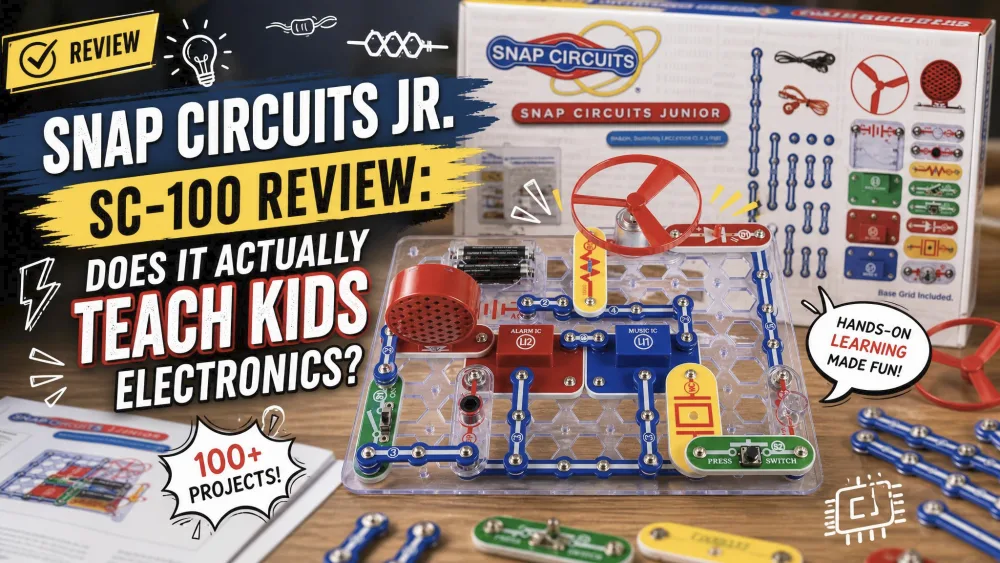
One of our eight-year-olds built the spinning flying saucer first. The fan jumped off the grid and skittered across the kitchen table, and the whole room leaned in to watch. The numbered, color-coded parts made finding pieces easy enough that little adult help was needed. It was a satisfying moment for a kid who normally drifts away from anything that looks like a lesson.
But here is the honest question this review answers. Does snapping the parts together actually teach your child electronics, or does it just teach them to follow the manual? That decides whether this kit becomes a real on-ramp to circuits or a clever toy that gets shelved.
NoteAcross our household of five, we put the SC-100 in front of kids spanning the recommended age and a bit beyond. We watched who could build alone, which projects pulled a crowd, and how the parts held up.
Snap Circuits Jr. SC-100 at a Glance
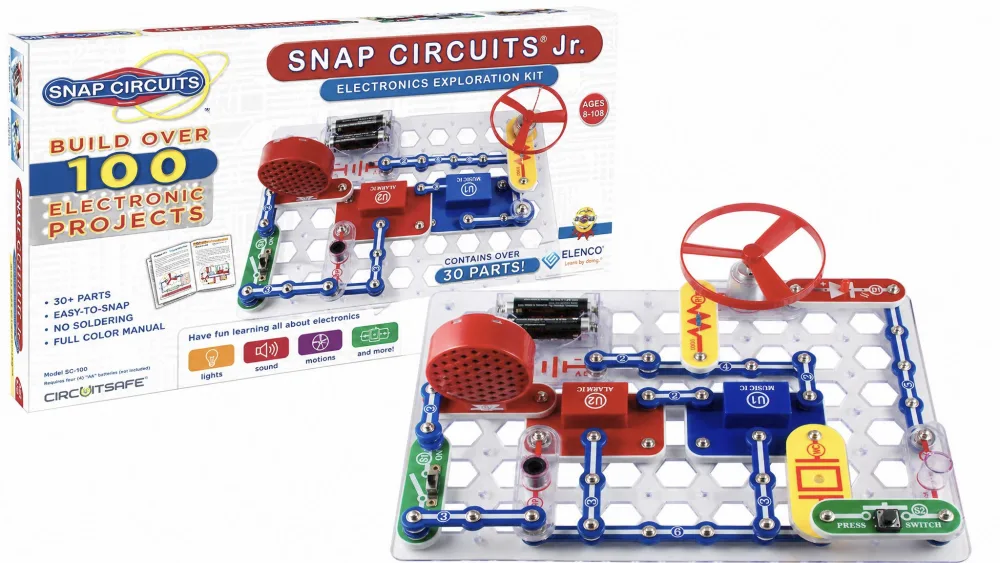
The Snap Circuits Jr. SC-100 is a beginner electronics kit for ages 8 and up. No soldering or tools are needed, because the parts snap onto a plastic grid like building blocks. It runs over 100 projects from a full-color manual, covering the first circuits that make a fan spin, a lamp glow, or an alarm sound.
It sits at the entry point of a much larger family. When your child outgrows it, the kit upgrades to the Snap Circuits Classic SC-300 with an add-on pack, so the early money is not wasted. Street price lands roughly in the $30 to $40 range, and the kit carries a very high average rating across tens of thousands of buyers.
What's in the Box
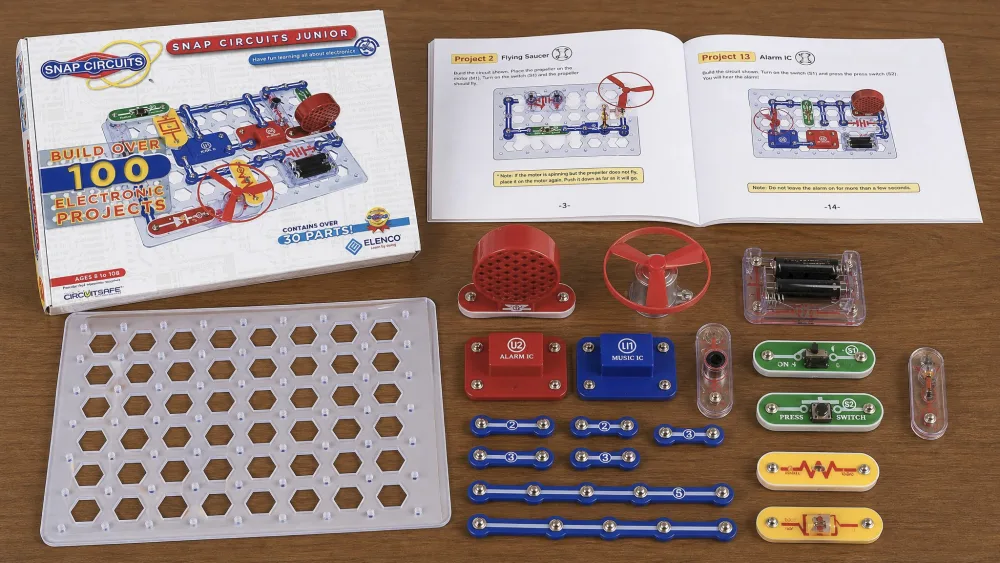
Open the box and you get a plastic base grid plus a tray of snap-together, color-coded, numbered parts. Sources count the parts at 28 to 29, or "over 30," depending on whether the snap wires and grid get tallied separately. Either way, it is a focused starter set.
The components cover the working pieces of a simple circuit: snap wires, a slide switch, a speaker, a lamp and LEDs, a motor that powers a fan or flying saucer, a battery holder, and a music and alarm integrated circuit. The sample builds run from that flying saucer to an AM radio, a light-activated alarm, a sound-activated switch, and a parade of doorbells and sirens.
The manual is the quiet hero: a full-color printed guide with numbered, color-coded parts and illustrated diagrams, so each project reads as a picture your child can match piece by piece. The one thing missing is power: the kit requires 2 AA batteries, not included.
How It Works
The whole system rests on one good idea. Every part is a plastic block with snap studs on top, and they press onto a base grid that works like a pegboard for electricity. Your child follows a numbered diagram, snaps each labeled part into place, and clicks the last wire in to close the loop.
That design removes the two things that usually stop young kids from building real circuits: soldering and loose-wire confusion. No soldering means no heat and no fumes, and the grid holds everything in position. When the circuit is right, the fan spins, the lamp lights, or the siren sounds, and that instant feedback keeps a child building. When it does not work, the fix is usually one mis-seated part, spotted by re-checking the diagram.
Build Quality & Durability
The plastic here is the chunky, kid-proof kind. The sturdy parts and the snap-grid held up well through repeated use in our home. Pieces got dropped, swept off the table, and dumped back in the box daily, and they kept working.
There is one honest caveat. The snap connectors can loosen a little over time with heavy use, though the parts otherwise hold up well. It is the gentle wear you would expect from any snap-together system, not a sign the kit is fragile. We never had a part fail outright.
Parent tipStore the parts snapped onto the base grid between sessions rather than loose in the box. It keeps the small pieces together and saves a hunt for the wire that rolled under the couch.
Learning & Developmental Value
This is the section the title promised. The SC-100 teaches the foundations of electronics through hands-on building rather than reading, and that hands-on part is doing real work. Snapping a switch into a live circuit and watching the lamp respond turns an abstract idea into something your child can see and cause.
What Kids Actually Learn
At the entry level, your child learns what a circuit is: that electricity needs a complete loop, that a switch opens and closes that loop, and that swapping one component changes what the circuit does. Building a working radio or alarm teaches cause and effect, sequencing, and a first feel for components like resistors, switches, and motors.
The hands-on format is the point, not a gimmick. Research on hands-on physical learning has found that physically experiencing a science concept can deepen understanding more than watching or reading alone. The wins build motivation, too. After finishing the AM radio, one of our older kids walked away describing themselves as feeling "like a genius," and that pride drives the next build.
Where an Adult Makes the Difference
Here is the candid part. Whether the kit teaches real circuit theory or just teaches following the manual depends almost entirely on the adult in the room. A child can complete every project by matching pictures and still learn little about why each one works.
An engaged grown-up turns instruction-following into understanding, and the difference is small questions asked at the right moment. Ask "what happens if we remove this part?" before your child rebuilds, and the kit becomes a conversation about circuits. Left as a solo picture-matching task, it becomes a quiet activity with a thinner payoff.
The SC-100 hands your child the parts of a real circuit. Whether those parts add up to understanding depends on the adult who sits down beside them.
Play Value & Engagement
The engagement here surprised us, because electronics kits can stall fast. Instead, kids built and rebuilt circuits nonstop and stayed focused for long stretches. Group sessions held attention especially well; one classroom session kept a whole group focused and excited the entire time, which matched what we saw at our own table.
A lot of that comes from the instant payoff. Every project ends in a thing that does something, whether a sound, a light, or a spinning fan, so the reward arrives fast and often. The flying saucer pulls a crowd, and the siren projects are a hit with kids who like noise.
Age Appropriateness
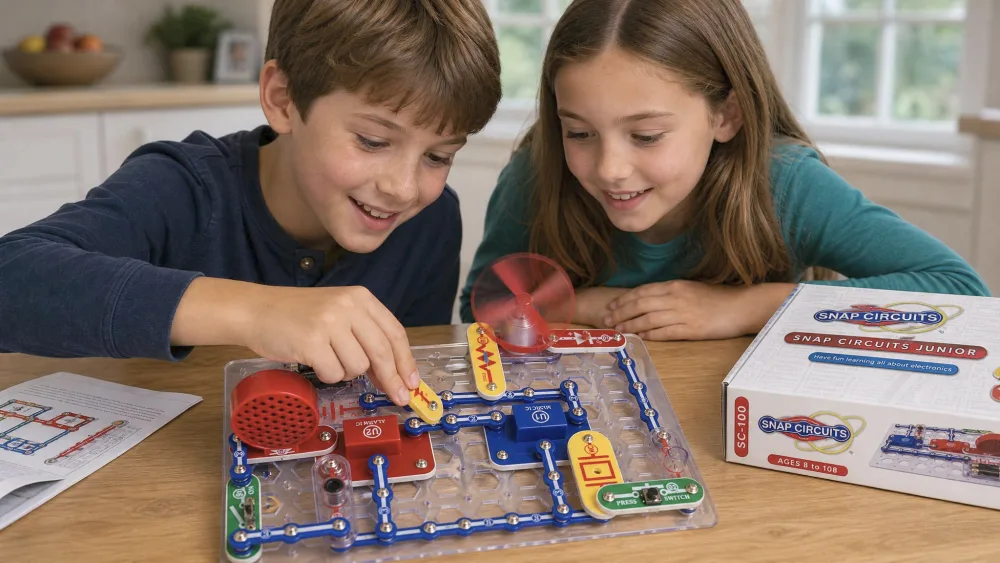
The manufacturer rates the SC-100 for ages 8 and up, and that floor felt right in practice. An 8-year-old could build projects with little adult help, mostly because the numbered, color-coded parts make finding the right piece easy. Younger children can join in with an adult, but the reading and fine snapping suit the 8-plus range best.
The ceiling is the thing to watch. Kids with prior electronics experience, or older tweens, can outgrow the SC-100 fairly quickly and may want a larger set sooner than you expect. For a curious beginner it lands in the sweet spot.
Safety
Safety comes down to one practical fact: the kit contains small parts, and the manufacturer rates it for ages 8+, which functions as a small-parts and choking-hazard caution for younger children. If you have toddlers, build at a table they cannot reach and pack the parts away afterward.
Beyond that, the design is inherently low-risk. There is no soldering, no heat source, and the kit runs on two AA batteries rather than mains power. There is no recall on record for Snap Circuits, which you can confirm against the U.S. CPSC recall database. And like every toy sold in the U.S. for children under 14, the SC-100 is subject to the mandatory ASTM F963 toy-safety standard, so it meets those baseline requirements.
Watch outThis kit is not for the under-8 crowd unsupervised. The snap wires and small parts are a choking hazard for toddlers, so keep builds to a surface younger siblings can't reach.
Pros & Cons
After our time with the kit across several kids, here is the balanced picture.
Pros
- Snap-together design removes soldering, heat, and loose wires entirely
- Builds real, working circuits your child can see respond
- Full-color, numbered manual makes solo building achievable at 8+
- Over 100 projects keep the kit fresh across many sessions
- Durable parts hold up to repeated, enthusiastic handling
- Affordable, and it upgrades to the larger SC-300
Cons
- Teaches real circuit theory only when an engaged adult asks the questions
- Small parts make it unsafe for younger, unsupervised children
- Advanced or older kids can outgrow it quickly
- The required 2 AA batteries are not included
How It Compares to Alternatives (SC-300, LittleBits, Thames & Kosmos)
The SC-100 is the smallest member of a big family, so the first comparison is its own bigger sibling. The Snap Circuits Classic SC-300 carries over 300 projects and 60+ parts, adding an AM radio, transistors, and integrated circuits the Jr. set leaves out. If your child is already past beginner, the SC-300 is the more future-proof buy at roughly $50 to $76.
The other two paths look different. The littleBits At-Home Learning Starter Kit uses magnetic snap-on modules for open-ended invention rather than a fixed project list, but the brand wound down under Sphero after 2019 and now sells mainly through resellers. Thames & Kosmos Electronics: Learning Circuits offers 70 structured experiments on its own snap-block system, a solid middle path if you want guided depth without the full SC-300 jump.
Expandability is where Snap Circuits quietly wins. The SC-100 upgrades to the SC-300 through the UC-30 add-on kit, which adds roughly 30 new parts and 200 more projects. You can weigh it against builds like our Sillbird 12-in-1 solar robot building kit review for comparison.
| Feature | SC-100 | SC-300 Classic | littleBits Starter | T&K Learning Circuits |
|---|---|---|---|---|
| Projects | Over 100 | Over 300 | ~5 inventions | 70 experiments |
| Parts | ~28–30 | 60+ | 5 Bits + 12 | 30 blocks |
| Soldering | No | No | No (magnetic) | No |
| Batteries | 2 AA | 4 AA | Module incl. | AA holder |
| Price | ~$30–$40 | ~$50–$76 | ~$65 | Varies |
Who Should Buy It
Buy the SC-100 if you have a curious 8-to-11-year-old who has never built a circuit and you want a screen-free, hands-on first step. It is an excellent gift, a strong fit for homeschool or classroom use, and a low-risk way to test whether your child takes to electronics before spending more. Ask a few questions during builds, and the learning value climbs sharply.
Who Should Skip It
Skip it if your child already tinkers with electronics or sits at the older-tween end, since they may outgrow the Jr. set quickly; jump straight to the SC-300. Skip it, too, if you want a self-directed invention toy rather than a guided project sequence, which is more the littleBits model. And if you hoped for a kit your child masters entirely alone, set expectations: it builds alone fine, but real circuit understanding needs a grown-up in the loop.
Verdict: Is the Snap Circuits Jr. SC-100 Worth It?
For the right child, yes, comfortably. It removes the barriers that usually keep young kids out of real electronics and replaces them with fast, visible wins.
Frequently Asked Questions
Is the Snap Circuits Jr. SC-100 worth buying?
Yes. For a curious child aged 8 or older with no electronics experience, it is an excellent, affordable first kit that builds real, working circuits with no soldering across over 100 projects.
What's in the box, and how many parts does it include?
A base grid, a tray of color-coded numbered snap parts (roughly 28 to 30 depending on the source), and a full-color manual with over 100 projects. It needs 2 AA batteries, not included.
Does it teach circuit theory, or just how to follow the manual?
Both are possible. A child can complete projects by matching diagrams, but the deeper understanding of why each circuit works depends on an engaged adult asking questions during builds.
What's the best age for this kit?
The manufacturer rates it for ages 8 and up. Eight-year-olds can build with little help, while older tweens or experienced kids may outgrow it.
How does it compare to the bigger Snap Circuits sets?
The SC-100 is the entry kit with over 100 projects; the SC-300 carries over 300 projects and more advanced parts. You can start small and upgrade using the UC-30 add-on kit.