10 Best Electronics Kits for Kids in 2026 (Tested by Age)
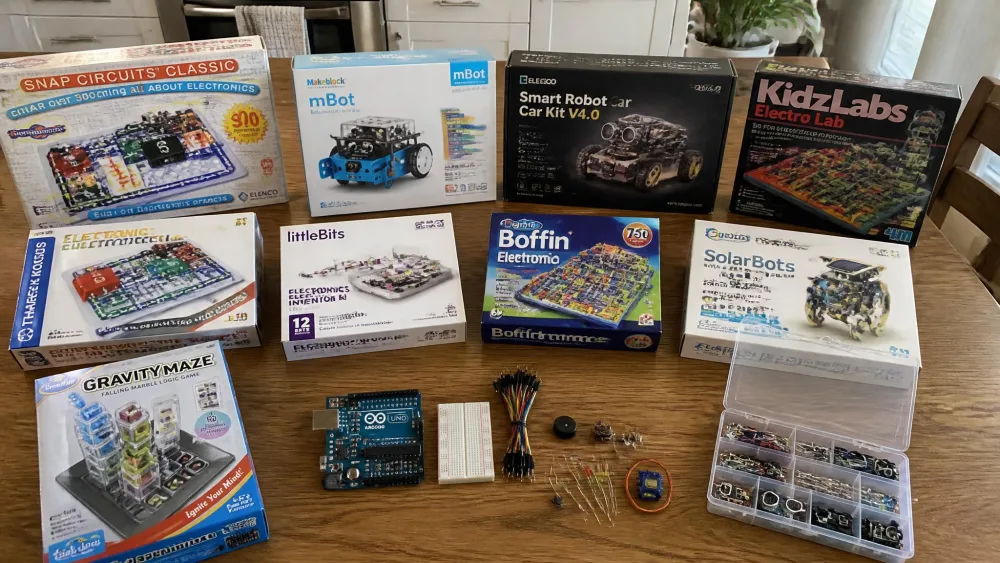
We are a household of five kids spread across the whole beginner-to-teen range, so ten electronics kits came through our kitchen table and got used the way kits actually get used at home. Our youngest worked the picture-diagram sets. The older two took on the robot car and the Arduino board. Everything below reflects what happened when the parts hit the table, not what the box promised.
The kits did not all last the same way, and that was the most useful thing we learned. The Snap Circuits sets never got worked front to back; they went back on the shelf and came down again months later, and a set bought for a five-year-old was still being used by an eight-year-old. The mBot has a ceiling instead: without add-on packs it is a line follower and an obstacle avoider, and a child who does not take to the coding drifts away inside a term. The ELEGOO car and the Arduino kit are finite projects rather than open rotations.
Below are our top three, a comparison table, ten reviews, and a breakdown by age band from 4 through 13 and up.
How We Tested These Kits
We bought these kits ourselves and put them where our kids already play. Every kit got the same treatment: unbox it, hand the manual to the child it was aimed at, and see how far they got before an adult was needed. That last part was the real dividing line.
We scored each one on four things: whether a child can work the instructions unaided, whether the components survive being dropped and jammed back in the box, whether the project count reflects genuinely different builds, and whether the kit has anywhere to go once the manual runs out.
NoteThe same pattern showed up across nearly every kit: instructions and component durability decide whether a set gets used twice or fifty times. Project counts printed on the box mean little on their own.
We also watched something the STEM marketing rarely mentions: storage. A kit with sixty loose parts and no tray becomes a bag of mystery components by the third session, and no child rebuilds a circuit from a bag.
Our Top 3 Picks at a Glance
Our quick picks
Electronics Kits for Kids at a Glance
| Kit | Best for | Age range | Project count | Solder required? | Price band |
|---|---|---|---|---|---|
| Snap Circuits Jr. SC-100 | Best overall, ages 5-8 | 8+ (works younger with help) | 100+ | No | ~$30 |
| Snap Circuits Classic SC-300 | Best step-up kit | 8+ | 300+ | No | ~$54-67 |
| National Geographic Circuit Maker | Best video instructions | 8-12 | 120+ | No | ~$55 |
| Snap Circuits Beginner SCB-20 | Best for under-7s | 5-9 (Elenco says 8+) | 20+ | No | ~$20 |
| littleBits Base Kit | Best modular magnetic kit | Grades 2-7 | Open-ended challenge cards | No | Education pricing |
| Makeblock mBot | Best robotics introduction | 8-12 | App and Scratch projects | No | ~$70 |
| ELEGOO UNO R3 Smart Robot Car Kit V4 | Best Arduino starter for tweens | 8+ | 24 module parts, multi-mode | No | ~$80 |
| Official Arduino Starter Kit | Best for serious teen builders | 12+ | 15 | No (breadboard) | ~$110 |
| Snap Circuits Pro SC-500 | Best for 500+ projects | 8+ | 500+ | No | ~$100 |
| Playz Advanced Circuit Board Kit | Best budget project library | 8-12 | 328+ | No | ~$70 |
1. Snap Circuits Jr. SC-100 — Best Overall for Ages 5-8
Why we picked it
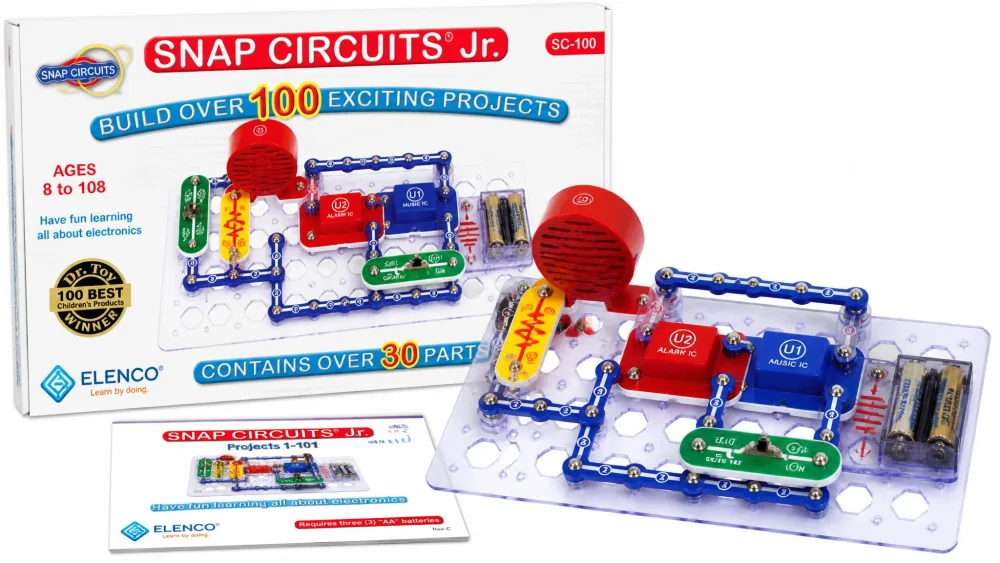
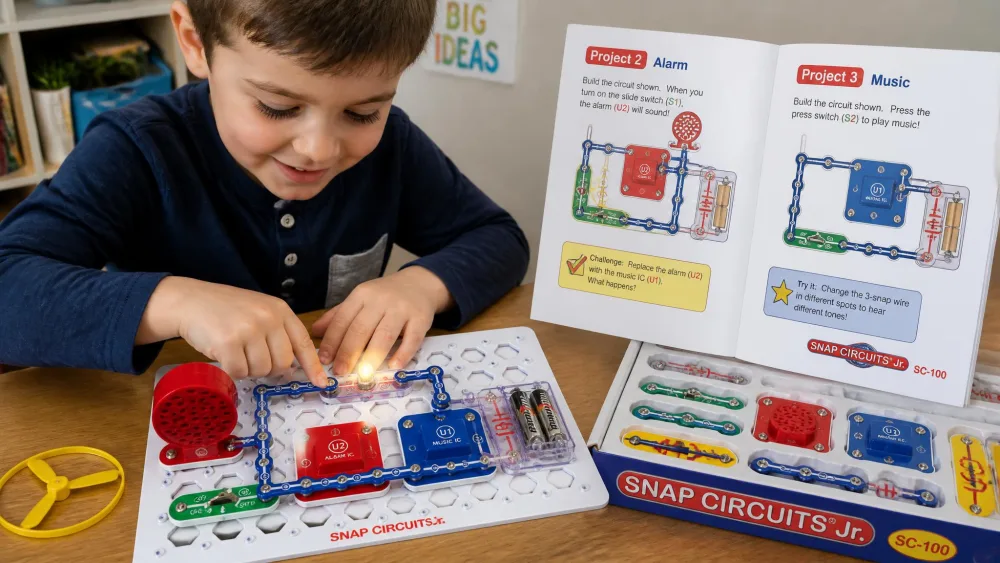
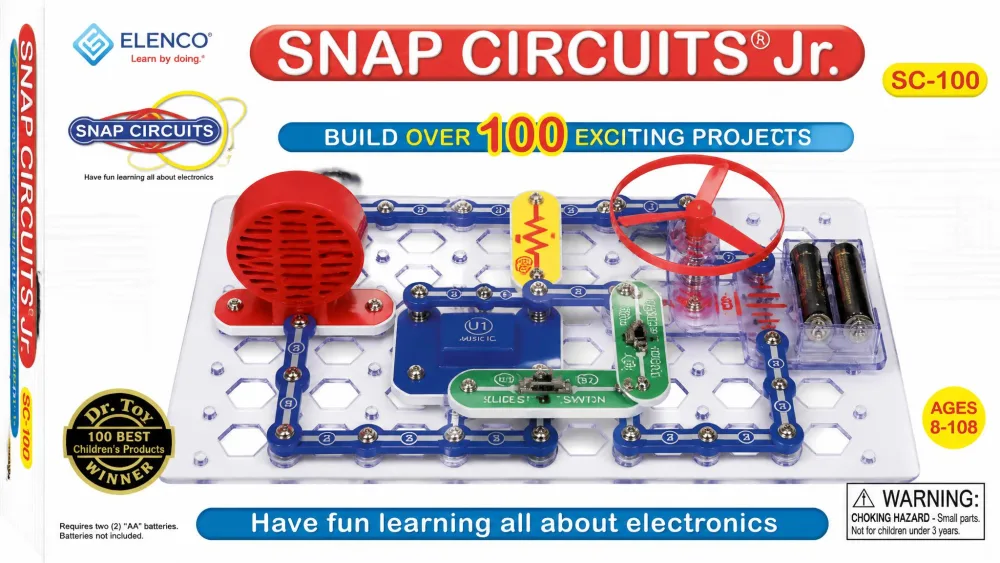
Snap Circuits Jr. SC-100 is the kit we would hand to a family buying their first one, and it got the most repeat use in our home. Elenco rates it for ages 8 and up, and the printed part count does not agree with itself, so treat it as roughly 28 to 30 pieces.
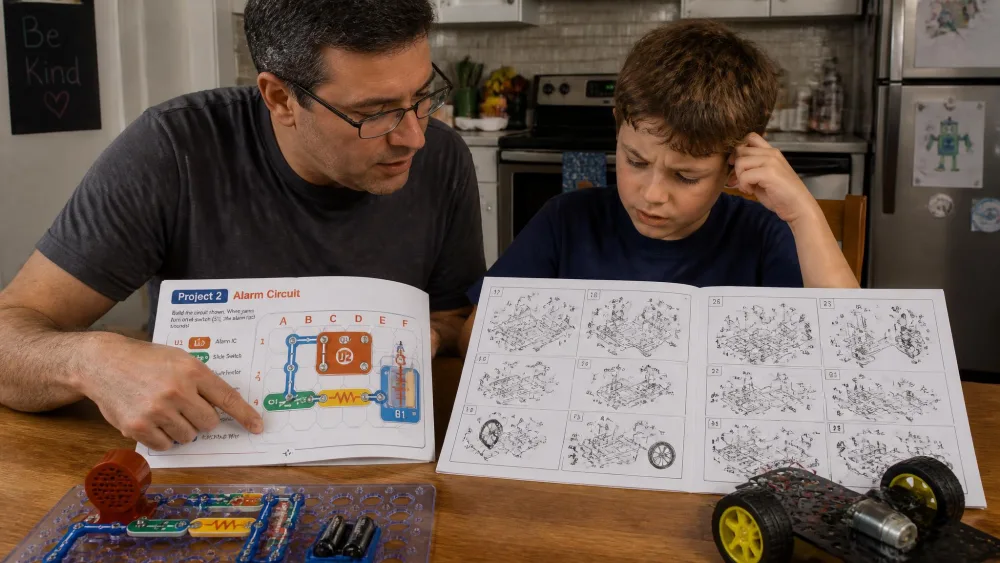
The session we remember best began as one child's project and stopped being that inside ten minutes. A younger builder had the manual open at the alarm circuit and was hunting for the right snap wire. An older sibling sat down to help find it, then took over the motor and fan build on the other half of the grid, and an adult ended up on the third chair working the music integrated circuit. Sessions here run to hours and pull in whoever walks through the kitchen, so one box gets used by several ages at once, and it never goes back on the shelf finished.
Who it's for — and who should skip it
Buy this for a 5 to 8-year-old with an adult nearby, or for an 8-year-old alone. The printed age floor is conservative: it suits a four-year-old who is already taking household electronics apart, provided a grown-up sits alongside for the parts hunt. Skip it if your child has already built circuits. Around $29.98 as of this writing, against an Elenco list price of $52.99.
Pros
- Genuinely no soldering or tools, and parts snap on in seconds
- Picture-based manual a pre-reader can follow with light help
- Over 100 projects, and it expands with every other Snap Circuits set
Cons
- Small snap components are the weak point and fail before the projects run out
- AA batteries are not included
- Printed part count contradicts itself between the title and the box copy
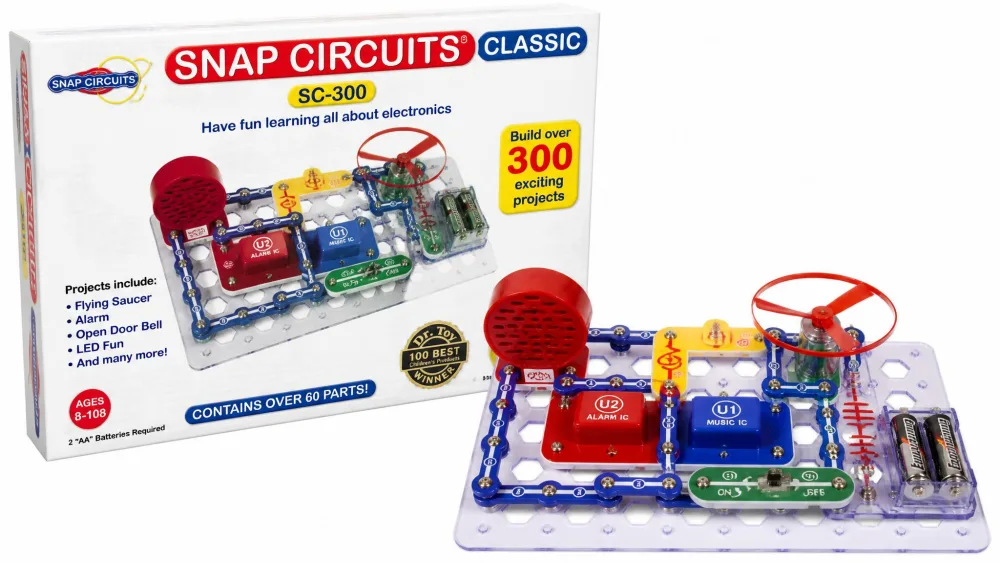
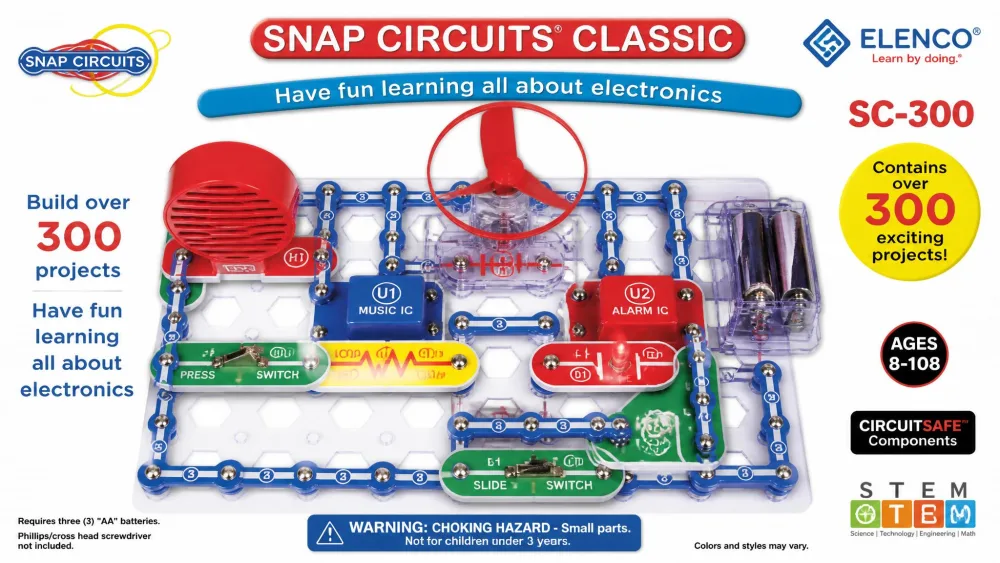
2. Snap Circuits Classic SC-300 — Best Step-Up Kit
Why we picked it
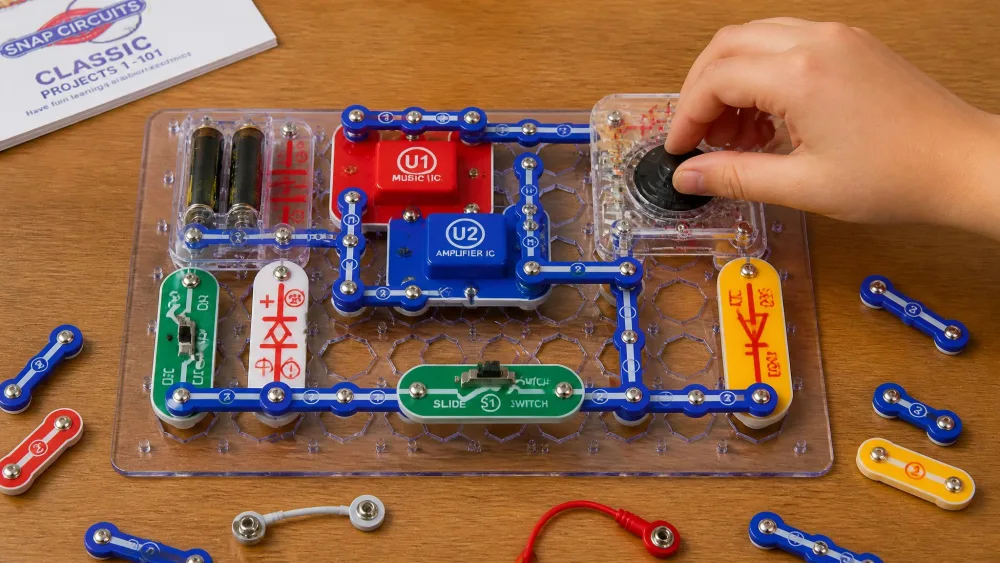
Where the Jr. manual eventually gets worked out, the Classic SC-300 set is the box the same child moves to, and nothing already on the shelf goes to waste, because every set combines with the full Snap Circuits line into a single parts pool. It is rated for ages 8 and up and ships in a flat box that stores upright.
The jump in diagram density is the thing to plan for. A child coming straight off the Jr. picture manual meets pages that are too dense for most under-8s, and the build stops being solo work until an older sibling or a parent sits down to read the page with them. That is the normal shape of a session here rather than a problem: the set draws in whoever is nearby, and it does not get worked front to back in one stretch. It goes back on the shelf and comes down again months later, which is how the bigger named builds like the AM radio and the burglar alarm get reached at all.
Households that keep going do not retire the first box; they add a bigger one, and the two become one parts pool. Small snap parts do give out along the way, well before the project list does. Price swings roughly $53.59 to $66.98 across early August 2026 against an Elenco list price of $98.99.
Who it's for — and who should skip it
This is the right first kit for a confident 8 to 10-year-old, and the right second kit for anyone who finished the Jr. manual. Skip it if you want something a five-year-old can drive alone.
Pros
- 300+ projects with genuinely different outcomes, including a working AM radio
- 60+ parts in a flat box that stores upright and keeps them sorted
- Combines with any other Snap Circuits set you own
Cons
- Street price swings widely between sellers
- Diagrams are too dense for most under-8s
- Small parts still break before the project list is exhausted
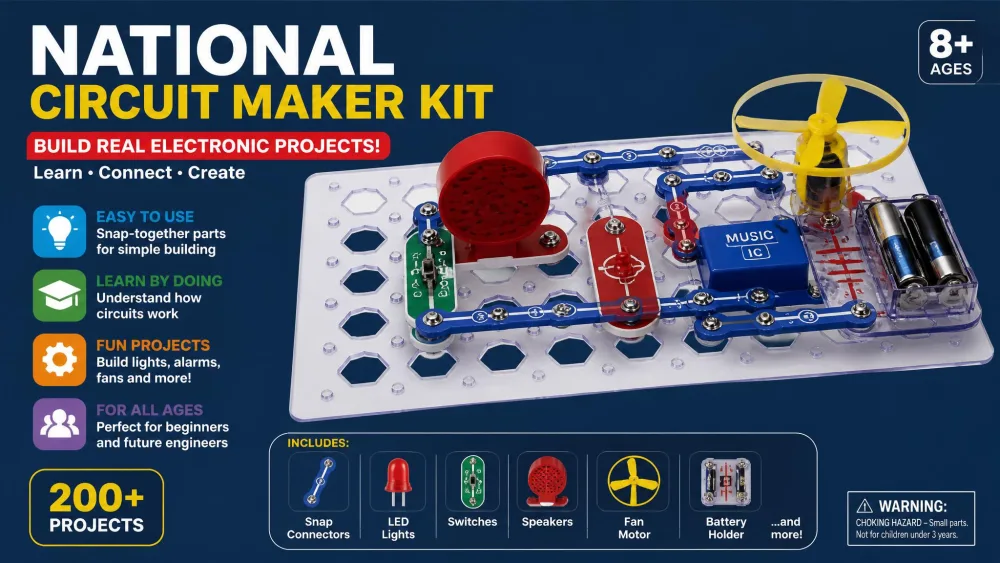
3. National Geographic Circuit Maker Kit — Best Video Instructions
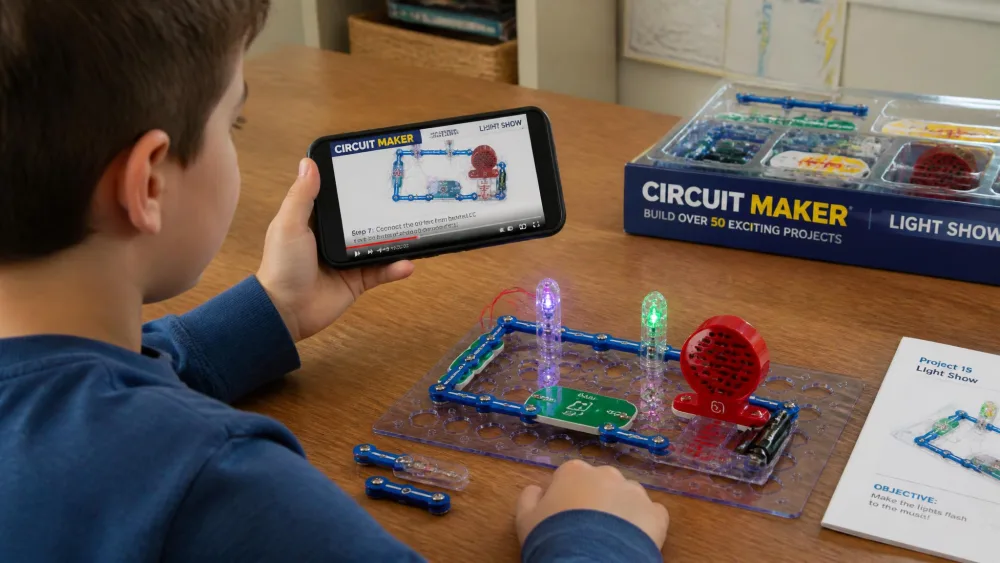
If the Snap Circuits sets assume a child who can decode a diagram, the National Geographic Circuit Maker Kit assumes one who sometimes cannot. Alongside illustrated instructions there is a QR code opening kid-facing videos, so a child who stalls can watch the step instead of waiting for a parent.
That single feature bought the longest quiet stretch of the whole test. Our eight-year-old set the kit up, scanned the code once, and worked the light show and then the keyboard mode for a couple of hours with no adult help after setup. We checked in twice and were not needed either time. Months on it is still in rotation the same way, long sittings with different builds each night, and we are only halfway through the manual.
Be honest about the 120 number: it is padded with near-duplicate builds, and a few printed circuits do not work as diagrammed. A component can fail within the first day, though Blue Marble ships replacements quickly.
Who it's for — and who should skip it
Best for 8 to 12-year-olds who give up when a diagram stops making sense. Skip it if you need every printed project to work first time. Around $54.99 as of this writing, with a smaller 60-project Circuit Maker kit at $44.99.
Pros
- QR-linked video instructions a child can follow alone
- Projects produce visible results, from a bubble maker to a flying copter
- No tools and no soldering at any stage
Cons
- The 120-project count is padded with near-duplicate builds
- A few printed circuits do not work as diagrammed
- Batteries are not included
4. Snap Circuits Beginner SCB-20 — Best for Under-7s
Why we picked it
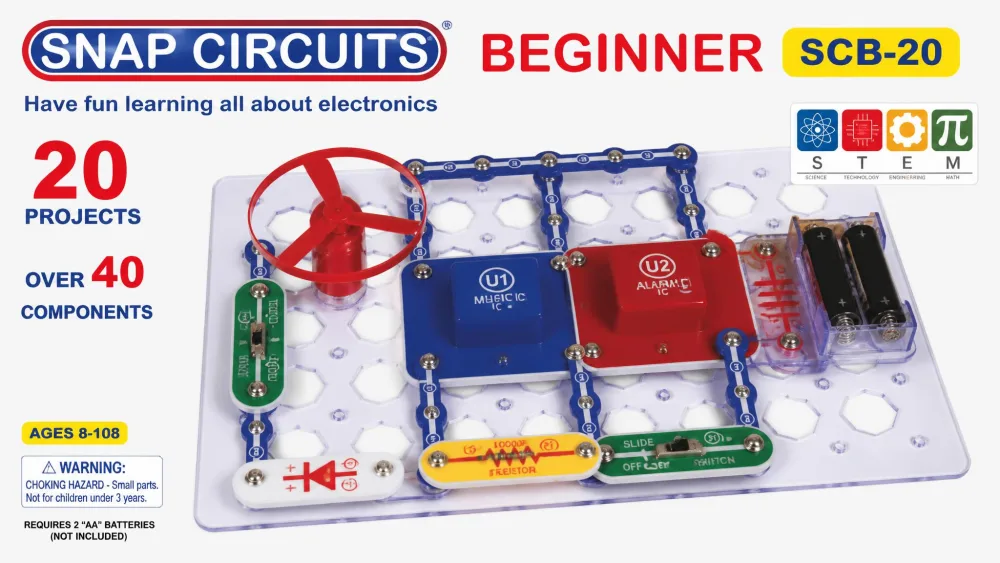
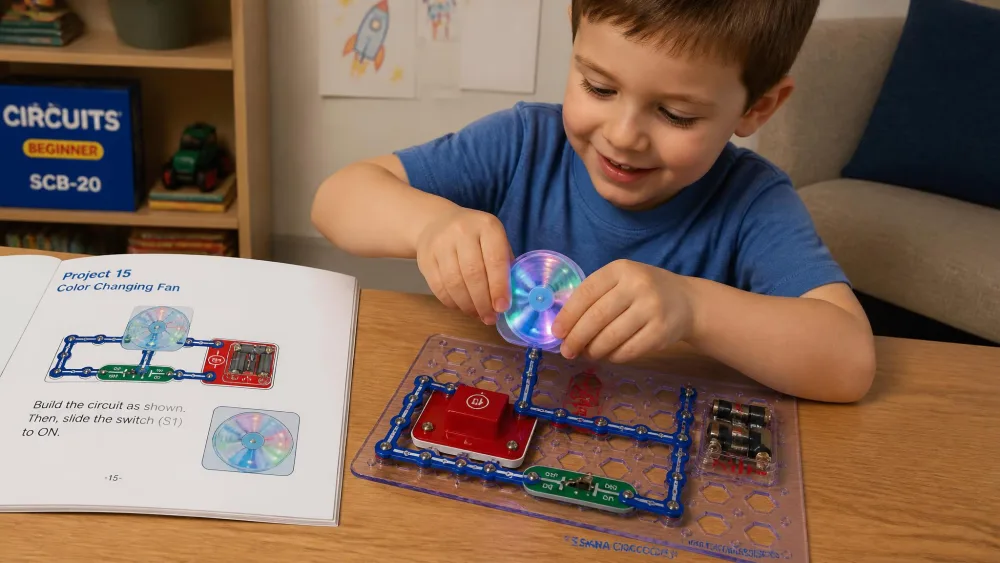
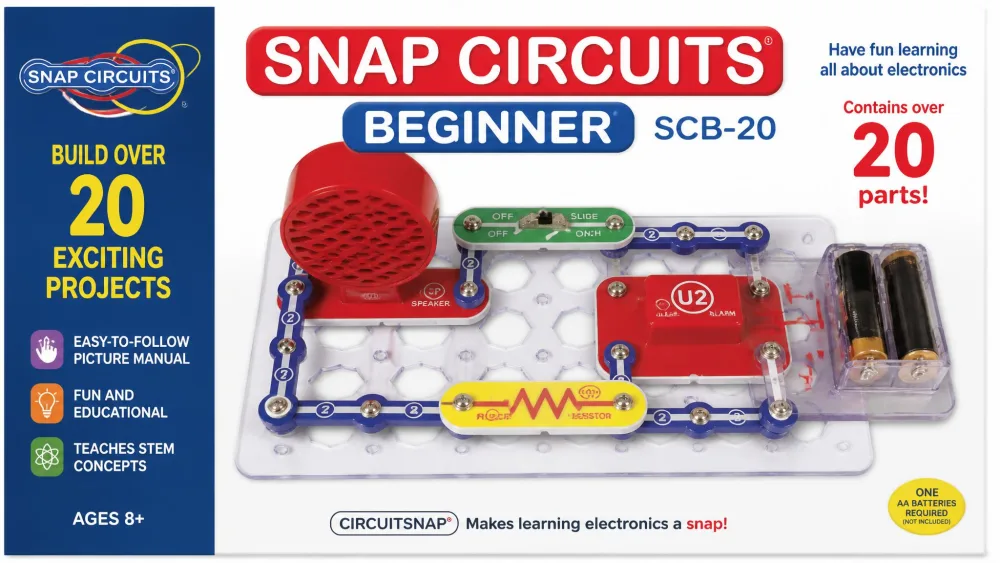
Where the Jr. set assumes a child who can follow a numbered diagram, the Snap Circuits Beginner SCB-20 assumes one who cannot read at all. It carries over 20 projects and 14 parts, with oversized snaps, extra childproofing and a low-word picture manual, and needs three AA batteries.
We walked our five-year-old through the parts once, naming each piece and where it sat, then stepped back. Within minutes she was working the diagrams alone, and the lighted colour-changing fan was the build she repeated instead of moving down the page. That is also where the kit shows its limit, because the light and fan parts are the ones that stop working after light use, so the module a young child loves most is the one most likely to quit. She was through the short project list quickly, and the box became a re-build toy handed down rather than a months-long queue.
The age guidance is muddled: Amazon and the box art say ages 5-9, while Elenco's own product page lists the same kit at 8+. Our experience matched the lower figure, but buy on your child rather than the label.
Who it's for — and who should skip it
Buy it for a 4 to 6-year-old, or as a low-risk way to find out whether a child cares about circuits at all. Around $19.99 as of this writing against an Elenco list of $35.49. Skip it for anyone over seven.
Pros
- Picture-only manual works for a child who cannot read yet
- Oversized parts and extra childproofing suit small hands
- Cheapest way to test whether electronics land with your child
Cons
- The light and fan parts are the ones that stop working after light use
- Only 20-odd projects, finished quickly by older kids
- Manufacturer's own age guidance contradicts itself
5. littleBits Base Kit — Best Modular Magnetic Kit
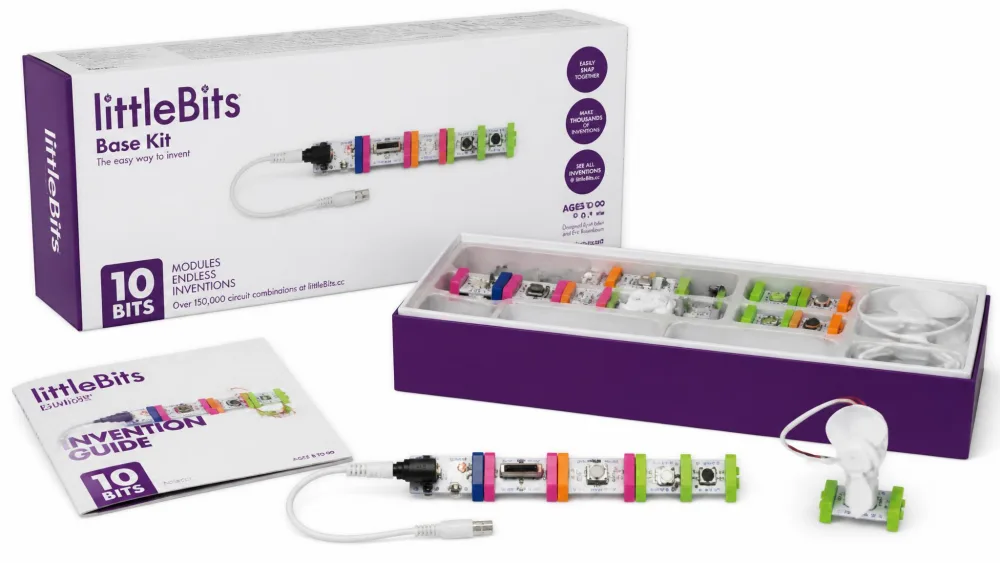
Every other kit here can be bought tonight. littleBits is the one where the buying is the hard part, so start there. The Base Kit SKU has been rotated out of the current line, so what you get under the littleBits name changes by retailer. It held 10 Bits modules; the shipping equivalents now are the littleBits Invention Kit with 23 Bit components and the At-Home Learning Starter Kit with 5 Bits plus 12 accessories for ages 8 and up.
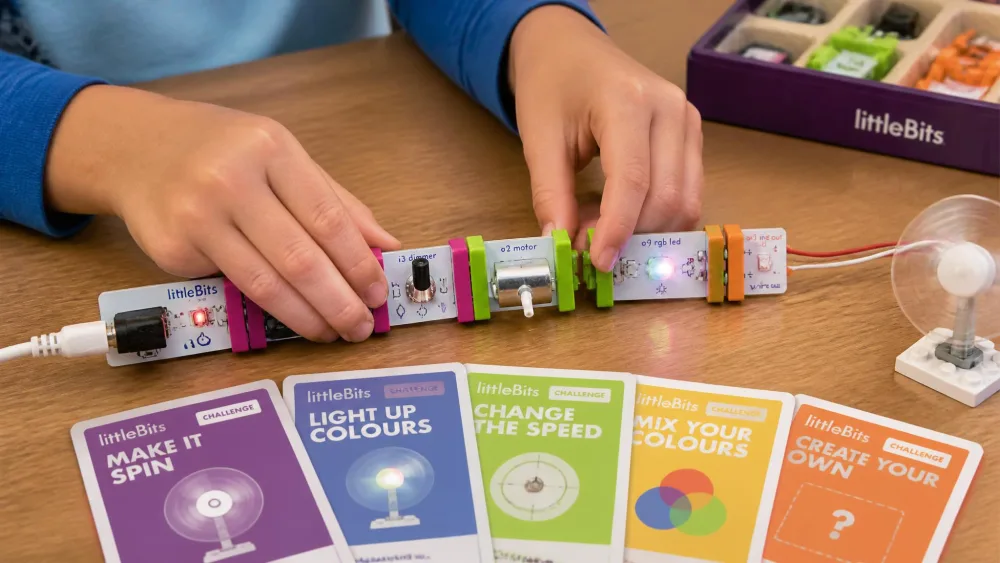
What makes it worth the hunt is the connector itself. The magnets only close one way round, so a Bit put on backwards is pushed off rather than wired wrong, and that single property is why a child can work here without an adult checking the polarity and without anything being destroyed. The limit is the module count, not the safety. The novelty circuits get built early, and the rest of the run is recombining the same handful of modules into new arrangements, which holds a child already keen on electronics and stalls quickly for one who is not. That makes it a short-run kit in practice, so buy it for the inventing rather than for a long project queue.
The Invention Kit lists at $479.00 on Sphero's site, which is education-channel pricing on a kit sold mainly to schools. Sphero gives grades 2-7 and recommends grade 3 and up.
Who it's for — and who should skip it
Best for a child who wants to invent rather than follow a numbered build, and for classrooms with a budget. Skip it for a single household, because the pricing is hard to justify against a $30 snap kit.
Pros
- Magnetic connections make wrong wiring physically impossible
- Open-ended challenge cards instead of a fixed project list
- Screen-free by design, with a storage bin included
Cons
- The original Base Kit is no longer part of the current line
- Education-channel pricing is far above household kit prices
- The old $99 to $100 shelf price is a legacy figure, since no first-party seller stocks the Base Kit new any more
6. Makeblock mBot — Best Robotics Introduction
Why we picked it
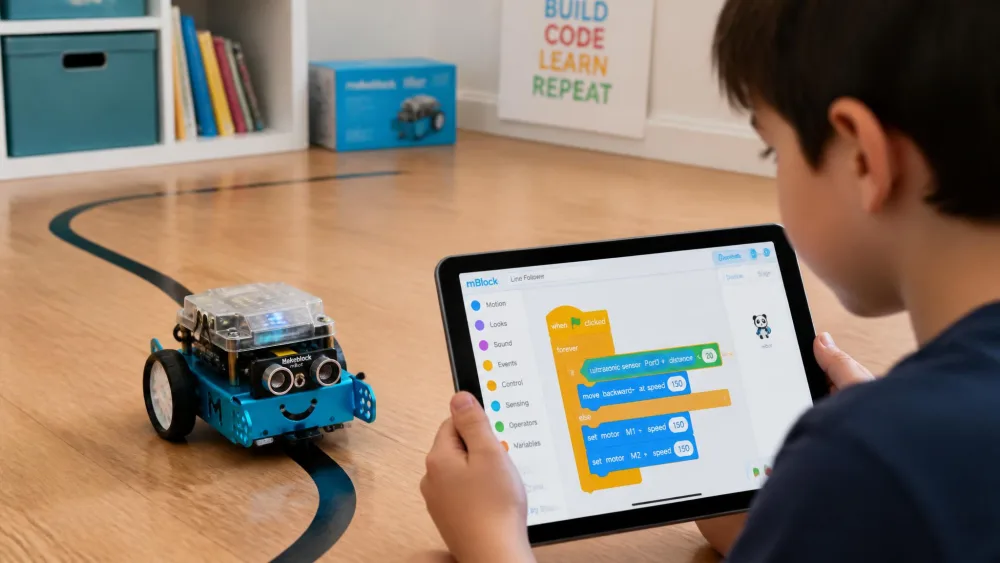
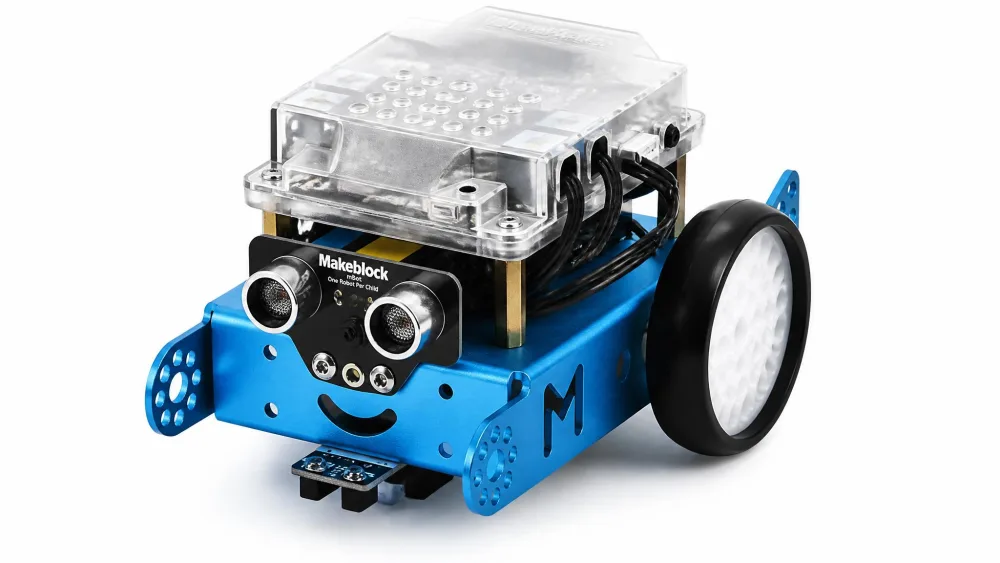
Where littleBits keeps a screen out of the room, the Makeblock mBot puts one at the centre of the activity, and that trade buys real programming. Rated for ages 8-12, it has a metal chassis, line-following and ultrasonic sensors, an IR remote mode and coding cards, and kids program it in the Scratch-based mBlock software with an Arduino path afterwards.
Our eight-year-old built it alone at the table while the rest of us made dinner. Makeblock says 15 minutes; that assumes an adult doing the screws, and his first build ran closer to half an hour. The moment the chassis was done the interest jumped to the app, and so did the trouble: the mBot does not reliably reconnect over Bluetooth, so the second session started with a long hunt for why the robot would not answer and ended with an adult re-pairing it. Once we treated re-pairing as part of setup rather than a fault, it became the kit the kids asked for.
Pairing degrades badly on older tablets, and app failures are more common than mechanical faults. The screw-mounted motors also work loose over sustained use, and re-tightening them decides whether the robot stays in rotation. Around $69.99 as of this writing.
Who should own the tech-support role
Right for an 8 to 12-year-old ready to code, in a house where one adult is happy to be the help desk. Skip it if your only device is an older tablet, or if you want a screen-free kit.
Pros
- Scratch-based block coding with a genuine Arduino path afterwards
- Metal chassis and sensors that survive floor use
- Connects to 100+ modules and LEGO parts
Cons
- Bluetooth needs an adult to re-pair it before most sessions
- mBlock software is where setups stall
- Requires a phone, tablet or laptop for anything beyond the IR remote
7. ELEGOO UNO R3 Smart Robot Car Kit V4 — Best Arduino Starter for Tweens
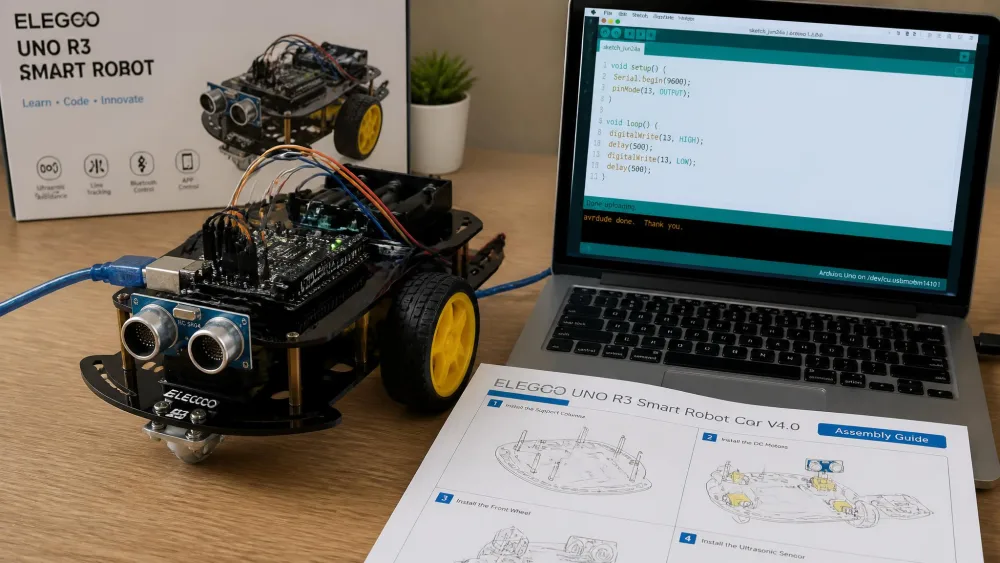
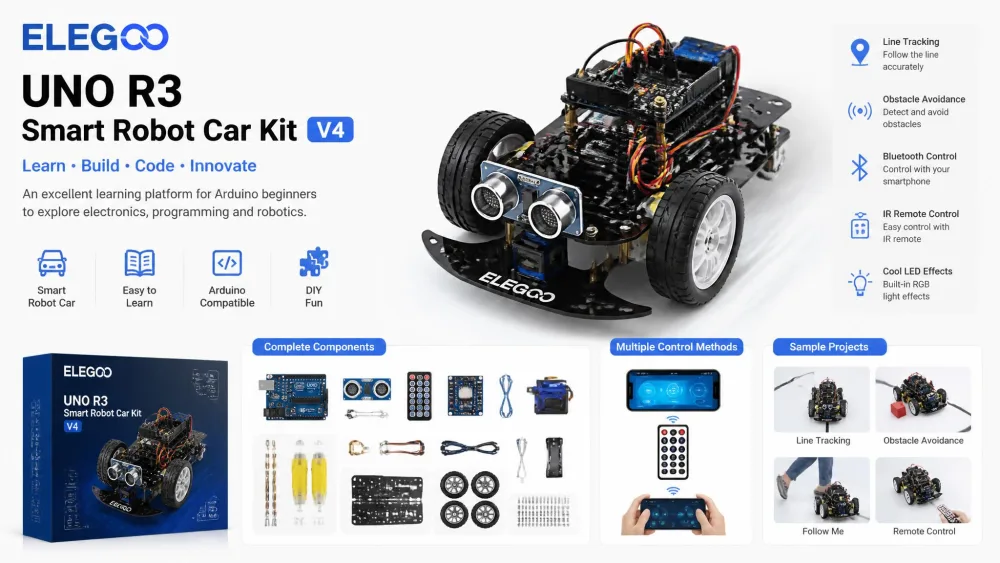
The ELEGOO UNO R3 Smart Robot Car Kit V4 takes the mBot's coding idea and removes the training wheels. It packs 24 kinds of module parts into a robot car with an FPV camera, line tracking, obstacle avoidance, app control, an IR remote and rechargeable batteries, and nothing needs soldering. Applicable age is 8+, marketed to 8-16.
Plan for evenings, not an evening. Building and programming this with our ten-year-old ran across several nights. The first went to the chassis, where the near-symmetrical base plates went on backwards because the manual is diagram-only and the official build videos turned out to be required rather than optional. The second went almost entirely to the compiler, since the factory pre-loaded code and a run of IDE errors are the first real hurdle and clearing them was an adult job. On the third the car ran, then refused to follow tape across our kitchen floor until the sensor was tuned for the contrast. After that it stopped being a build and became something he modified and re-flashed for weeks.
ELEGOO's listing says the kit assumes basic electronics knowledge and recommends an adult alongside a beginner, and that is accurate. An older teen with aptitude assembles it in one go, so the session count depends more on the child than on the box. Around $79.99 as of this writing.
Who it's for — and who should skip it
Best for a 10 to 14-year-old with a parent willing to debug alongside them. Skip it if nobody in the house wants to touch a compiler, and buy the mBot instead.
Pros
- Real Arduino programming with no soldering anywhere
- FPV camera, line tracking and obstacle avoidance in one kit
- Rechargeable batteries and downloadable code included
Cons
- Diagram-only manual leads to backwards base plates
- Compiler errors are an adult job on the first build
- Line sensor needs tuning for your floor before it works
8. Official Arduino Starter Kit — Best for Serious Teen Builders
Why we picked it
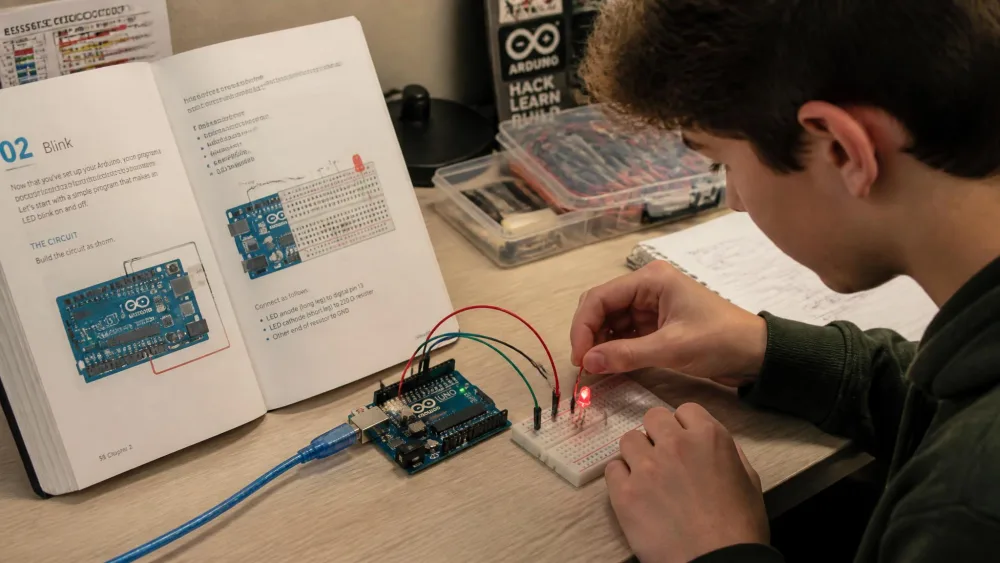
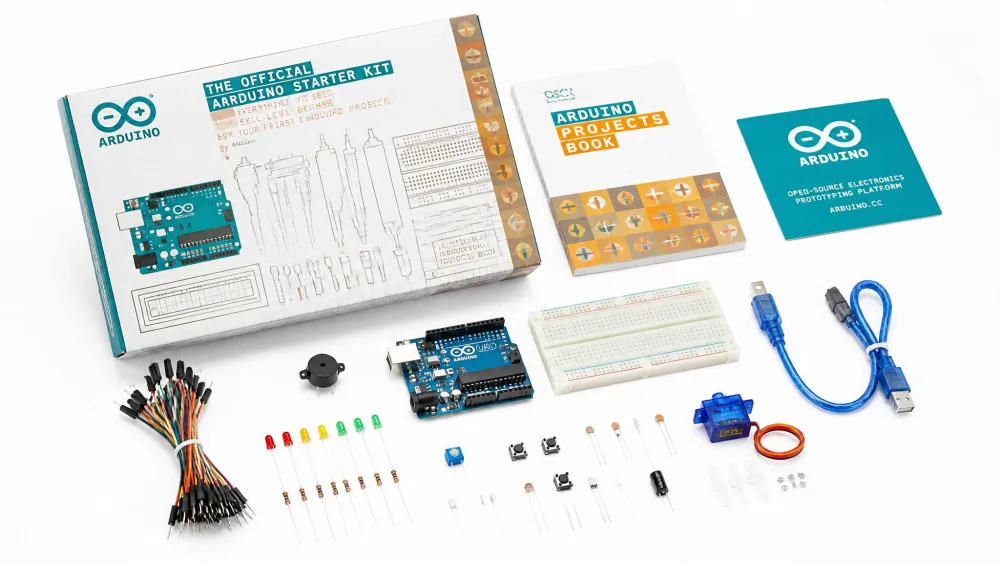
If the ELEGOO car is Arduino with the wiring done for you, the Official Arduino Starter Kit is Arduino with nothing done for you, and it is the one kit here that is not really a toy. It includes a genuine Arduino Uno R3 board plus common components, and the English K000007 edition carries 15 projects in a 170-page book. A microcontroller is a small computer on a board that runs one program at a time, and this is the standard one the hobby is built around.
Our teen worked it the way the book intends, one numbered project at a time over an extended stretch rather than playing with it. The early projects went fine. The wall arrived a few in, when a build wanted parts the box does not carry generously, and we ended up pulling components out of a cheaper compatible kit to finish an official one costing three times as much. That is the honest shape of this purchase: 15 projects is a finite end point, and you are paying for the board, the book and a teaching sequence. List price is $110.00 as of this writing.
Check the edition before you buy
The Amazon listing in our link is the K030007 Spanish projects-book edition, and the English book ships as K000007 from the Arduino store. Project count and language differ, so confirm which a seller ships. Otherwise this is right for a 13-plus builder who already knows what a breadboard is. Skip it as a first kit at any age.
Pros
- Genuine Arduino Uno R3 board, not a clone
- 170-page book that teaches theory alongside the build
- The standard platform, so every tutorial online applies
Cons
- Thin on components for the price next to compatible kits
- Editions differ in language and project count
- Assumes a reader who already understands basic circuits
9. Snap Circuits Pro SC-500 — Best for 500+ Projects
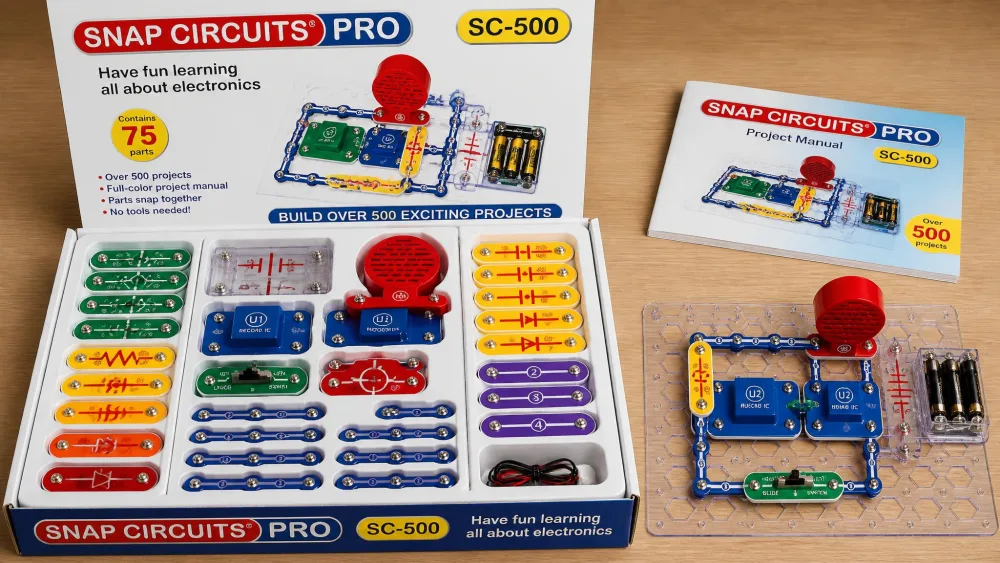
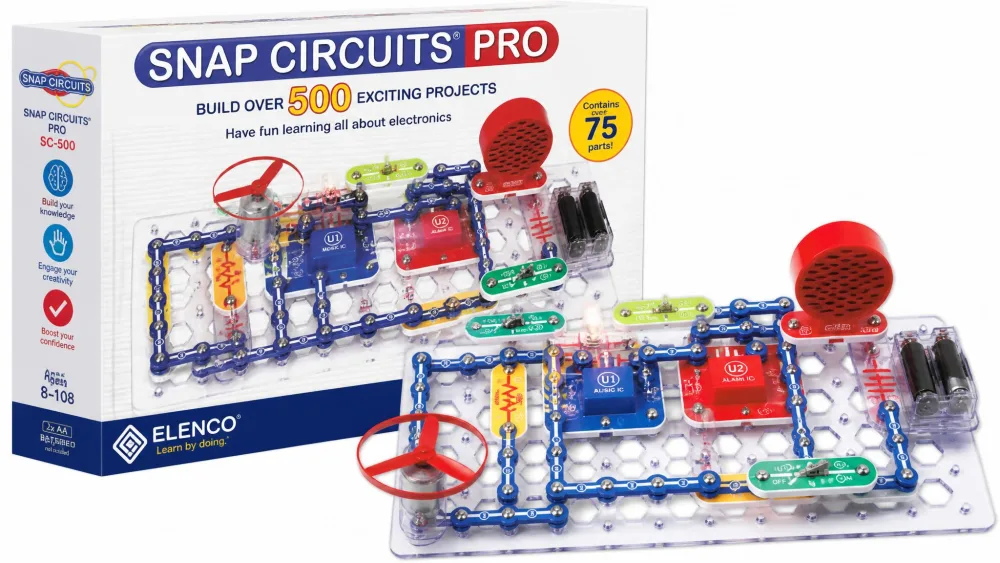
The Snap Circuits Pro SC-500 is the SC-300 argument taken to its end point: a box bought once and shared by several children of different ages over several years, with the marquee builds — a digital voice recorder, an AM radio, an LED display and a run of electronic games — sitting far enough up the manual that nobody reaches them in a season.
This is also the set that taught us what keeps a kit alive. A slide switch stopped making contact in the first year, and half the manual routes through it, so there was no working around it. We emailed Elenco with the part number off the piece, a replacement arrived, and the child who had given up on the box got it back. That is the difference between a kit that dies in a drawer and one that lasts years, because the small components do fail well before a 500-project manual runs out.
The screen-free argument is strongest at this size, since a child can pick a build on a whim with no device involved. Around $99.99 as of this writing, against an Elenco list of $148.49.
Who it's for — and who should skip it
Buy it for a household with more than one child, or for an 8-year-old you expect to still be using this at twelve. Skip it if the budget is tight, because the Jr. set plus a later upgrade costs less in total.
Pros
- 500+ projects and 75 parts, enough for several years
- Elenco replaces broken parts on request
- Completely screen-free, with a sorted storage tray
Cons
- Highest price in the Snap Circuits line
- Small components still break before the projects run out
- Overkill as a first kit for a single younger child
10. Playz Advanced Electrical Circuit Board Kit — Best Budget Project Library
Why we picked it
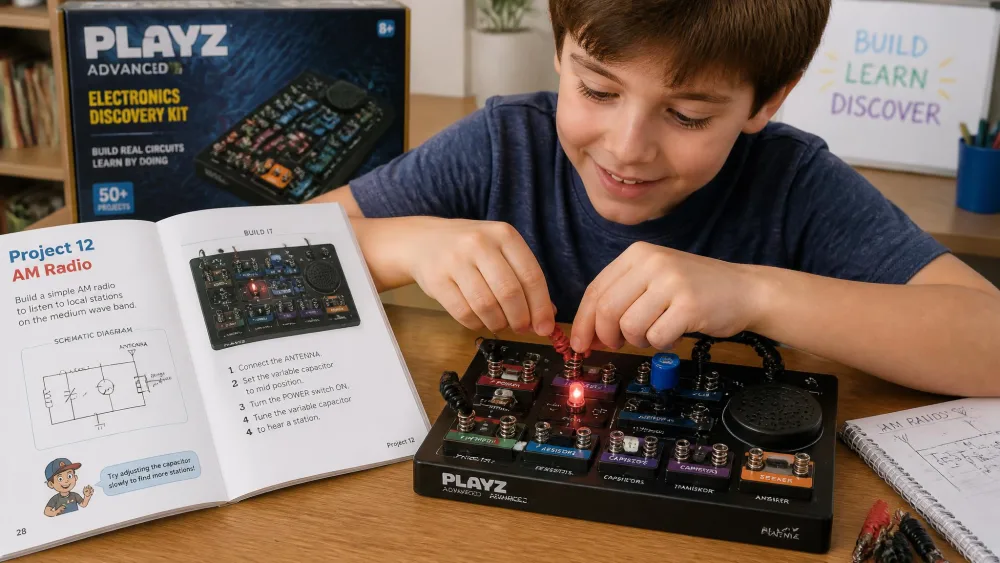
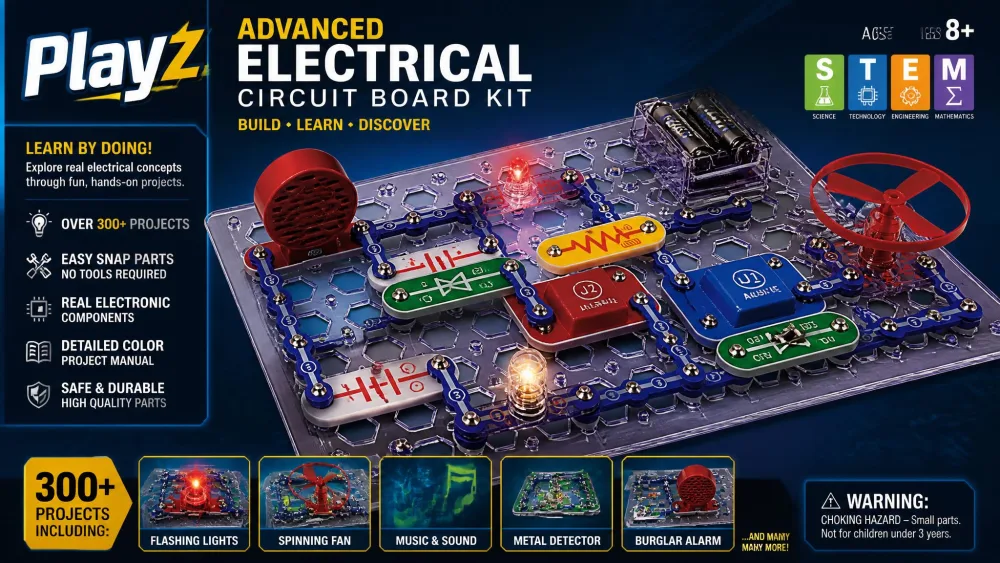
The Playz Advanced Electrical Circuit Board Kit chases the same project-volume claim as the Pro SC-500 at two-thirds the price, with 328+ experiments and a 64-page manual for ages 8-12. The board arrives pre-assembled, which changes the first fifteen minutes completely.
Our eight-year-old had a working circuit lit before the packaging was off the table. He ran on for the rest of the afternoon, one self-contained circuit after another, because nothing has to be carried over between days here. The adult reading over his shoulder was the one struggling, since the manual is dense enough that we lost the thread of the radio project twice while he simply followed the numbers. One LED never lit at all, out of the box, and he moved to the next experiment without ceremony.
The range covers light, sound, magnetism and touch controls plus AM/FM radio and flying-fan projects, and the components are self-protecting, so a wrong connection does not end the session. Around $69.99 as of this writing, with a smaller Playz board with 25+ experiments at $39.95.
What a dead component costs you
A dead LED is a shrug for a child with 328 experiments left and a disaster for one who fixates on finishing the circuit in front of them. A handful of listed circuits also do not function, and there is no easy replacement route, so if your child is the second kind, choose Snap Circuits instead.
Pros
- 328+ experiments for the price of a mid-range snap kit
- Pre-assembled board means a working circuit in minutes
- Self-protecting components survive wrong connections
Cons
- Individual LEDs arrive dead or stop working
- A handful of the listed circuits do not function
- Dense manual that adults sometimes find harder than kids do
Best Electronics Kits by Age
Ages 4-6: squishy and snap-together circuits
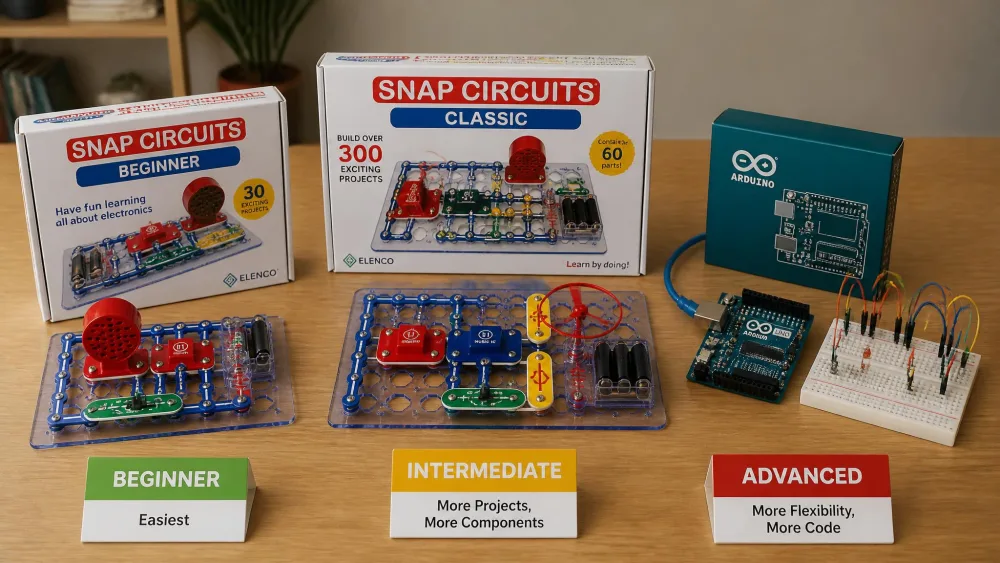
At this age the manual matters more than the kit. Anything that requires reading becomes a parent-led activity, which is fine occasionally and exhausting as a routine. The Beginner SCB-20 is the pick because its picture diagrams let a five-year-old work independently within minutes, and dough-based squishy circuits from a box such as KiwiCo fill the same slot with even less to lose. Expect to sit alongside for the first few builds while your child learns to find parts by their printed labels.
Ages 7-9: Snap Circuits and guided project kits
This is the sweet spot for hands-on kits that actually teach. Snap Circuits Jr. and the Classic SC-300 both land here, as does the Circuit Maker with its video instructions. A child in this band can follow a diagram alone, which turns the kit from a shared project into something they own. One limitation applies to all of them: nothing in the box explains why the circuit works, so the science conversation has to come from the adult.
Ages 10-12: breadboards, robotics, and first coding
Around ten, most kids want the thing to move or respond. The mBot and the ELEGOO robot car both belong here, and both introduce the idea that hardware needs software. A breadboard, a plastic board with rows of holes that let you build circuits without soldering, is the tool this band should meet. The Pro SC-500 also holds up here for children who prefer a screen-free build.
Ages 13+: Arduino, Raspberry Pi, and soldering
By thirteen the Official Arduino Starter Kit is a reasonable buy, and a Raspberry Pi opens up projects a kit cannot contain. This is also the age where a soldering iron stops being off-limits with supervision, and where a resistor stops being a mystery part and becomes a value your teen chooses on purpose.
Electronics Kit Safety: Batteries, Small Parts, and Supervision
The real risk in a children's electronics kit is not the electricity, since every kit here runs on low-voltage battery power and cannot deliver a harmful shock. The risks are the batteries themselves and the parts small enough to swallow.
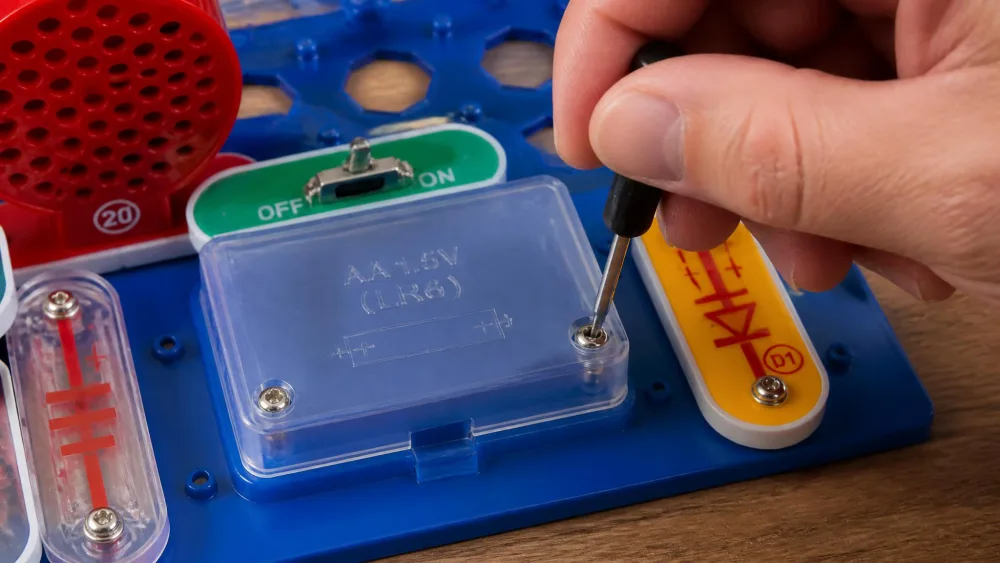
Button and coin cell batteries are the serious one. Reese's Law passed in August 2022 and drove a federal mandatory safety standard, and the resulting rules target protection of children 6 and younger. If a kit contains a coin cell, check that the compartment needs a screwdriver to open and keep spares out of reach. The CPSC toy safety guidance is the plainest summary of what to look for on a package.
The current benchmark is the ASTM F963 toy safety standard, revision F963-23, mandatory in the US since April 2024, and its electrical-safety clauses cover every kit here. Of the ten, only the four Elenco Snap Circuits sets publish a compliance statement, saying their applicable products meet or exceed CPSIA, ASTM F963 and 16 CFR consumer safety specifications through certified independent testing labs. The other six publish no per-product claim, which is not evidence of non-compliance, because any kit sold here as a toy for under-14s has to meet the standard whether or not the seller says so.
Small parts deserve the same attention. Snap Circuits pieces, littleBits modules and loose LEDs are all mouth-sized for a toddler, so an older sibling's kit needs a shelf, not a floor.
How to Choose an Electronics Kit for Your Child
Kit types explained: snap, breadboard, modular, and solder
Snap kits press parts onto a plastic grid and are the easiest starting point at any age. Modular magnetic kits go further by making a wrong connection physically impossible. Breadboard kits, including the Arduino sets, build any circuit you can imagine at the cost of a real learning curve. Solder kits belong to supervised teenagers, and nothing here needs one.
Parent tipBuy one age band below what your child can technically manage. A kit finished with confidence gets rebuilt; a kit that needs rescuing gets abandoned.
Project count vs. project quality
Project counts sell kits and tell you almost nothing. A padded 120-project claim can hold a child less well than a 20-project kit whose builds all work and all read clearly. Read the list rather than the number: a radio, an alarm, a recorder and a game means genuine range, while thirty variations on lighting an LED means an inflated total.
Expandability and how long a kit lasts
Expandability separates a kit that grows with your child from one that gets outgrown. The Snap Circuits line is strongest here, because every set combines into one parts pool and Elenco replaces broken parts on request, and the mBot has a comparable path in hardware. Storage is the other half of longevity: a moulded tray or a flat box is the difference between a kit that gets rebuilt for years and a bag of parts nobody wants to sort.
NotePhotograph the sorted tray the day the kit arrives. When parts drift, that photo is how a child puts the box back together without you.
Instructions, apps, and screen time
Instruction quality decided more of our rankings than any other factor. A picture-only manual buys independence for a pre-reader, QR-linked video buys it for a child who stalls on diagrams, and a diagram-only manual with near-symmetrical parts costs an adult an evening.
NoteIf you cannot decide between two kits, open the manual sample images on the listing and read one page as though you were your child. That page predicted our results better than any spec did.
On screen time the split is clean. Snap Circuits and Playz need no device at all, while the mBot, the ELEGOO car and the Arduino kit all require one, and that is a real trade rather than a flaw.
Frequently Asked Questions
What is the best electronics kit for a 10-year-old?
The Makeblock mBot if your child wants something that moves and can be programmed, or the Snap Circuits Classic SC-300 if you would rather keep it screen-free. Both suit a ten-year-old working largely alone, and the mBot adds block coding with an Arduino path afterwards.
What age can kids start learning electronics?
The useful question is not the age but whether your child can read. For a child who cannot, buy on the manual: picture-only diagrams and oversized parts mean independent building from about four or five, and your job is the parts walkthrough. For a confident reader, skip the pre-reader kits, because they will finish twenty projects in an afternoon and resent being handed a picture book.
Are electronics kits safe for kids?
The check worth doing in the shop is the battery door, and it takes ten seconds. A compliant compartment cannot be opened with a fingernail: it needs a screwdriver, or two independent actions, and it should still hold firm after the kit has been dropped. If a door slides open in your hand on the shelf, put it back, whatever the age label says.
Snap Circuits or Arduino — which is better for kids?
Snap Circuits for anyone under about eleven, Arduino for confident teens. Snap Circuits teaches how a circuit behaves with no reading, no software and no setup. Arduino teaches how to control a circuit with code, which needs a computer, patience with compiler errors, and a child who already understands the basics.
Do electronics kits actually teach anything?
They do if you ask three questions mid-build rather than at the end. Before the last part goes on, ask what your child thinks will happen. When it works, ask which piece is doing the work, then ask what would happen if it came out and let them pull it and find out. That last swap is the whole lesson, and it takes about a minute.
What should kids learn after an electronics kit?
Soldering is the step most parents put off longest, and the honest answer is early teens with an adult in the room throughout. You need a stand, a damp sponge, ventilation and a surface you do not care about, and the first hour should go on scrap wire rather than a project that matters. Block coding and then real code run alongside it rather than after it.
Final Thoughts: Our Top Pick for Most Families
Ten kits in, the pattern is simple. The ones that worked here were the ones a child could open and use without a parent translating the manual, and the ones whose parts survived the second week. Project counts, app features and price mattered less than those two things.