10 Best Circuit Kits for Kids (Tested for Ages 5-14)

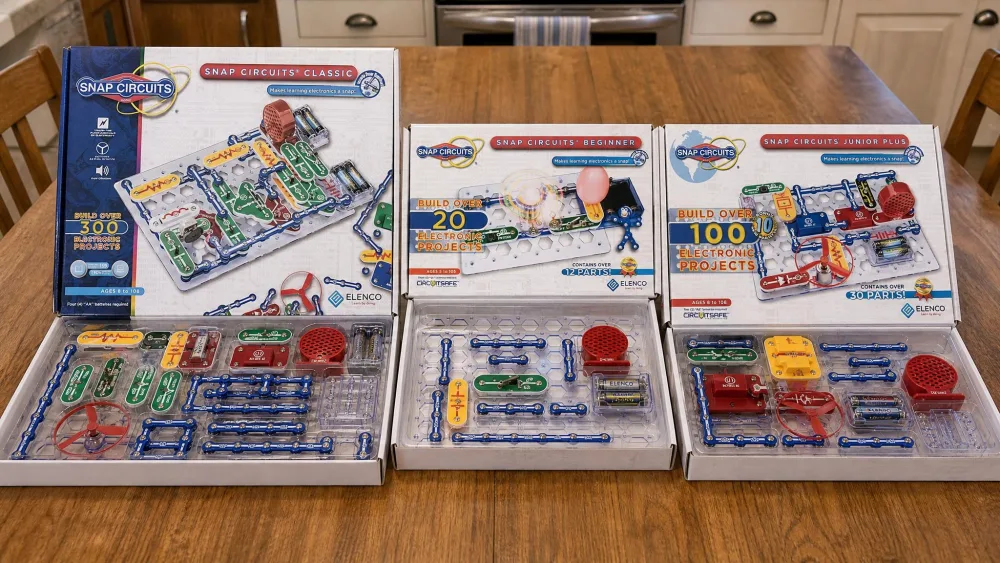
The best circuit kit for most families is the Snap Circuits Classic SC-300, a snap-together set rated for ages 8 and up that carries over 300 projects on a single base grid. For younger children we recommend the Snap Circuits Beginner SCB-20, and for a tight budget the Snap Circuits Jr. SC-100.
We worked through ten kits across the 5-to-14 age span, from picture-led starter boxes to a robot car that talks to the Arduino IDE, scoring each on how long it held attention, how the parts survived daily handling, how much parent help it needed, and how clearly the manual explained what was happening in the circuit.
Our Top 3 Circuit Kits for Kids at a Glance
Three kits do most of the work for most households: the all-rounder, the set for a child who cannot read fluently yet, and the budget pick.
Best Overall: Snap Circuits Classic SC-300
Over 300 projects, over 60 parts, ages 8+. The best balance of depth, part count and price in the line.
Best for Ages 5-8: Snap Circuits Beginner SCB-20
21 projects across 14 parts, with a manual built from pictures instead of paragraphs. Five-year-olds work it alone after one walk-through.
Best Budget Pick: Snap Circuits Jr. SC-100
Over 100 projects at roughly half the Classic's street price, for when you are not yet sure how deep the interest runs.
How We Tested These Circuit Kits
We bought these kits ourselves and put them in front of our own children over several months, in the places they get used in real life: the kitchen table, the school-room floor, the back of the car on a long drive. Nothing here was assembled once for a photograph and put away.
Four things decided the rankings: whether a child could build a working circuit without an adult sitting beside them, whether the parts survived being handled by children rather than careful adults, whether the manual explained anything or only showed which piece goes where, and how long the box stayed in rotation once the novelty wore off.
That last measure separated the kits more than anything else. The sets that stayed out on the table were the ones where children pulled a build apart and made something else out of it, which is exactly the pattern the Jr. SC-100 produced. We also tracked what broke. Across the Snap Circuits range the flat snap parts take heavy repeat use without complaint, but anything standing up off the grid, the capacitors, the small LED modules and the fan units, gets bent or squashed and fails first.
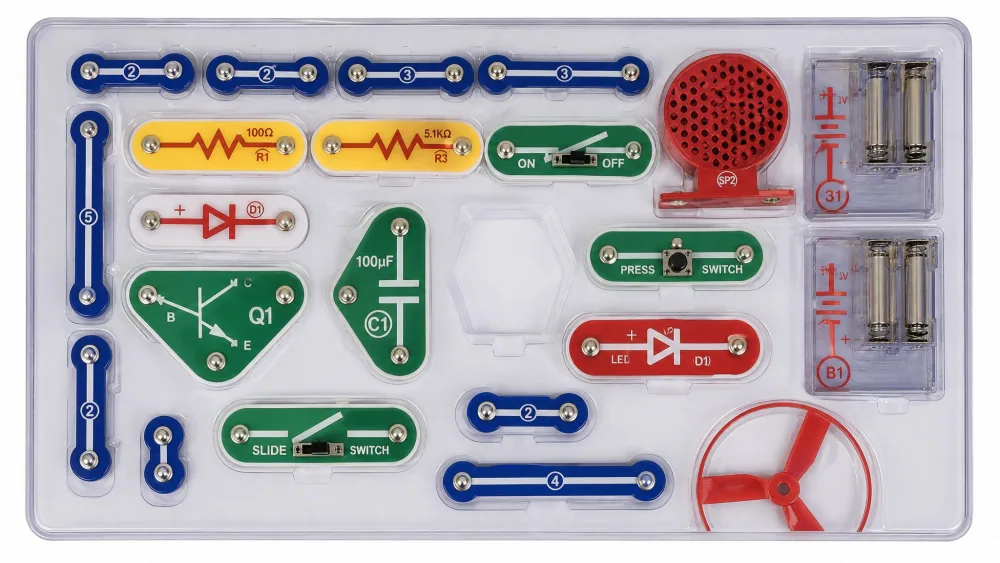
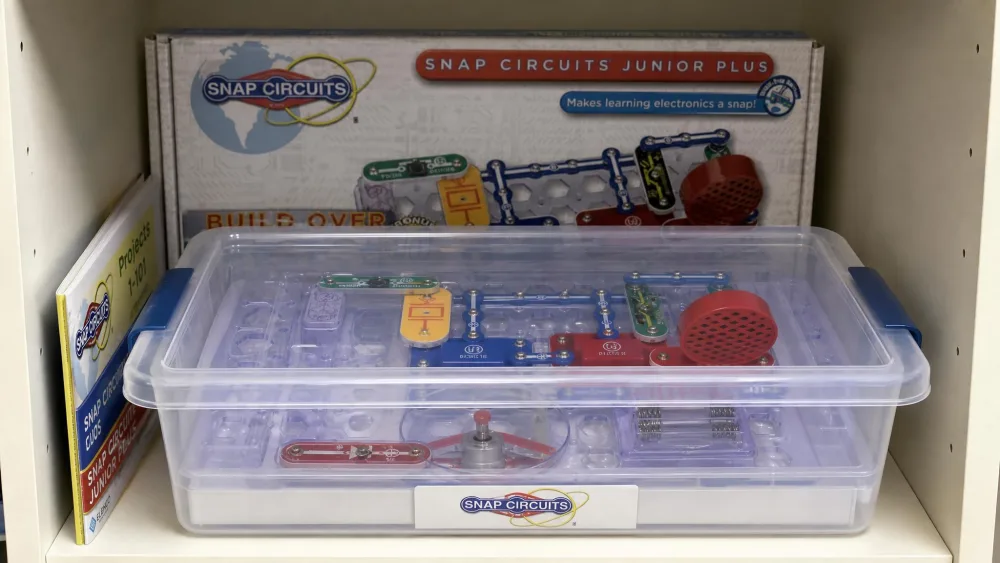
NoteThe storage tray is the quiet hero of every Snap Circuits box. Each part has a moulded slot, so a missing piece shows up as an empty hole the moment you open the lid, which is how we caught a shortage on arrival rather than weeks later.
The 4 Types of Circuit Kits for Kids (and Who Each One Suits)
Almost every kit falls into one of four families, and knowing which one you are shopping in narrows the decision faster than comparing project counts.
Snap-Together Circuit Kits (Ages 5-10)
Components sit in plastic housings with press studs on the corners and snap onto a base grid the way building bricks connect, with no wiring and no tools. The whole Snap Circuits range works this way, and it is where a first-time buyer should look, because these kits teach layout and series and parallel circuits by making the shape of a circuit visible.
Screw-and-Build Electronics Kits (Ages 7-12)
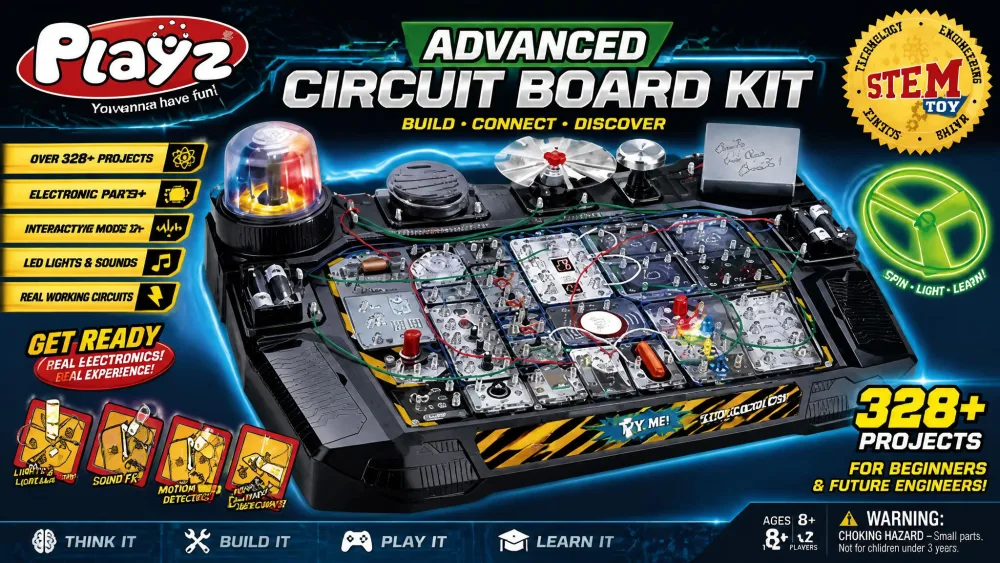
Parts mount to a board with screws or spring terminals and connect with lengths of wire, as on the Playz Advanced board here. The build is slower and an adult usually does the first assembly, but the result behaves more like real wiring.
Breadboard and Arduino Kits (Ages 10-15)
A solderless breadboard plus a microcontroller the child programs from a laptop. The ELEGOO robot car is the friendliest version, because its modules plug in rather than needing individual jumper wires. Expect the electronics to get easier and the software much harder.
Build-Your-Own-Gadget Kits (Ages 8+)
Themed sets where the point is the object rather than the circuit: a wired house, an arcade cabinet, a brick tower with lights inside. My Home, Arcade and BRIC: Structures sit here, and each makes a strong second purchase and a weak first one, because all of them assume the child already knows what a switch does.
Parent tipIf you are buying for two children more than three years apart, choose depth over theme. One large snap-together set keeps both busy for years, whereas two small themed boxes give you two children fighting over one base grid.
Best Circuit Kits for Kids in 2026: Comparison Table
| Kit | Best for | Age range | Projects | Soldering required | Price band |
|---|---|---|---|---|---|
| Snap Circuits Classic SC-300 | All-round best | 8+ | 300 | No | $60-100 |
| Snap Circuits Beginner SCB-20 | Ages 5-8 | 5-9 | 21 | No | $20-35 |
| Snap Circuits Jr. SC-100 | Budget | 8+ | 100 | No | $30-55 |
| National Geographic Circuit Maker Kit | Video instructions | 8+ | 120 | No | $45-55 |
| Snap Circuits Arcade SCA-200 | Game-loving kids | 8+ | 200 | No | $45-99 |
| Snap Circuits My Home SC-MYH7 | Real-world wiring | 8+ | 25 | No | $98 list |
| Snap Circuits BRIC: Structures | Brick builders | 8+ | 20 | No | $40-65 |
| Snap Circuits Pro SC-500 | Older kids | 8+ | 500 | No | $100-148 |
| ELEGOO UNO R3 Smart Robot Car Kit | Arduino step-up | 8+ | 1 build, many programs | No | $80 |
| Playz Advanced Circuit Board Kit | Most experiments | 8-12+ | 328 | No | $70 |
1. Snap Circuits Classic SC-300 - Best Overall Circuit Kit
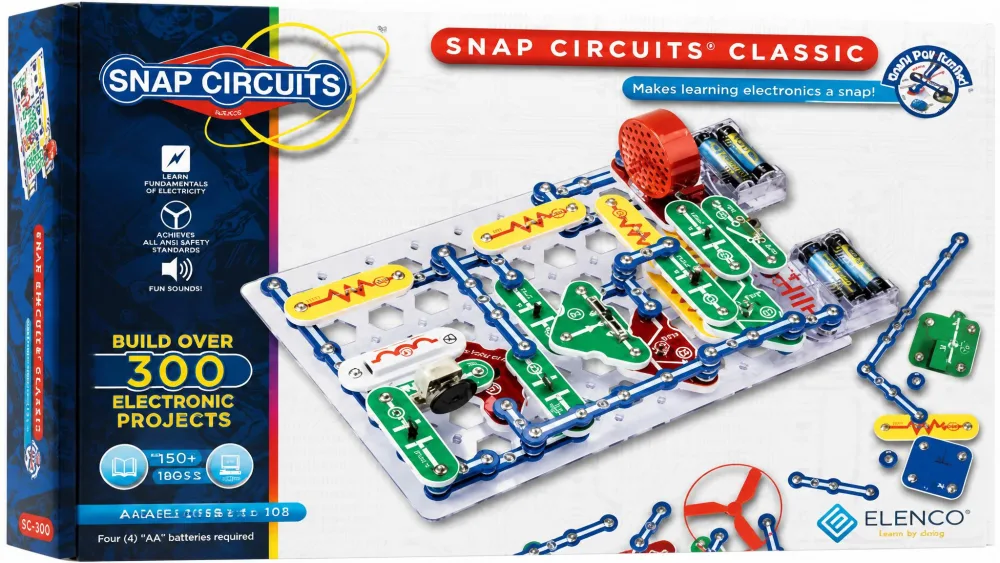
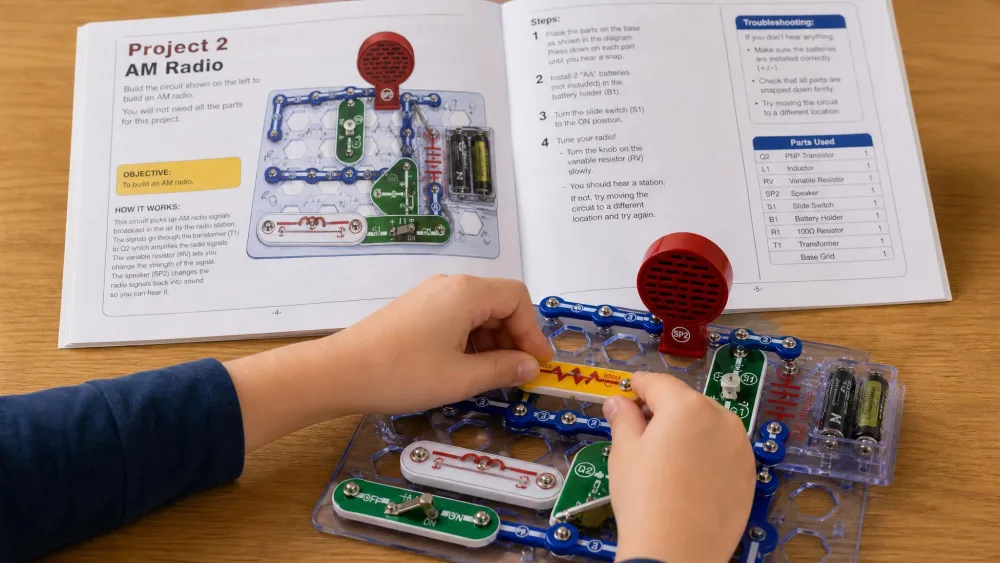
The Classic is the set we hand to a family who asks for one recommendation and nothing else. It carries over 300 projects on over 60 snap-together parts, and the projects go somewhere: an AM radio, a burglar alarm, a doorbell that rings. Everything is numbered and colour-coded, and the full-colour manual is genuinely step-by-step.
What surprised us was the age spread it absorbs. The box says ages 8 and up, which is the right floor for working the manual alone, but a six-year-old can build from the diagrams with someone reading the numbers aloud, and an eleven-year-old still finds things worth doing in the back half.
The parts hold up better than we expected, with one exception: the pieces that stand proud of the grid take the damage, so capacitors and the small fan and LED modules are what you will replace. Elenco sells replacements directly, though you pay shipping. The cardboard box is the other weakness, since it does not survive a school year on a shelf. Ours moved into a lidded plastic tub within a month.
Pros
- Over 300 projects, with real outcomes like a working AM radio
- Over 60 parts, enough that projects stop repeating themselves
- Combines with other Snap Circuits sets for more builds than either box alone
- Numbered, colour-coded parts make diagram-following possible for pre-readers with help
Cons
- Cardboard box will not survive long-term storage
- Upright parts, capacitors and fan and LED modules, bend or break first
- Needs 4 AA batteries that are not included
Who This Kit Is Best For
Households with more than one child, or one child you expect to stay interested for years. It is also the right pick for a homeschool science shelf, since the project count spreads across a whole year of lessons without repeating.
What Parents Should Know Before Buying
The kit itself needs no tools, but you need a screwdriver for the battery compartment and 4 AA batteries on hand before the box is opened. Pricing moves constantly; $66.98 as of 2026-08-04, against a $98.99 list price. Amazon's star average pools ratings across several Snap Circuits sets; 4.8 stars as of 2026-08-04.
2. Snap Circuits Beginner SCB-20 - Best for Ages 5 to 8
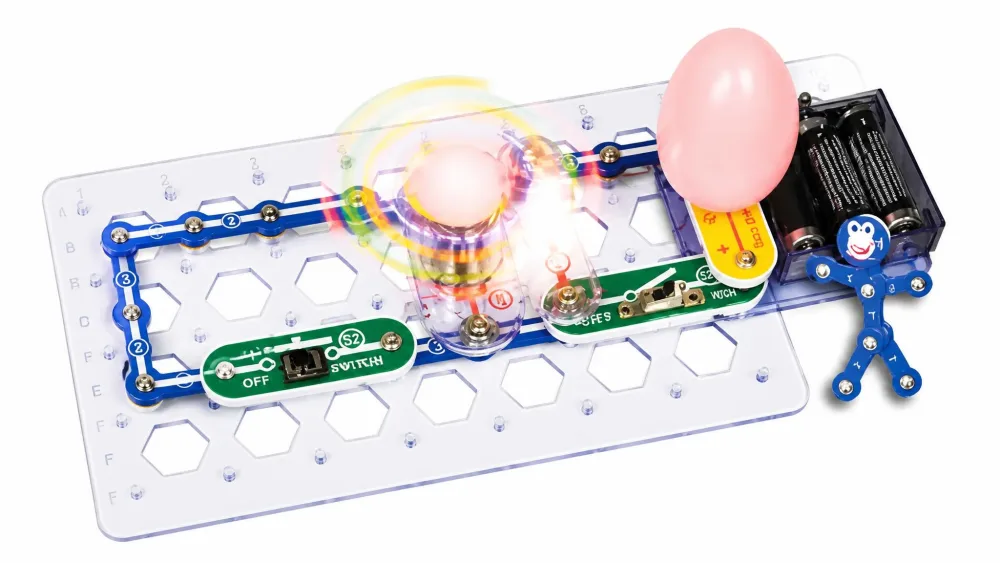
The Beginner is the smallest set here and the only one designed around a child who cannot read yet. It holds 21 unique projects across just 14 parts, with extra childproofing on the housings, a lighted colour-changing fan as the showpiece, and a manual that is almost wordless: pictures, arrows and diagrams. Five-year-olds work it independently after one walk-through of the parts and the diagram conventions, and that autonomy is most of the appeal. It also holds children who normally cannot follow multi-step instructions, because every finished circuit does something visible.
The same wordlessness is its limitation. The manual shows what to do and never explains why it works, so the science conversation is yours to supply. We narrated it ourselves: this one is the switch, this is why the fan stops when you open it.
Durability is where we have to be blunt, because this is the set with the clearest failure record of the ten. Pieces break after one use, the fan comes apart, the light bulb detaches. A classroom set we know of had broken pieces inside the first two lessons. For one child at a kitchen table it is fine; for a co-op or classroom, buy the Classic instead.
Pros
- Picture-led manual works for pre-readers with no adult reading required
- Extra childproofing on the parts
- 21 unique projects is enough for a first set at this age
- Lighted colour-changing fan gives an immediate visible payoff
Cons
- The weakest parts of any kit here; breakages are common and early
- Only 14 parts, so it is outgrown quickly
- No explanation of the science behind any build
Who This Kit Is Best For
A single child aged 5 to 8 who is not reading fluently yet, and a parent who wants the child working alone rather than coached through every step.
The Age Band on the Box Is Not the Whole Story
The box and listing target ages 5 to 9, but Elenco's own shop page lists the same set at 8+, so treat the lower bound as a judgement call about your particular child. Pricing moves with promotions and sellers; $19.99 as of 2026-08-04 against a $35.49 list price. Expect to replace a part or two.
3. Snap Circuits Jr. SC-100 - Best Budget Circuit Kit
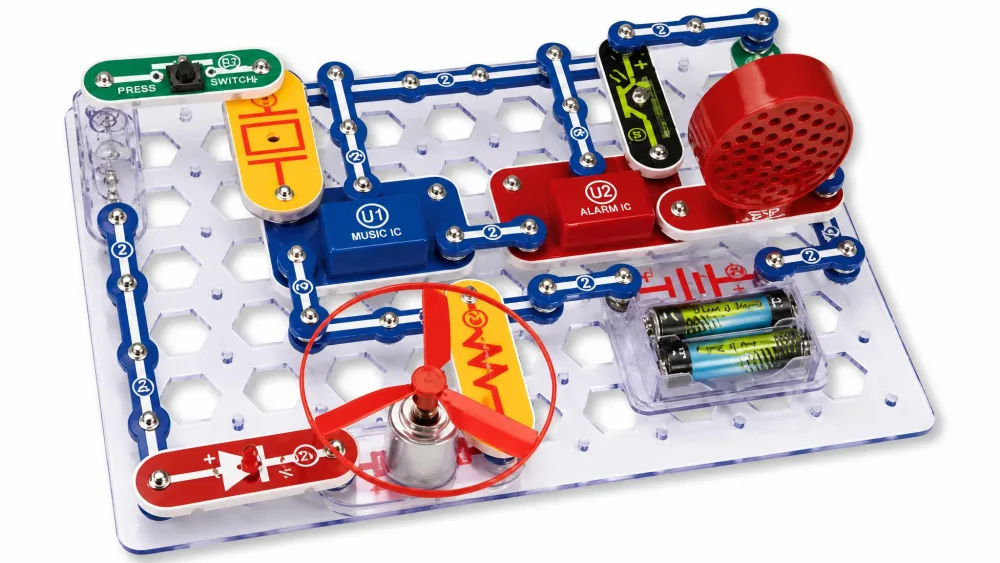
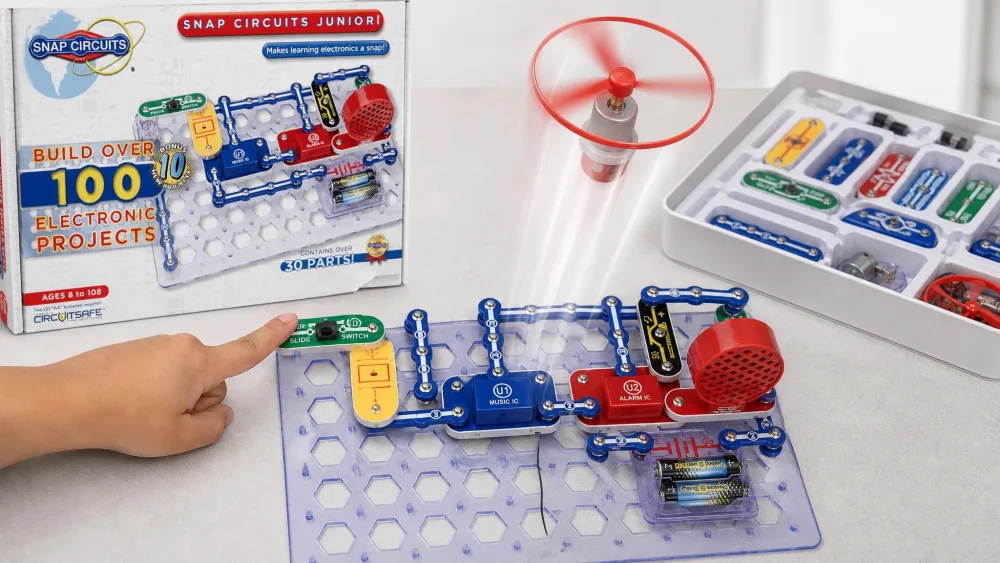
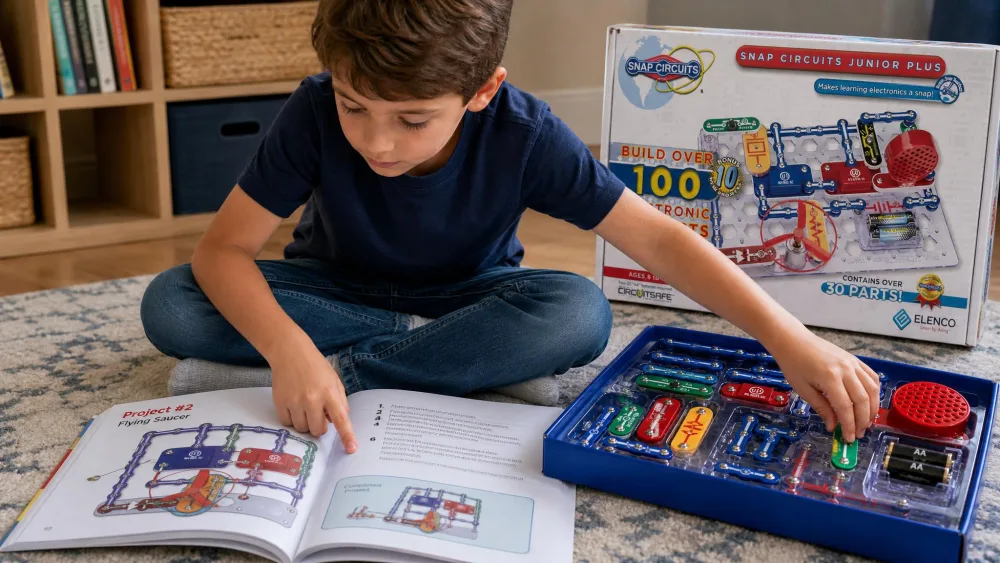
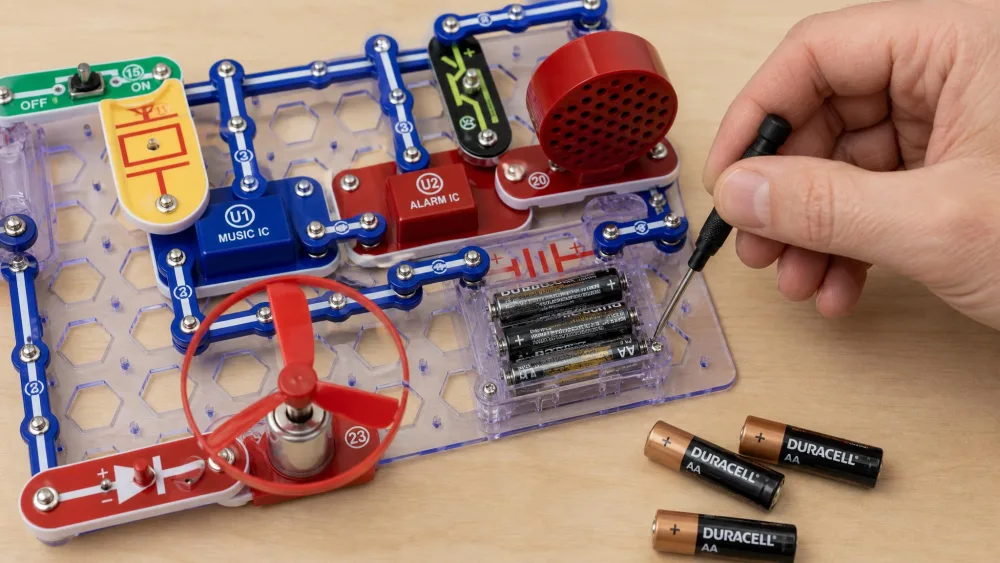
Where the Beginner is a taster, the Snap Circuits Jr. SC-100 is a full set at a starter price, and it is the one to buy first if the budget matters or the interest is unproven. It holds over 100 projects, runs on 2 AA batteries sold separately, and is rated ages 8 and up. Inside are snap wires, slide switches, an alarm circuit and a music integrated circuit with a speaker, plus the flying-saucer project every child here wanted first. That combination makes it the right box for first-time buyers, for gift-givers who do not know the child well, and for any family testing whether electronics holds a child's attention before spending more.
The base grid is thick, rigid plastic and lies genuinely flat, which matters more than it sounds: a grid that bows makes snaps pop loose mid-build. What kept this box in rotation in our house was the rebuilding. Our children finished the flying saucer, pulled it straight back apart, and made the alarm out of the same pieces before anyone had turned the page, and that habit repeated for weeks rather than the book being worked through once and shelved. The one session that went badly was a build that simply would not run: the circuit was correct, and the fault was the battery holder springs, which weaken with use and give intermittent connections that look exactly like a wiring mistake.
Pros
- Over 100 projects at roughly half the Classic's street price
- Thick, rigid base grid that lies flat and holds snaps securely
- Runs on 2 AA batteries rather than four
- Flying-saucer and music-circuit projects land immediately with younger builders
Cons
- Part count is disputed between listings
- Battery holder springs weaken and cause intermittent faults
- Fewer parts than the Classic, so project variety thins out sooner
What Parents Should Know Before Buying
The Amazon listing counts 28 parts while Elenco's own page counts 30, so the exact part total varies by edition. Pricing moves with promotions and sellers; $29.98 as of 2026-08-03 against a $52.99 list price. If a circuit works intermittently, check the battery springs before you check the build.
4. National Geographic Circuit Maker Kit - Best Video Instructions
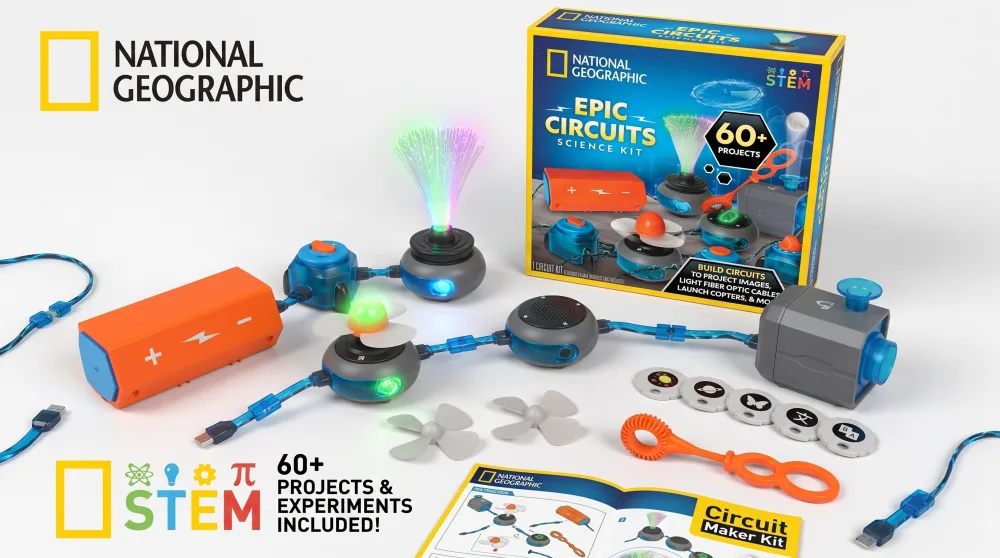
Where the snap sets ask a child to read a diagram, this one shows them a film. Buy it when the manual is the thing standing between your child and a finished circuit. It advertises over 120 projects and activities, and the illustrated instructions carry a QR code straight to video. A child who stalls on a printed diagram usually unsticks themselves by watching the same step happen on a screen.
Connections are wire-and-clip rather than snap-together, with no tools needed, and the parts list is broader than most: a power block, an RGB light, toggle, button, dial, light-sensitive and vibration switches, a spinner module, a fan, a copter, a bubble wand, a fibre optic bundle, an image projector, a microphone, a speaker and a piano module. That range is why the build list runs to a keyboard mode for writing songs, a light show and a voice-amplifying sound system. Our eight-year-old sat with it for a couple of hours at a stretch.
Two honest caveats: the 120-project claim is padded with near-duplicates, so treat the real number as smaller, and build quality is mixed. One of these broke inside a day, though Blue Marble mailed a replacement part after a weekend email.
Pros
- QR-code video instructions unstick children who stall on printed diagrams
- Wire-and-clip connections with no tools needed
- Wide project range including a keyboard mode and a flying copter
- Holds an eight-year-old for a couple of hours at a stretch
Cons
- The 120-project claim is padded with near-duplicate builds
- Breakages happen early
- No total piece count is published, so you cannot compare it part-for-part with a snap set
Who This Kit Is Best For
Children who learn better by watching than by reading, and families where a parent cannot sit alongside for the whole build.
What Parents Should Know Before Buying
Retailers list it at 8+ while the Amazon listing states no age band. Pricing moves with promotions and sellers; $54.99 as of 2026-08-04. Star averages drift; 4.4 stars as of 2026-08-04. Keep a phone or tablet nearby for the videos.
5. Snap Circuits Arcade SCA-200 - Best for Game-Loving Kids
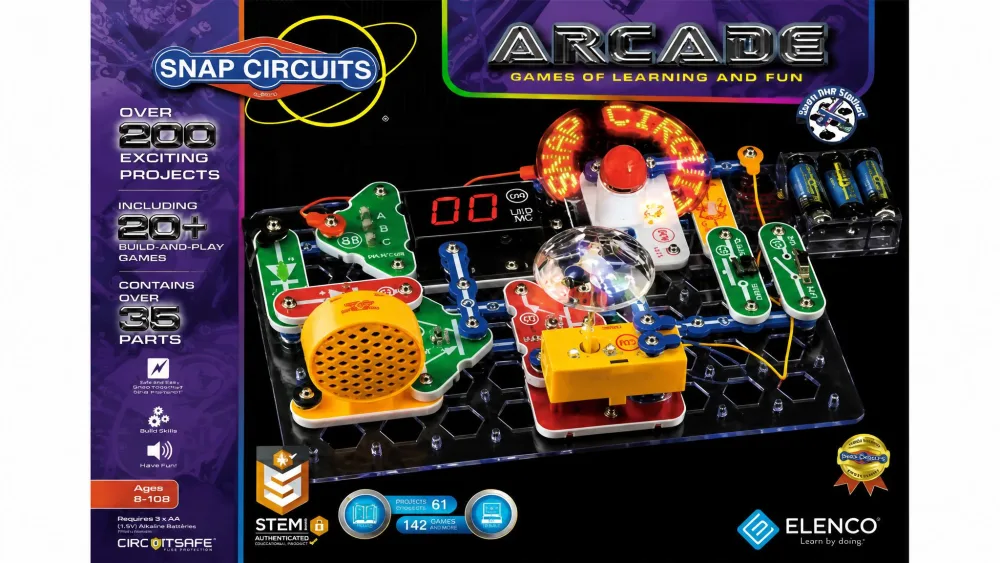
Where the Classic sells depth, Arcade sells one trick children keep coming back to. It is built around a pre-programmed micro-controller and a spinning LED message display, and holds over 200 projects including more than 20 games, all on the same colour-coded base grid as the rest of the line. That makes it the box for a child aged 8 and up who already understands the basics and wants an outcome that feels like a toy rather than a lesson, bought second, after a Jr. or a Classic.
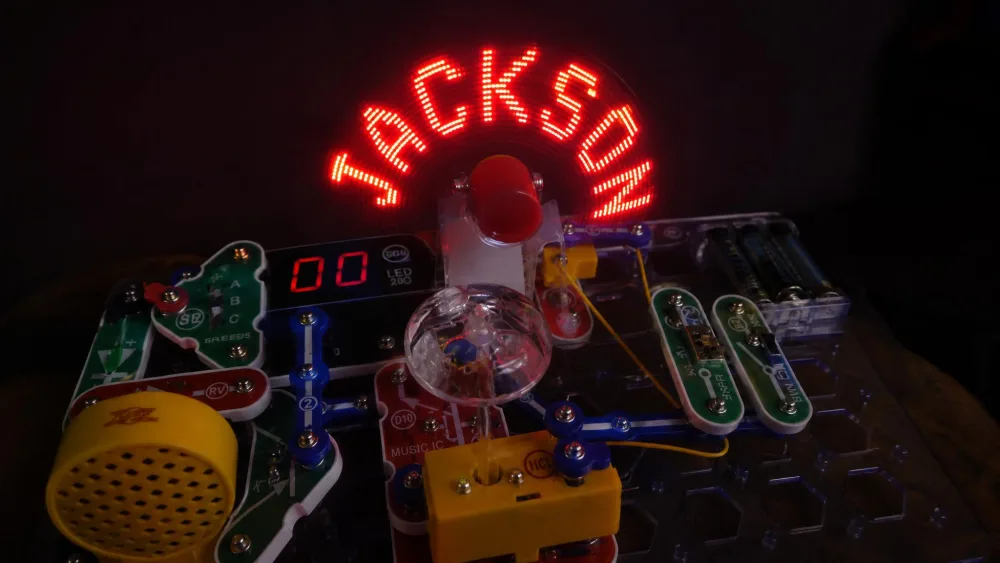
The spinning message display is why the set gets picked up again and again in our house. The first thing our children did with it was put their own names into the build, dim the room, and watch the letters hang in mid-air off the spinning fan, and that ownership turned out to be worth more than any project count. The games were where the evening fell apart. We sat down with one of the game builds, worked it twice against the manual, could not make the instructions add up, and abandoned it; two more went the same way later. Snaps also sit looser here than on the Classic, and LED boards and fans stop working.
Pros
- Programmable spinning LED message display that children personalise
- Over 200 projects including 20+ games
- Stacks with other Snap Circuits sets for a much larger combined range
- Pre-programmed micro-controller adds sounds and lights beyond basic snap sets
Cons
- Several game projects are unclear or unusable from the manual alone
- Snaps sit looser than on the Classic and fall out
- LED boards and fans are known failure points
What Parents Should Know Before Buying
Elenco's own listing gives both a 36-piece and a 30-component figure for the same set, so the exact count is unreliable. Pricing moves with promotions and sellers; $45.99 as of 2026-08-04 against a $98.99 list price.
6. Snap Circuits My Home SC-MYH7 - Best for Real-World Wiring
Start With the Fact That You May Not Be Able to Buy It
Arcade and BRIC are a click away; this one was not. We went looking for My Home the way any parent would, searched Amazon for the model and the full name, came up with nothing usable, worked through retailer listings instead, and finished the afternoon with no street price at all and only the vendor's list figure to report, which is high. That is the first thing to know about this kit, ahead of anything it does well.
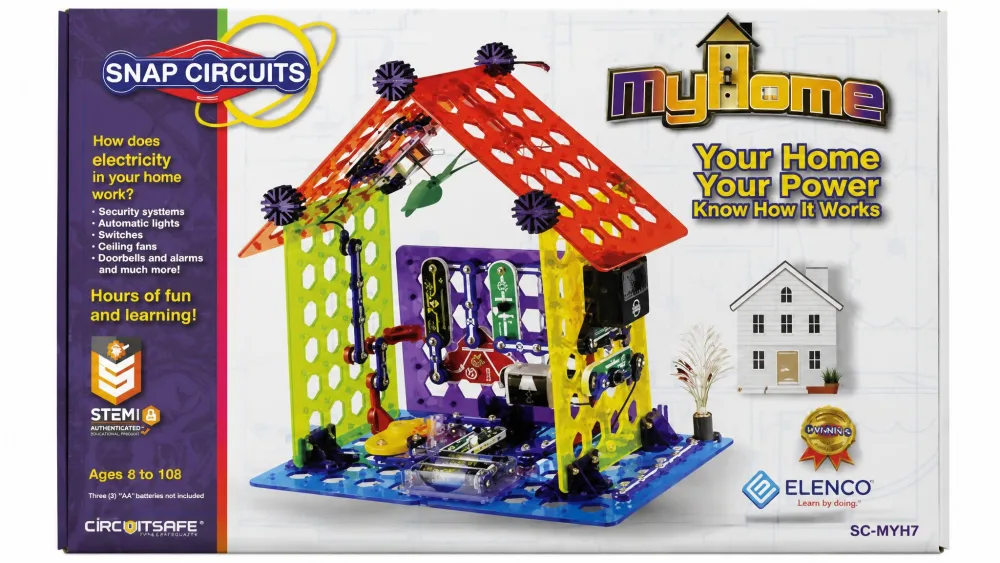
If you can find it, My Home, model SCMYH7, connects circuits to the house a child actually lives in. Seven coloured base grids build a 3D house or tower, wired with security systems, dimmer switches, automatic lights, alarms, motion detectors, fan speeds, appliance motors and generators. It carries about 60 parts and a full-colour manual, rated ages 8 and up.
The conceptual jump is the point. On a flat grid a dimmer switch is an abstraction; mounted on the wall of a model house with a lamp above it, children stop asking what it is for. Treat it as a second or third purchase, for children aged 8 and up who have worked through a general snap set and want circuits to mean something outside the box.
Pros
- Seven base grids allow a genuine 3D house or tower build
- Wiring maps directly onto real household systems
- About 60 parts, comparable in scale to the Classic
- Full-colour illustrated manual
Cons
- Not found on Amazon, so availability and street price are unclear
- List price is the highest per project in the roundup
- Project count is disputed between the maker and retailers
What Parents Should Know Before Buying
Elenco's page says 25 projects while several retailers list 34 for the same set. Vendor list price is $97.99, and because the set was not found on Amazon, street pricing could not be checked as of 2026-08-04. Check Elenco's Snap Circuits line if a retailer search comes up empty.
7. Snap Circuits BRIC: Structures - Best for LEGO Builders
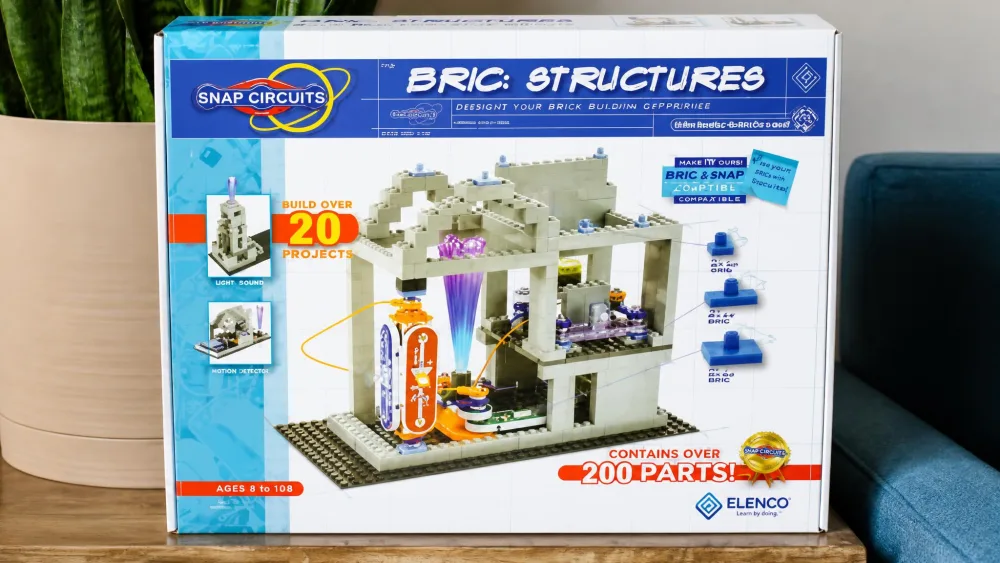
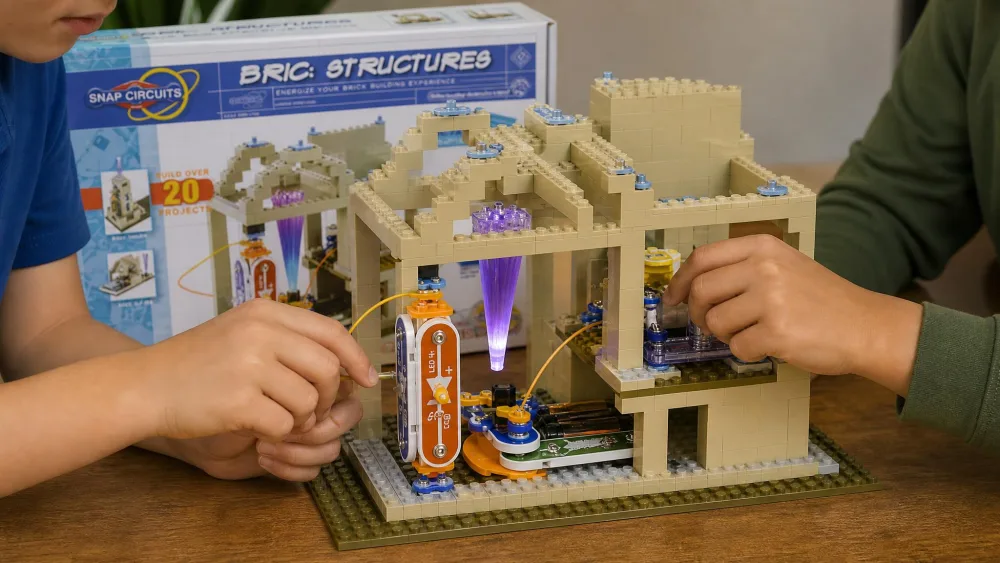
If My Home takes circuits into a model house, BRIC: Structures bridges two toys your children probably already own. It ships 20 Snap Circuits parts, 75 BRIC-2-Snap adapters and between 130 and 140 compatible building bricks, with over 20 STEM and brick projects. The adapters are the clever bit: a standard brick clips onto a snap component, so circuits leave the flat grid for three dimensions with lights, sounds and moving parts inside. The best thing it does in our home is get siblings three to eight years old working on one project, because brick building gives the younger child a real job while an older child wires the circuit.
The frustrations are real too. Some connections sit loose enough that a child cannot make a build stay put without adult hands, the idea booklet is unclear or plainly wrong in places, and the set is small for the money if you already own other Snap Circuits boxes.
Pros
- 75 BRIC-2-Snap adapters connect standard bricks to snap parts
- Takes circuits into 3D builds with lights, sounds and moving parts
- Gets a wide sibling age range collaborating on one project
- Over 20 brick-and-circuit projects
Cons
- Connections can be too loose for a child to secure alone
- Booklet is unclear or flawed in places
- Small for the price if you already own other sets
Who This Kit Is Best For
Brick-obsessed children aged 8 and up, and households with a wide sibling age gap needing one activity that gives everybody a job.
Buying Around the Disputed Brick Count
The same listing gives both 140+ and over 130 for the brick count, so do not plan around an exact number, and do not buy this expecting a specific model to be buildable from the bricks in the box. Pricing moves with promotions and sellers; $39.99 as of 2026-08-04 against a $65.49 list price.
8. Snap Circuits Pro SC-500 - Best for Older Kids Who Want More
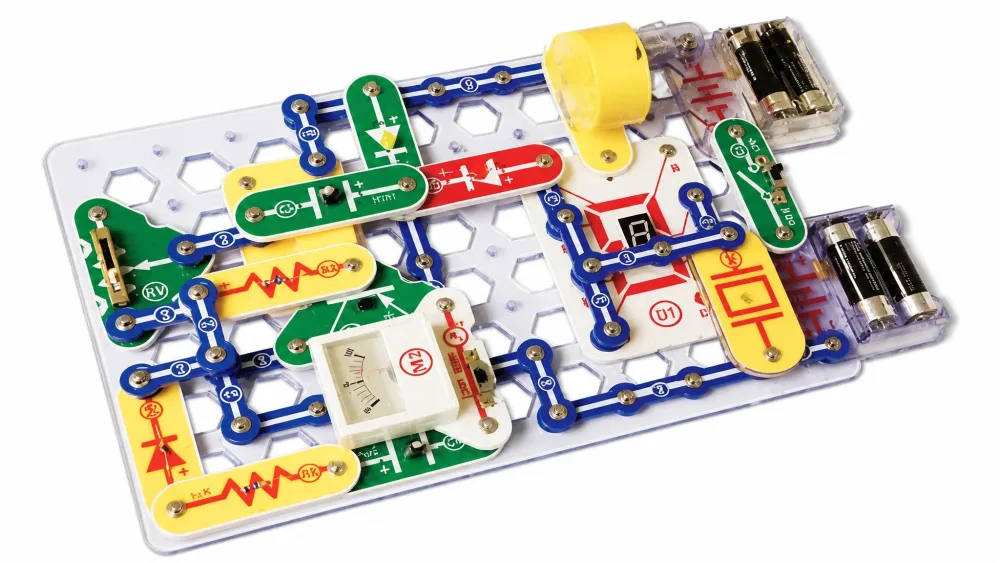
The Pro is the Classic with the ceiling raised, and it tops the mainstream Snap Circuits range: over 500 projects across 75 parts, rated ages 8 and up, with no soldering. The build list is where the step up shows, since alongside the usual lights and alarms it builds an AM radio, a digital voice recorder and an LED display, and it has taken a Dr. Toy top-100 award. It suits children roughly 10 to 14 who have finished a smaller snap set and want harder builds without moving to code.
We should be straight about how we assessed this one. Unlike the Classic, the Jr. and the Beginner, the Pro was judged on its specification, its project range and how it compares to the smaller sets we did put in front of our children, rather than on a hands-on session of its own. What we can say from the rest of the line carries over: the grid, the snaps and the colour-coding are the same, so the flat parts will last and the upright components will be what you replace. Buy this instead of the Classic only if the child already reads a circuit diagram comfortably and finishes builds without help, because the extra projects are longer ones with more parts on the grid at once, and a child still learning the conventions will stall.
Pros
- Over 500 projects, the deepest set in the roundup
- 75 parts, enough for genuinely complex builds
- Builds an AM radio, a digital voice recorder and an LED display
- Colour-coded parts keep a large build manageable
Cons
- Highest price of the Snap Circuits sets here
- Overwhelming for a child new to circuit diagrams
- Upright components remain the failure point
What Parents Should Know Before Buying
Pricing moves with promotions and sellers; $99.99 as of 2026-08-04 against a $148.49 list price. Amazon pools the star rating across the Snap Circuits family, so a per-kit rating count cannot be stated for this set.
9. ELEGOO UNO R3 Smart Robot Car Kit - Best Step Up to Arduino
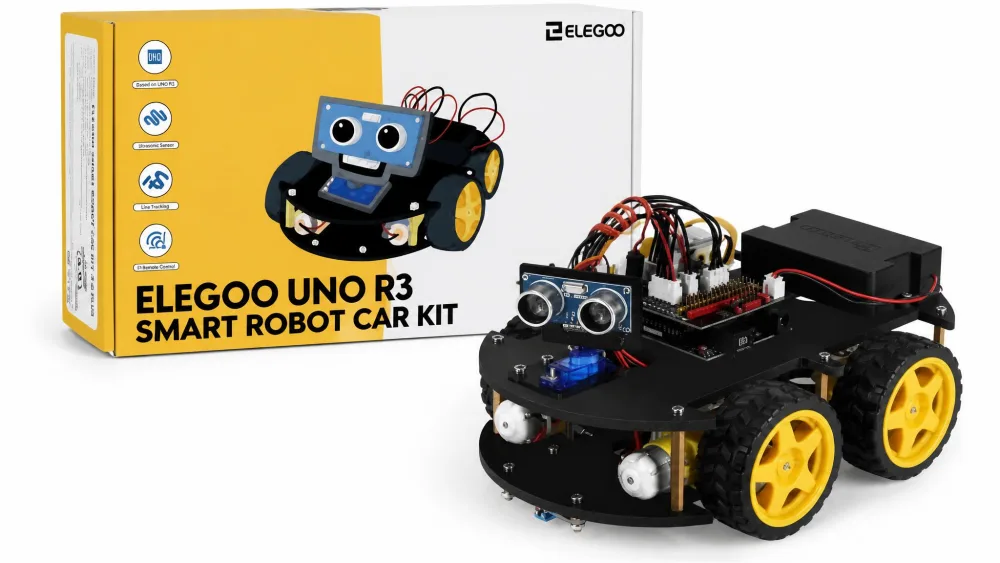
Where the Pro raises the ceiling on snapping parts together, this kit takes a child past it and asks them to write the behaviour themselves. The Smart Robot Car Kit V4 ships 24 kinds of module parts, needs no soldering because the modules use XH2.54 plug-in ports, and is rated ages 8 and up. Finished, it does ultrasonic obstacle avoidance, line tracking, infrared remote control, FPV camera video and app control on Android and iOS, with an HD tutorial and working code included.
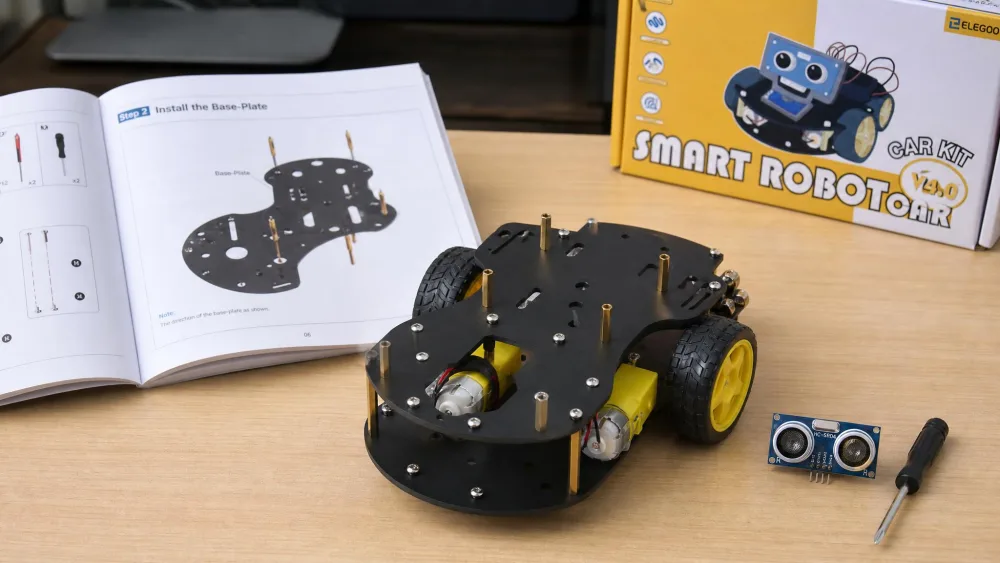
Set expectations honestly on time. Two to three hours is the usual build figure, but that swings widely with the child's age and how much wiring a parent does. A nine-year-old and a twelve-year-old each finished with an adult alongside; a thirteen-year-old got through it in a few hours alone. Two things trip people up: the nearly symmetrical top and bottom base plates, which is where builders mount things backwards, and the fact that you need the printed manual and the videos together. Compare the plates against the manual before any screw goes in. The small screws are the fiddliest part, and the tools are not always in the box.
The software is the real wall. Arduino IDE compiler errors and app problems are common after the build, and the supplied code is tightly enough integrated that a beginner cannot easily debug or extend it. The tutorial download runs over 300 MB, so start it before build day.
Pros
- Genuine step up to programmable robotics with no soldering
- 24 kinds of module parts with plug-in XH2.54 ports
- Obstacle avoidance, line tracking, remote control, FPV camera and app control
- HD rendered assembly tutorial plus working code included
Cons
- Arduino IDE compiler errors and app problems are common
- Supplied code is hard for a beginner to modify
- Nearly symmetrical base plates invite backwards assembly
Who This Kit Is Best For
Children roughly 10 to 15 with an adult willing to sit through the software stage, and any child who has finished a Snap Circuits Pro and wants the next thing.
What Parents Should Know Before Buying
Build time varies with age and parent involvement, so do not promise an afternoon. The car runs on two 18650 rechargeable lithium cells in the supplied holder. Whether those cells and their charger actually come in the box varies by package and region, so plan on buying a pair of 18650s if the listing does not name them. Pricing moves with promotions and sellers; $79.99 as of 2026-08-03. Star averages drift; 4.6 stars as of 2026-08-03.
10. Playz Advanced Circuit Board Kit - Best for Maximum Experiments
Playz abandons the snap grid entirely and makes the biggest promise here: over 328 experiments backed by a 64-page illustrated manual, for ages 8 to 12 and up. It is a wire-and-terminal board rather than a snap grid, with light, magnetic, sound and touch controls, resistors, gates and switches, plus AM/FM radio, flying fan, doorbell and animal-sound projects. It is the box for children aged 8 to 12 who want volume and variety, and for a parent who does not mind doing the first build.
That first build is not optional. An adult put the board together over an evening at our kitchen table, working around setup instructions that are easily the weakest section of the manual, before any child was allowed near it. Once it was built the kit earned the evening back: the propeller spun, the lights came on, the buzzer sounded, and our ten-year-old stayed at the board wiring one circuit after another for the rest of the afternoon. The failure came later and it was the LEDs, the spinning LED motor included, but a bare LED is a two-minute replacement rather than a moulded snap module you have to order from the maker.
Pros
- Over 328 experiments, the largest published project count here
- 64-page illustrated manual once you are past setup
- Wire-and-terminal building is closer to real electronics
- Visible, satisfying outcomes across most projects
Cons
- Initial assembly needs an adult and takes real time
- Setup instructions are the weakest section of the manual
- LEDs and the spinning LED motor fail with use
What Parents Should Know Before Buying
Only a retailer listing gives a part count of 72; the Amazon listing states experiments, not parts. Pricing moves with promotions and sellers; $69.99 as of 2026-08-04. Star averages drift; 4.5 stars as of 2026-08-04.
How to Choose a Circuit Kit for Your Child
Five questions settle nearly every purchase, and working through them in order usually collapses the shortlist to one or two boxes.
Match the Kit to Age and Reading Level
Reading level matters more than age here. A confident seven-year-old reader will manage a Classic manual; a reluctant nine-year-old will not, and needs the picture-led Beginner or the video-led National Geographic kit. Ages 5 to 8 is the band where manual format decides everything. Be careful with published age bands near the boundary, too: Elenco's brand index page lists the Jr. at 5+ and the Beginner at 8+, which inverts what both product pages say, so trust the product-level pages.
Project Count vs. Project Quality
The number on the front of the box is the least reliable figure in this category. National Geographic's 120 projects include a lot of near-duplicates, My Home lists 25 projects on the maker's page and 34 at retailers, and Playz counts 328 experiments where many differ by a single component swap.
What predicts how long a kit lasts is part count and variety, because those decide how many genuinely different circuits are possible. Over 60 parts on the Classic and 75 on the Pro do more for longevity than any headline number, and 14 parts on the Beginner is why it gets outgrown quickly.
Instruction Format: Book, Video, or App
Three formats, three different children. A full-colour step-by-step book suits a fluent reader working alone. A wordless picture-led manual suits a pre-reader and buys real independence, at the cost of any explanation. A QR code to video suits a child who stalls on static diagrams. App and code instructions are a category again, and with the ELEGOO kit the software stage, not the wiring, is where families get stuck.
Expandability and Compatibility Between Kits
Snap Circuits sets are built to combine. Parts snap onto the same rows-and-columns grid layout across the line, so adding Arcade to a set already in the house produces more builds than either box alone, and that is the cheapest way to extend a kit you already like.
Elenco also sells dedicated upgrade kits rather than making you rebuy a whole box. The UC-30 adds 30 new parts and 200 more projects, taking an SC-100 up to SC-300 level, and there are equivalent upgrades from the SC-130 to the SC-300 and the SC-500. The exception worth knowing is the Jr. Select SC-130, which combines with other sets but is described as incompatible with the standard upgrade kits, which is why it has its own. Check the upgrade kit's named source model before buying, because no maker publishes a chart of which individual sets ship an identical base grid.
How Much Parent Help to Expect
The Beginner needs one walk-through and then nothing. The Jr. and Classic need an adult nearby for the first few sessions, Arcade needs help with the game projects, Playz needs a parent for the whole initial assembly, and the ELEGOO car needs one for the software and probably the screws.
Parent tipBefore you blame the build, check the power. Battery holder springs weaken over time and produce intermittent faults that look exactly like a wiring error, and we have lost more than one afternoon to that.
Are Circuit Kits Safe for Young Children?
Yes, with two cautions that apply to every kit here.
The first is small parts. Circuit kits carry small-parts choking-hazard labelling and are not for children under 3, which is why these boxes live on a high shelf rather than in the toy bin when a toddler is in the house.
The second is button cells. A swallowed button cell can burn tissue in the throat or stomach quickly; injury timing varies with battery size and where the cell lodges, but burns can begin within about two hours. Battery compartments should be screw-secured and re-checked over time, because a screw opened and closed thirty times does not hold the way it did new.
Beyond that, these are low-voltage kits and nothing here can shock a child. The realistic risks are a swallowed part and a hot component if a circuit is wired wrongly and left running.
Watch outKeep circuit kits away from children under 3, count the small parts back into the tray after every session, and check the battery compartment screw before you put the box away. Button cells belong in a locked drawer.
What Comes After a Circuit Kit: Arduino, Breadboards and Beyond
A child who has finished the Pro's project book has gone as far as snap-together electronics goes. Next is a solderless breadboard and a microcontroller, where the circuit stops being the whole activity and becomes the thing the code controls. The ELEGOO robot car is the gentlest bridge, because its modules plug in and nothing needs wiring from scratch. After that the honest path is a plain breadboard, a handful of resistors and LEDs, and a laptop, and Arduino's education resources are free and written for exactly this handover.
Expect the difficulty curve to invert. In snap kits the electronics are the hard part and there is no software; on a breadboard the electronics get simpler and the software becomes the whole job. That is why we would not push a child into this before about age 10, or into it alone at all. It is also where circuit kits stop being toys and become the start of a real STEM path, since the series and parallel arrangements a seven-year-old builds on a base grid are the same ones they will draw as a schematic later.
Frequently Asked Questions About Circuit Kits for Kids
What age can kids start using circuit kits?
Watch for three signs rather than a birthday. A child is ready when they can match a shape on a page to a shape on the table, when they will sit through a build long enough to see it finish, and when they can be trusted not to put a small part in their mouth. With the Beginner, one walk-through of the parts and the diagram conventions is usually all it takes before a five-year-old carries on alone; if that walk-through has to be repeated three or four times, wait six months and try again.
Are Snap Circuits worth the money?
Work it out per project rather than per box, and the answer usually turns out yes: a set in the $30 to $70 range with 100 to 300 builds costs pennies a project, which no other STEM toy of that price matches. The number that changes the sum is breakage, and the thing that protects it is that Elenco sells individual replacement parts directly rather than making you rebuy the set. You pay shipping on those parts, so it is worth batching a replacement order rather than sending one off every time a fan module bends.
Snap Circuits or Arduino: which should we buy first?
Snap Circuits first, and the test for moving on is about ability rather than age. Before an Arduino kit is worth the money, a child should be able to look at a circuit diagram and build it without asking which part is which, work out for themselves why a build is not running, and stay with a project across more than one sitting. A child who still needs a parent to read the manual will meet the compiler and stop. Around age 10 is when most children reach that point.
Do circuit kits actually teach real electronics?
Yes, within limits. The layouts and components are real: switches, resistors, capacitors, integrated circuits and speakers behave the same way here as anywhere else. What most kits leave out is the explanation, so the physics conversation is often the parent's job. Fuller manuals, such as the Classic and Pro, close more of that gap.
Which circuit kit is best for a 10-year-old?
The Classic SC-300 if this is a first kit, because over 300 projects and over 60 parts give a ten-year-old somewhere to grow. If they have already worked through a smaller snap set, go to the Pro SC-500, or step sideways to the ELEGOO robot car if programming appeals more than wiring.
Do any of these kits require soldering?
No, but keep a small Phillips screwdriver in the box anyway. Every screw-secured battery compartment in the Snap Circuits line needs one, and that screw has to come out for every battery change and go back in tight afterwards. The Playz board needs the same driver for its terminal screws during the adult assembly, and the ELEGOO car needs a precision driver plus a small wrench for the chassis screws, which are not always supplied.
Common Mistakes Parents Make Buying Circuit Kits
Four patterns come up again and again, and all four are avoidable.
Buying for the project count is the most expensive one. A box advertising 328 experiments is not three times better than one with 100 if half of them differ by a single swapped component, so look at part count and variety instead.
Buying a themed set first is the second. Arcade, My Home and BRIC: Structures are excellent second boxes and frustrating first ones, because each assumes a child already knows what a switch and a resistor do.
Buying above the reading level is the third, since age labels describe fine motor and safety rather than comprehension. A child who cannot read the manual will not build from it.
The last is storage. The cardboard boxes fail within a school year, and a set with three missing parts is one nobody plays with. Move everything into a lidded tub with the moulded tray inside.
Final Thoughts: Which Circuit Kit Should You Buy?
The Classic SC-300 remains the default answer, but most families arrive here with a more specific child in mind, so route by the child instead.
Video learner, National Geographic. Games, Arcade. Bricks, BRIC: Structures. Curious about how the house works, My Home. Ready for harder builds without code, the Pro. Ready for code, the ELEGOO car. Not reading fluently yet, the Beginner. Not sure the interest will last, the Jr.
Then do the three things that decide how long any of them survives. Move the parts into a lidded tub the week the box arrives, because the cardboard will not last the school year. Check the battery compartment screw before the box goes back on the shelf, since a screw opened thirty times does not hold the way it did new. Count the parts back into the moulded tray at the end of every session, because a set missing three pieces is a set nobody plays with again. Those habits do more for the life of a circuit kit than the difference between any two boxes here.