15 Best Engineering Kits for Kids
Plenty of engineering kits for kids are really craft kits wearing a lab coat, and the difference only shows once the box is open on your table. So we worked through fifteen of them the slow way, building every model the box promised, reading every booklet, and watching where a child stalls and where they lean in.
These kits were built by our kids, spread across the elementary and middle-school years, with the grown-ups pulled in wherever the box demanded it. Some kits went together in an afternoon and some, like the Hydrobot Arm, stretched across several days of careful work.
Below you'll find our top three, a grid of all fifteen, write-ups with pros and cons, and age bands from 4 to 13.
Quick Answer: Our Top 3 Engineering Kits
Snap Circuits Jr. SC-100 is our overall pick. It teaches real circuitry with no soldering and no tools, and it draws in siblings and adults instead of parking one child alone with a manual.
Thames & Kosmos Bridges & Skyscrapers suits a child who wants to build something and then break it on purpose. The finished bridges are sturdy enough to load-test on the kitchen counter.
Ravensburger GraviTrax Starter Set keeps the whole room busy. It's a gravity sandbox rather than a step-by-step build, and the age spread around the table is unusually wide.
| Kit | Best for | Age range | Engineering discipline | Approx. price band |
|---|---|---|---|---|
| Snap Circuits Jr. SC-100 | Best overall | 8+ | Electronics and circuitry | Under $30 |
| T&K Bridges & Skyscrapers | Structural engineering | 8+ (intermediate) | Structural and civil | $30-60 |
| LEGO Technic Mack LR 42167 | Mechanical builds | 8+ | Mechanical | Under $30 |
| K'NEX Education Roller Coaster | Classrooms and groups | 8+ | Structural and mechanical | $60+ |
| Engino Mechanics | Pure engineering concepts | 9+ | Mechanical and levers | $30-60 |
| ELEGOO UNO R3 Robot Car V4 | Robotics beginners | 8+ | Robotics and electronics | $60+ |
| Makeblock mBot2 | Coding and robotics | 8-14 | Robotics and coding | $60+ |
| Botley 2.0 Activity Set | Screen-free coding | 5+ | Screen-free coding | $60+ |
| Teach Tech Hydrobot Arm | Hydraulics | 12+ | Hydraulics | $60+ |
| Sillbird 12-in-1 Solar Robot | Budget pick | 8-13 | Solar and renewable energy | Under $30 |
| T&K Kids First Robot Engineer | Ages 5-7 | Early elementary | Simple machines | $30-60 |
| fischertechnik Mechanic + Static 2 | Precision and older kids | Older kids | Mechanics and statics | $60+ |
| GraviTrax Starter Set | Marble-run physics | 8+ | Physics and gravity | $30-60 |
| KiwiCo Tinker Crate | Subscription option | 9-12 | Mixed engineering | From $24 per month |
| Osmo Genius Kit | Screen-paired kit | 6-10 | Screen-paired STEM | $30-60 |
How We Tested and Chose These Kits
We built each kit the way a family actually builds one, at a table with other things going on, and we finished every model rather than stopping at the first photo-worthy result.
Each kit got real time on our kitchen table rather than one rushed session, and the bigger builds carried over to the next day the way they would in any house. We paid attention to the same things every time: what a child could do alone, where an adult had to step in, and whether the finished thing still worked a week later.
Four things decided the ranking. Whether the kit teaches an engineering idea a child can name afterwards. Whether the instructions carry a kid through the hard step. How the parts hold up, since a connector that snaps on the third rebuild ends the kit early. And what you get for the money at each tier.
Every price we quote was checked on the same day in August 2026. Amazon prices move with promotions and with which seller is in the box, so treat each figure as a starting point.
NoteThe pattern that surprised us most is how badly age labels track reality. A five-year-old can follow the Snap Circuits diagrams next to an older sibling despite the 8+ label, while eight-year-olds find the Engino models complicated without help. Read the build, not the box.
For wider context on how engineering research reaches families, we lean on public-interest reporting like the National Science Foundation's Science Nation reports.
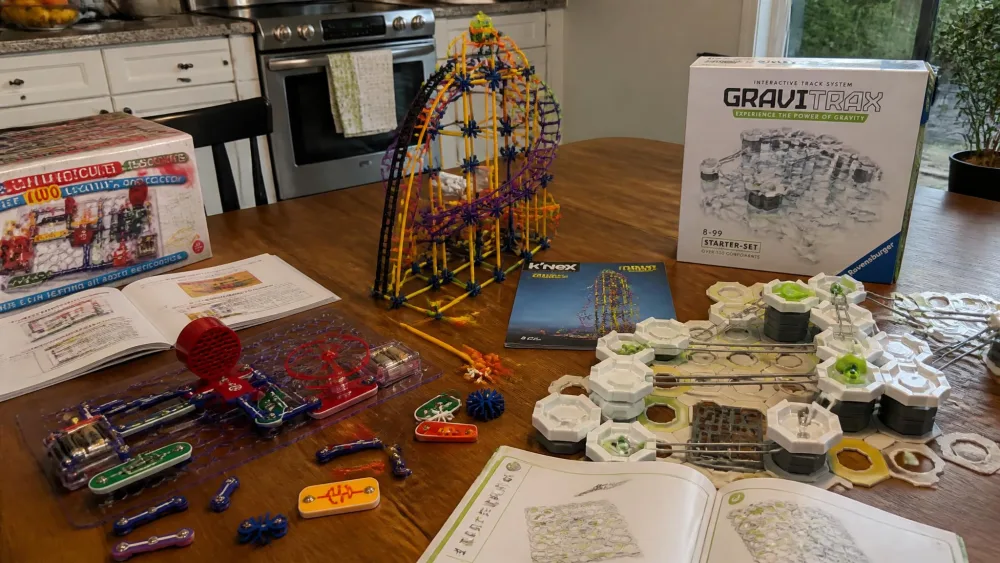
Engineering Kits at a Glance
Two columns in the grid above matter most when you're deciding quickly. The discipline column tells you which kind of engineering your child will actually practise. The age column is the label on the box rather than our verdict, which is why several write-ups below argue with it.
The 15 Best Engineering Kits for Kids
1. Snap Circuits Jr. SC-100 – Best Overall
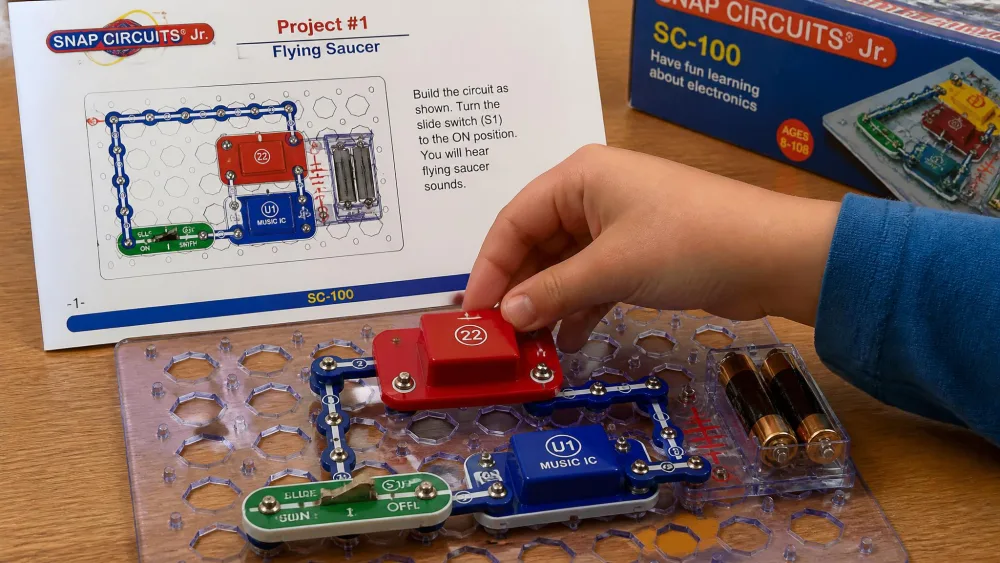
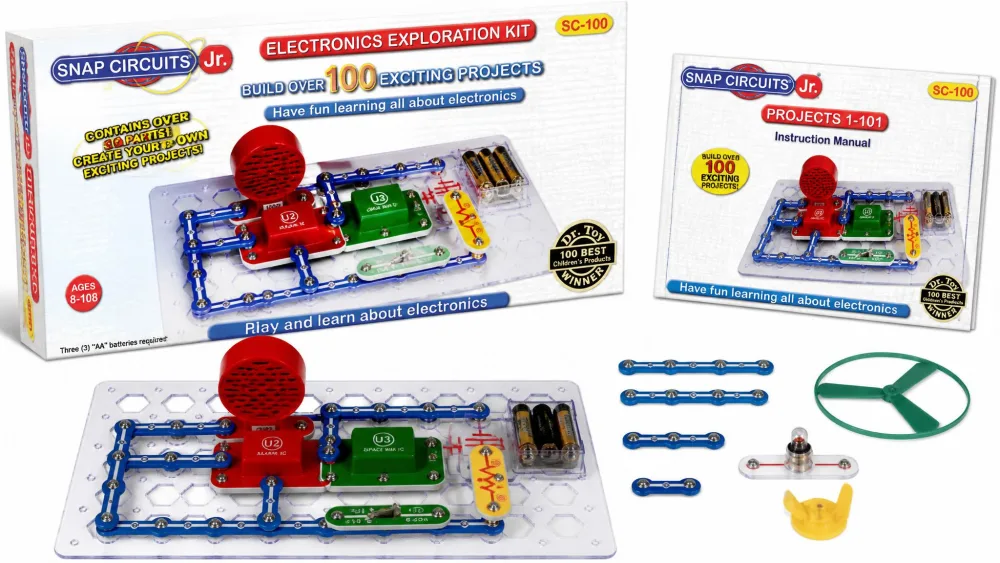
The Snap Circuits Jr. SC-100 electronics kit teaches a genuine discipline on the first afternoon. There are 28 parts in the box and over 100 projects in the manual, and the UL-listed components press onto a grid baseplate, so there's no soldering and no tools required. The snap parts have survived years of rebuilding here, while the paperback manual has not: the spine split and the most-used diagram pages went grey at the corners long before any component wore out.
The first real fault we hit was the motor. Snapped into the fan project it did nothing, and it only ran when it was held tilted at a particular angle, which turned out to be a loose wire inside the housing rather than anything we had built wrong. What happened next is the reason this kit sits at the top: instead of one child giving up at the table, two more pulled up chairs to hold the motor and argue about why the angle mattered, and by the end of the afternoon a parent was reading the back of the manual out loud and somebody was asking which expansion set to buy next.
Pros
- Teaches real circuitry with no soldering and no tools required
- Over 100 projects, and it upgrades with other Snap Circuits sets
- UL-listed parts with no sharp edges or loose wires
Cons
- Individual components such as the motor can arrive faulty
- The paperback manual splits at the spine under heavy use
Who it's for
Households wanting one kit to cover electronics properly, especially where siblings of different ages build together.
Bottom line: the kit we'd buy first and the one we'd buy again.
2. Thames & Kosmos Bridges & Skyscrapers – Best for Structural Engineering
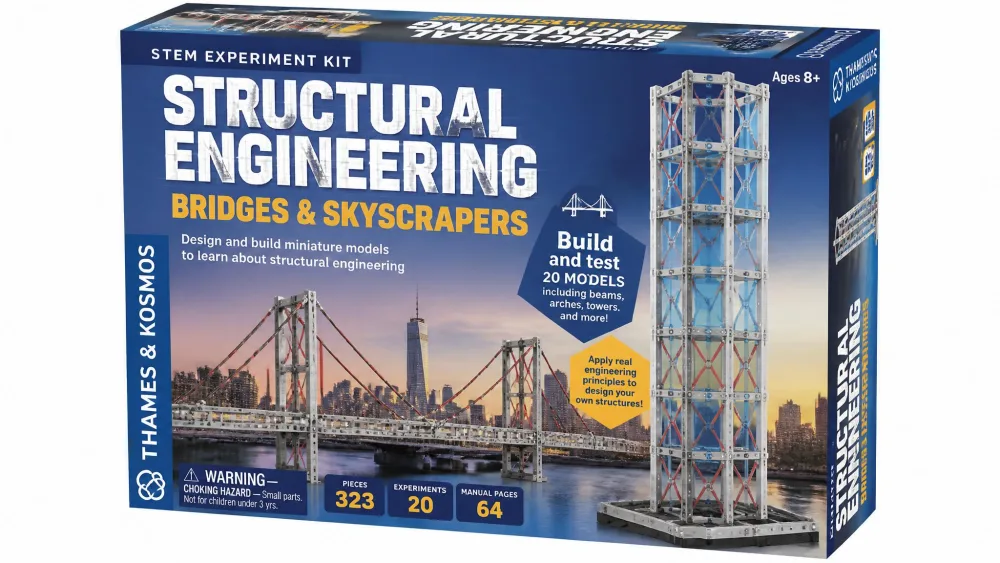
If circuits are the wrong discipline for your child, structures are the obvious next door to try. Thames & Kosmos Bridges & Skyscrapers builds 20 different models from over 285 interchangeable building pieces, and the 36-page illustrated manual walks through force, load, compression and tension using beam, arch, truss and suspension builds. The skill level is intermediate, and it reads that way.
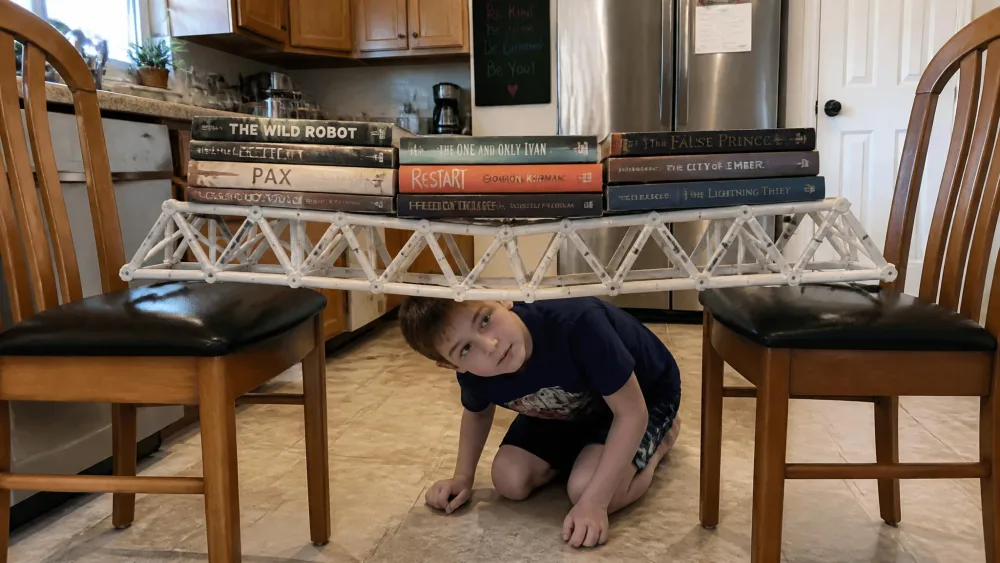
We finished the truss bridge on a Saturday morning and then did the thing every child wants to do with a bridge, which is find out what breaks it. We laid the span between two kitchen chairs and started stacking books on the deck, adding one at a time and crouching down to watch the middle for sag. It took 20 pounds before anything moved, which was enough weight that the arguing stopped and everyone just looked at it. The damage came later and from the other direction: prying the model apart, the yellow separator tool skidded off the pins without gripping, and a connector snapped when we resorted to fingers.
That mismatch runs through the whole kit. The designs are sound and the instructions swing between very detailed and missing the one detail that matters, usually on the step where a child has already committed to the wrong orientation.
Pros
- 20 models covering beam, arch, truss and suspension structures
- The 36-page manual teaches force, load, compression and tension properly
- Finished bridges are strong enough to load-test at home
Cons
- Plastic connectors snap under pressure and the separator tool barely grips
- The instructions occasionally skip the step a child most needs
Who it's for
A child who likes buildings and bridges and wants to find out why they stand up.
Bottom line: the best structural teaching here, held back only by its connectors.
3. LEGO Technic Mack LR Garbage Truck – Best for Mechanical Builds
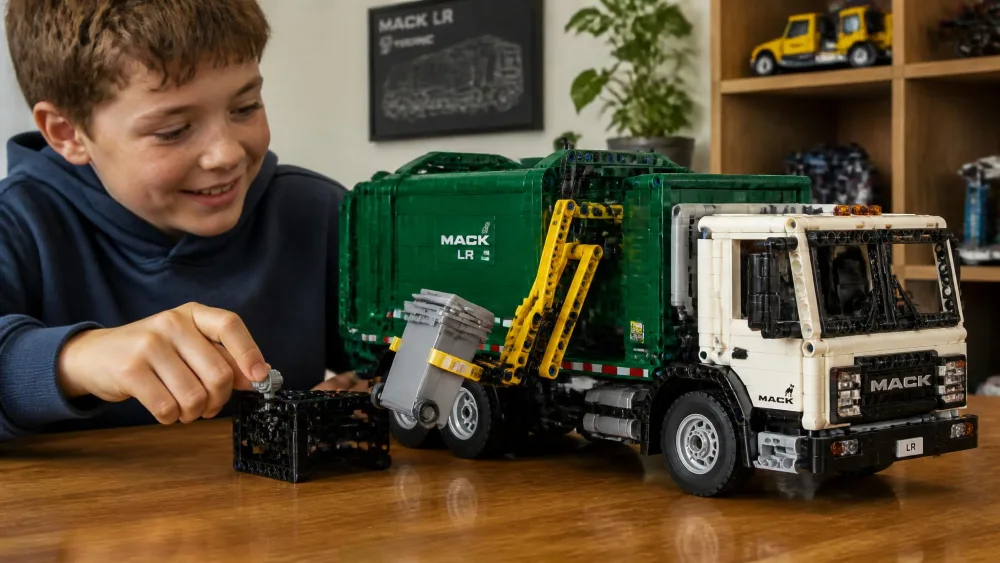
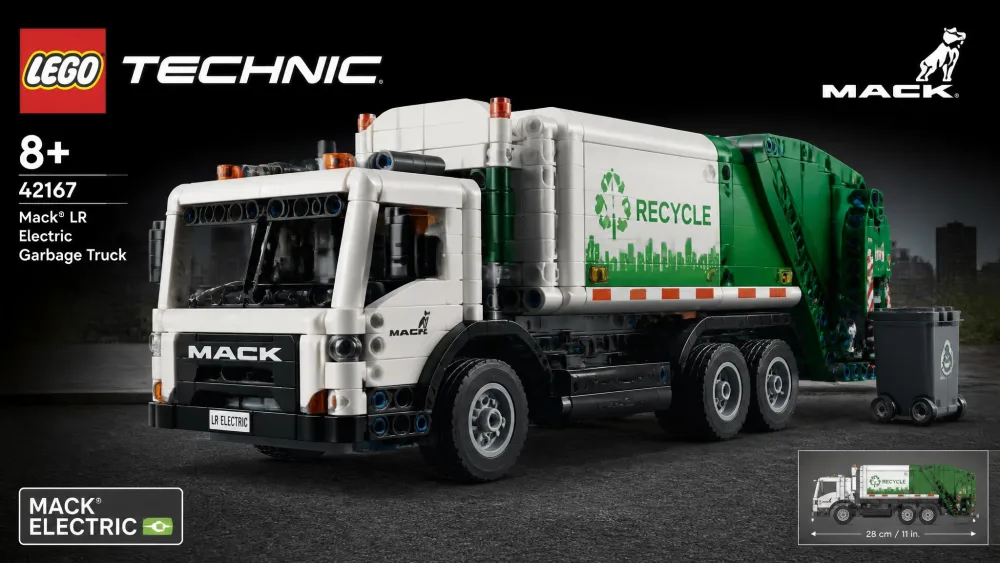
Where the bridge kit teaches loads that stay still, this one teaches parts that move. The LEGO Technic Mack LR Electric Garbage Truck 42167 is our mechanical entry point, because the mechanism is the toy rather than a bonus feature. Labelled ages 8+, it has a working side loader that grabs, lifts and tips bins, gear-driven steering, and a free LEGO Builder app with 3D instructions a child can zoom and rotate. The piece count is usually given as 177, though contents get revised between print runs.
The build ran about ninety minutes for a child around eight or nine, split over two sittings with the app propped against the fruit bowl so the chassis could be rotated on screen. The stickers were the point where an adult quietly took the tweezers, because getting one crooked on a cab door is the kind of small failure that ends a good afternoon. Then the truck went straight into rough play on the kitchen floor, and weeks later the side loader still grabs, lifts and tips a bin without shedding a single piece, which is not something we can say about most models that survive that treatment.
Pros
- A working side loader and gear-driven steering, not a static model
- Free LEGO Builder app with zoomable 3D instructions
- Survives rough play, and the mechanism keeps functioning
Cons
- Sticker placement usually ends up being an adult job
- The piece count varies between print runs
For a child who already likes LEGO and is ready for gears and linkages instead of bricks alone, this is the cheapest way we found to put a real working mechanism in their hands.
4. K'NEX Education Roller Coaster Set – Best for Classrooms
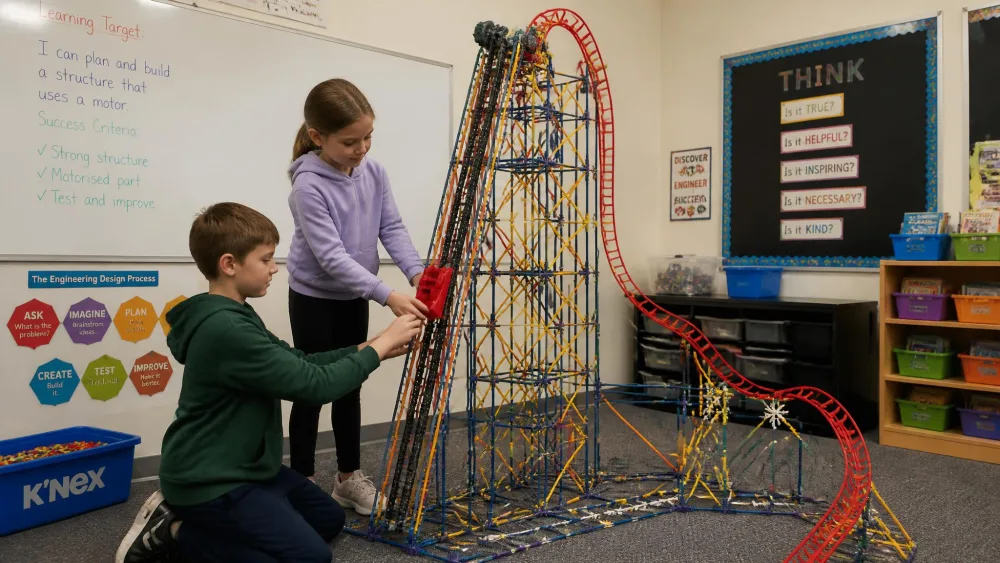
We got two hours into the coaster tower before we found out the box was short. The missing pieces were the long orange rods, which are the ones the upper structure depends on, and there is no improvising around them once the lower frame is already square. We wrote off to the manufacturer, waited, and finished the tower days later than planned, which is a real thing to know before you hand this to a room full of children on a Tuesday.
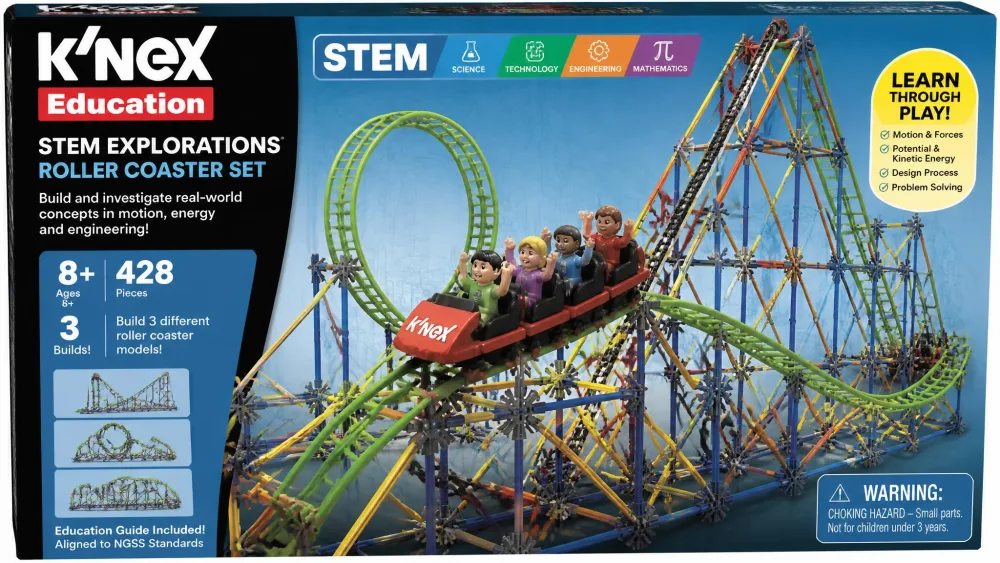
Once it was built, the payoff was as good as promised. The K'NEX Education STEM Explorations Roller Coaster Set holds 546 assorted pieces plus a battery-powered motor, is labelled 8+, and is designed for one child or a team of two to three children. The booklet describes three inquiry-based experiments, though printed contents vary by edition. The motorised chain lift caught the car and dragged it up the tower without complaint every time, and watching it crest the top is what the kids waited around for. What it did not do reliably is finish: the car often ran out of momentum in the bottom loop and sat there, which turned into an unplanned lesson about potential energy but is not what the box picture shows.
Pros
- 546 pieces and a motorised lift for a genuinely large-scale build
- Designed for teams of two to three, so it works for groups
- Hours of building across multiple sittings
Cons
- Missing rods are a recurring problem and replacements are slow
- The car sometimes stalls before completing the bottom loop
Who it's for
Teachers, co-ops and families who want one shared project rather than one child's kit.
Bottom line: the best group build here, as long as you count the rods before you start.
5. Engino Discovering STEM Mechanics – Best for Pure Engineering Concepts
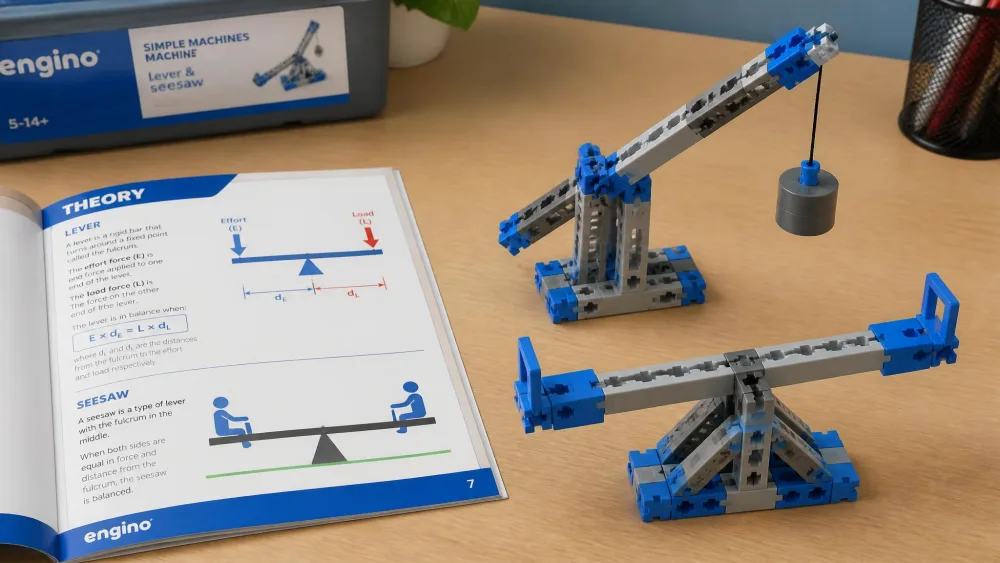
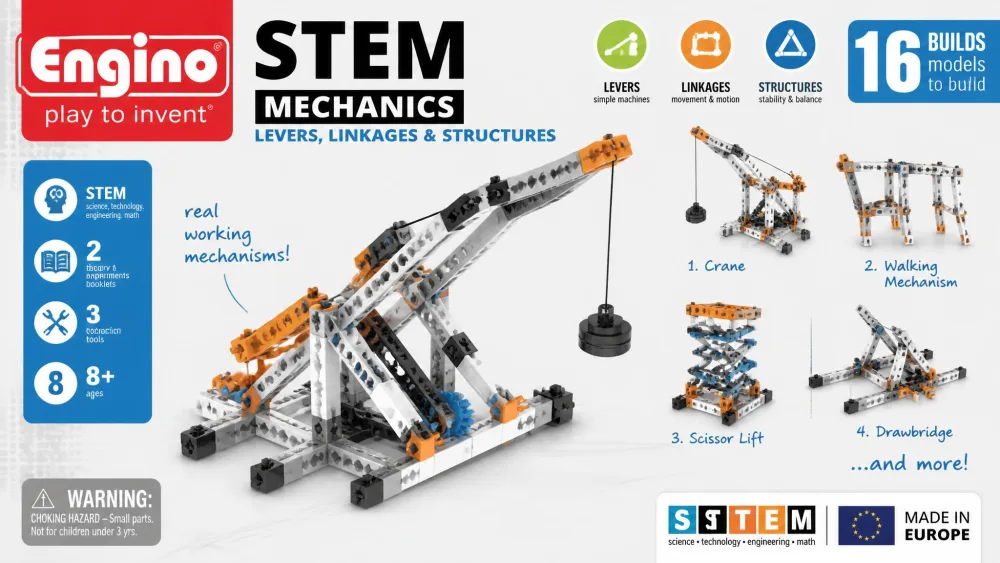
Where the K'NEX set is a group project, this one is a lesson. Engino Mechanics: Levers, Linkages & Structures builds 16 working models including seesaws and bridges, is labelled ages 9+, and ships 12 pages of theory and facts plus a 4-page quiz. The snap-fit rods are made in Europe and stay compatible across the wider Engino system. The booklet reads like a short textbook with a lab section, so it works as a standalone lesson rather than assembly steps with a logo on top.
The friction is physical. Building the seesaw, a younger child at our table got the rod started in the connector and then simply could not push it home, and taking the model apart afterwards needed an adult with both thumbs and a braced elbow. That is the whole story of the 9+ label: eight-year-olds find these models complicated without help, and their hands are the second reason why. The parts also sit alongside LEGO Technic without connecting to it, so this adds a second building system to the shelf rather than extending one you already own.
Pros
- 16 working models covering levers, linkages and mechanical advantage
- A 12-page theory section and quiz that stands in for a lesson
- Snap-fit parts compatible across the whole Engino system
Cons
- Pieces are stiff to connect and separate for younger hands
- Doesn't connect to LEGO Technic, so it's a separate system on the shelf
Who it's for
Homeschoolers and curious nine-to-twelves who want the mechanics explained, not just built.
Bottom line: the closest thing here to an engineering lesson in a box.
6. ELEGOO UNO R3 Smart Robot Car Kit V4 – Best for Robotics Beginners
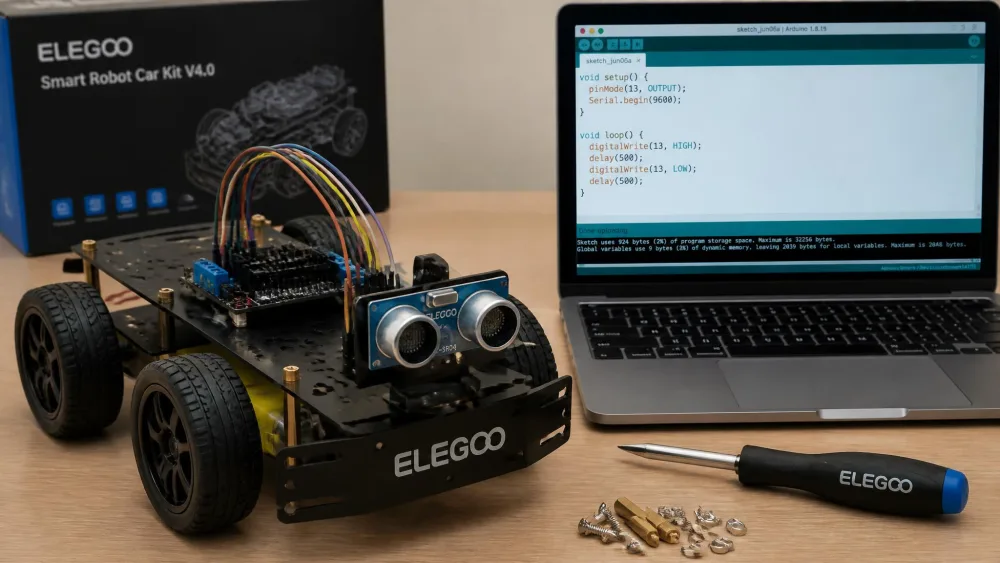
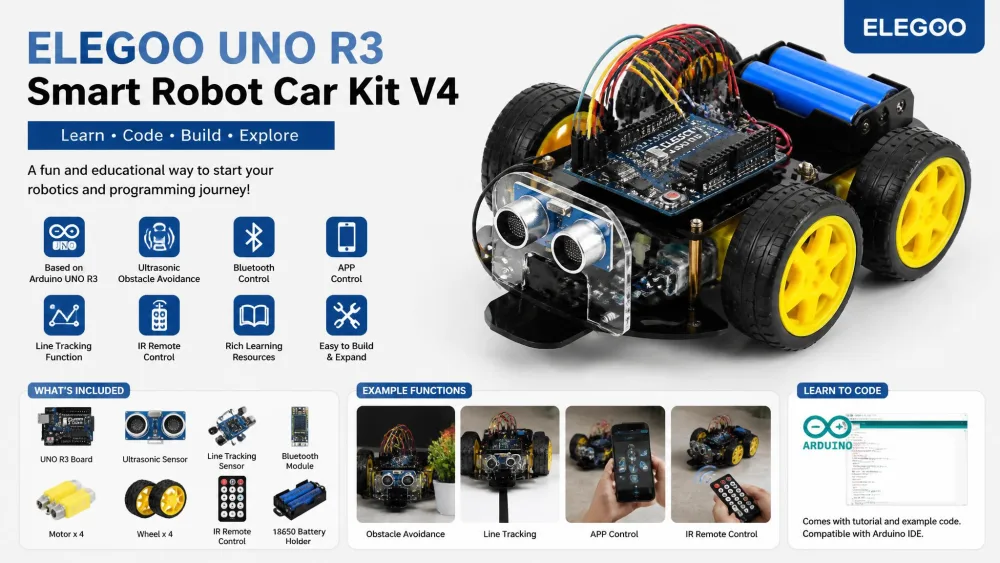
Engino explains mechanisms on paper; this kit hands a child a screwdriver and, eventually, a keyboard. The ELEGOO UNO R3 Smart Robot Car Kit V4 contains 24 kinds of module parts, including obstacle avoidance and line tracing, and every module interface uses XH2.54 ports to cut wiring errors. Applicable age is 8 and up, control runs through an infrared remote or an Android or iOS device, and the Arduino-compatible programming comes with downloadable tutorials and code.
We built it across several evenings after supper, and the first evening nearly went badly. The top and bottom base plates are near enough identical that we mounted one the wrong way round from the printed manual alone, and it was the maker's video walkthrough that caught it before the motors went on. A few of the small screws refused to seat without three attempts each. The evening that mattered was the one where the first sketch would not compile, we read the Arduino IDE errors together instead of giving up, and the car finally rolled across the kitchen under its own code. After that the first-person-view driving mode did the rest, and it came back out most evenings that week.
Pros
- 24 module types covering obstacle avoidance, line tracing and remote driving
- XH2.54 keyed ports make wiring mistakes much harder
- Real Arduino programming with tutorials and sample code included
Cons
- The printed manual needs the video walkthroughs to be usable
- Arduino IDE compiler errors are a genuine hurdle for a first-timer
Who it's for
A nine or ten-year-old with an adult willing to sit alongside for the wiring and the first upload.
This is the best value in real robotics we found, as long as you buy it as a joint project rather than a gift you hand over.
7. Makeblock mBot2 – Best for Coding and Robotics
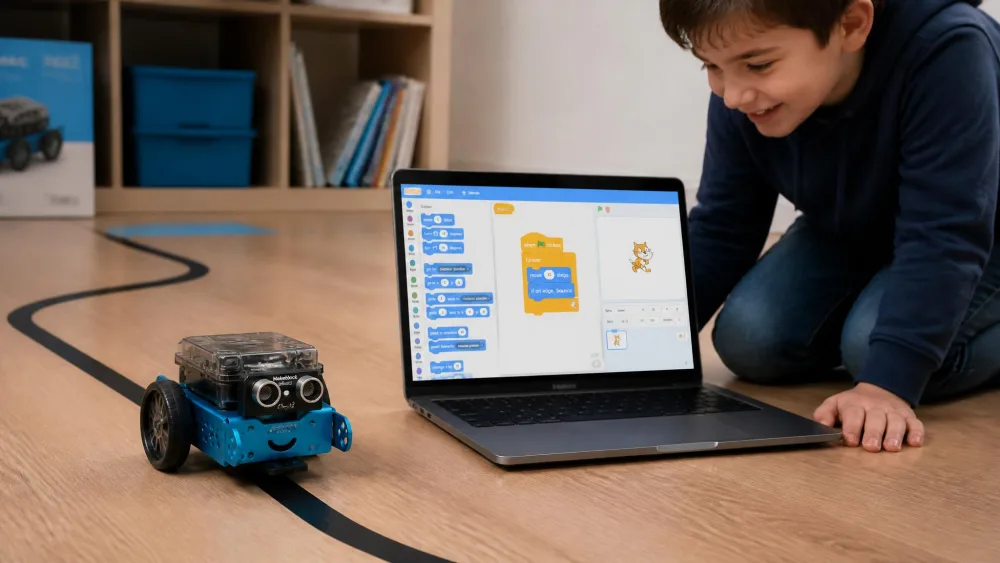
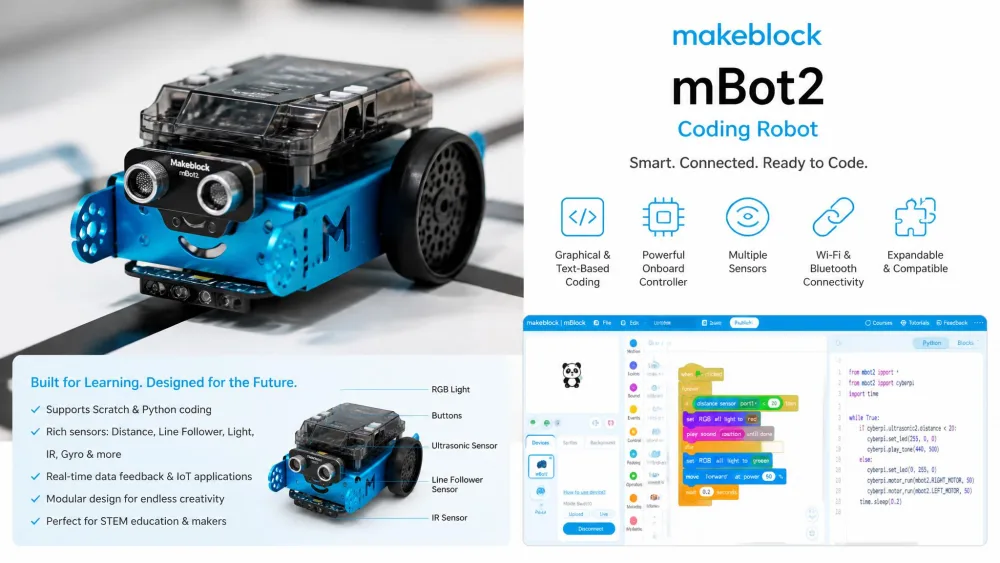
If the ELEGOO car is the long way into robotics, the mBot2 is the short one. The Makeblock mBot2 coding robot runs 10+ advanced sensors on the mBuild platform, is labelled ages 8-14 and up, and supports both Scratch block coding and Python, so it stays useful as a child's coding improves. There are 8+ play modes covering drive, draw and run, musician and voice control, plus line following, colour detection and 4 coding project cards.
It was assembled and moving inside the hour, somewhere in the 30 to 45 minute range depending on how much help the wiring needed. Then somebody picked it up to carry it to the hallway, turned it over, and it made an indignant noise at being upside down. That was the end of any coding for a while, because the next twenty minutes were spent flipping it deliberately and shouting voice commands at it, and it was that noise, not the sensor list, that got the whole room interested in what else it could be told to do. The limits showed up later: Bluetooth only works through a web browser, the app doesn't run on Fire tablets, and the JST connectors are awkward when swapping modules.
Pros
- Scratch and Python together, so it grows with a child's coding
- 10+ sensors and 8+ play modes out of a single build
- Assembles in well under an hour with coding starting the same day
Cons
- Bluetooth works only through a web browser, and Fire tablets aren't supported
- JST connectors are awkward when swapping modules
For a child aged 8 to 14 who wants to program a robot rather than just drive one, this is the most complete option here and the one with the longest useful life.
8. Learning Resources Botley 2.0 – Best Screen-Free Coding Robot
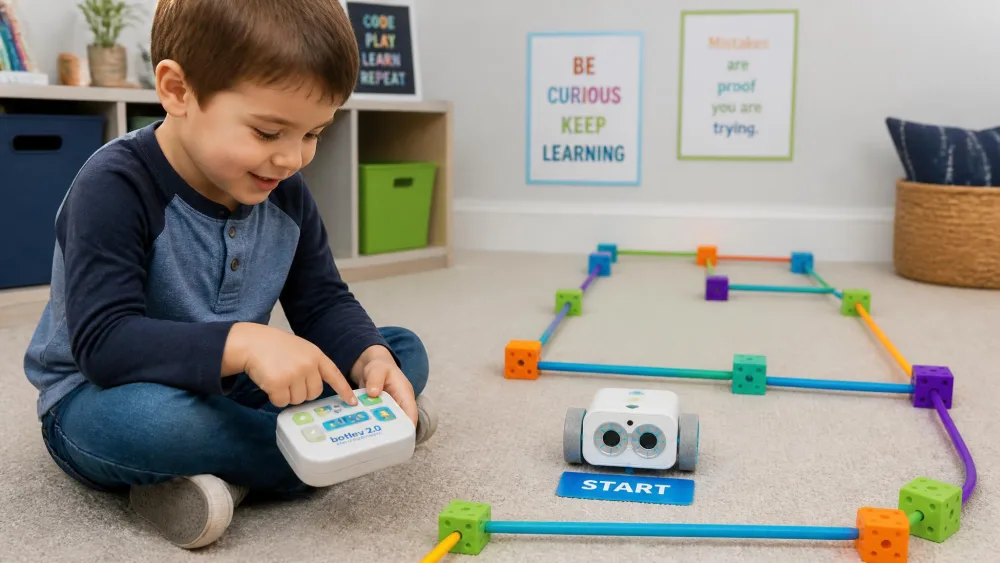
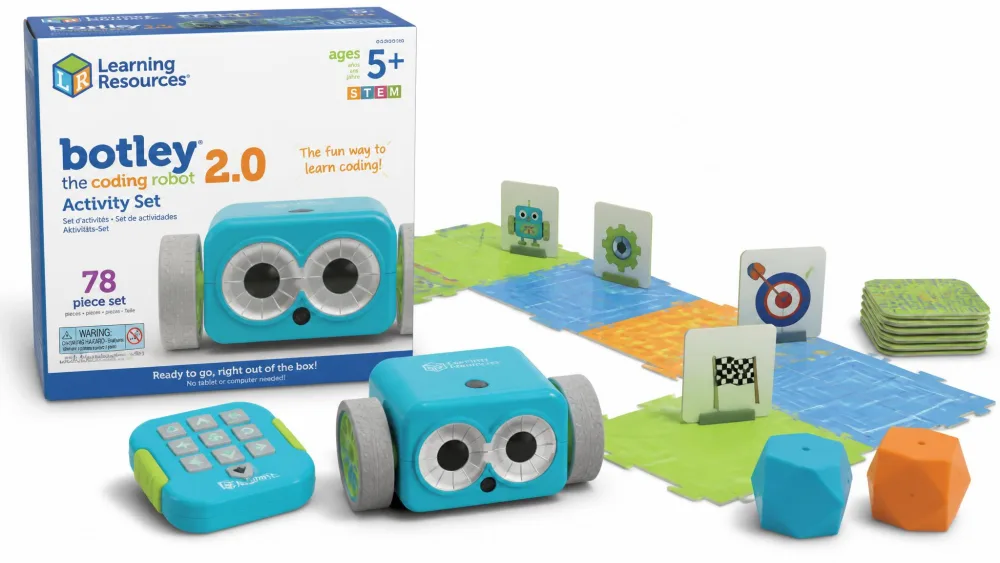
Both robots above need a screen at some point, and this one never does. Botley the Coding Robot 2.0 Activity Set is a 78-piece activity set for ages 5+ that codes entirely without a tablet or phone, using a remote programmer and direction cards. There are 16 fun interactions built in, including train, police car and ghost modes, and the box holds 40 direction cards, 12 cubes and 6 large boards. A three-and-a-half-year-old can play with it meaningfully with an adult reading the cards.
The course we built on the rug was the problem. Six moves and two turns, all planned out on the cards before a single button went in, and Botley cleared the first gate perfectly and then arrived at the second one a few degrees off. By the fourth move that small error had compounded into a robot facing a wall while the children looked at their plan and then at each other, because the turns are not a clean 90 degrees and nothing in the programming was wrong. On another run it simply stopped responding to commands mid-course. Units arrive defective often enough that asking for a replacement is a realistic first step, and the replacement then works correctly.
Pros
- Genuine screen-free coding with a remote programmer and cards
- 78 pieces, including boards and obstacles, so a course sets up fast
- 16 built-in interactions keep it interesting past the first week
Cons
- It intermittently stops responding to programmed commands
- Turns drift off 90 degrees, so long courses lose alignment
Who it's for
Five to seven-year-olds in screen-free homes, and younger kids with an adult reading the cards.
Bottom line: the right idea at the right age, with a reliability record to buy prepared for.
9. Teach Tech Hydrobot Arm Kit – Best Hydraulics Kit
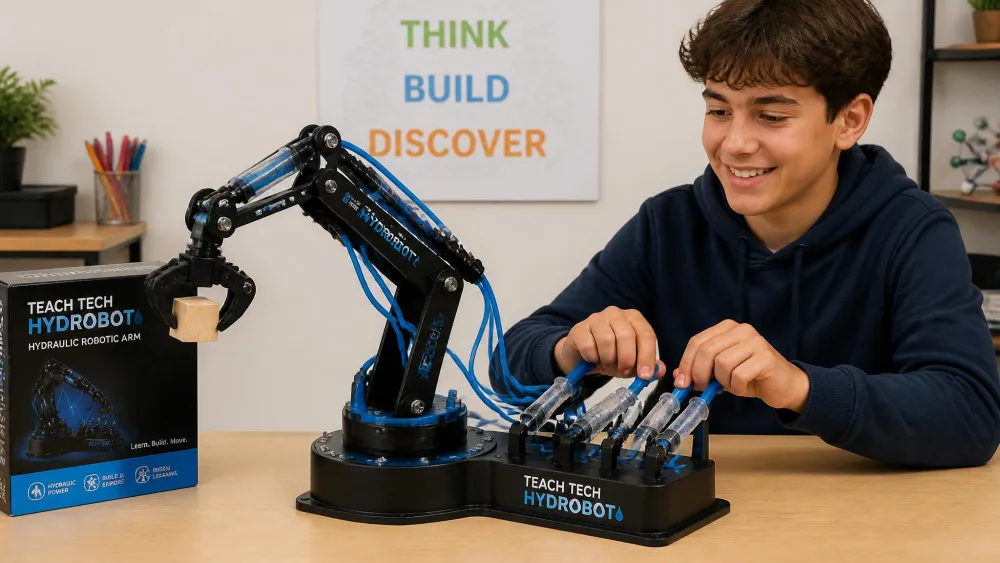
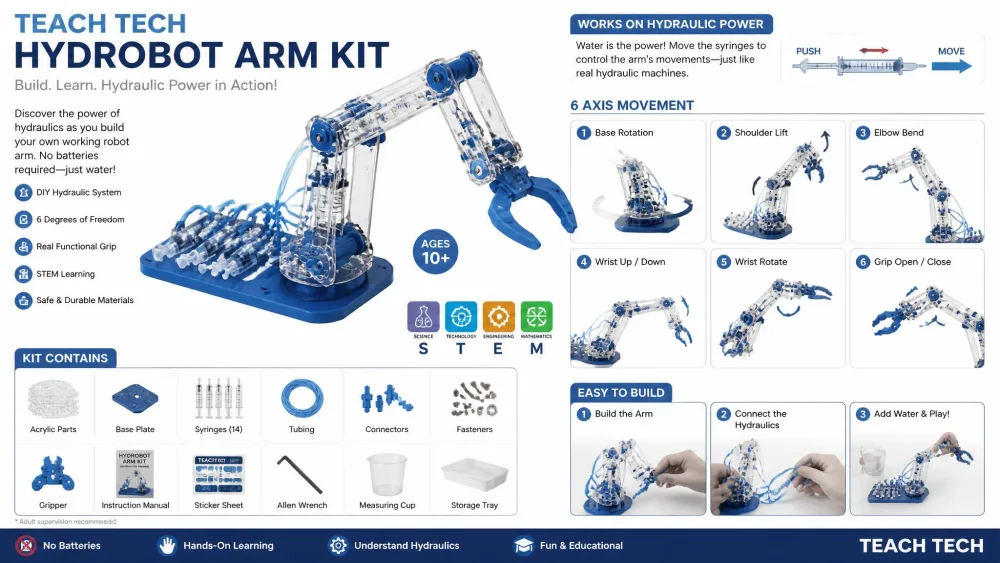
This one took over the dining table for three days. Working carefully, with an adult on the build for a good part of it, start-to-finish assembly ran around eight hours, and the images in the guide demand the kind of close attention that leaves your eyes tired by the end of a long session. The step that stopped us was loading the hydraulic syringes, which defeats a twelve-year-old working alone and left enough air in the lines on the first attempt that the arm moved like it was thinking about it. Bleeding the lines properly was the difference between a sluggish toy and a machine that picked a wooden block off the table and swung it around.
The Teach Tech Hydrobot Arm Kit is the only kit here that teaches fluid power properly. Designed for kids 12 and up, it moves through 6 different axes, rotates up to 270 degrees, and runs on water-powered hydraulics with no batteries required. The lever-controlled gripper opens and closes and swaps for suction components, and the parts fit precisely enough that nothing had to be forced.
Pros
- Real hydraulics with 6 axes and 270-degree rotation, no batteries required
- A working gripper that swaps for suction components
- Clear instructions and parts that fit precisely
Cons
- Around eight hours of assembly spread across three days
- Loading the syringes without trapping air defeats most kids working alone
Who it's for
Patient twelve-year-olds and teenagers who want a long project with a working machine at the end.
As a summer-long project for a science-minded teenager it lands well, and finishing it is most of the reward.
10. Sillbird 12-in-1 Solar Robot Kit – Best Budget Pick
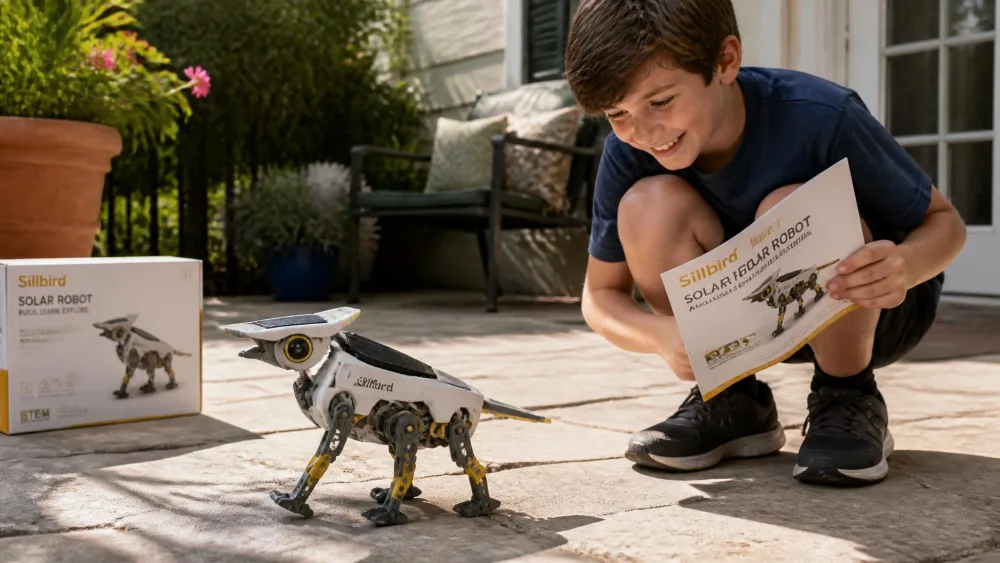
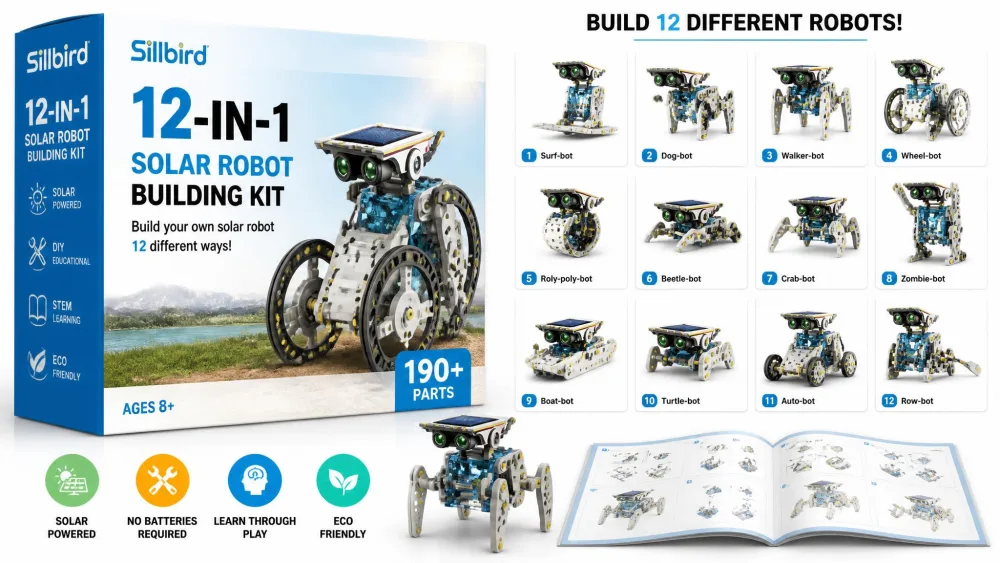
After the hydraulic arm's three days, this was the kit that got built in an afternoon and cost the least of anything here. The Sillbird 12-in-1 Solar Robot Building Kit builds 12 models out of 190 parts and is labelled for ages 8-13. Everything runs off a solar panel outdoors or a strong artificial light such as a flashlight indoors, so there are no batteries to buy and renewable energy becomes something a child can see working. It holds 4.3 stars across about 15,700 ratings, though star averages keep moving as new buyers post.
The instructions are laid out clearly enough that a nine-year-old worked through them without anyone narrating, and only a couple of parts refused to assemble cleanly while the rest went together as printed. Then we carried the finished robot out to the patio on a grey afternoon and got a twitch, a pause, and another twitch, and the disappointment was immediate. We took it back inside, put a flashlight beam on the panel from a foot away, and it walked across the counter. That is the whole caveat with this kit: the motor needs genuinely strong light, and an overcast day does not count as sunlight.
Pros
- 12 different models from one 190-part box
- Solar powered, so there are no batteries to replace
- Instructions a nine-year-old can follow without help
Cons
- Needs strong direct light or a flashlight to run properly
- A couple of parts don't assemble cleanly
Eight to thirteen-year-olds get a real building kit out of this, and it is the sensible way to find out whether the interest is there before spending four times as much.
11. Thames & Kosmos Kids First Robot Engineer – Best for Ages 5-7
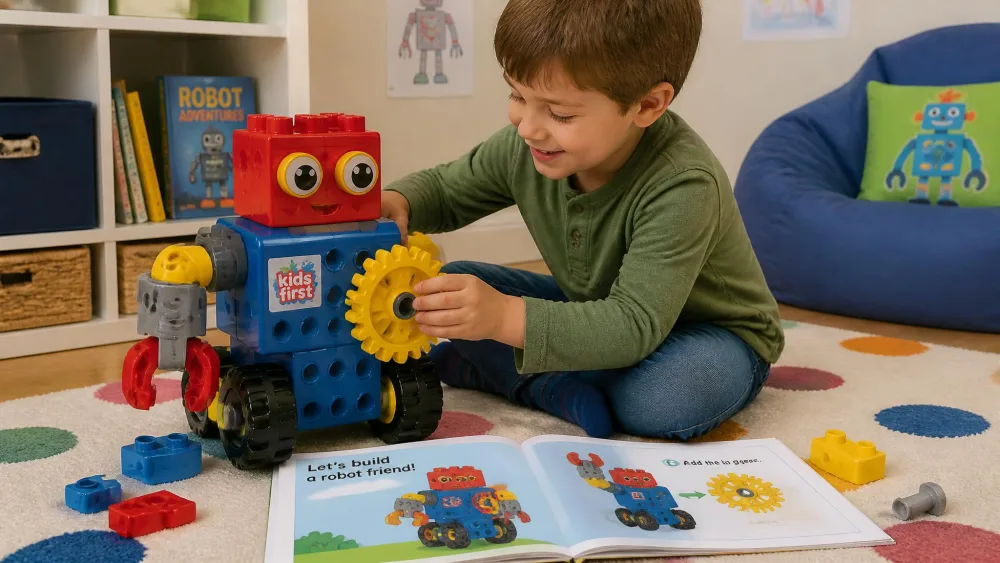
The first robot came off the rug and immediately went flying around the room, held above a small head like an aeroplane, and it came apart in mid-flight. The large pieces are built to be assembled and re-assembled rather than to hold shape under that kind of handling, and the face that follows a chunky robot falling into three parts is one every parent of a five-year-old will recognise. We rebuilt it, agreed out loud that these robots stay on the floor, and the second build lasted the rest of the morning. One box also turned up short of an anchor pin, which Thames & Kosmos replaced after an email.
Kids First Robot Engineer is the youngest kit here and the only one built around a story. Children build 10 non-motorized robots alongside an illustrated storybook manual following two characters, Ty and Karlie, and the large colourful pieces are sized for small hands. Gears and wheels do the teaching, introducing simple machines before a child can read a diagram. Full contents are on the Thames & Kosmos Robot Engineer product page. The age label is muddled: the vendor's line description frames Kids First as suitable from 3, while retail listings for this box show ages 5-7, so treat it as an early-elementary kit rather than a fixed band.
Pros
- A storybook manual that carries pre-readers through the builds
- Large pieces sized for small hands, with gears teaching simple machines
- 10 different robots from one box
Cons
- Builds come apart under rough play instead of holding together
- Small parts such as anchor pins are sometimes missing from new boxes
Who it's for
Five to seven-year-olds who want to build like an older sibling and need pieces their hands can manage.
This is the right first engineering kit, once everyone at home accepts that the robots are for building rather than flying.
12. fischertechnik STEM Kit – Best for Precision and Older Kids
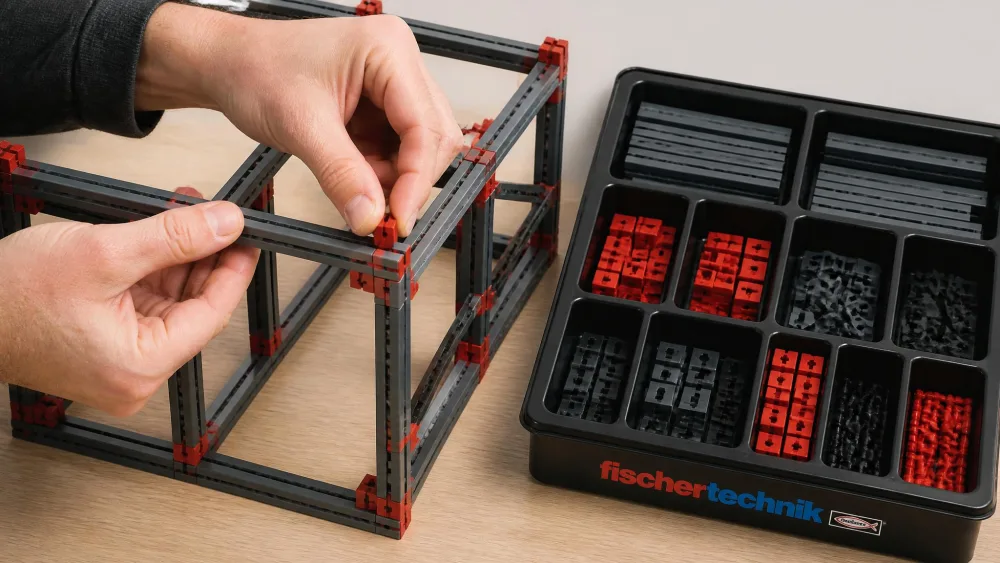
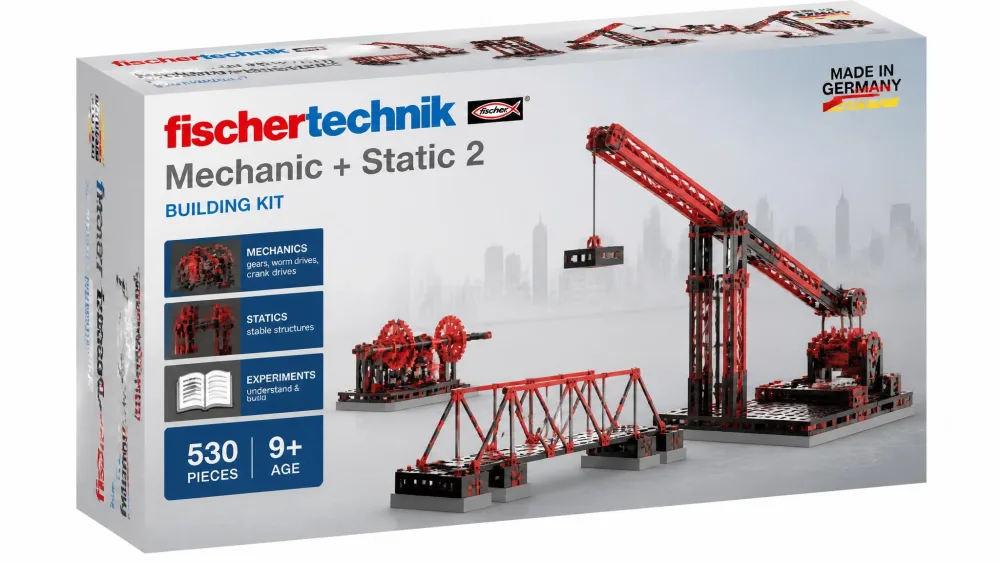
At the opposite end of the scale from chunky preschool pieces sits the engineer's kit. fischertechnik Mechanic + Static 2 has 500 parts building 30 different models and a 9V battery requirement the box doesn't cover. Its sibling, the fischertechnik Dynamic S marble course kit, holds 140 parts for 3 marble-course models. Every fischertechnik set is fully compatible with every other, and the interlocking parts stay stable exactly where cheaper marble runs wobble.
We handed the marble course to an eight-year-old and took it back within the hour. Sliding the connectors into the rails needs more grip than that age has, their fingers kept skidding off the edges, and there was a scratched knuckle and a lost temper before an adult took over the frame. Two hours later the structure was rigid enough to run marbles down without a single wobble, and the child who had wanted to play immediately had drifted off well before that point. The instructions do not help at the intricate steps, which is exactly where a younger builder stalls.
Pros
- 500 parts and 30 models with engineering-grade precision
- Every fischertechnik set combines with every other
- Structures stay rigid where cheaper systems flex
Cons
- Parts are stiff enough to scratch and tire younger hands
- Instructions get vague at the most intricate steps
Who it's for
Older kids and teenagers who enjoy the building itself, and adults who plan to build alongside them.
Bottom line: the most precise system here, and the least forgiving of impatience.
13. Gravitrax Starter Set – Best Marble-Run Physics Kit
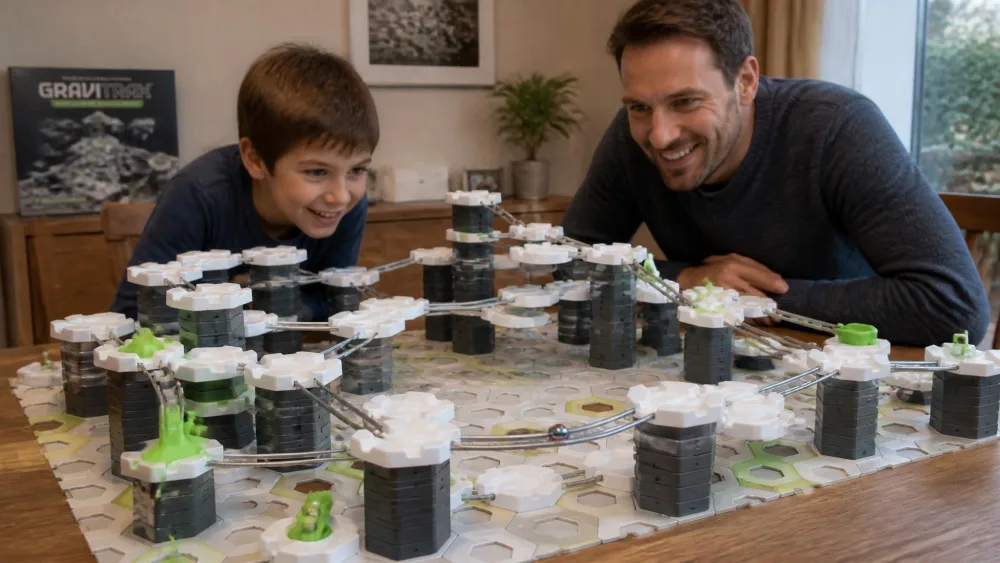
fischertechnik rewards patience with precision; this one rewards it with nothing at all for the first ten minutes. We opened the box, found instructions with no words in them anywhere, and watched three children sit in near silence turning tiles over and holding pieces up to the light, working out what each one did before a single track went down. Nobody asked for help and nobody built anything for those first ten minutes. Then the first track went up, the marble stopped dead halfway along a flat run, and the afternoon turned into hours of raising the tower, re-angling the rails and testing again, with the adults in the room pulled in and still building when it got dark.
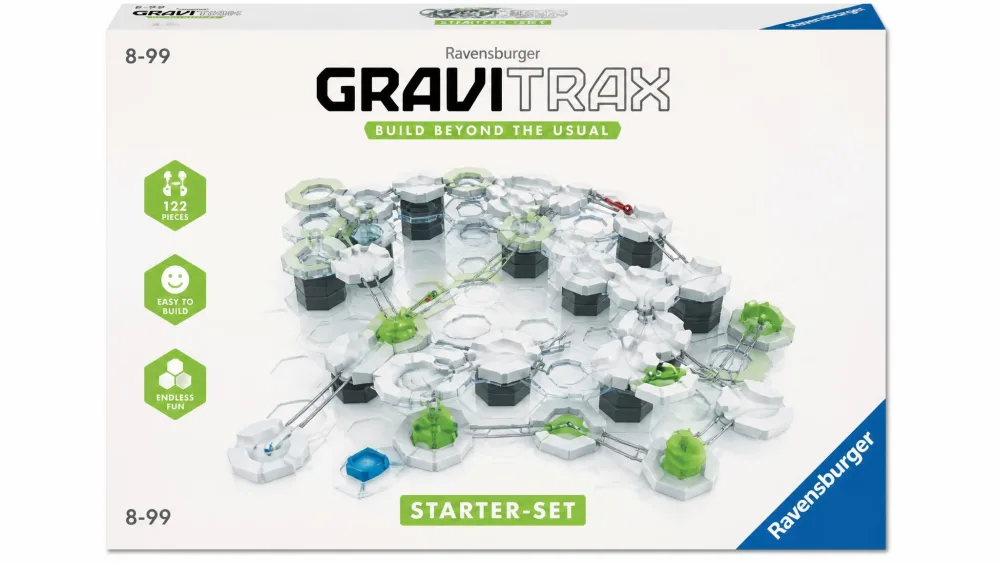
The Ravensburger GraviTrax Starter Set is 122 pieces of open-ended physics, ideal for kids age 8 and up. Gravity, magnetism and kinetics get taught through free-form track building rather than fixed models, every expansion is cross-compatible, and the system is STEAM accredited. The brand cites over 15.5 million units sold worldwide, though that's a vendor marketing figure updated over time rather than an audited count. The only real complaint is that some track pieces break with normal handling.
Pros
- Free-form building that teaches gravity, magnetism and momentum by experiment
- 122 pieces that stay compatible with every GraviTrax expansion
- Genuinely holds adults and kids at the same table
Cons
- Wordless instructions cost you the first ten minutes
- Some track pieces break under normal handling
Families who want one physics toy that a wide range of ages can use at once should start here, because it is the most replayable kit in this roundup by a distance.
14. KiwiCo Tinker Crate – Best Subscription Option
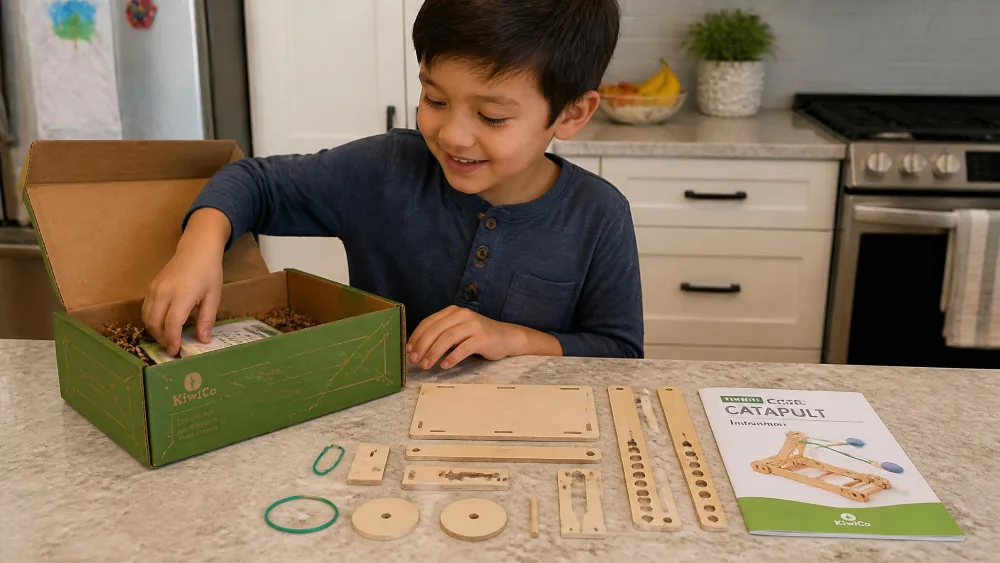
A subscription solves a problem the other fourteen kits don't, which is what happens next month. The Tinker line, now branded KiwiCo Labs, delivers one themed hands-on engineering project per month with all materials pre-measured, an illustrated booklet, an explanatory magazine and the option to cancel any time. The current line-up is on KiwiCo's Labs subscription page.
Pricing depends on how long you commit. Subscriptions start around $24 per month on the 12-month plan, with shorter 3, 6 and 9-month plans costing more per box, so treat it as a starting range. The age labelling needs the same caution, because the Tinker line targets ages 9 to 12 but KiwiCo renamed and re-banded its lines, so check the band on the specific crate.
Pros
- A fresh engineering project every month with nothing to source yourself
- Pre-measured materials plus a magazine that explains the science
- Cancel any time, so it works as a trial as well as a gift
Cons
- The per-box cost is higher on short plans than on the 12-month plan
- Line renaming makes the advertised age band inconsistent
Who it's for
Households who want the momentum of a monthly project rather than one big box that finishes.
Bottom line: the best answer to what we build next, priced accordingly.
15. Osmo Genius Starter Kit – Best Screen-Paired Kit
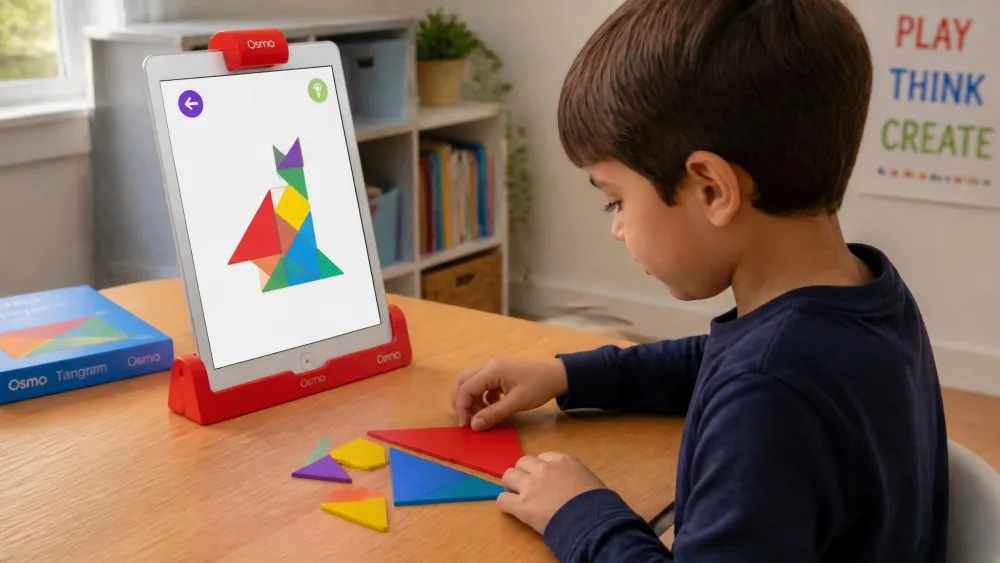
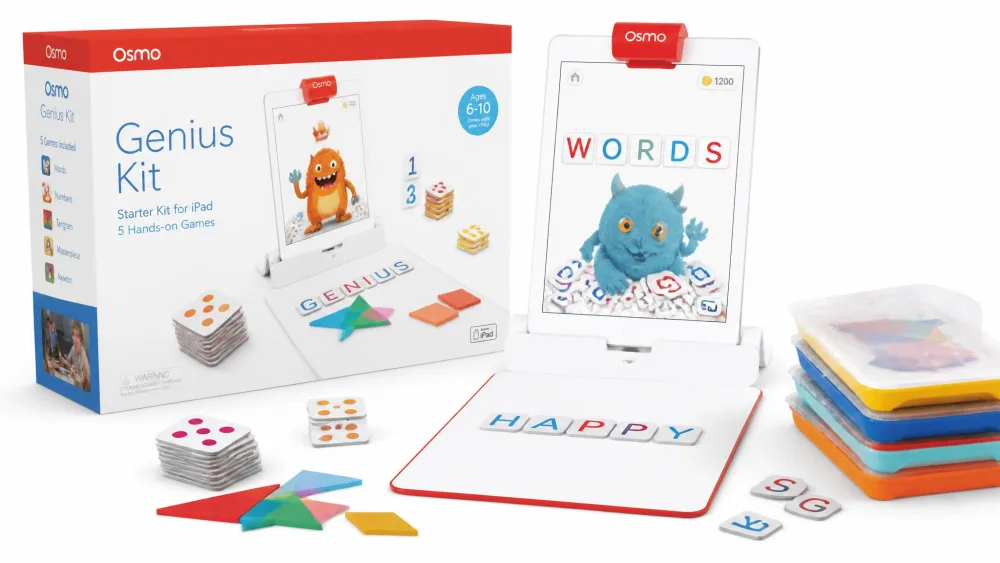
Where the KiwiCo box keeps the screen out of it entirely, the last pick goes the other way. The Osmo Genius Kit for iPad is the compromise pick for households that already own a tablet and want the screen doing something better. It includes 5 hands-on learning games covering math, spelling, drawing, problem solving and physics, is labelled ages 6-10, and ships with the base and reflector so physical tiles are read by the tablet camera in real time.
Setting it up went faster than we expected and still needed a second device on the table, because the account code arrives by email and has to be typed in during signup, so one of us was holding a phone while the other worked through the screens. What kept it out of the drawer was the tangram game. A six-year-old sat down with the coloured shapes on the table rather than on the glass, matched the first puzzle, and then came back to it unprompted on and off for weeks, which is more than most screen-paired things earn in this house. Check compatibility before you buy: it supports iPad 5th to 9th gen, iPad mini 4th to 6th gen, iPad Air 2nd to 5th gen, and iPad Pro 9.7in, 10.5in and 11in 1st to 3rd gen, and the base doesn't fit newer iPad Pro models.
Pros
- 5 games spanning math, spelling, drawing, problem solving and physics
- Physical pieces read by the camera, so hands stay off the glass
- Tangram and word games keep pulling kids back for weeks
Cons
- The base doesn't fit newer iPad Pro models, so compatibility needs checking
- The content-to-price ratio feels thin next to a physical building kit
Who it's for
Six to ten-year-olds in homes with a compatible iPad already sitting in a drawer.
Bottom line: the best way to make an existing tablet earn its place at the table.
Engineering Kits by Age Group
Box labels are a marketing decision as much as a developmental one, so here's how the fifteen sorted out by age in practice.
| Age band | Start here | Also works | Skip for now |
|---|---|---|---|
| Ages 4-6 | Kids First Robot Engineer | Botley 2.0 with an adult reading cards | Anything with screws or syringes |
| Ages 7-9 | Snap Circuits Jr., LEGO Technic Mack LR | GraviTrax, Sillbird solar robot | Hydrobot Arm, fischertechnik |
| Ages 10-12 | ELEGOO robot car, Engino Mechanics | mBot2, K'NEX roller coaster, Osmo | Kids First Robot Engineer |
| Ages 13+ | Teach Tech Hydrobot Arm | fischertechnik, mBot2 with Python | Botley 2.0 |
Ages 4-6
The kit has to survive being carried around, and the instructions have to work for someone who can't read them alone. Storybook manuals and chunky pieces do more here than piece counts. Expect building to be a shared activity, and expect finished models to come apart.
Ages 7-9
This is the widest and best-served band. Snap Circuits, LEGO Technic and the GraviTrax marble run all land here, and all three tolerate a child who wants to skip ahead. A motivated child at the younger end of this band can get through the LEGO Technic build with very little help, so treat those 8+ labels as conservative.
Ages 10-12
Kits at this level should introduce a tool, a controller or a programming language, and the ELEGOO robot car and Engino Mechanics both do. Each needs an adult nearby for one specific hurdle rather than the whole build. Attention span, not dexterity, is now the limiting factor.
Ages 13+
Teenagers want a project with a deadline and a working result. The Hydrobot Arm's eight hours of assembly is a feature at this age, and fischertechnik's precision rewards someone who enjoys the building more than the playing.
Small Parts When a Toddler Shares the Floor
Every kit here except Kids First Robot Engineer contains parts small enough to be a choking risk, and the age band that matters for that is not the one on the box. It's the age of whoever else is on the rug when an older sibling tips the tray out.
Watch outThe federal small-parts ban covers toys intended for children under three years old, and a piece counts as a small part if it fits, uncompressed and in any orientation, entirely inside a test cylinder 2.25 inches long and 1.25 inches wide. The rule also counts pieces that break off during use-and-abuse testing. If you have a toddler in the house, read CPSC small-parts guidance for children under three before an older sibling's kit comes out on the rug.
The practical answer in our house is a table rather than a floor, a lid that closes, and a rule that the box goes away before the youngest gets up from a nap.
How to Choose an Engineering Kit for Your Child
Match the Kit to an Engineering Discipline
Engineering isn't one subject, and a child who loves bridges may be bored by circuits. Structural kits teach load and tension, mechanical kits teach gears and linkages, electronics kits teach current and switching, robotics kits teach sensing and code, and hydraulics kits teach fluid power. Pick the discipline first and the brand second, because a great kit in the wrong discipline still ends up in the cupboard.
Build Time and Reusability
Build time ranges from about half an hour to eight hours across this list, and reusability ranges from one fixed model to unlimited free-form tracks. A single-model kit is a weekend, while a system kit is a year. If you want the kit to keep earning its shelf space, favour the ones where every set combines with every other.
Parent tipMatch the kit to your child's building experience rather than their birthday. A patient seven-year-old who has finished big LEGO sets will do better with an 8+ kit than an impatient ten-year-old starting their first build.
Durability and What Fails First
Durability sorts these fifteen more sharply than price does. Snap Circuits components survive years of rebuilding while the manual splits first, GraviTrax towers stay sturdy while individual track pieces break, and the Bridges & Skyscrapers connectors snap even though the finished spans hold weight. Buying a kit means buying its weakest part, so find out what that part is before you check the price.
Beyond the parts themselves, look at the tools and the paper. Stiff connectors scratch young hands, thin separator tools bend rather than pry, and paper manuals are usually the shortest-lived thing in the box. Ask whether the maker replaces missing pieces, since two kits here shipped short and both companies sent replacements.
Instructions and How Much Adult Help You'll Need
Instructions are the real difference between a kit that gets finished and one that gets abandoned. Wordless diagrams work for spatial thinkers and stall everyone else, and the maker's video walkthroughs rescued the ELEGOO build. Assume you'll be involved for at least the first session on anything above the 8+ line.
What You Get Under $30, $30-60, and $60+
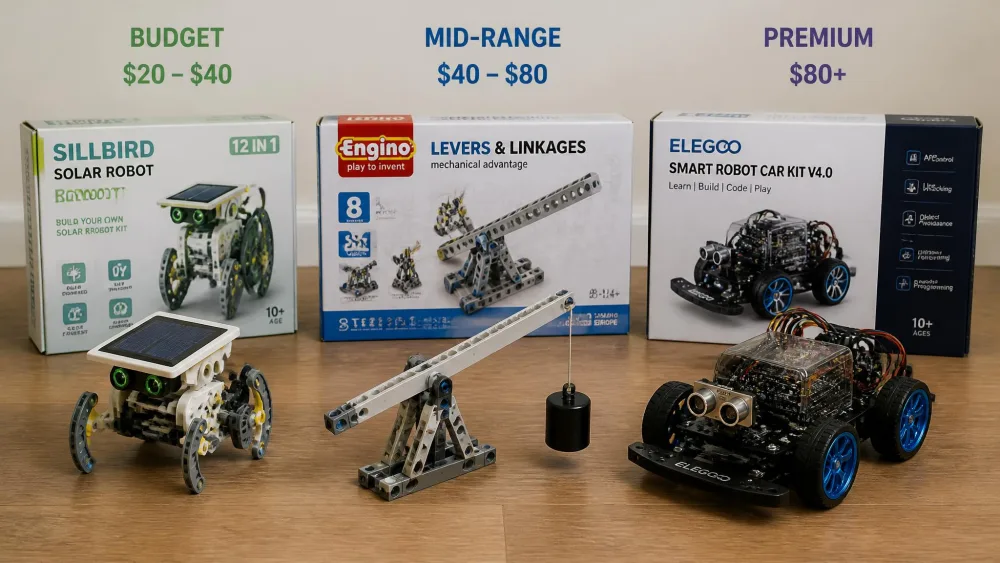
Under $30 buys a real engineering experience now, not a compromise, and both the Sillbird solar robot and the LEGO Technic garbage truck sit here. Between $30 and $60 you're buying breadth, with more models per box and better teaching material. Above $60 you're buying electronics, motors or precision, and that jump is genuine rather than packaging.
Engineering Kits vs. Science Kits: What's the Difference?
A science kit runs an experiment to find out what happens. An engineering kit sets a problem, asks a child to design something that solves it, then test it and improve it. That loop of defining, building, testing and revising is the engineering design process, and it's the thing worth paying for.
You can tell the two apart from the booklet. If every page has one correct outcome, it's a science kit with a building step. If the booklet expects your child's second attempt to be better than the first, it's an engineering kit. GraviTrax is the clearest example here, because there's no correct track, only a track that works and a track that doesn't.
Frequently Asked Questions
What age should kids start with engineering kits?
Around 4 or 5 with an adult building alongside, using a kit with chunky pieces and a picture-led manual. Independent building generally starts around 7 or 8, and by 10 most kids can handle a kit with screws, a controller or code.
Do engineering kits actually teach engineering?
The good ones do, because they run a design-and-test loop rather than a single correct build. A kit that lets a child load-test their own bridge or redesign a marble run that failed is teaching engineering. A kit with one right answer per page is teaching assembly.
What should I do if a kit arrives with parts missing?
Email the manufacturer before you return the box, because most of them will post the missing pieces. Thames & Kosmos replaced a missing anchor pin for us by email, and K'NEX will send replacement rods, though that process is slow enough that you should count the long orange rods before a class or a party rather than after. Keep the box and the parts list until the build is finished.
Will these kits work for a child who hates following instructions?
Some of them are built for exactly that child. GraviTrax has no correct answer to follow, so a child who resists step-by-step booklets can build and test freely, and the Snap Circuits manual is a menu of short projects rather than one long sequence. Avoid the precision systems and the long single-model builds, where skipping a step means taking the whole thing apart again.
Do these kits need batteries or a computer?
It varies. The Hydrobot Arm runs on water and Sillbird runs on sunlight. The K'NEX roller coaster needs batteries, and the fischertechnik Mechanic + Static 2 needs a 9V battery that isn't included. The mBot2, ELEGOO car and Osmo all need a computer or tablet.
How is an engineering kit different from a STEM kit?
STEM is the umbrella term covering science, technology, engineering and math, so every kit here is a STEM kit. Engineering kits are the subset that asks a child to design and build something to meet a constraint, rather than to observe a result.
How should I store a system kit between builds?
Sort by part type rather than by model, because system kits like fischertechnik, Engino and GraviTrax are meant to be recombined rather than rebuilt to the picture. A shallow divided tray beats the original box, which is usually moulded for one arrangement of pieces and stops closing after the first rebuild. Keep the booklet somewhere flat and dry, since the paper tends to fail before the plastic does.
Final Verdict: The Best Engineering Kits for Kids