12 Best STEM Kits for Kids (2026): Tested by Parents

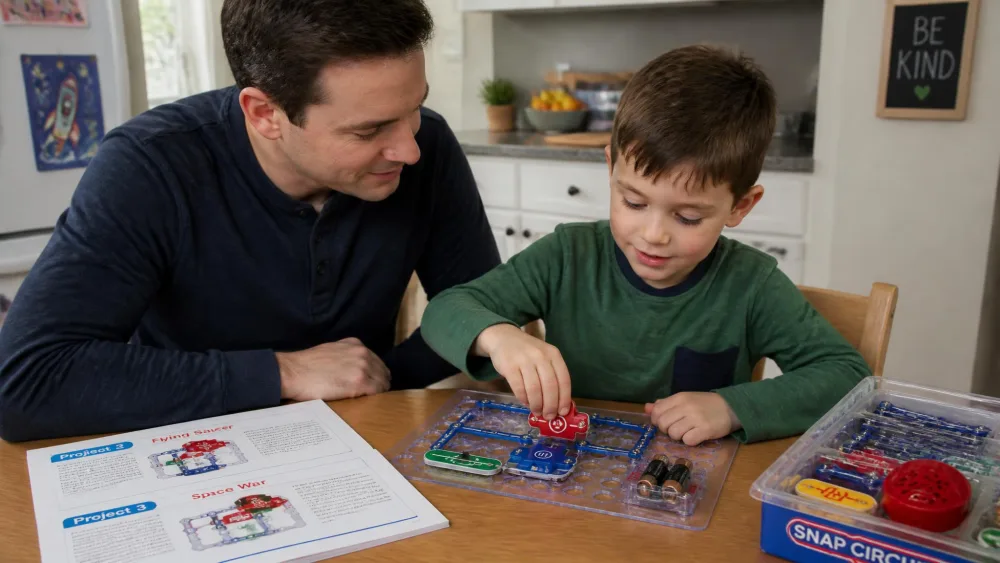
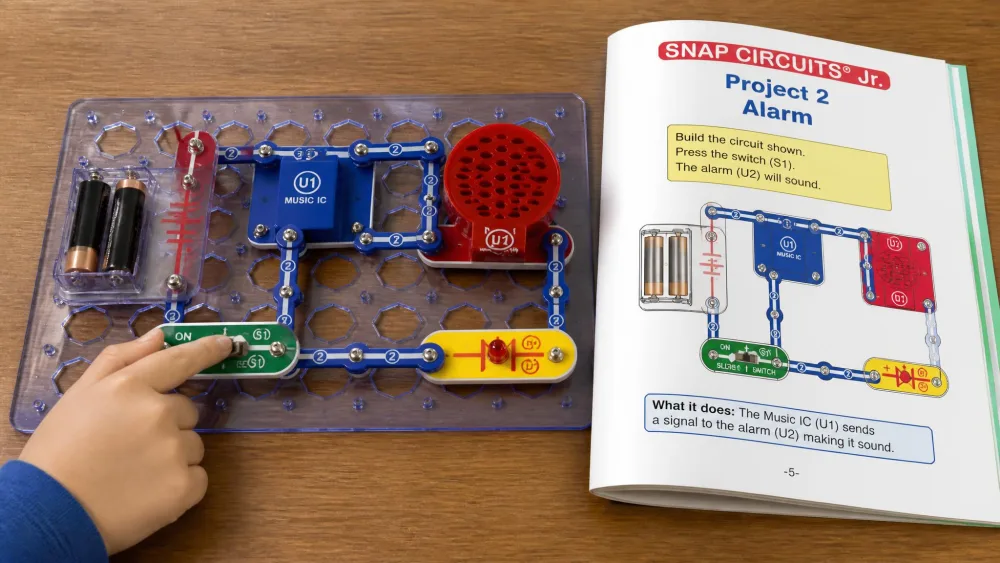
Our six-year-old sat down with the Snap Circuits Jr. manual one wet afternoon and had a working alarm circuit going before anyone offered to help. He had matched the colour-coded diagram to the coloured parts on the grid, and that was enough. We work through kits the same way every time: hand it to the kid it is aimed at, watch what happens without stepping in, then see whether it comes back out of the cupboard a week later.
That last part separates a good STEM kit from an expensive box of parts. Plenty of kits produce one bright afternoon and then live on a shelf. Below are the twelve we would buy again, sorted by age and by subject, with honest notes on what each one gets wrong.
Our quick picks

Our Top Picks at a Glance
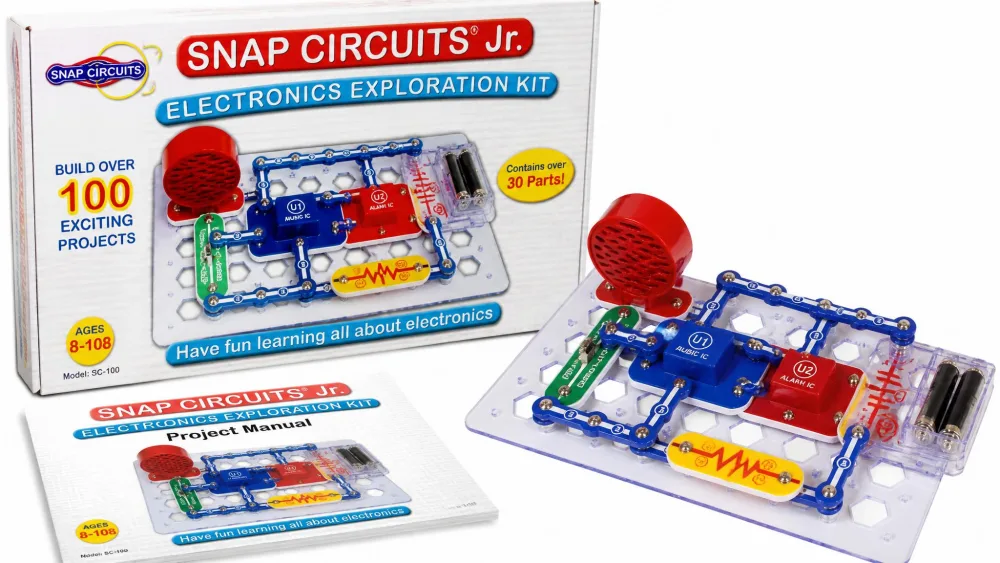
Best Overall: Snap Circuits Jr. SC-100
The Snap Circuits Jr. SC-100 Electronics Exploration Kit covers over 100 projects with no soldering and no tools. It is rated for ages 8 and up, but the picture-led manual carries younger children easily. Ours has survived years of use and still works.
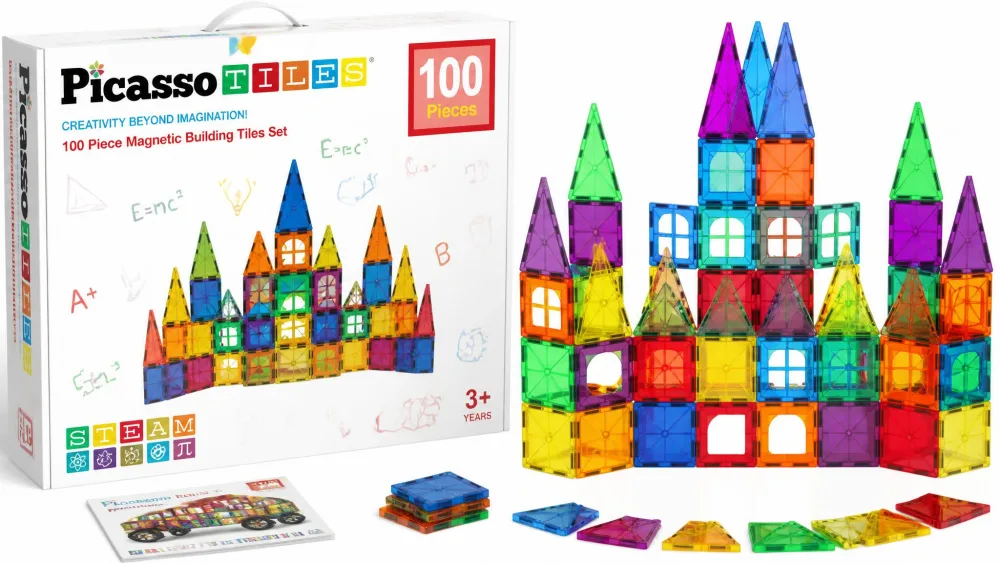
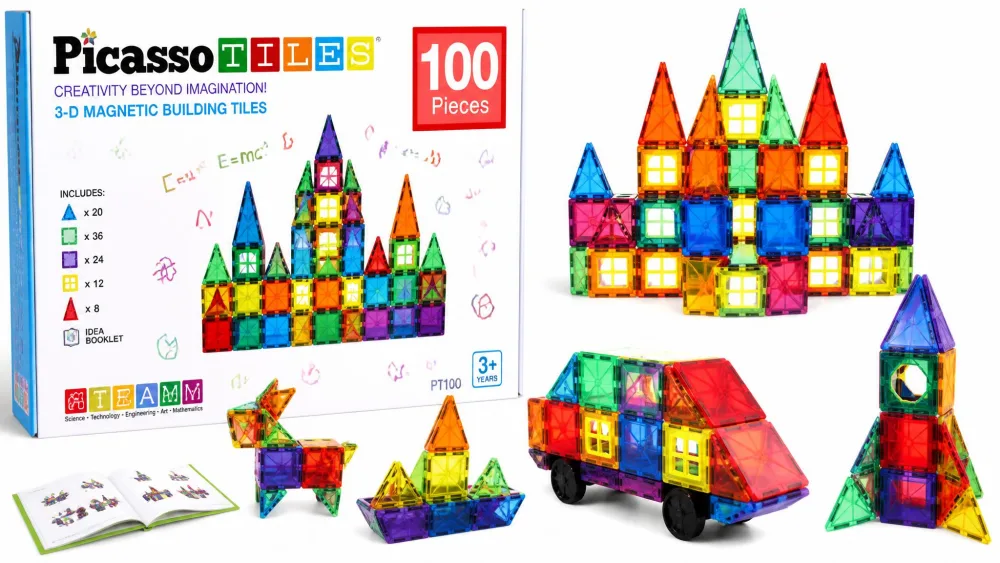
Best for Ages 3-5: PicassoTiles 100 Piece Magnetic Tiles
Magnetic tiles are the only thing here a three-year-old can use with no instruction at all. The magnets grip firmly enough that a toddler can click a wall together before fine motor control arrives.
Best Budget Pick: Creativity for Kids Grow 'N Glow Terrarium
Under ten dollars, and the seeds show green in three to four days. That fast turnaround is exactly what a young child needs from a science project.
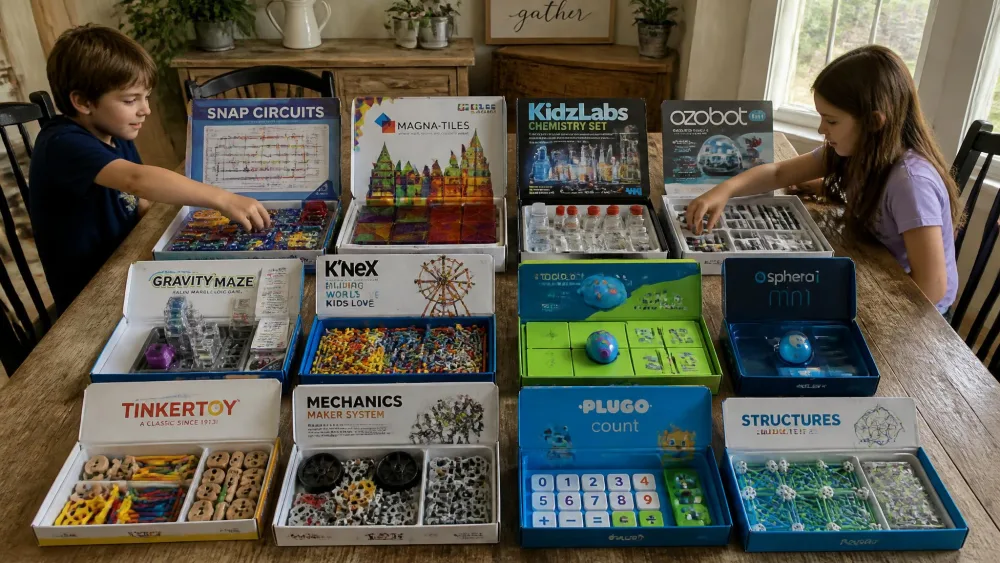
Quick Comparison: All 12 STEM Kits
| Kit | Age range | STEM focus | Build time | Price band | Best for |
|---|---|---|---|---|---|
| Snap Circuits Jr. SC-100 | 8+ | Electronics | Minutes per project, 100+ projects | $30 | A first circuits kit |
| Snap Circuits Classic SC-300 | 8+ | Electronics | Minutes per project, 300+ projects | $54 | Outgrowing the Jr. set |
| Sphero Mini | 8+ | Coding & robotics | No build, 1 hour run time | $50 | Screen-based block coding |
| Nat Geo Chemistry Set | 8-12 | Chemistry | One session each, 45 experiments | $35 | Supervised reactions |
| Klutz LEGO Gear Bots | 8-12 | Engineering | One sitting per model, 8 models | $23 | Gears and mechanisms |
| Nat Geo Break Open 10 Geodes | 8-12 | Earth science | One outdoor session | $32 | Rock-obsessed kids |
| Code & Go Robot Mouse | 4+ to 5+ | Coding & robotics | Quick board build, 83 pieces | $41 | Screen-free first coding |
| PicassoTiles 100 Piece | 3+ | Engineering | Open building, 100 tiles | $31 | The youngest builders |
| Grow 'N Glow Terrarium | 6+ | Earth science | Sprouts in 3-4 days | $10 | The smallest budget |
| Sillbird 12-in-1 Solar Robot | 8-13 | Engineering | A long sitting, 190 pieces | $20 | Renewable energy |
| Nat Geo Mega Science Lab | 8-12 | Chemistry | Spreads over days, 75 experiments | $65 | One kit covering everything |
| Makeblock mBot | 8-12 | Coding & robotics | About 15 minutes to build | $70 | Stepping up to real code |
Prices move with promotions and sellers, so treat that column as a band rather than a quote.
How We Tested and Chose These STEM Kits
We buy the kits ourselves and open them the way any family does, on the kitchen table with somebody impatient standing over the box. There is no lab here and no protocol. There is a homeschooling household with five kids spread across the whole age range this article covers, so most kits get handed to more than one child.
The first thing we watch is whether the child can start without an adult. A kit that needs a parent to read every step is a kit that gets used three times. Then we watch what happens after the novelty session, because the difference between a good kit and a great one shows up in week three.
We score four things: how fast a child reaches a working result, how much learning sticks, how the parts hold up, and whether the kit generates its own next project. A kit with a fixed number of activities has a fixed lifespan.
NoteNothing here was sent to us by a manufacturer. Several of these kits arrived as birthday presents, which is the most realistic testing condition there is.
1. Snap Circuits Jr. SC-100 — Best Overall STEM Kit for Kids
Why we picked it
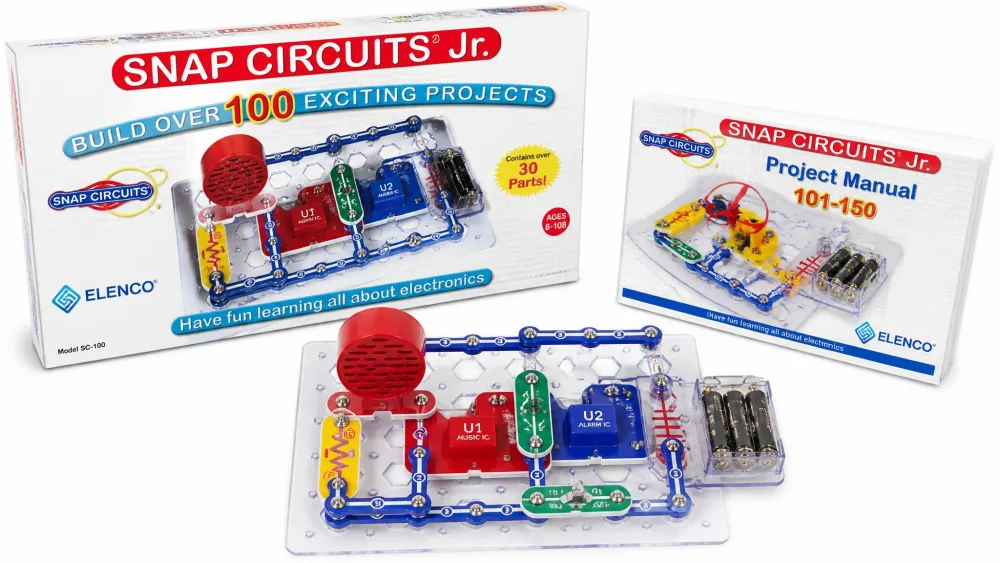
Nothing else here produces a working, understandable result as fast. The pieces are numbered and colour-coded, they snap onto a plastic grid, and no soldering or tools are involved. Our six-year-old followed the diagrams without a reading-heavy walkthrough, which is the whole design win.
It claims over 100 projects and the listing means it. Ours has been in rotation for years, and it reliably pulls in older siblings and adults who came to help and then stayed.
What's in the box
Snap wires, slide switches, an alarm circuit, and a music integrated circuit with a speaker, plus a full-colour project manual. The listing gives the part count two ways, 28 in the title and 29 in the bullets, so count on roughly that. Batteries are required and not included. The kit combines with other sets, and the Snap Circuits maker's own site lists which ones stack.
Individual snap components are the weak point. They are fragile under hard use, and one or two can fail while the rest of the set is fine.
Pros
- A working circuit within minutes of opening the box
- Picture-led manual a six-year-old can follow alone
- Survives years of use and combines with other sets
Cons
- Individual snap parts can break before the set does
- Batteries not included
- Dated box art undersells the contents
2. Snap Circuits Classic SC-300 — Best Electronics Kit for Ages 8+
Why we picked it
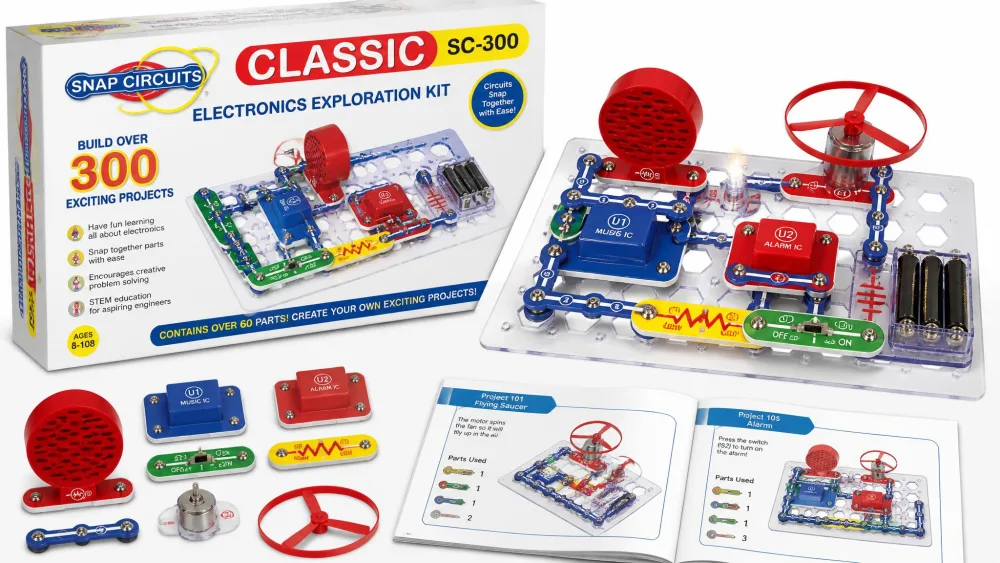
The Snap Circuits Classic SC-300 Electronics Exploration Kit is what you buy when the Jr. set stops being a challenge. It runs to over 300 projects with more than 60 parts, and that bigger count keeps a ten-year-old coming back over months instead of one weekend.
The projects have real ambition: an AM radio, a burglar alarm, a doorbell and a lie detector. The graphics show proper component names and symbols, so a child picks up genuine circuit vocabulary.
What's in the box
More than 60 snap-together parts, a complete manual, and the same no-soldering system as the Jr. kit. The box measures 2.3 x 13.6 x 19.3 inches, worth checking against your shelf space. Batteries are required.
It stays workable across a wide age spread, from a six-year-old snapping simple circuits to a thirteen-year-old chasing the harder builds. Some parts still feel fragile relative to what the larger set costs.
Pros
- Over 300 projects, enough for months of building
- Real component names and symbols on the diagrams
- Works across a six-to-thirteen age spread
Cons
- Parts feel fragile for the price
- Large box needs real storage space
- Batteries not included
3. Sphero Mini — Best Coding Robot for Beginners
Why we picked it
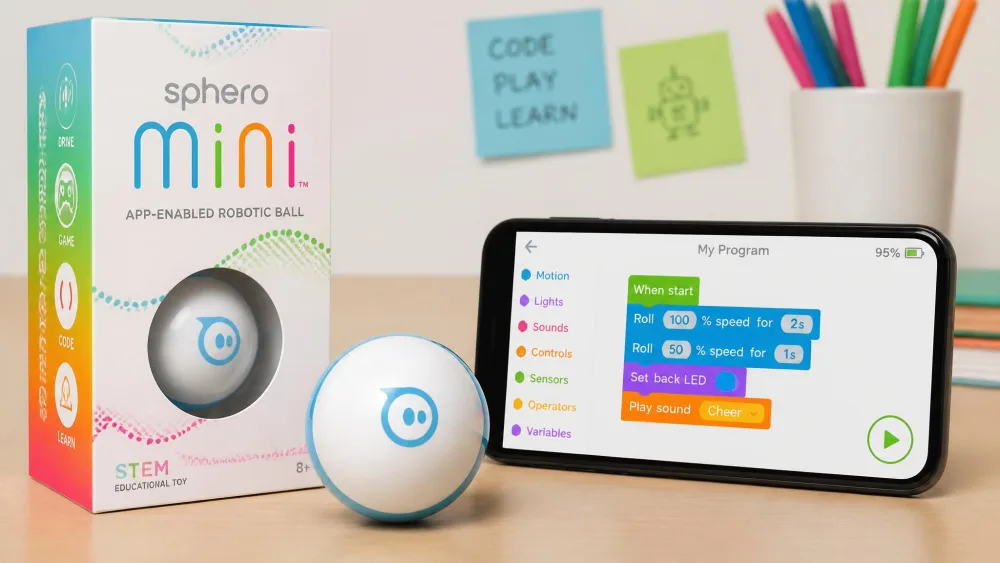
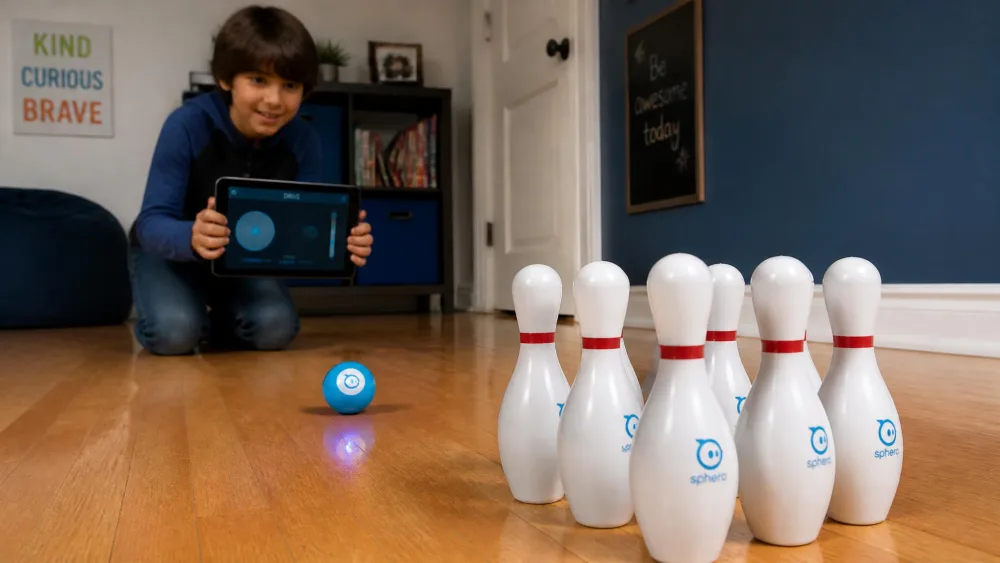
The Sphero Mini coding robot ball is about the size of a ping pong ball and hides a gyroscope, an accelerometer and LED lights. The free Sphero Edu app steps a child from drawing a path with a finger, to drag-and-drop blocks, to actual JavaScript. That progression is why it beats flashier robots.
It rolls fast and steers cleanly on hardwood and thin carpet, and bogs down on thick pile. Three traffic cones and six bowling pins come in the box, which turns the first afternoon into games rather than a lesson.
What's in the box
The ball, the cones and pins, and a charging cable. It is rated for ages 8 and up and needs a phone or tablet to drive or code it, so it is not screen-free.
Pairing is the weak point: the connection drops within a few feet, and some units never pair at all. Run time is one hour, and recharging takes a long stretch relative to that, so it works as a session toy.
Pros
- Real coding progression from drawing to JavaScript
- Cones and pins make the first session a game
- Fast and precise on hard floors
Cons
- Bluetooth drops out, and some units never pair
- One hour of run time and a long recharge
- Needs a phone or tablet, so it is not screen-free
4. National Geographic Chemistry Set — Best Chemistry Set for Kids
Why we picked it
The National Geographic Chemistry Set with 45 Experiments is rated for ages 8 to 12, and the headline activities deliver. The volcano and the rocket land every single time, and those two are what a child remembers. The illustrated guide is clear enough that children follow it themselves instead of being read to.
Quality across the 45 is uneven. Several smaller reactions are basic enough to reproduce from a kitchen cupboard, and a few do not work as written. Our kids stayed interested through the failures anyway.
The chemicals are mild enough to run on a patio with several children at once. One pair of goggles does not cover a group.
Pros
- Volcano and rocket experiments work every time
- Instructions children can read and run themselves
- Mild enough for outdoor group use
Cons
- Several reactions duplicate kitchen-cupboard science
- A few experiments do not work as written
- Only one pair of goggles included


5. Klutz LEGO Gear Bots — Best Engineering and Building Kit
Why we picked it
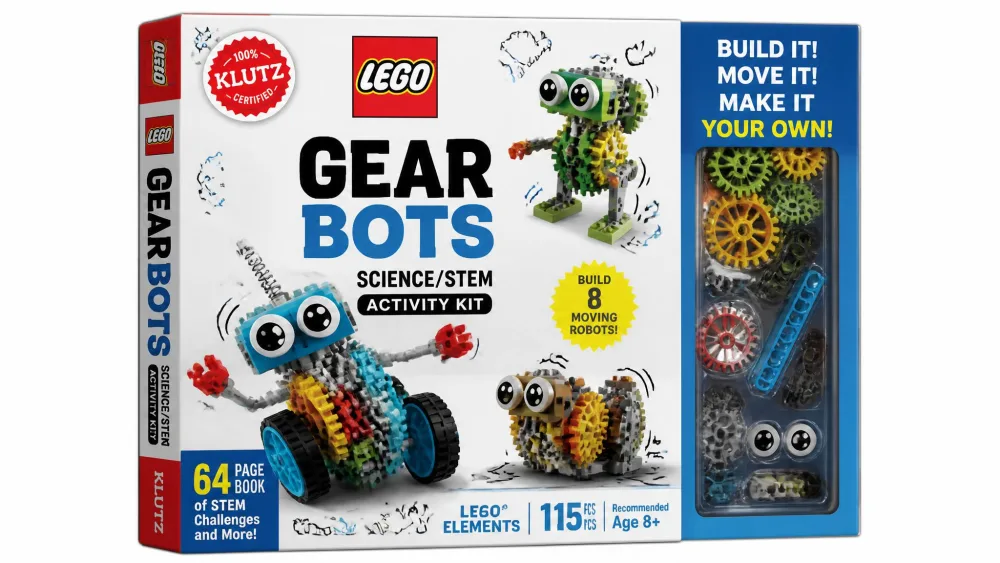
The Klutz LEGO Gear Bots activity kit teaches mechanisms better than anything else we own. A 64-page book, 62 LEGO elements and 10 sheets of papercraft build eight physics-driven kinetic creatures, including an octopus that spins records and a pterodactyl. Children who finish a build can afterwards explain how the gears and cams drive the movement, which is the test that matters.
The picture-led instructions carry children well below the stated 8 to 12 band. A five-year-old completed a build here alone.
Two real limits. Only one bot can exist at a time, since each model comes apart before the next goes together, and that removes the collecting half of the fun. The papercraft pieces also refuse to stay seated once play gets going.
Pros
- Gears, cams and cranks genuinely understood, not just built
- Eight distinct models with real character
- Instructions work below the stated age band
Cons
- Only one model can exist at a time
- Papercraft parts fall off during play
- Nothing to display afterwards
6. National Geographic Break Open 10 Premium Geodes — Best Earth Science and Geology Kit
Why we picked it
Ten natural premium geodes, ranging from ping-pong-ball to tennis-ball size, arrive with safety goggles and a full-colour guide on how geodes form. It is an activity rather than a specimen box, and for a rock-obsessed child there is no substitute for cracking one open yourself.
These are hard to crack with ordinary household items. What works is a rubber mallet, a proper rock chisel, an old rag and a hard outdoor surface. Small hands cannot do the breaking, so an adult swings for younger children.
Contents vary batch to batch. Some boxes come out mostly plain white quartz, and the occasional specimen is solid rock rather than a hollow geode. Geodes often shatter into fragments instead of splitting neatly in two.
Pros
- Ten real geodes, hand-selected for crystal variety
- Goggles and a proper learning guide included
- A genuine outdoor activity, not a display box
Cons
- Needs a mallet and chisel you supply yourself
- Adults do the breaking for younger children
- Crystal quality varies batch to batch


7. Learning Resources Code & Go Robot Mouse — Best Screen-Free Coding Kit for Ages 5-7
Why we picked it
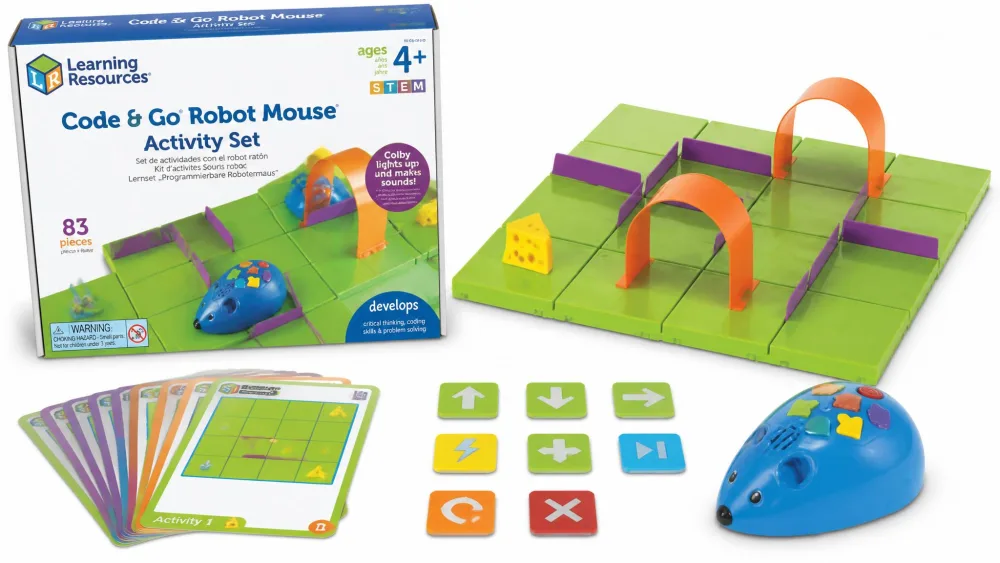
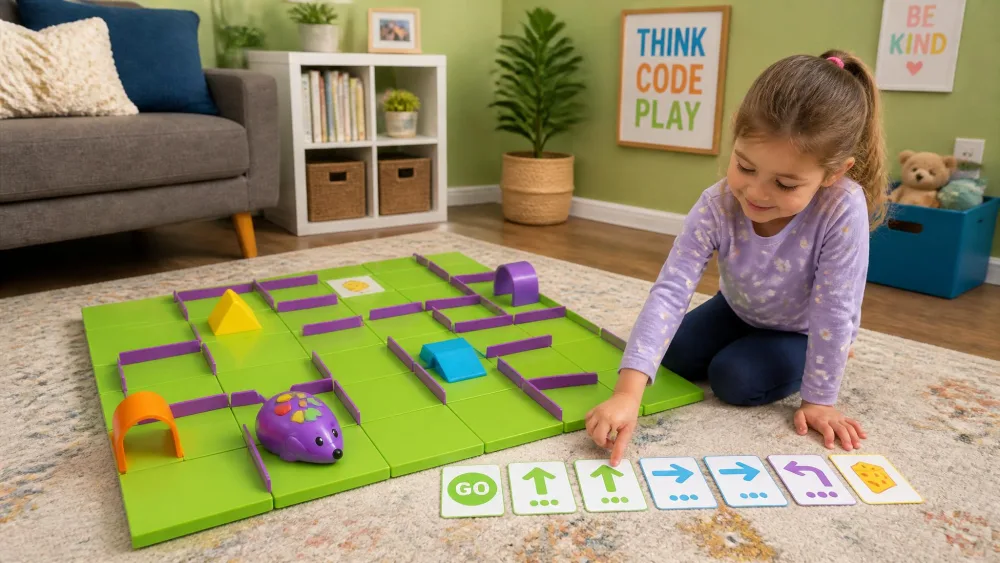
The Code & Go Robot Mouse Activity Set runs to 83 pieces: Colby the mouse, 16 maze grids, 22 walls, 3 tunnels, 30 coding cards, 10 activity cards, a cheese wedge and a guide. The grids build a board 20 by 20 inches, and the tiles are thick enough that a young child assembles it without help.
It works as a first lesson in algorithms rather than button-pressing, and the difficulty scales on its own. Children start on the printed cards and move to inventing their own mazes within a few sessions. A four-year-old can play alongside eight-year-olds.
The listing gives two minimum ages, 4+ in the title and 5+ in the description, so treat five as the safe floor. The mouse does not always track straight, and some units stop responding to programmed sequences. It takes 3 AAA batteries, not included.
Pros
- Completely screen-free
- Children invent their own mazes within a few sessions
- Sturdy board a young child can build alone
Cons
- The mouse can drift off a straight line
- Some units stop responding to sequences
- Listing states two different minimum ages
8. PicassoTiles 100 Piece Magnetic Tiles — Best First STEM Kit for Ages 3-5
Why we picked it
PicassoTiles 100 Piece Magnetic Tiles are rated for ages 3 and up and need no instruction whatsoever. The clear 3D blocks teach colour, geometric shape, counting, magnetic polarity and the beginnings of structural design, all through building rather than explaining.
The magnets hold well enough that toddlers can click tiles into place before fine motor skills develop, and the builds stay standing. That single detail is why these work where wooden blocks frustrate. Our set has stayed in rotation for years and spans a toddler and a twelve-year-old in the same house.
They survive being run over by bikes, though a few tiles need replacing across a year of heavy use. One hundred tiles runs short once siblings build together, and a second set tends to follow.
Pros
- Usable from age three with no instructions
- Magnets strong enough that toddler builds stay up
- Stays in rotation for years across a wide age range
Cons
- 100 tiles runs short with more than one builder
- A few tiles crack under a year of hard use
- No guided projects, so no built-in progression

9. Creativity for Kids Grow 'N Glow Terrarium — Best Budget STEM Kit Under $30
Why we picked it
Ten dollars, and the science is real. The Grow 'N Glow Terrarium Kit comes with vermiculite potting mix, chia and wheatgrass seeds, glow-in-the-dark forest figurines, coloured sand and constellation stickers, with enough seed and soil to plant it twice.
Growth starts in as little as 3 to 4 days. That short wait is why it works with young children, and it kept our six-year-old checking the jar every morning. Setup is self-contained enough for a five-year-old to handle most of it, and the ongoing watering becomes the actual lesson.
Boxes sometimes arrive with the seed packets missing, and some seeds never sprout, so open it before you wrap it. The glow-in-the-dark sand is thin enough that the glow barely registers. The listing states the age band inconsistently, as 6+ in the title and 6-8+ elsewhere.
Pros
- Visible sprouting within three to four days
- Enough materials to plant it twice
- A five-year-old can do most of the setup
Cons
- Seed packets sometimes missing from the box
- The glow effect is very faint
- Age band stated inconsistently on the listing

10. Sillbird 12-in-1 Solar Robot Building Kit — Best Solar and Renewable Energy Kit
Why we picked it
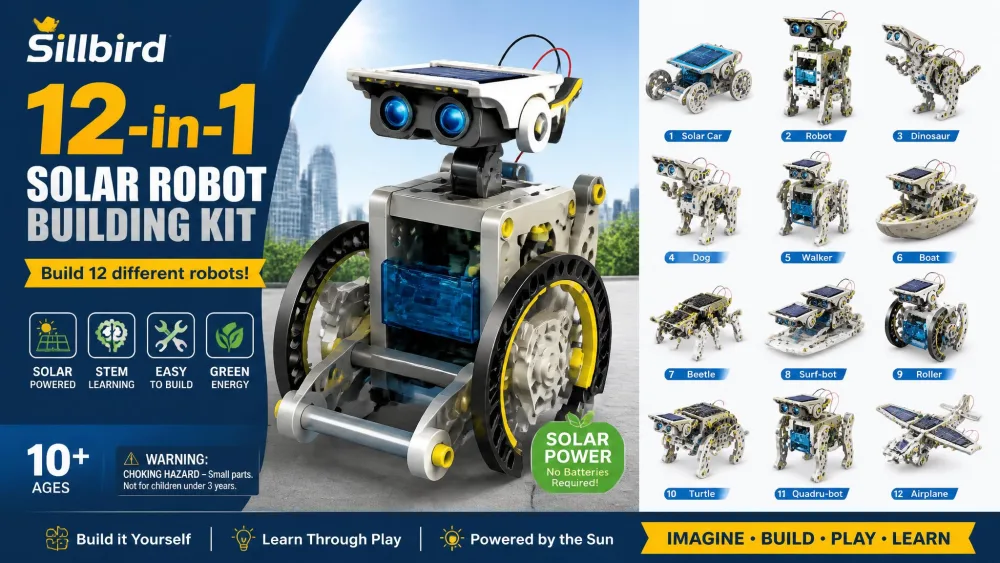
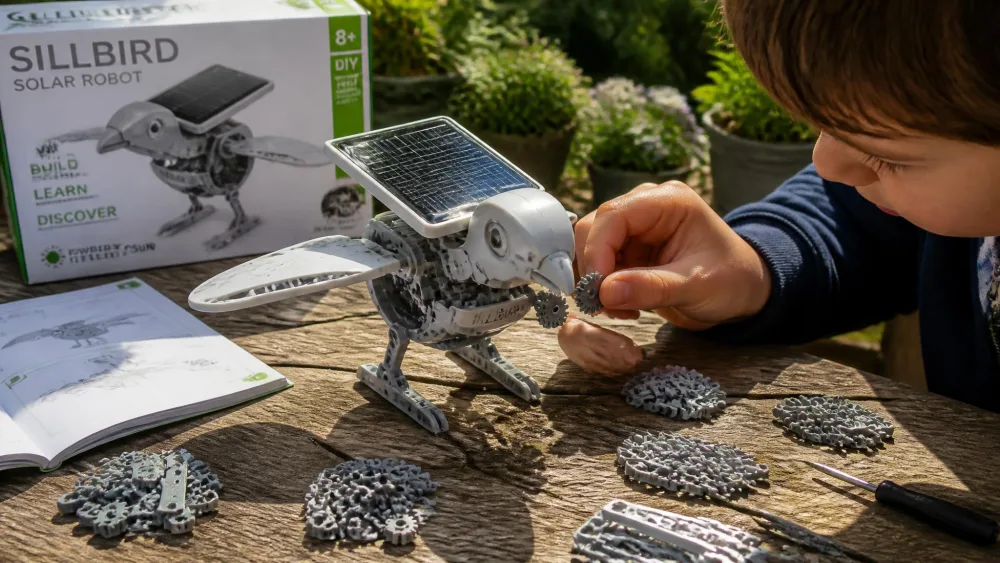
The Sillbird 12-in-1 solar robot kit holds 190 pieces and twelve buildable models, with difficulty that climbs from simple to advanced. It runs on sunlight outdoors or a strong flashlight indoors, so a cloudy week does not end the project. No screen is involved at any point.
The pieces are small and the assembly is fiddly enough that this works best as a parent-and-child project. The odd part refuses to seat properly, usually without stopping the model from running.
Solar mode is the genuine risk. Some units run happily on batteries while the solar panel never drives the motor, even after the protective film comes off and the build gets rechecked. The listing states the age band two ways, 8 to 13 in the title and 8+ in the bullets.
Pros
- Twelve models with real difficulty progression
- Runs on daylight or a flashlight
- Screen-free from start to finish
Cons
- Solar mode fails outright on some units
- Small, fiddly parts need adult hands nearby
- Age band stated two ways on the listing
11. National Geographic Mega Science Lab — Best All-in-One Multi-Project Kit
Why we picked it
The Mega Science Lab with 75 Experiments holds 45 experiments in the kit plus 30 more in a household-items bonus guide. It is really three kits in one, covering earth science, chemistry and science magic, rated for ages 8 to 12. Activities run from an erupting volcano and glow-in-the-dark crystal growing to water tornadoes, a real fossil dig and a gas-launched rocket.
The volume is the point. It stretches across multiple days rather than one sitting, and in our house it competed successfully with after-school screen time. An eight-year-old can run most of it self-directed.
It is a messy kit, and cleanup follows every session. Run it outdoors if you can. Some boxes arrive with components missing, so check the contents against the guide on day one.
Pros
- 75 experiments spanning three subject areas
- Enough material to last weeks, not an afternoon
- An eight-year-old can run most of it independently
Cons
- Genuinely messy, and then you clean up the mess
- Some boxes arrive with components missing
- The most expensive non-robotics kit here

12. Makeblock mBot — Best Advanced Robotics Kit for Ages 10+
Why we picked it
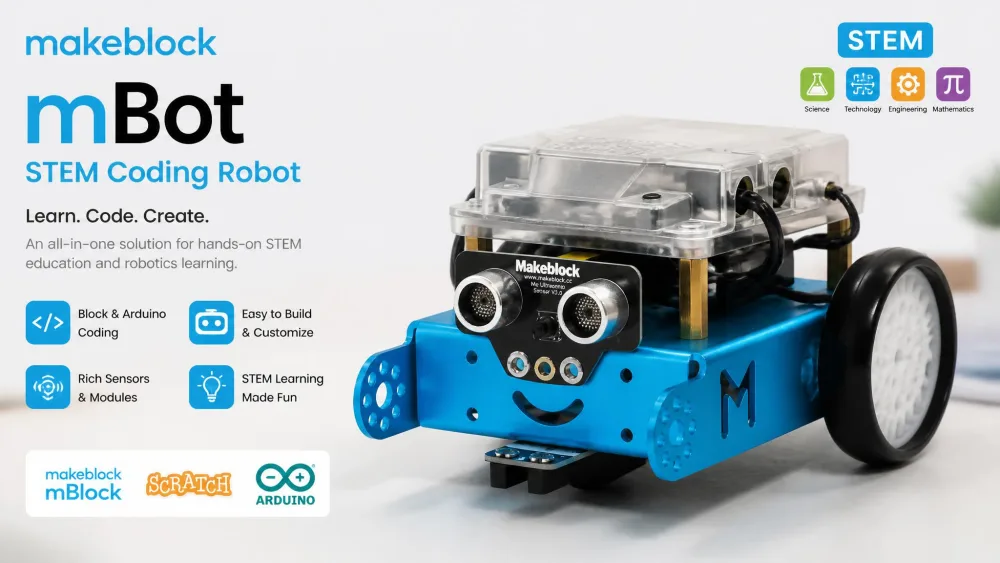
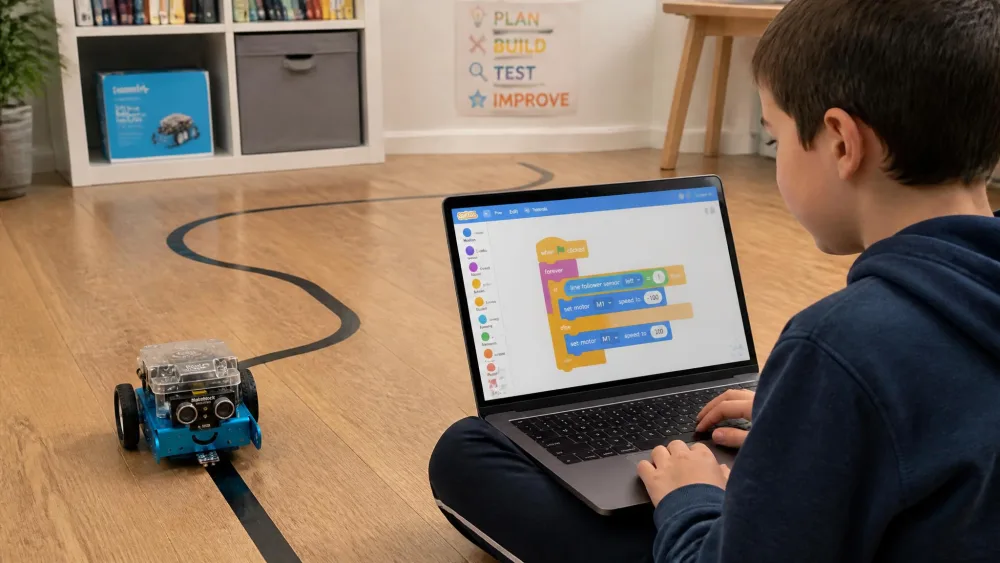
This is the step up to real programming. The Makeblock mBot STEM coding robot has a metal chassis, builds in about 15 minutes, and runs Scratch block coding that leads into Arduino. It connects to more than 100 electronic modules and 500 Makeblock parts, and takes LEGO parts too, so it grows instead of finishing.
A ten-year-old completed the build here unassisted. The parts are labelled and the chassis holes line up. Line-following and remote-control modes give an immediate payoff before any coding starts.
The maker states ages 8 to 12, so treat our "ages 10+" label as our own judgement about who gets the most from it. Bluetooth reconnection is unreliable and needs an adult, and the mBlock app fails outright for some users. The supplied projects run out quickly for a keen child. The motor mounts work loose over time, though they retighten in seconds.
Pros
- Scratch coding that leads into Arduino
- Metal chassis and a clean 15-minute build
- Expands with 100+ modules and LEGO parts
Cons
- Bluetooth reconnection needs adult help
- Supplied projects run out fast
- Motor mounts loosen with use
Best STEM Kits by Age
Ages 3-5
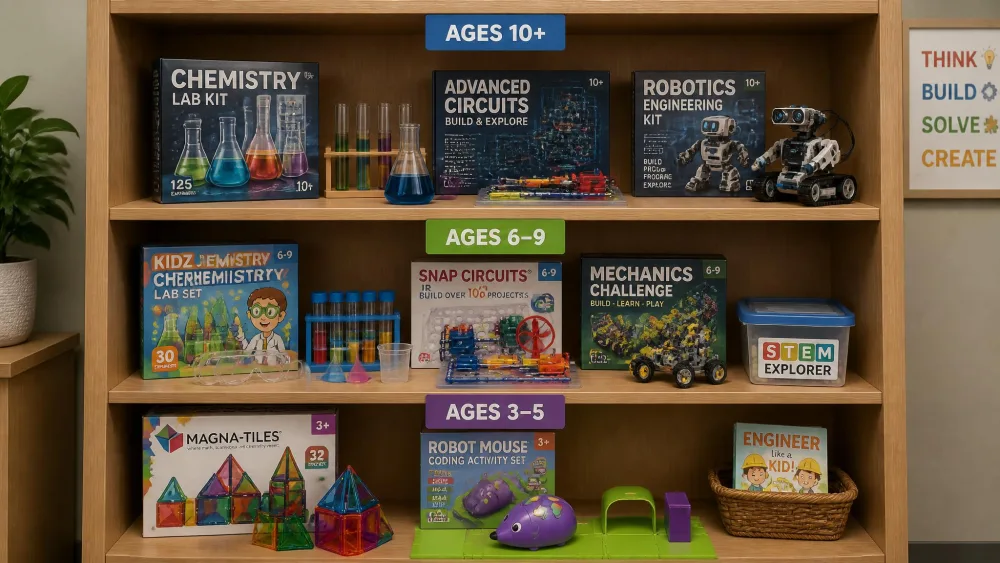
Buy tiles, not projects. At this age a child cannot follow a sequence of steps, so anything with instructions becomes a parent activity with an audience. PicassoTiles work from three because the magnets do the hard part. The Robot Mouse is the one exception worth stretching for, though five is the safer floor. Chemistry sets and geode kits are firmly in the not-yet category.
Ages 6-8
This is where kits start earning their money. Snap Circuits Jr. is our pick for most six- to eight-year-olds, and the picture-led manual is why. The Grow 'N Glow Terrarium suits a six-year-old who wants something to check on daily, and Klutz LEGO Gear Bots works here despite the 8 to 12 label, because the instructions are drawn rather than written.
Ages 9-12
Now the reading level opens everything up. Snap Circuits Classic SC-300 has enough projects to last a year, the Mega Science Lab covers three subjects in one box, and the geode kit finally works with the child swinging the mallet rather than watching. The mBot is right for a child who has already met block coding.
Ages 13+
Most kits in this price range run thin by thirteen. The two that keep going are the SC-300, because a thirteen-year-old can chase the harder circuits, and the mBot, because Arduino has no ceiling. Beyond that, look at single-board computers instead.
How to Choose a STEM Kit for Your Child
Match the kit to age and reading level
The number on the box is a starting point. Several of these listings state two different age bands on the same page: the Robot Mouse says 4+ and 5+, and the Sillbird kit says 8 to 13 and 8+. What decides it is reading level. Picture-led kits run two or three years below their printed band, and text-heavy kits run above it.
Which STEM subject fits your child
Watch what your child already does. A child who takes things apart wants electronics, so start with Snap Circuits. A child who lines up rocks on a windowsill wants the geode kit. Builders want magnetic tiles, and the kid already on Scratch at school wants Sphero Mini or the mBot. Chemistry sells itself to nearly everyone.
Broad interest in these fields tends to start early and narrow later. The National Science Foundation's data on the science workforce tracks how few children carry an early interest through to a degree, and one kit will not change that. What a good kit does is give a child the experience of building something that works.
Reusable vs one-and-done kits
This is the biggest value question. The terrarium plants twice and then it is finished. The geodes crack once. Snap Circuits, magnetic tiles and the mBot never run out, because the projects recombine. A ten-dollar kit used twice costs more per hour than a fifty-dollar kit that runs for a year.
Parent tipBefore buying, count the activities and divide by the price. Anything under a dollar per distinct activity is good value. Then ask the harder question: what happens after the last activity is done?
Safety, materials, and adult supervision
Three of these kits need an adult in the room rather than in the house. The geode kit involves a mallet and flying rock fragments, so goggles go on everyone, not just the child holding the chisel. The chemistry set and the Mega Science Lab both produce reactions that belong outdoors on a surface you do not mind staining, and both ship with a single pair of goggles for what is usually a group activity.
For the under-fives, small parts are the whole story. The CPSC toy safety guidance explains how choking hazards scale with age, and it is why the chemistry sets live on a high shelf in our house until a child is properly seven. Magnetic tiles are the safe floor for a three-year-old because the pieces are far too big to swallow.
Watch outNever let a young child crack geodes. Small hands cannot generate the force, the rock shatters into sharp fragments, and an adult should swing the mallet with everyone in goggles and standing back. Chemistry sets need the same rule: an adult at the table for the whole session, not checking in between experiments.
What to spend
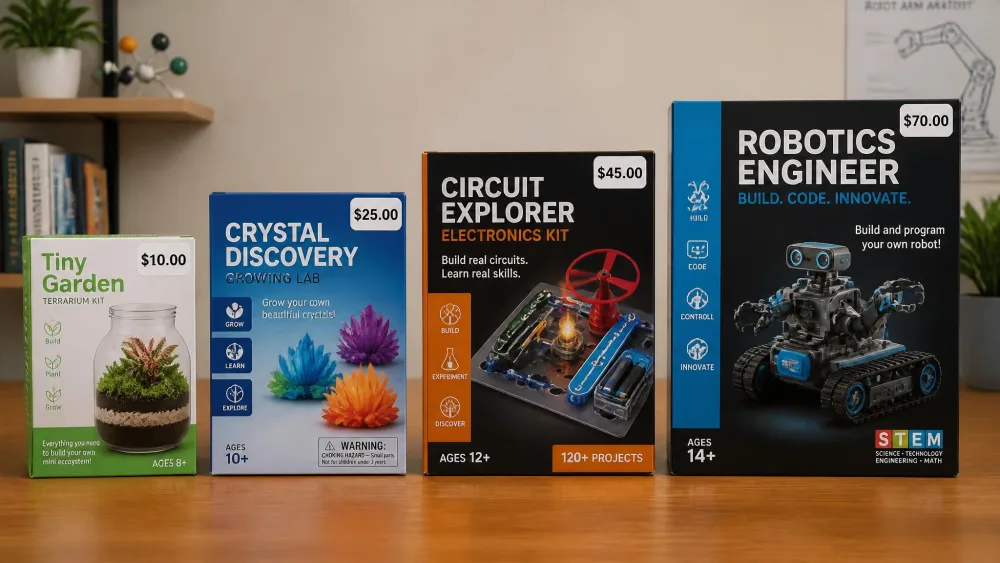
The sweet spot is $20 to $40, and everything in that band here is a complete, repeatable kit. Below twenty dollars you are usually buying a single activity, which is fine if the activity is good, as with the terrarium. Above sixty dollars you are buying programmable robotics, which only makes sense if a child has already shown some coding appetite.
Frequently Asked Questions
What age should kids start with STEM kits?
Three, if you pick the right format. At three a child needs something with no sequence to follow, which is why magnetic tiles work and instruction-led kits do not. Guided kits with steps and a manual start landing around six, and picture-led ones like Snap Circuits Jr. work from six even though the box says eight.
Are STEM kits actually educational or just toys?
The good ones are both, and you can tell the difference by asking a question afterwards. When our kids finished a Klutz Gear Bots model, they could explain how the cams turned rotation into a flapping motion. That is learning. A kit where the child follows steps and produces a result they cannot explain is a craft activity with a science label.
What is the best STEM kit for a 10-year-old?
Snap Circuits Classic SC-300 for most ten-year-olds, because 300+ projects give it a genuine year of life. If the child has already done block coding at school, the Makeblock mBot is the better buy, since it builds in about 15 minutes and then keeps going into Arduino.
How long does a typical STEM kit take to build?
It varies more than any listing suggests. The mBot is the only kit here with a stated build time, about 15 minutes. Individual Snap Circuits projects take a few minutes each, a Gear Bots model fills a sitting, and the Sillbird solar robot is a long afternoon with an adult helping. Terrarium setup is short, then the growing takes 3 to 4 days to show.
How much adult help does a STEM kit need?
More than the box implies, and it depends on the kit rather than the child. Snap Circuits, magnetic tiles and the Robot Mouse are genuinely independent. The Sillbird kit needs an adult because the parts are small and fiddly. The geode and chemistry kits need an adult throughout for safety. Bluetooth robots need a grown-up on standby every session, because reconnection is where they fail.
Are subscription STEM boxes better than one-off kits?
They solve a different problem. A subscription guarantees a fresh project every month, which suits a child who burns through kits and loses interest. A one-off kit like Snap Circuits costs less over a year and keeps producing new projects from the same parts. For a first kit, buy a one-off and see whether it comes back out of the cupboard before committing to a monthly cost.
Final Verdict: Which STEM Kit Should You Buy?
If you buy one kit from this list, buy Snap Circuits Jr. It is neither the cheapest nor the most advanced, but it gets a child to a working result fastest, keeps working for years, and pulls the whole household in around the table.
For a three-year-old, buy magnetic tiles instead. For a child already coding at school, skip ahead to the mBot. For everyone in between, start with the circuits and let the child's own interest tell you what to buy next.