Snap Circuits Classic SC-300 Review: Is This 300-Project STEM Kit Worth It?
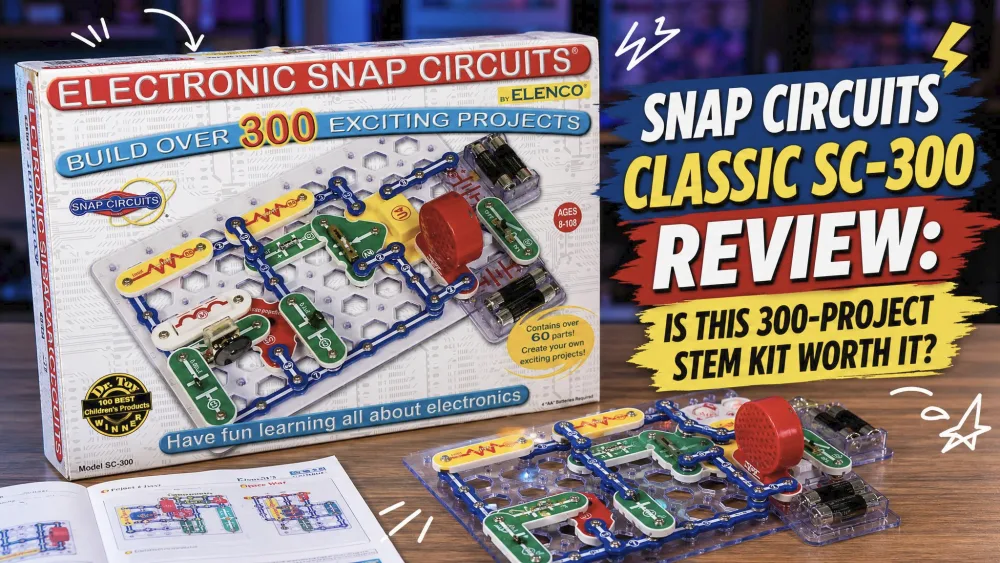
Our nine-year-old snapped together a working light circuit in the first session, looked up, and said it felt like real engineering instead of pretend. That moment is why this kit earns a permanent spot on our homestead shelf. The Snap Circuits Classic SC-300 is an electronics kit with over 300 projects, more than 60 snap-together parts, and a full-color manual, built for ages 8 and up. We bought our set ourselves and have run it through months of homeschool afternoons with kids ranging from seven to eleven.
The big question every parent asks is simple. With a cheaper Jr. SC-100 below it and pricier Pro and Extreme kits above, is the SC-300 the one to buy? Our short answer is yes for most families, where it falls short, and who should look elsewhere.
NoteWe tested the SC-300 across months of homeschool sessions with kids ages seven to eleven, building everything from a simple light circuit up to a working AM/FM radio. We watched how the parts held up, how much help each child needed, and whether the projects kept them coming to the table. Every observation below is from our own kitchen and classroom, not a spec sheet.
Snap Circuits Classic SC-300 at a Glance
Quick verdict (lived anecdote + rating)
The SC-300 is the kit we recommend to almost every family asking where to start. It hits the value sweet spot, with enough parts and projects to stay interesting for months rather than an afternoon. In our home, the immediate lights-and-sounds feedback kept kids focused through long sittings, and every child built a working circuit in their very first session. We rate it 4.6 out of 5, with the only real friction being battery setup and storage.
Specs and what's in the box
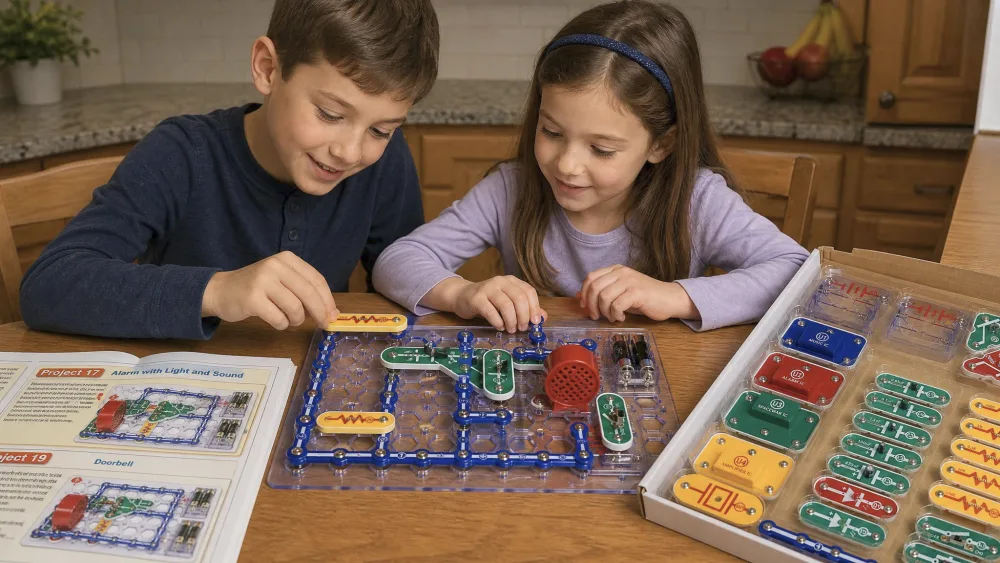
The Classic SC-300 ships with over 60 snap-together components that clip onto a plastic snap-grid base. There is genuinely no soldering and no tools required, the whole point of the system. Parts are color-coded, and the kit includes a patented Circuit Safe safety device along with a full-color manual covering projects 1 through 305 across roughly 150 pages.
The project list is broad. Kids can build an FM/AM radio, a doorbell, a burglar alarm, and even a digital voice recorder. You will need 4 AA batteries, which are not included. The packaging carries a choking-hazard note for small parts, so it is not suitable for children under 3.
Watch outThe SC-300 contains small parts and is rated for ages 8 and up. It carries a choking-hazard warning and is not suitable for children under 3, so keep loose components away from toddler siblings during and after building.
Who Snap Circuits Classic Is Best For
Who should buy it
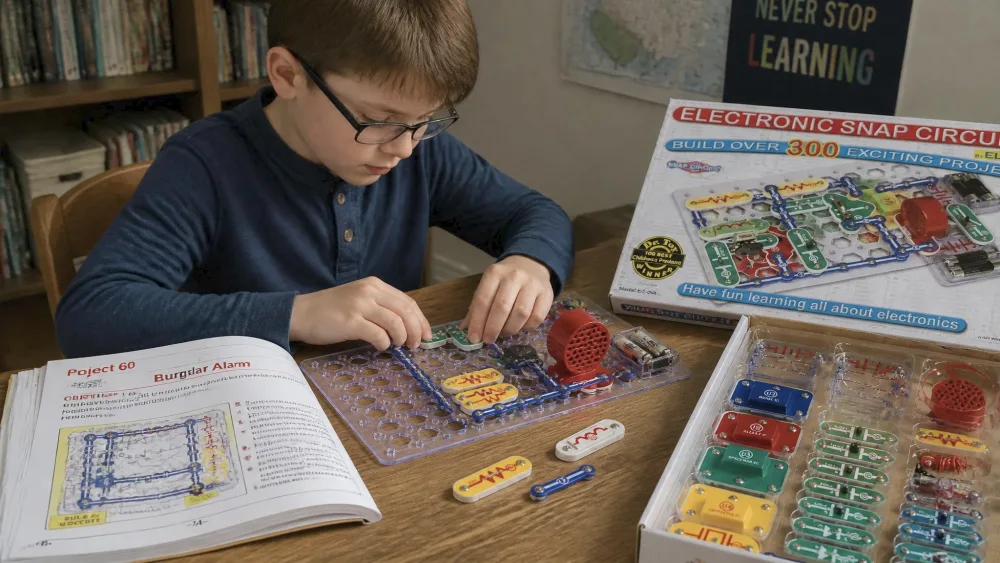
The SC-300 fits families who want one kit that grows with the child. It suits homeschoolers who need a self-directed science block, since the manual lets a capable reader work mostly alone. The kids ages seven to eleven we tested with handled the snap-together assembly with little or no adult help.
It also works well in a classroom or co-op. The snap connections hold firmly through repeated assembly and disassembly, and the kit survived intensive daily use across a full year without the connections wearing out.
Who should look elsewhere
If your child is five or six, the Beginner SCB-20 or the Jr. SC-100 is the gentler on-ramp. The SC-300 has some advanced projects that exceed a younger child's ability and need an adult sitting alongside. And if you have a teenager who already knows the basics and wants transistors, meters, and computer builds, the Pro SC-500 or Extreme SC-750 will hold their attention longer.
What It's Like to Build With (Our Hands-On Experience)
Setup and first projects
Setup is fast, with one honest snag. The kit needs 4 AA batteries that are not included, and a dead-battery drawer was our most common first-session frustration. Buy a fresh pack before you sit down.
Once powered, the first builds go quickly. Every child in our house built a working light or noise circuit in the opening session, and that instant feedback is what hooks them. The snap-together design lets a seven-year-old follow along without fumbling screws or wires.
The 300-project manual
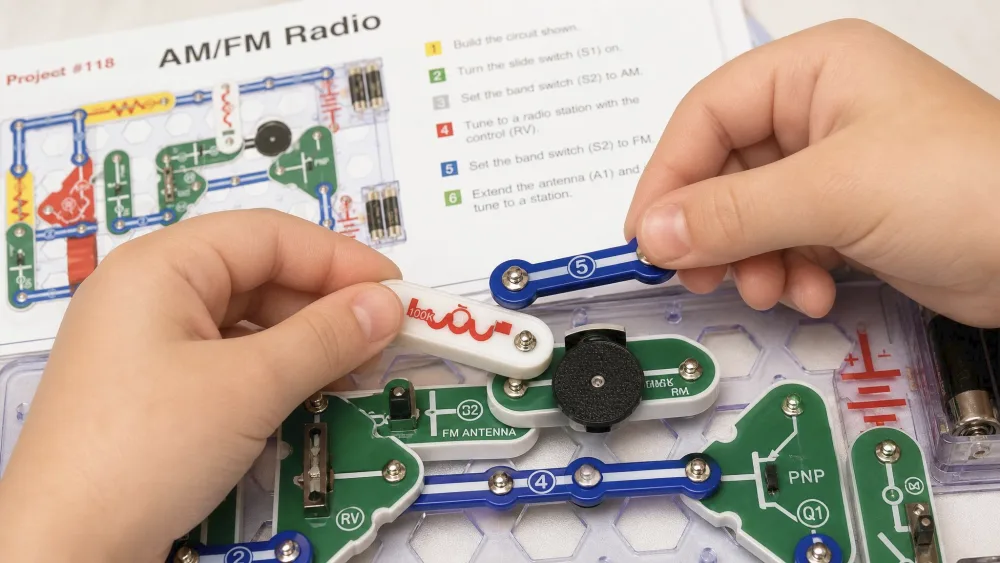
The full-color manual is the heart of the kit, and it earns its keep. It uses large numbered diagrams and plain directions that kids can follow on their own, and the color-coding helps them match parts without an adult reading every step. Projects scale naturally from a simple light circuit up to building an AM/FM radio.
That radio became a favorite. It runs about 45 minutes for an intermediate builder, and finishing it with a real station through the speaker is a genuine win. The SC-300 also includes all the SC-100 projects plus roughly 200 new ones, so nothing is lost by stepping up.
Durability and build quality
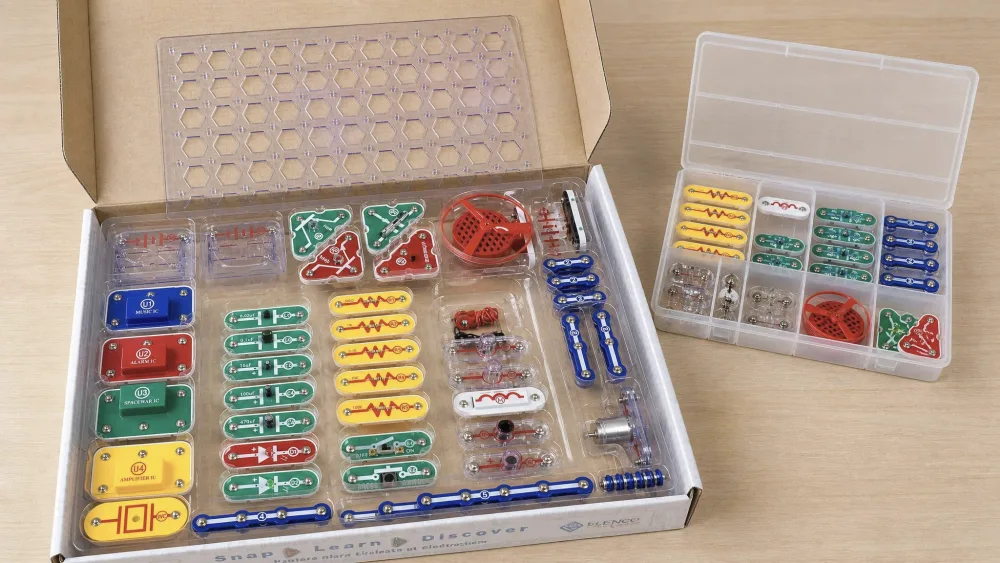
After months of daily handling, the snap connections still hold firmly, the question that matters most. The kit survives intensive use across a full year, matching what we saw on our own shelf.
Some individual components feel a little fragile in the hand, even though actual breakage is rare. Elenco's customer service helps here. Owners repeatedly praise its free or low-cost replacement parts, including battery holders, so a lost or cracked piece is not the end of the kit.
The snap connections are built to survive a full year of daily building, and across our own months of use the only parts we replaced were ones the kids misplaced, not ones that broke.
Educational Value: What Kids Actually Learn
The honest picture has two sides. On the positive side, the manual explains why each circuit works, not just how to build it. Our kids picked up real vocabulary around series and parallel wiring, switches, and how a speaker turns current into sound.
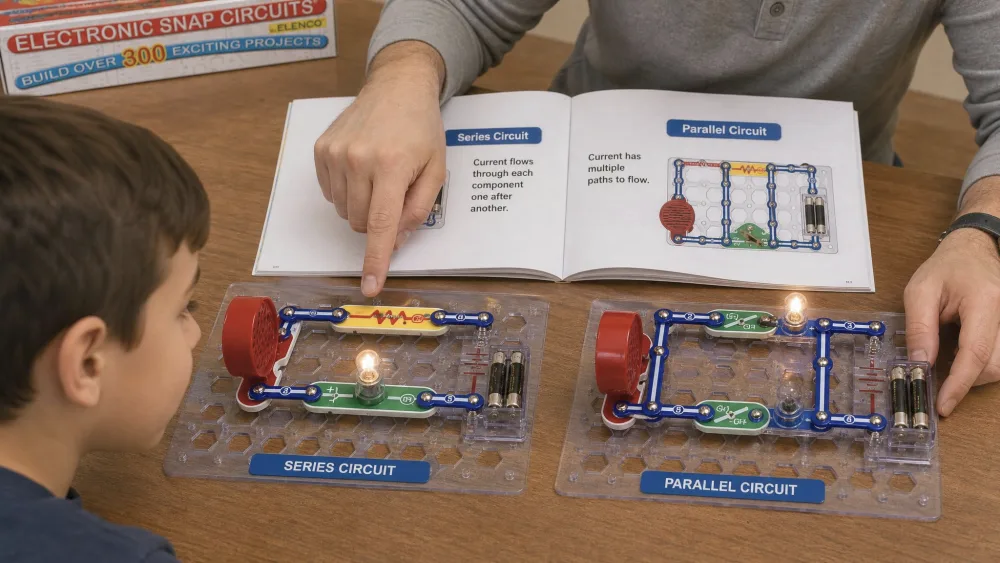
The kit comes from Elenco Snap Circuits, and pairing the builds with a plain-language primer on how series and parallel circuits work helps the ideas stick.
There is a fair critique to surface, and we agree with part of it. The projects are manual-bound, which means a child can finish builds by copying diagrams without truly understanding the electronics underneath. We found that true in our home if you stop at the diagrams, a point a well-known r/snapcircuits critique makes bluntly. The fix is to ask your child to predict what a change will do, then test it. Treated as a starting point rather than a full curriculum, it teaches plenty.
Pros and Cons
Pros
- No soldering and no tools; parts snap together fast
- Over 300 projects and 60-plus parts for months of play
- Clear full-color manual a capable reader can follow alone
- Durable snap connections that survive a year of daily use
- Upgradeable to Pro, Extreme, and SCM-400 down the line
Cons
- 60-plus small parts benefit from an extra organizer
- Projects are manual-bound; understanding needs adult prompting
- The plastic snap-grid base feels basic for the price
- 4 AA batteries are not included
Snap Circuits Classic SC-300 vs Other Snap Circuits Kits
vs Snap Circuits Jr. SC-100 (younger kids / budget)
The Jr. SC-100 is the budget entry point, with 28 parts and over 100 projects against the SC-300's 60-plus parts and 300-plus projects. Both are rated ages 8 and up, and our full Snap Circuits Jr. SC-100 review covers it in depth. We watched kids who started on the Jr. move up to the Classic with more confidence. The Jr. behaves like a short trial kit, while the Classic sustains interest over months.
vs Snap Circuits Pro SC-500 / Extreme (more projects + upgrade path)
The Pro SC-500 jumps to 76 components and over 500 projects, adding transistors, ICs, a recorder, and a meter. The Extreme SC-750 goes further with 80-plus parts, 750-plus projects, and solar and computer builds. The clever part is that you do not have to choose now. The SC-300 upgrades with a UC-50 kit to reach Pro, a UC-70 to reach Extreme, or a UC-100 to add micro-controller projects, so you start in the middle and grow.
Comparison table + how to pick the right kit for your child's age
| Kit | Project count | Parts | Age range | Price tier | Upgradeable | Best for |
|---|---|---|---|---|---|---|
| SC-300 (Classic) | 300+ | 60+ | 8+ | Mid / best value | Yes (UC-50, UC-70, UC-100) | Best overall; ready to go deep |
| Jr. SC-100 | 100+ | 28 | 8+ | Budget | Upgrades into SC-300 line | Younger or budget first kit |
| Beginner SCB-20 | 20+ | 14 | 5-9 | Lowest / entry | Entry below Jr. | Youngest kids (ages 5-9) |
| Pro SC-500 | 500+ | 76 | 8+ | High | Already near top | Hobbyists wanting more depth |
| Extreme SC-750 | 750+ | 80+ | 8+ | Top | Top of line | Most projects plus computer and solar |
To pick by age, start with the SCB-20 for five to seven-year-olds and the Jr. SC-100 for a cautious budget start at eight. The Classic SC-300 is the do-it-all choice for eight and up, while the Pro or Extreme suit older kids already comfortable with the basics. Always check current pricing, since street prices shift and the Classic often sits below list.
Frequently Asked Questions
What age is Snap Circuits Classic (SC-300) for?
The SC-300 is rated for ages 8 and up. In our testing, kids ages seven to eleven managed the assembly easily, though some advanced projects need an adult alongside a younger builder. It contains small parts and is not for children under 3.
Do Snap Circuits require soldering?
No. There is no soldering and no tools required. The color-coded parts snap onto a plastic grid base, which is what makes the system safe and fast for kids to use on their own.
Which kit should I buy — Jr. SC-100 vs Classic SC-300 vs Pro?
The Jr. SC-100 is a budget trial with 28 parts and 100-plus projects. The Classic SC-300 is the best all-round pick with 60-plus parts and 300-plus projects. The Pro SC-500 adds transistors and meters for more advanced kids. Most families are happiest starting with the Classic.
Do I need to know electronics myself to help my child?
Not really. The numbered manual carries most of the load, so you can hand off the build to a capable reader. Your job is the thinking part: ask your child to predict what flipping a switch will do before they test it. That one habit turns diagram-copying into real learning, with no electronics background from you.
Is it cheaper to buy the SC-300 plus an upgrade kit, or the Pro outright?
If you are sure your child wants Pro-level depth from day one, buying the Pro SC-500 outright is the simpler spend. The SC-300-plus-UC-50 route fits when you want to start in the middle, see whether the interest holds, and pay for the transistors and meter later. You are buying optionality, not a discount, so check both prices first.
How many kids can realistically share one SC-300?
One builder gets the most out of it, since there is a single grid and one manual. In our co-op two kids paired up fine, one reading the diagram and one snapping parts, but three crowds the board and someone ends up watching. For a classroom rotation, plan one kit per pair.
Final Verdict: Should You Buy the Snap Circuits Classic SC-300?