Snap Circuits Flight Deck Review: Hands-On STEM Flight Kit for Ages 8+
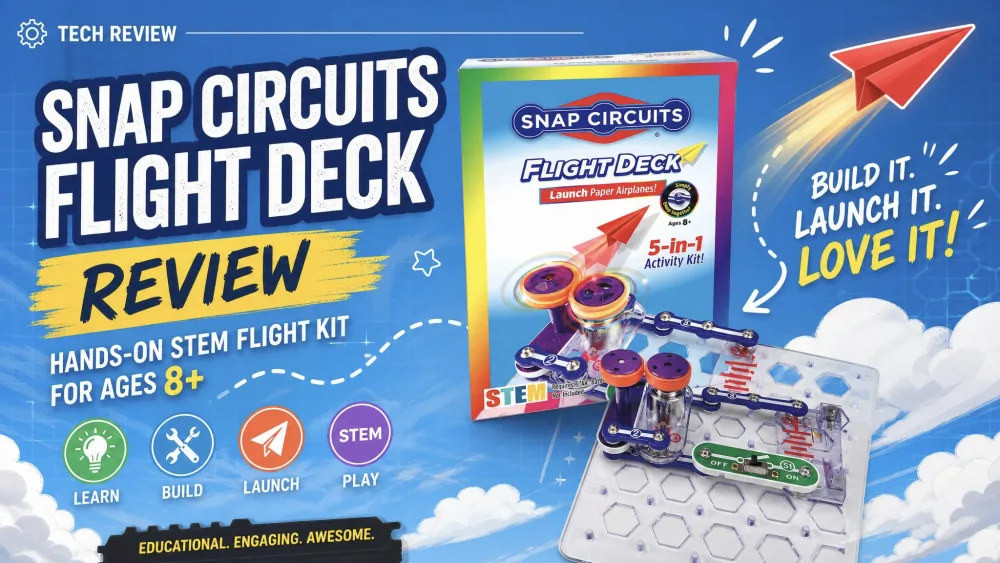
The Snap Circuits Flight Deck is a no-solder STEM activity kit for kids ages 8 and up that builds motorized circuits to launch paper airplanes, flying saucers, and ping-pong balls. Made by Elenco, the SCFLTKIT turns the science of flight into something your child can fire across the room. We dug into how the five projects actually build and launch, so the verdict below rests on how the kit performs, not the box copy.
What Is the Snap Circuits Flight Deck?
The Flight Deck sits at the entry-level end of the Snap Circuits line, a STEAM kit built around one theme: flight. Your child builds motor-driven projects that launch, spin, and levitate, picking up flight and aerodynamics, air pressure, electricity, physics, and basic circuits while snapping real circuits together by hand.
What's in the box
The kit ships with roughly 30 snap-together parts plus the illustrated instruction book, no soldering iron and no extra tools. One thing to plan for: it needs 3 AA batteries, not included. The box is compact, about 9.0 x 6.5 x 3.0 inches.
The 5 flight projects (and the "6th" you'll see listed)
The kit centers on five core builds: circuits that launch paper airplanes, send flying saucers across the room, shoot ping-pong balls, spin patterns on a wheel, and levitate a ball over a fan using air pressure. Each one ends in a visible payoff, not a blinking light.
You will see the project count listed as both 5 and 6: Amazon, Walmart, and Target say five, while Elenco's page and Fat Brain Toys describe six. Both numbers cover the same set.
How It Works: Building the Circuits (No Soldering)
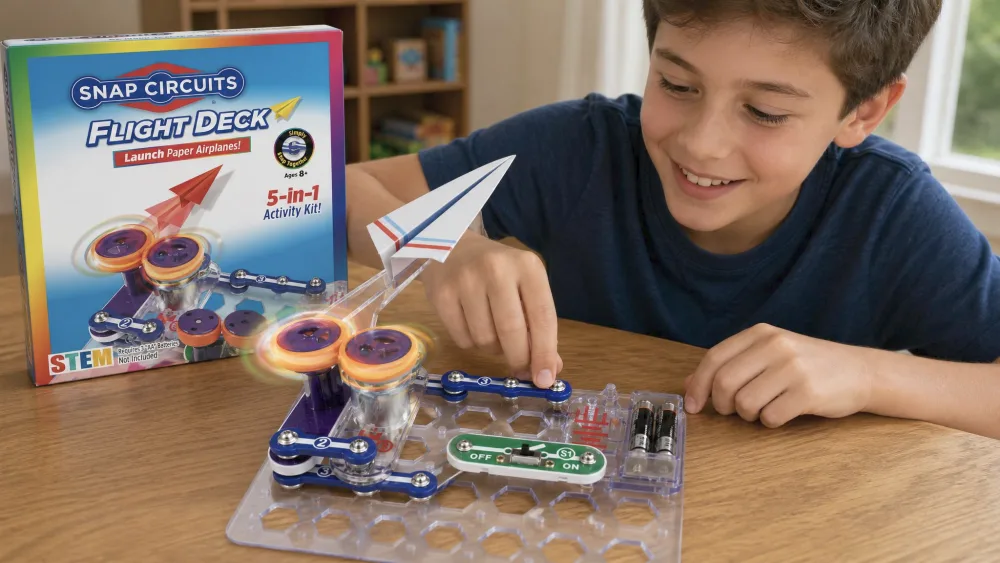
The build is genuinely tool-free. Every piece is mounted on a color-coded plastic module that snaps onto a base grid by hand. There is no soldering, no stripping wires, and nothing sharp, which makes it workable for a kid at the kitchen table.
Assembly is straightforward thanks to clear, full-color illustrated instructions, and kids can mostly work from the diagrams alone. Each project opens with an orientation covering the parts, safety notes, and troubleshooting tips that earn their keep when a circuit does not work first try.
Some supervision helps at the start, especially when wiring the motorized launchers. Once a child sees how the modules click into the grid, a motivated 9- or 10-year-old can largely build alone.
Parent tipHave your child read the orientation page first. Knowing what each module does turns the troubleshooting tips into a real problem-solving tool.
Hands-On: What We Liked
The launch moment is the whole point, and it delivers. Kids get a real jolt from sending paper airplanes and flying saucers across the room, and that visible payoff keeps engagement high in a way a lit LED never does.
NoteBuilding and testing each circuit quietly builds critical thinking, problem-solving, and confidence, and the parts mix with other Snap Circuits sets for more builds from the same modules.
The learning is woven into the play. As kids tune a launcher or work out why a saucer wobbles, they reason about air pressure and aerodynamics without being lectured, picking up how aerodynamics works through play rather than a lecture.
Things to Know Before You Buy
Age and difficulty (ages 8+)
The kit is recommended for ages 8 and up, with retailers targeting roughly 2nd to 4th grade and Fat Brain Toys narrowing the sweet spot to ages 9 to 10. An eight-year-old can do it with a little help, while a nine- or ten-year-old flies through it solo. As an entry-level set, it may feel short to kids who already love electronics.
Batteries and setup
The most common gripe is simple: the required 3 AA batteries are not in the box, so the kit cannot launch straight out of the package. Setup is otherwise quick, with nothing to assemble.
Pros and Cons
Pros
- No soldering and no tools, parts snap together by hand
- Hands-on flight and STEM play with a real, visible payoff
- Reusable parts that cross-mix with other Snap Circuits sets
- Clear illustrated instructions kids can follow on their own
Cons
- Limited project count (five core builds, sometimes listed as six)
- Narrower in scope than the larger Snap Circuits sets
- Batteries not included, so you cannot launch on day one
Who It's Best For
The Flight Deck is the right call for a STEM-curious kid around 8 to 10 who wants to build something dramatic. It suits families new to electronics and makes a tidy gift, since the theme sells itself.
It is a weaker pick for an older or already-hooked builder. With only five launch projects, it gets exhausted faster than the big 100-to-750-project sets, so if your child has already worn out a circuit kit, size up instead.
How It Compares to Other Snap Circuits Sets
Every Snap Circuits set is no-solder and snap-together, so the differences come down to theme, project count, and depth, and the Flight Deck trades breadth for one focus. The Snap Circuits Jr. SC-100 review and Snap Circuits Classic SC-300 review cover the next two rungs; the Snap Circuits Pro SC-500 review and Snap Circuits Extreme SC-750R review top the line.
| Set | Projects | Age | Solder | Core skills taught | Approx. price |
|---|---|---|---|---|---|
| Flight Deck | 5 (some say 6) | 8+ | No | Flight, aerodynamics, air pressure, electricity, circuits | $25.99 MSRP (~$15–$20) |
| Jr. SC-100 | 100+ | 8+ | No | Basic circuits, switches, motors, lights | ~$38 |
| Classic SC-300 | 300+ | 8+ | No | Integrated circuits, variable resistors, radios | ~$76 |
| Extreme SC-750R | 750+ | 8+ | No | Solar, electromagnetism, computer interface | Higher tier |
For a younger, gentler set, see the Snap Circuits Beginner review.
Where to Buy and Price
The Flight Deck carries an MSRP of $25.99 on Elenco's list but is frequently discounted, often landing in the $15 to $20 range depending on store and promotion.
Frequently Asked Questions
How many spare AA batteries should I keep on hand?
The kit runs on 3 AA batteries that are not included, so buy a fresh pack with it and keep a spare set of three. The motorized launchers draw on the cells with every launch, and a dead motor mid-build is the fastest way to stall launch day.
Are the Flight Deck parts compatible with a Snap Circuits set we already own?
Yes. The modules cross-mix with other Snap Circuits sets, so a family that already owns a Jr. SC-100 or Classic SC-300 can fold the Flight Deck parts into that pool for more builds beyond the five flight projects.
What should we size up to once the five projects are exhausted?
A keen builder works through the five launch projects fast, so the natural next step is a broader kit: the Jr. SC-100 jumps to 100+ projects, the Classic SC-300 to 300+, and the Extreme SC-750R to 750+, all no-solder and all sharing the same snap-together parts.
How much supervision does an 8-year-old need versus a 10-year-old?
An eight-year-old usually wants a hand at the start, especially wiring the motorized launchers, while a nine- or ten-year-old can mostly follow the diagrams alone after the first build. Either way, the orientation page and troubleshooting tips do a lot of the hand-holding.
Final Verdict
The Snap Circuits Flight Deck does one thing well: it turns the science of flight into circuits a child can build and fire by hand. It is not a hundreds-of-projects kit, but for a STEM-curious 8-to-10-year-old, the launch payoff and no-solder build make it an easy yes.