Snap Circuits Explore Coding Review: STEM Toy Tested
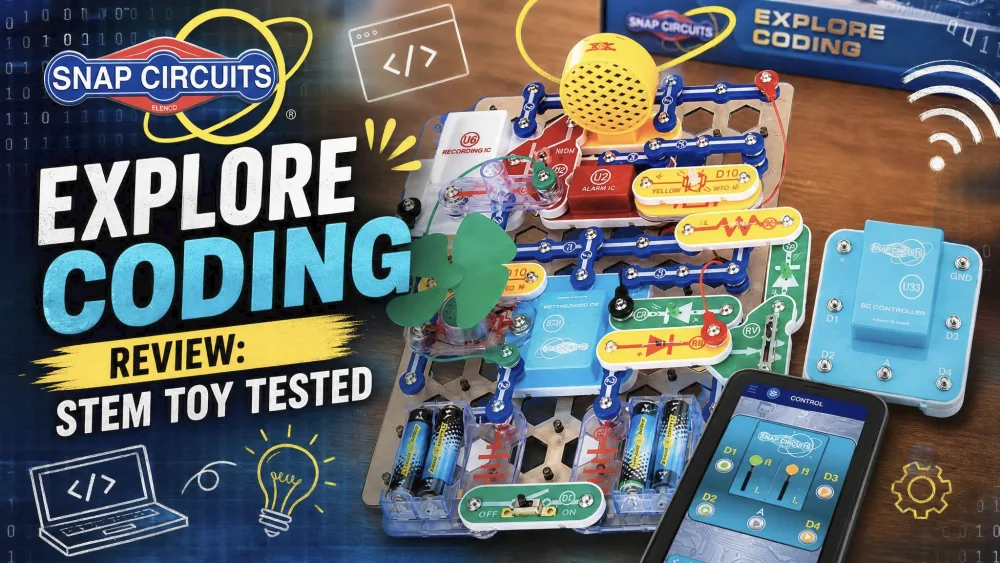
We cleared the kitchen table after dinner and handed this kit to our kids. Snap Circuits Explore Coding is a block-based coding STEM kit for ages 8+. Our hands-on review tests the app, 30+ projects and if it's worth it.
A kit like this moves through our homeschool the way kids actually use one: built, snapped apart, and reprogrammed over weeks. The 8 to 108 promise held up here. The younger builders needed a hand with the first app pairing; the older ones took to the block coding on their own and kept coming back. That steady pull back to the table is the test we judged it on.
What Is Snap Circuits Explore Coding?
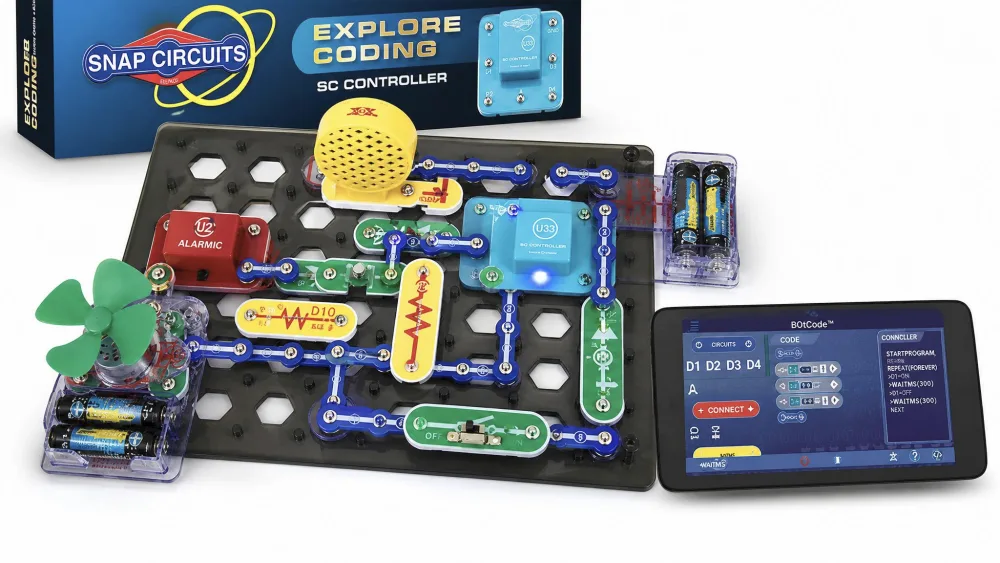
Snap Circuits Explore Coding is a STEM building toy that introduces children aged 8 and up to electronics and coding at once. Parts snap onto a plastic base grid with no tools, and a Bluetooth module called the SC Controller links the build to a free phone app that runs its lights, sounds, and motors.
The coding layer sets it apart from a plain circuit set. The SC Controller offers 5 control outputs, so a child can run several circuit paths together or independently. Elenco sells it as an Amazon Exclusive, model SCE30, for ages 8 to 108.
Setup and First Build
Ease of Assembly
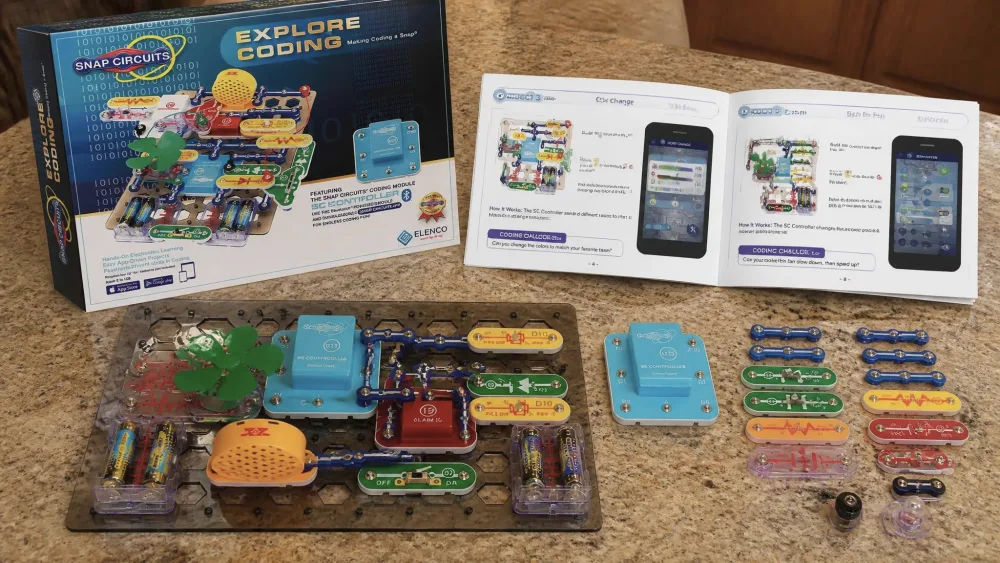
Setup is where this kit shines. The pieces are numbered and color-coded and snap onto the grid with no tools, so first builds get going with very little fuss. Our kids matched the manual's numbers to the parts and had a circuit running quickly. The electricity is real, though, so keep an eye on younger builders.
Watch outTwo things are not in the box. The kit needs 4 AA alkaline batteries, sold separately, and an Apple or Android phone or tablet to run the coding app. Buy the batteries first so the build does not stall.
Using the Coding App
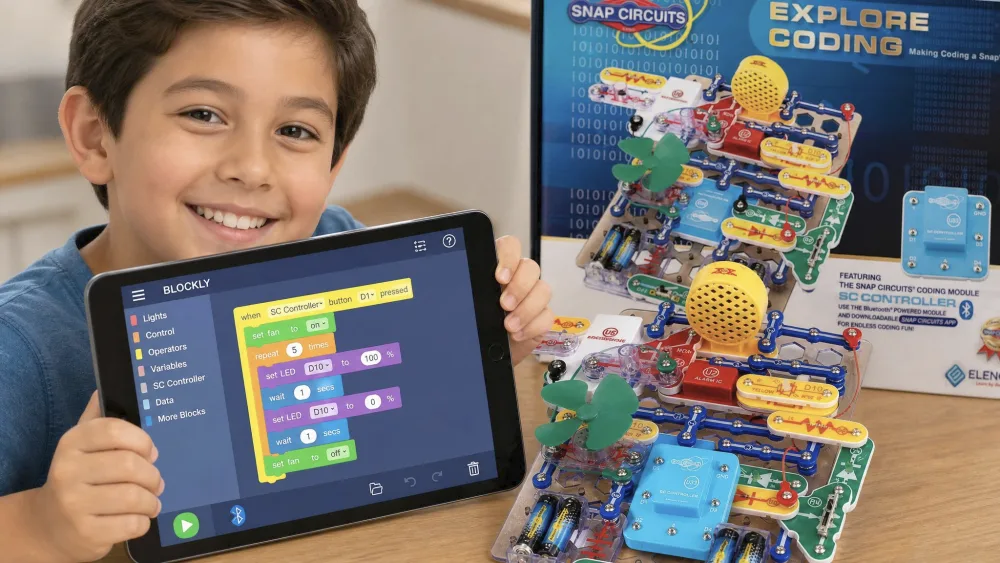
The free Snap Circuits app is where the build comes alive, with three ways to control a circuit: real-time control, easy graphical coding, and BLOCKLY block coding. The app requires iOS 12.4 or later on Apple devices, so check an older tablet before counting on it.
NoteThe first time we paired the controller, the app sat searching until we switched on Bluetooth permissions in device settings. After that our kids happily reran the same blinking-light program, tweaking the timing each round.
Features and Benefits
Block-Based Coding Made Simple
The coding here is visual, not typed. Children drag colorful blocks into a sequence instead of memorizing syntax, so the focus stays on logic. Because each block maps to something physical, the result of a change is instant and obvious.
30+ Electronic Projects
The manual walks through over 30 different electronic building and coding projects. Kids wire series and parallel circuits, drive a speaker and a whistle chip, and program sirens, recording, and playback effects. Each project leans on the one before it, so a child who works straight through builds a real feel for how circuits and code fit together.
Skills Kids Build (Problem-Solving, Creativity, Collaboration)
Beyond circuits and code, the real win is the thinking. When a circuit fails, kids learn to trace the problem, swap a part, and try again.
Build Quality and Durability
The plastic parts and base grid feel solid and well made, holding up to repeated snap-apart and rebuild cycles without loosening. The whole kit is light, about 1.86 pounds, so it travels easily.
Build a circuit, then tell it what to do. That one step is what separates this kit from a toy that only blinks.
What's in the Box (Specifications)
You get over 30 Snap Circuits parts, including the Bluetooth-powered SC Controller, the base grid, snap and jumper wires, a battery holder, diodes, a lamp, resistors, switches, a speaker, a whistle chip, transistors, and a motor, plus the full-color manual. You add 4 AA alkaline batteries, not included, and a phone or tablet. The list price sits around $109.99, but street price swings widely, so check the current Snap Circuits Explore Coding on Amazon listing before you buy.
Who It's For (Ages 8 to 108)
The sweet spot is a curious 8 to 12 year old who likes building and is ready for a little logic. No prior coding knowledge is needed, since the app starts with simple taps and eases into blocks. Younger kids at the bottom of the band do need some adult help to start, especially with the first app pairing. The "to 108" label is not just marketing; grown-ups enjoy the projects too.
How It Compares to Other Snap Circuits Kits (Discover Coding, Code Journey, 100 Explorer)
Snap Circuits sells several coding kits that are easy to mix up. Explore Coding (SCE30) and Discover Coding (SCD303) are near twins: both carry over 30 parts, the same SC Controller and graphical-plus-BLOCKLY app, and both run on 4 AA batteries. The real difference is channel, since Explore Coding is the Amazon Exclusive version. Code Journey (SCJ404) adds a buildable Snap Rover and a BOTCode language before BLOCKLY, while the classic 100 Explorer has no coding at all.
| Feature | Explore Coding | Discover Coding | Code Journey | 100 Explorer |
|---|---|---|---|---|
| Age range | 8 to 108 | 8+ | 8 to 108 | 8+ |
| Parts count | 30+ | 30+ | 20+ (incl. Snap Rover) | 28 |
| Project count | 30+ | ~18 | 21 | 100+ |
| Coding/app type | Graphical + BLOCKLY app | Graphical + BLOCKLY app | BOTCode + BLOCKLY, drives a rover | None |
| Price | ~$109.99 list | ~$110–$117 | Not confirmed | ~$52.99 list |
If your child wants the rover, pick Code Journey. For the most coding projects per dollar in this family, Explore Coding is the one we reach for.
Pros and Cons
Pros
- App-based block coding that links real circuits to real code
- Over 30 electronic and coding projects in the manual
- Reusable, durable parts that snap apart and rebuild cleanly
- Broad appeal across ages 8 to 108, no prior coding needed
Cons
- Batteries are not included, and a phone or tablet is required
- The coding app can be fiddly to pair and is the weakest part
- Thin free-build guidance once the manual's projects are done
- The part count caps bigger ambitions without a second kit
The sharpest criticism, from an adult who later studied engineering, is that the kit teaches kids to follow instructions more than real electronics theory. We think that is fair as a warning and unfair as a verdict. For an 8 year old, following a circuit diagram and watching it work is exactly the right first step.
What Other Buyers Are Saying
Parents and teachers praise the engagement, and Purdue INSPIRE's engineering gift-guide evaluation of this exact kit highlights the friendly app and the block-based coding it unlocks. The app itself draws cooler scores, at 3.5 out of 5 across 60 iOS ratings, which squares with the pairing friction we hit.
Is It Worth It? (Overall Value)
For most families with a child aged 8 and up, yes. You are paying for a polished bridge between physical building and beginner coding, and few kits do that as cleanly. It fits a curious beginner best, a child who likes working with their hands and is ready to layer a little logic on top.
Tips for Getting the Most Out of It
Stock fresh batteries and pair the app yourself once, so the child does not stall on Bluetooth. Work the manual in order, and when the projects run out, have your child change one variable and predict the result before running it.
Frequently Asked Questions
Will the coding app run on an older phone or tablet?
On Apple devices the app needs iOS 12.4 or later. Android requirements are published less clearly, so install the free app and pair it on your device before you rely on it, ideally the day it arrives rather than the night before a birthday.
Is $59.99 or $109.99 the real price?
Both, depending on timing. Elenco lists it around $109.99, but as an Amazon Exclusive the price moves with promotions and has dropped near $59.99 on sale, so watch the listing rather than paying full list.
There's real electricity involved, so is it safe?
Yes, with normal supervision. The circuits carry real low-voltage current, and the parts include a patented Circuit Safe device that guards against common wiring mistakes. Younger builders still do best with a grown-up nearby at first.
Can I use rechargeable batteries instead of alkalines?
The kit calls for 4 AA alkaline batteries. Rechargeable AAs put out slightly lower voltage (about 1.2V versus 1.5V), which can leave motors and lights weaker, so fresh alkalines give the best results.
Does the SC Controller work with other Snap Circuits coding kits?
The same Bluetooth SC Controller appears in Discover Coding and Code Journey, but Elenco does not market the kits as a mix-and-match system, so do not buy one set assuming its controller unlocks another's projects.
What do we do when our child finishes the manual?
Most families step up to a second, larger Snap Circuits set rather than chasing loose add-on parts. The parts snap together across the wider range, so a bigger classic kit expands what a keen builder can make.
Final Verdict
Snap Circuits Explore Coding does the hard thing well. It connects a real circuit to beginner code in a way that makes the logic click for kids new to both, and no single flaw undoes that. The decision comes down to what your child wants next. If they want a robot to drive, Code Journey trades a few coding projects for a buildable Snap Rover. If you would rather buy through regular retail than Amazon, Discover Coding is the near-identical twin. And if coding is not the point or the budget is tight, the classic 100 Explorer gives over 100 no-app projects for around half the price.
The child who should skip it is the one who has already coded or built circuits; they will outgrow the parts quickly and are better off stepping up the range. For everyone else starting fresh at ages 8 and up, this is an easy yes.