Snap Circuits Arcade Review: Is This 200-Project STEM Kit Worth It?
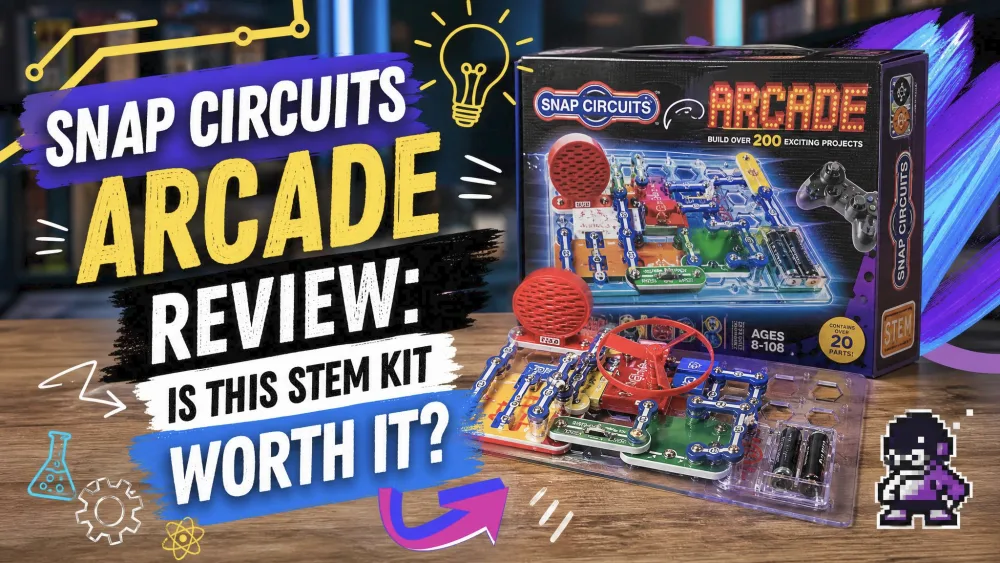
The first night we opened the box, our eight-year-old had a working LED circuit blinking on the table before we had cleared away dinner. That early win sums up the Snap Circuits Arcade, a 36-piece STEM kit promising 200+ projects and 20 arcade games for ages 8 and up. We spent weeks building it with our kids, who range from 5 to 9, and it earned a spot on the shelf.
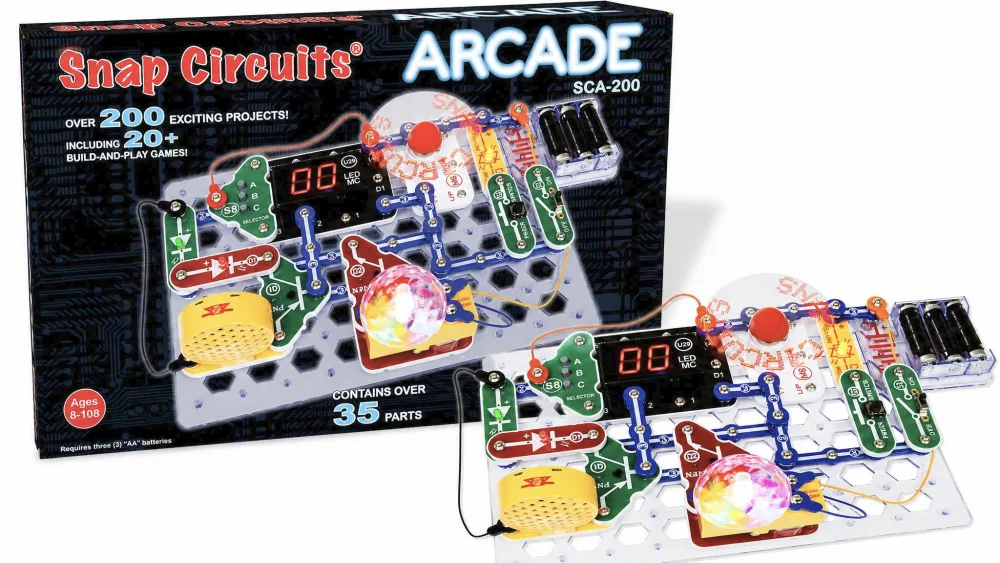
What Is the Snap Circuits Arcade Kit?
Sold as model SCA-200, the Arcade is an advanced set in Elenco's Snap Circuits family. Color-coded parts snap onto a plastic base grid, so a child clicks pieces into place with no tools or soldering and the circuit just works. Elenco has made electronics kits since 1972, and the line launched in 2002 and has won more than 30 toy and industry awards. What sets it apart is the pre-programmed microcontroller, which drives games rather than just lights and buzzers. The full spec list lives on the official Snap Circuits Arcade page.
What's in the Box: 30 Snap Modules & 36 Parts
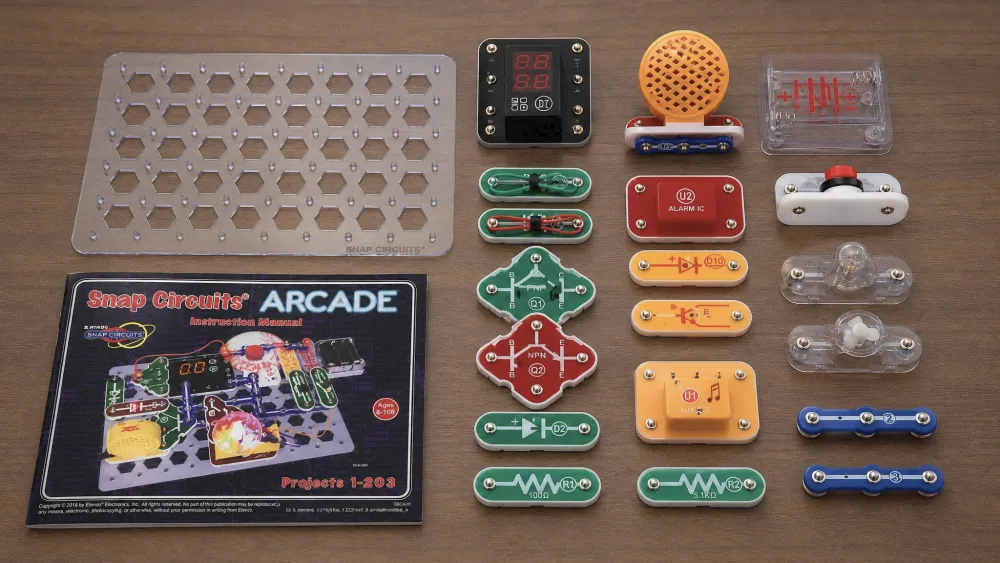
It is a 36-piece kit, 30 of those being snap modules and the rest support pieces. The headline parts are the pre-programmed microcontroller, a dual-LED display, a tri-color light orb, and a programmable word fan. A full-color manual walks you through every circuit with clear diagrams. The one thing missing is power: it runs on AA batteries you supply, and listings disagree on whether you need three or four, so buy a pack of four.
Building Experience: Setup and First Impressions
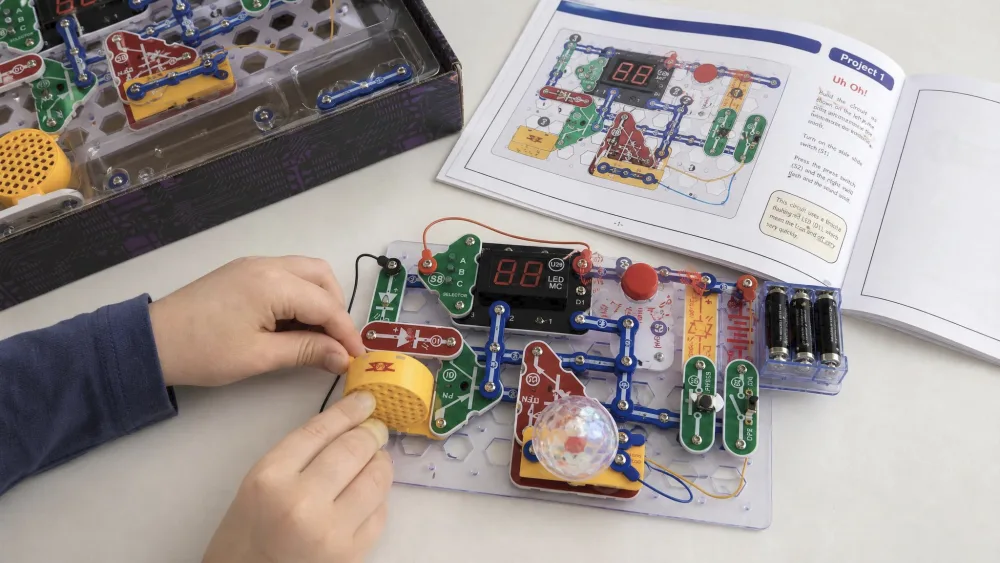
Setup is genuinely fast. The pieces snap together with a satisfying click, and the first LED circuit goes together in a couple of minutes. Our nine-year-old built ten projects on his own in about two hours that first afternoon, then came running to demo each one: "Mom, I got it!" For our youngest, we slid black paper under the clear board to make the grid easier to read.
The 200+ Projects and 20 Arcade Games
The project count is the real draw: with 200+ projects, there is no chance of running out before a child outgrows the kit, and the 20 arcade games are what keep kids coming back. They blink, spin, and respond to button presses, which is a fun way to keep kids busy and gave us genuine hours of fun rather than the ten-minute novelty we expected.
Standout Builds We Tried (Spinning LED Message, Disco Ball, Word Fan)
A few builds became instant favorites. The spinning LED message board was the clear winner, rebuilt again and again to spell out different words. The disco ball, tri-color light orb, and programmable word fan turned an ordinary evening into a small light show. These are the exciting projects that justify the microcontroller.
Educational Value: What Kids Actually Learn
Underneath the fun, this is a real electronics lesson. Working the manual, our kids picked up how a circuit needs a complete loop, what a switch and a resistor do, and why a build fails when one connection is loose. A circuit that does not light up sends a child back to the diagram, which is real problem-solving. One of ours learned as much about following directions as electricity, and after practice could finish most projects alone, which built real confidence. For how these kits grew out of traditional breadboards, the Snap Circuits line has a useful history.
NoteOur eight-year-old was the real test case for the age rating. After a couple of guided builds he stopped asking for help and could finish most projects independently. Moving a child from "can you do this part?" to "look what I made" in one weekend is the best proof we have that the 8+ label is honest.
Build Quality, Durability & Age Fit (Best for 8+)
After weeks of hands-on building and rebuilding, the snap pieces still click together securely with no noticeable wear. The honest weak point is the small loose pieces, easy to lose at clean-up, so a labeled box helps. The box says 8 and up and we think that is right. Both our 5-year-old and our eight-year-old managed builds together, though the kit can overwhelm a younger child left alone. If yours is closer to five, the Snap Circuits Beginner review covers a set with 14 oversized parts aimed at ages 5 to 9.
How It Compares to Other Snap Circuits Kits
The Arcade sits in the middle of the lineup, and the microcontroller separates it from its siblings. Families who already own a basic set treat it as a step up, since it adds programmable games rather than more lights and buzzers. Starting from scratch, the Snap Circuits Jr. SC-100 review and the Snap Circuits Classic SC-300 review are cheaper entry points, while the Snap Circuits Pro SC-500 review is the step up once a child outgrows the Arcade.
| Kit | Projects | Parts | Age | Microcontroller | Approx. price |
|---|---|---|---|---|---|
| Arcade SCA-200 | 200+ | 36 pieces / 30 modules | 8+ | Yes | ~$99 |
| Jr. SC-100 | 100+ | ~30 parts | 8+ | No | ~$45 |
| Classic SC-300 | 300+ | 61 parts | 8+ | No | ~$76 |
| Pro SC-500 | 500+ | 75+ parts | 8+ | No | ~$109 |
Pros and Cons
The Arcade is easy to recommend, but it is not flawless.
Pros
- Color-coded, snap-together pieces work in a snap with no tools or soldering
- 200+ projects and 20 arcade games, including the standout microcontroller builds
- Age-8 accessibility backed by a clear, full-color manual
- Cross-compatible and expandable with other Snap Circuits sets
Cons
- Requires 3 AA batteries (or 4, depending on the listing), not included
- Small loose parts are easy to lose during play and storage
- Pricier than entry kits relative to its piece count
Price and Where to Buy
The Arcade lists for around $99, though the street price swings by retailer and over time. You can check the current price on Amazon, where it holds a 4.8 out of 5 star average across roughly 5,800 ratings and climbing, or buy it as Snap Circuits Arcade on Amazon or through Elenco's store. At this price it makes a great gift for a birthday or holidays.
Frequently Asked Questions
Does it need batteries?
Yes. It runs on AA batteries that are not included, and listings disagree on whether you need three or four, so a pack of four is the safe bet.
Is it good for beginners?
It is. A child with zero experience can start at project one and follow the manual step by step, and most eight-year-olds are running builds on their own within a weekend.
Can it combine with other Snap Circuits kits?
Yes. Every set uses the same base grid and snap parts, so the Arcade is cross-compatible and you can expand it with pieces from kits like the Classic or Pro.
Final Verdict: Who Should Buy It
Buy the Arcade if you want a first electronics kit that does more than blink, especially for a kid of 8 or 9 who likes building things that react. It is also the right pick if you already own a basic set and want a step up with programmable games. We would steer parents of children under 6 toward the Beginner set, and budget-minded families can start with the Jr. SC-100. For most households with a curious kid 8 and up, this is the Snap Circuits kit we would put on the shelf first.