15 Best Coding Games for Kids in 2026 (Ages 3-14)
Your child asks for the tablet, and you'd rather the next hour taught them something. But "coding" covers everything from a plastic mouse scooting round a cardboard maze to a browser full of JavaScript, and the age on the box rarely says which one your kid is ready for.
Coding games solve most of that by hiding the syntax and keeping the thinking. A four-year-old presses arrows in order. A fourteen-year-old writes the same idea in Python.
This guide sorts fifteen picks into five age bands, from three years old up to fourteen and beyond. Four need no screen at all: board games, floor robots and card puzzles that work without a tablet. The rest are apps, websites and robot kits, and we've flagged which are free and which bill you monthly.
Every pick below is written the same way. You get what it teaches, the age it genuinely starts working, the age it runs out, and what tends to go wrong in the first month of ownership. That last part matters more than the number printed on the box. Anything with a motor in it fails early and visibly when it fails at all.
Two sources sit behind all of it. The specs come from the makers' own listings, and the age and durability calls come from the review record of families who already own these products. Where the box label and the age a child genuinely engages at disagree, the second one is what we've printed.
Our Top Coding Game Picks at a Glance
Here's the short version by age, using the maker's stated ages where the box gives one.
| Game / App | Ages | Format | Price | Coding skill taught | Best for |
|---|---|---|---|---|---|
| codeSpark Academy | 3-5 | App | Subscription | Sequencing | Pre-readers |
| Coding Critters Ranger & Zip | 4+ | Screen-free toy | About $37 | Sequencing | Three-year-olds up |
| ScratchJr | 5-7 | Free app | Free | Events, loops | First block coding |
| Osmo Coding Starter Kit | 5-10+ | App plus blocks | About $59 | Subroutines | Blocks on the table |
| Botley 2.0 Activity Set | 5+ | Screen-free robot | About $96 | Loops | No device at all |
| ThinkFun Robot Turtles | 4+ | Board game | Not listed | Debugging | Table play |
| Wonder Workshop Dash | 6+ | Robot plus app | About $190 | Variables | A wide sibling spread |
| Scratch | 8-10 | Free website | Free | Conditionals | A blank canvas |
| ThinkFun Code Master | 8+ | Logic puzzle | About $40 | Conditionals | Screen-free solo |
| Makeblock mBot | 8-12 | Build kit | About $70 | Blocks, Arduino | Building before coding |
| Tynker | 11-13 | App and web | Subscription | Modding | Minecraft fans |
| Code.org | 11-13 | Free website | Free | Functions | Structured courses |
| Sphero BOLT | 8+ | Robot plus app | About $179 | JavaScript | Teens |
| Makeblock mBot2 | 8-14 | Build kit | About $160 | Python | A real language |
| CodeCombat | 14+ | Free, paid tiers | Free tier | Python syntax | Typed practice |
Prices are what these cost at the time of writing and move with promotions and sellers.
Why Coding Games Work: The Skills Kids Actually Build
Before the picks, it helps to know what a child practises while pushing blocks around a screen.
Sequencing and algorithms
Nearly every game here starts the same way: put the instructions in order, then run them. That's an algorithm, and a four-year-old can build one from cardboard arrows. What makes it work is that your child plans the route before anything moves, rather than steering as they go.
Loops and repetition
The second idea is telling a computer to repeat something instead of writing it four times. Osmo's Coding Jam carries more than 300 musical sounds and teaches patterns and loops through music. Lightbot builds a whole puzzle game on the same question: what repeats, and how short can the program get?
Conditionals and debugging
Conditionals are the if-then step, and screen-free games often stop short of them. Code Master is the exception, with 8 conditional tokens on the board. Debugging is the other half and the more valuable one, and it sits at the centre of Code.org too.
Best Coding Games for Preschoolers (Ages 3-5)
These are perfect for the pre-K crowd, because not one asks a child to read.
1. codeSpark Academy - Best Overall for Ages 3-5
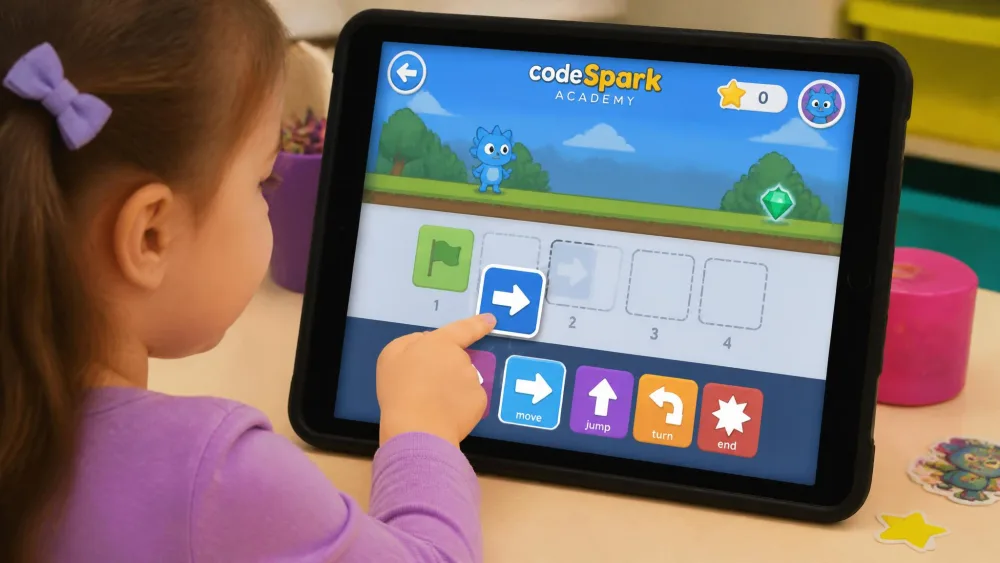
Ages: 3-5 · Format: App · Price: Subscription · Platform: Tablet · Coding skill taught: Sequencing
codeSpark Academy is built for children who can't read, and it shows on every screen. Instead of words, your child drags picture commands onto a track and watches a character run them in order. Puzzles come first, then a build mode for making small games.
What we liked: No reading anywhere in the app. What to watch for: It bills monthly, and the build mode outgrows a three-year-old fast. Best for: Pre-readers.
2. Coding Critters Ranger & Zip - Best Screen-Free Pick for Pre-Readers
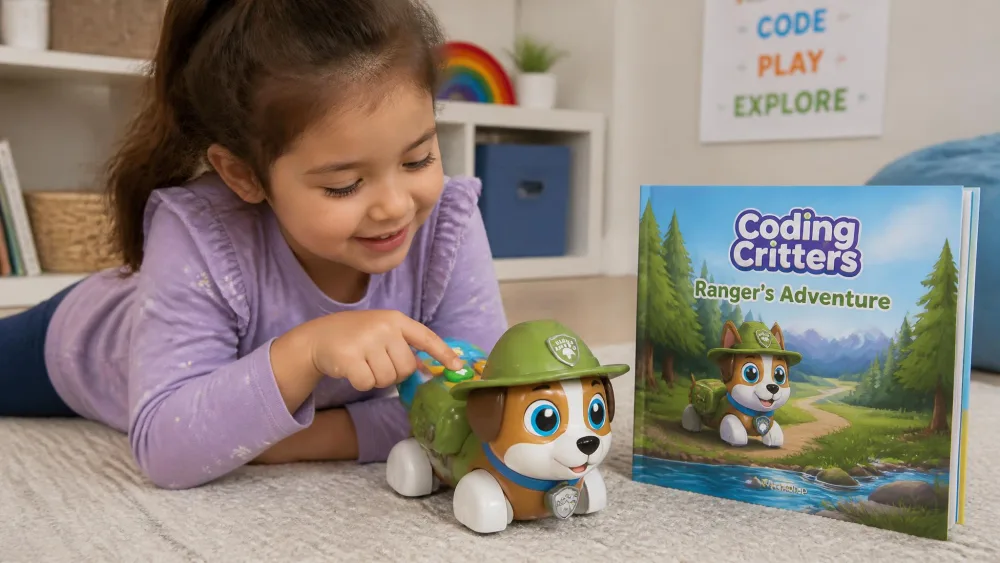
Ages: 4 and up · Format: Screen-free toy · Price: About $37 · Platform: None · Coding skill taught: Sequencing
A just-turned-three-year-old can code the dog to the next scene, which is a full year below the 4 and up printed on the box. The storybook does the teaching instead of a manual, so your child follows the pages and presses direction buttons to send Ranger where the story needs him. This 22-piece playset asks for no reading at all, and the coding is pressing buttons in order and nothing more.
The window at the top is short. A six-year-old is interested for a few minutes and then finished. A two-year-old in the same house keeps playing, because Ranger works perfectly well as an ordinary pet. Bought below the label, it earns its keep as a toy to grow into. The play mode carries the first months, and the coding comes into use later.
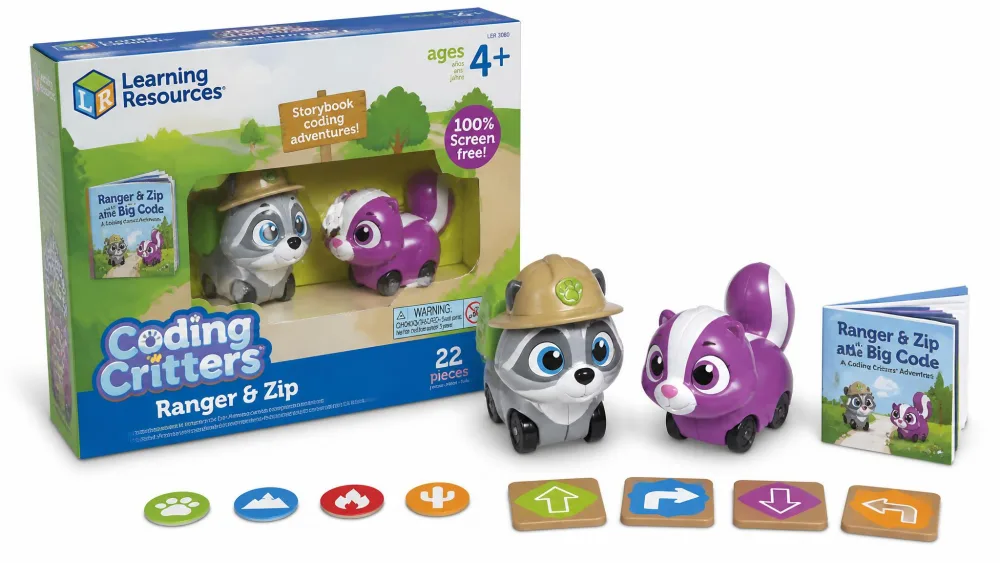
What we liked: A storybook that carries a non-reader. What to watch for: Small pieces vanish and accessories break early. Best for: Three- and four-year-olds.
3. ScratchJr - Best Free App for Ages 3-5
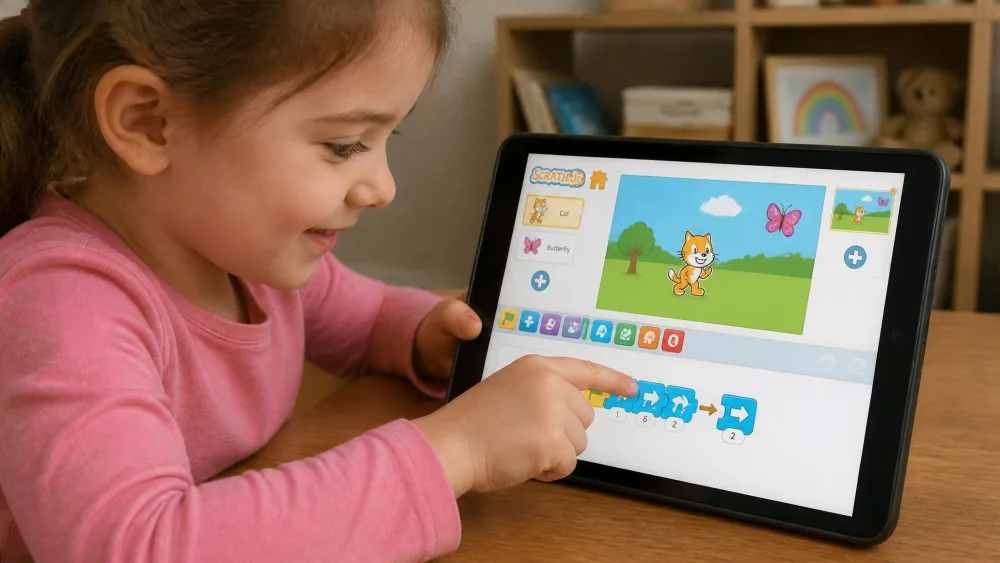
Ages: 5-7 · Format: Free app · Price: Free · Platform: Tablet · Coding skill taught: Events, loops
ScratchJr is the free one to start with, and it suits the older end of this band. Kids snap picture blocks together to make characters move, jump and talk, then tap the green flag and watch it run. Grab it from ScratchJr on the App Store or Google Play.
What we liked: Genuinely free, with no account and no upsell. What to watch for: Under five, children need an adult tapping alongside. Best for: A five-year-old ready to build something.
Also worth a look at this age is Code Karts, which codes a small racing car round a track, and preschools tend to buy the TTS Bee-Bot, a floor robot that stores a 200-step sequence.
Best Coding Games for Kindergarten and Early Elementary (Ages 5-7)
Where the preschool picks stop at pressing buttons in order, five to seven is the band where a child holds a whole sequence in their head, so these games become real programs.
4. Osmo Coding Starter Kit - Best Overall for Ages 5-7
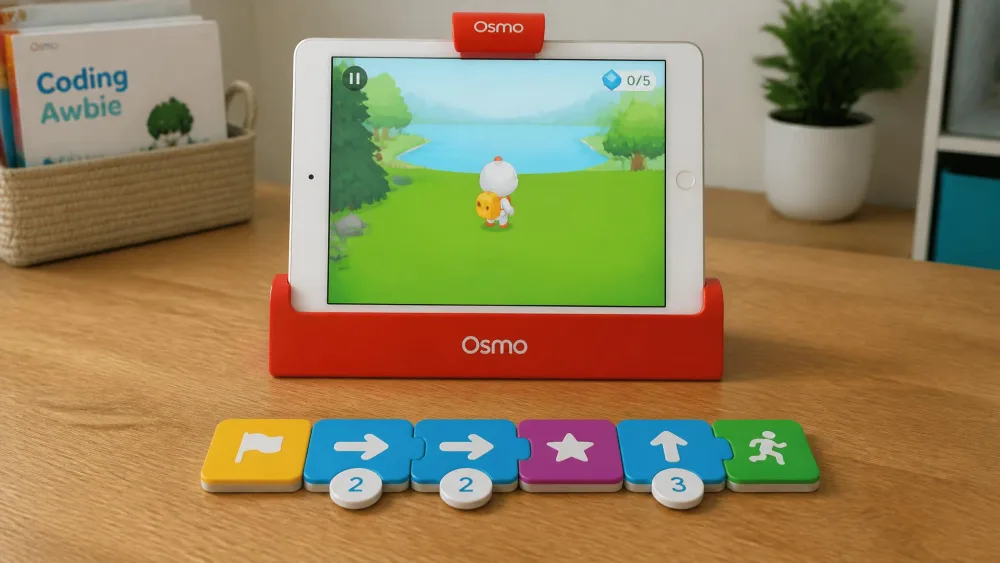
Ages: 5-10+ · Format: App plus blocks · Price: About $59 · Platform: iPad, iOS 15+ · Coding skill taught: Subroutines
The coding here happens on the table rather than on the screen. A five-year-old with a settled attention span lays out the blocks and drives Awbie through them without reading. At four it is still a two-person job, with a grown-up explaining why Awbie went the wrong way. Thirty-one chunky blocks snap together and the iPad camera reads the sequence, and the Osmo Coding Starter Kit ships 3 games, with Coding Duo alone carrying more than 60 puzzles.
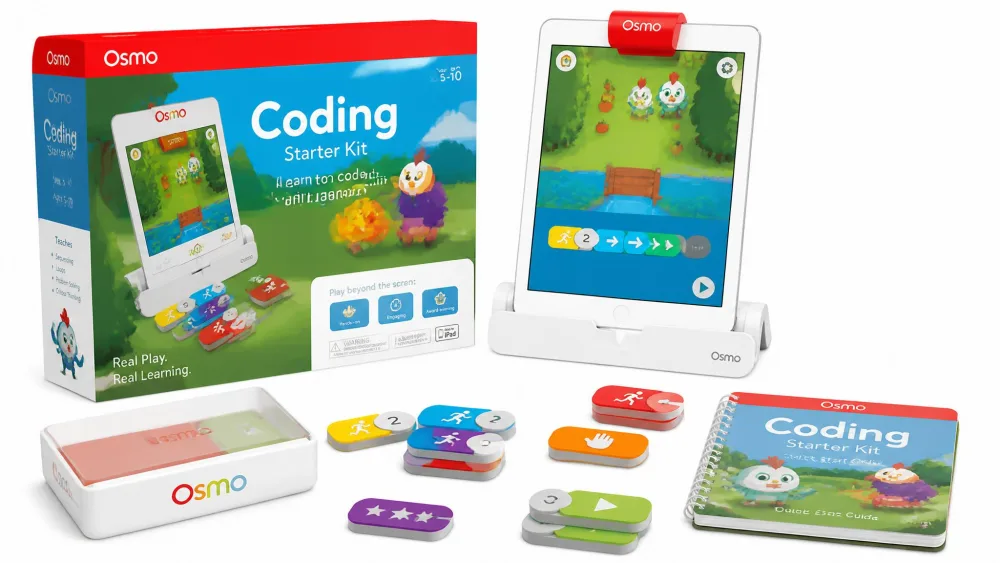
What we liked: Blocks that survive constant handling. What to watch for: No iPad included, iOS 15 or later required, and the app layer fails first. Best for: A five-year-old with an iPad already in the house.
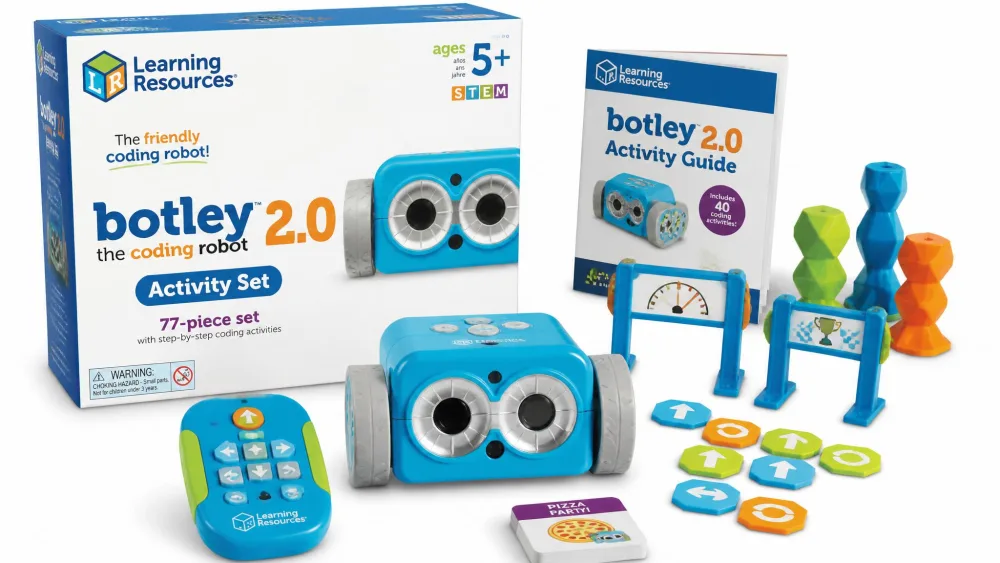
5. Botley 2.0 Activity Set - Best Coding Robot for Ages 5-7
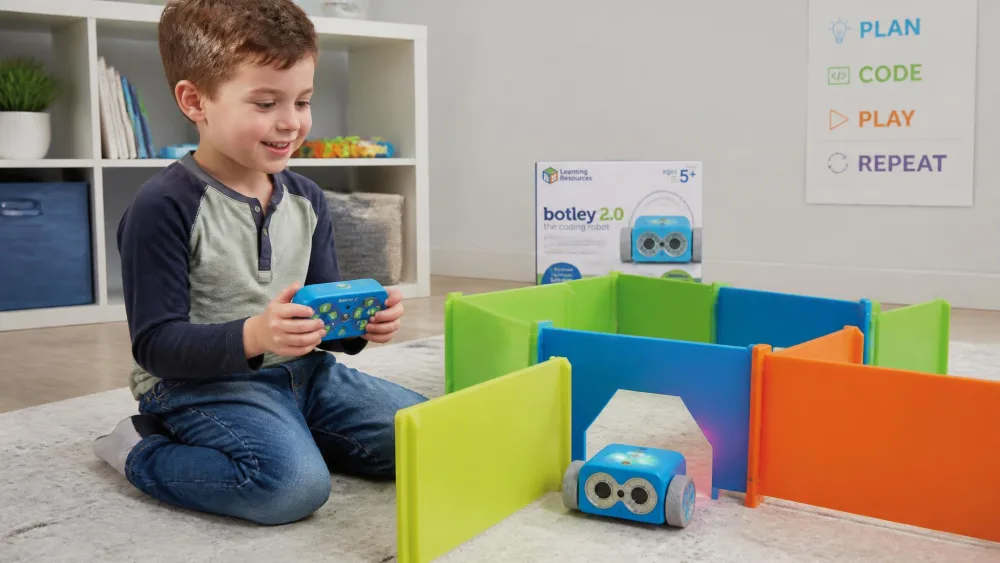
Ages: 5 and up · Format: Screen-free robot · Price: About $96 · Platform: Remote · Coding skill taught: Loops, detection
A four-and-a-half-year-old can enter a sequence on the remote and run a whole obstacle course alone, after a few guided goes. Botley the Coding Robot 2.0 codes from that handheld remote, so no phone or tablet enters the room. The 78-piece set holds enough walls to keep building new courses. Run it on a hard floor, because on carpet it drifts and its 90-degree turns come out crooked.
What goes wrong here goes wrong early. A set bought on Prime Day and saved for a birthday can stop taking commands three days after it comes out of the box, and that is the real risk with this robot. Weak batteries are the far more common culprit, though, and a fresh set fixes what looks like a defect. The remote has no off switch either. Between it and the robot, a heavily used Botley can get through something like twenty AAA batteries in a month.
What we liked: 16 coded interactions, none needing a device. What to watch for: The priciest of our 5-7 picks, and lights without movement means weak batteries. Best for: Keeping coding off the tablet.
6. ThinkFun Robot Turtles - Best Board Game for Ages 5-7
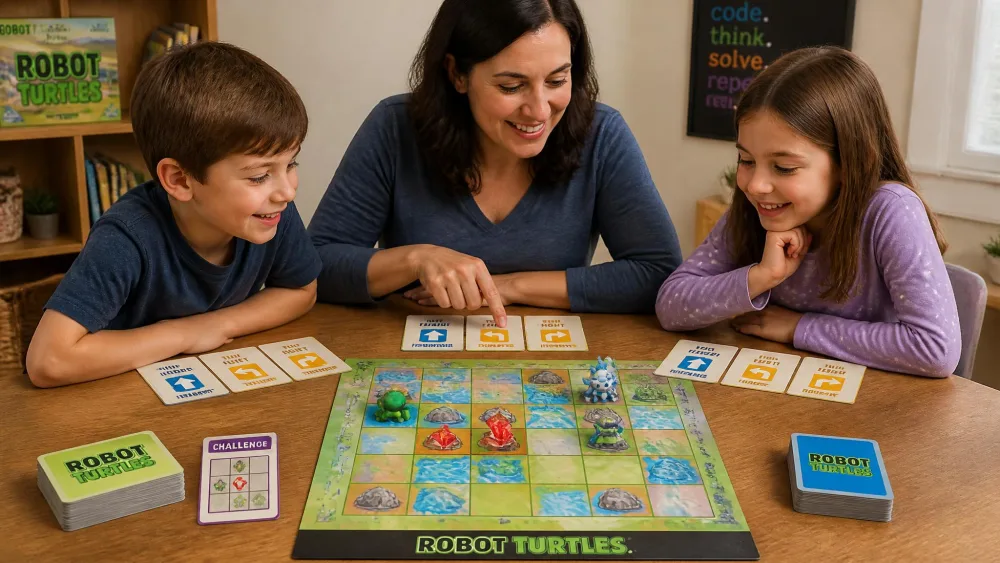
Ages: 4 and up · Format: Board game · Price: Not listed · Platform: None · Coding skill taught: Debugging
The clever move in ThinkFun Robot Turtles is that the adult plays the computer. Your child lays down a card sequence and you move the turtle exactly as written, wrong turns included, which is how a four-year-old first sees their own bug. It takes 2 to 5 players and gets harder as you add obstacles and code cards.
The engagement window is narrower than the 4 and up suggests. A quick four-year-old can beat the hardest layout an adult manages to build within two days of the box arriving, while a ten-year-old drifts off during the easy opening rounds. The whole run can also be Christmas to early January, with a five-year-old playing it a handful of times and then refusing it as boring.
What we liked: Moving the turtle wrong on purpose beats any app at debugging. What to watch for: Replay value fades once the move cards click. Best for: Family play, ages 4 to 7.
Two apps we'd also shortlist are Kodable, which runs a fuzzy character through maze levels, and Lightbot, where every level is a small program you have to shorten.
Best Coding Games for Elementary Kids (Ages 8-10)
By eight, most kids read an interface unaided, which opens up the free platforms and the harder puzzles.
7. Wonder Workshop Dash - Best Overall for Ages 8-10
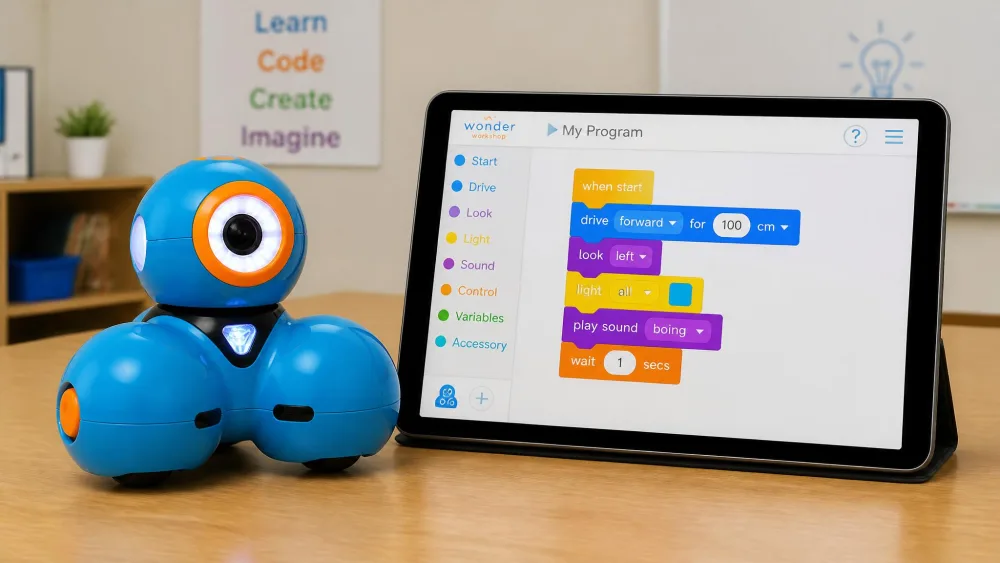
Ages: 6 and up · Format: Robot plus app · Price: About $190 · Platform: iOS, Android, Fire · Coding skill taught: Loops, variables
Wonder Workshop Dash arrives built and runs on 5 apps, so one robot works as a drive-it toy for a four-year-old and a Blockly project for a nine-year-old. Blockly is where the real coding lives: sequences, then loops, then variables. A charge covers up to 5 hours of active play.
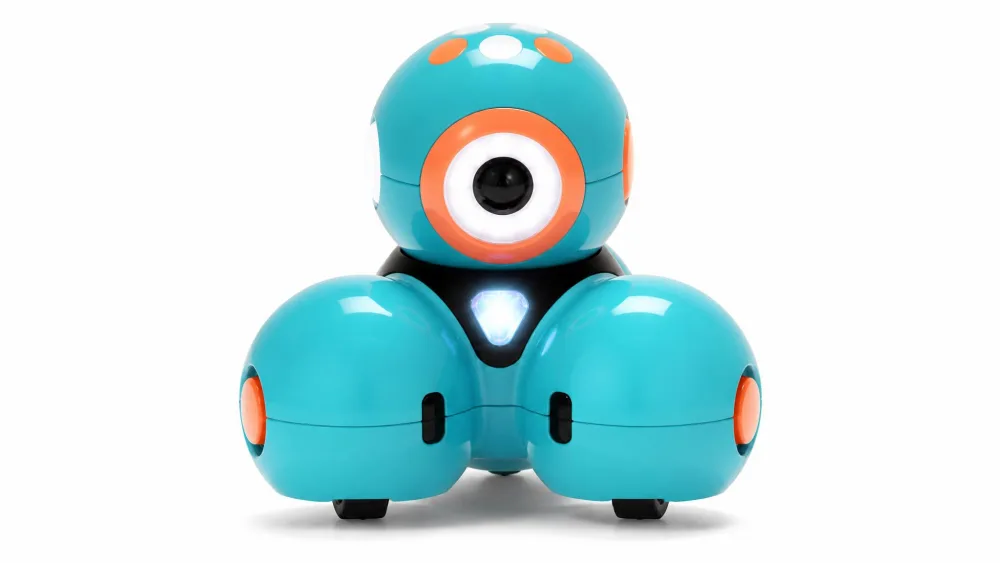
The failure clock is the thing to know before you spend this much. Wheels are the usual casualty, and one can stop turning after a single day on a hardwood floor. Other units simply stop holding a charge before the first year is out. Software finishes off the rest, and a unit bought in 2019 can work for years before an Android app update leaves it unable to connect at all.
What we liked: One robot covers four to nine without buying twice. What to watch for: No printed manual, wheels and battery fail first, and Bluetooth drops. Best for: Ages 8-10 with a younger sibling.
8. Scratch - Best Free Platform for Ages 8-10
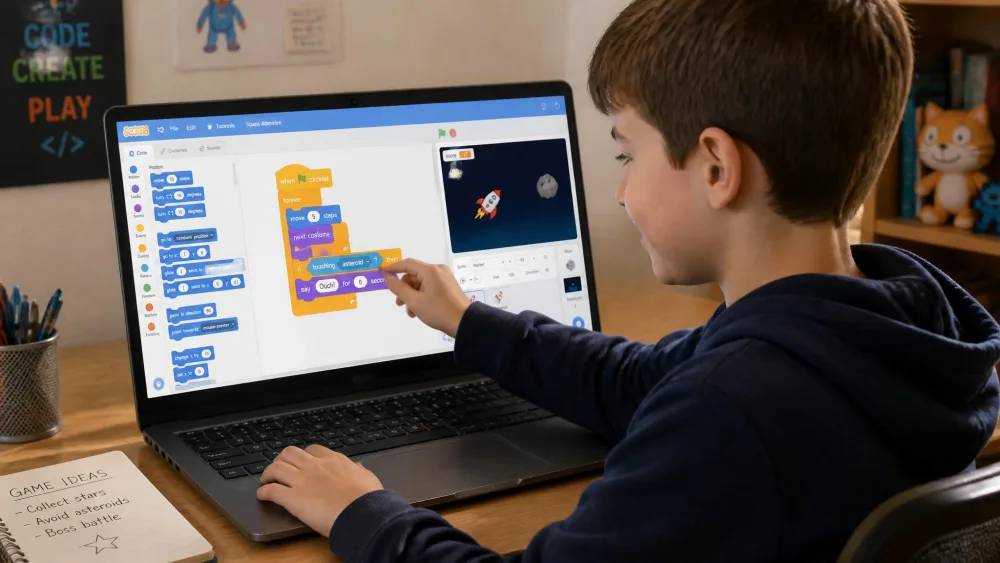
Ages: 8-10 · Format: Free website · Price: Free · Platform: Browser · Coding skill taught: Loops, conditionals
Scratch is the free block-coding platform from MIT, and nearly every other tool here quietly imitates it. Kids drag coloured blocks into scripts to build games, animations and stories, then publish them for other children to remix. Nothing installs, nothing costs money, and there's nothing to purchase.
What we liked: Free forever, with a remix culture that keeps kids returning. What to watch for: A blank canvas, so a child who wants levels may bounce off. Best for: Ages 8 and up.
9. ThinkFun Code Master - Best Screen-Free Pick for Ages 8-10
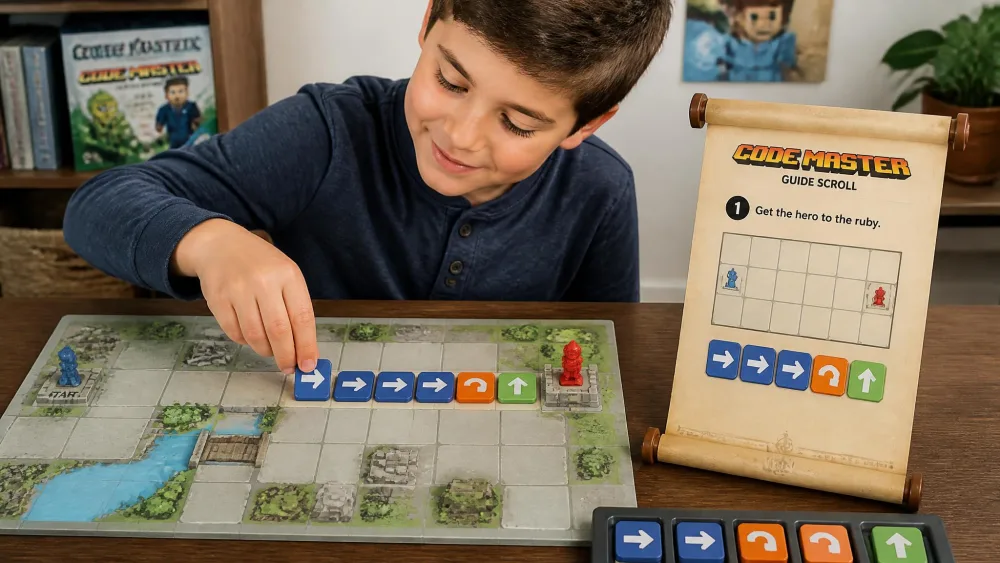
Ages: 8 and up · Format: Logic puzzle · Price: About $40 · Platform: None · Coding skill taught: Conditionals
A parent who codes for a living can get stuck on the later maps, which tells you how far this one goes. Your child sequences 12 action tokens to move an avatar through a map collecting power crystals, and the conditional tokens carry the if-then step most screen-free games skip. ThinkFun Code Master runs to 60 levels across 10 maps with no screen and no batteries.
It doesn't finish in a week either. A nine-year-old picks it up and runs with it unaided. An eight-year-old plays it alongside a parent, and a six-year-old is still working through the levels long after opening it. What it won't do is hold every child, and attention runs out for some kids even where the adult can see exactly what the logic is teaching.
What we liked: Real if-then logic on the table, with nothing to charge. What to watch for: A thin booklet, and one player only. Best for: Ages 8-10 who like puzzles more than robots.
If you want something free on the tablet as well, Cargo-Bot is a puzzle about moving crates with the shortest program, and Hopscotch lets kids build games and play each other's.
Best Coding Games for Middle Schoolers (Ages 11-13)
The eight-to-ten picks still look like toys, and middle schoolers want something closer to the real thing without being dropped into a bare text editor.
10. Makeblock mBot - Best Overall for Ages 11-13
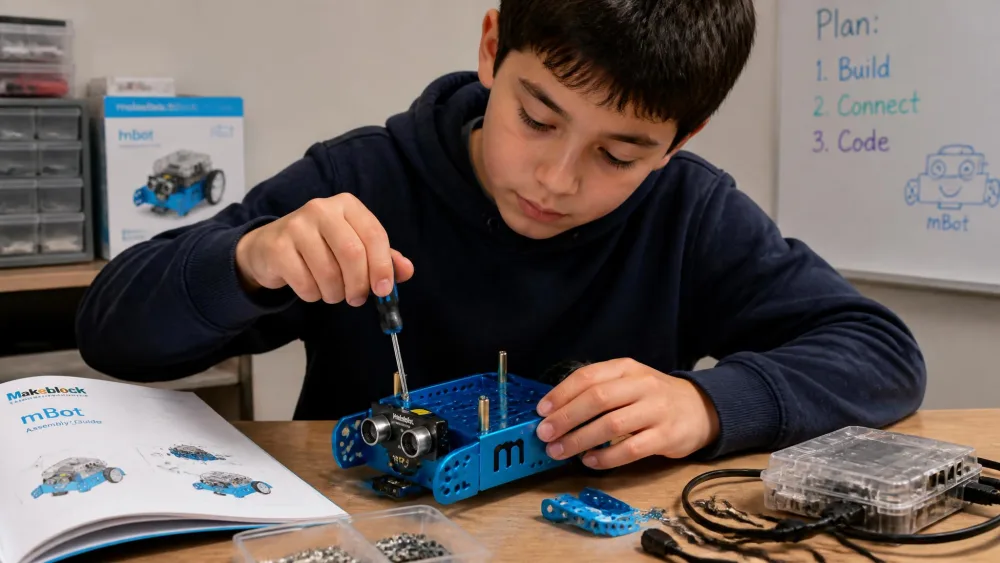
Ages: 8-12 · Format: Build kit · Price: About $70 · Platform: Computer · Coding skill taught: Blocks, Arduino
You build this one first, which is half the appeal at this age. The metal chassis goes together in about 15 minutes from illustrated instructions, and a nine- or ten-year-old manages it unaided. The Makeblock mBot then runs Scratch-style blocks in mBlock and steps up to Arduino. It takes add-on modules and LEGO parts, so it grows with your child.
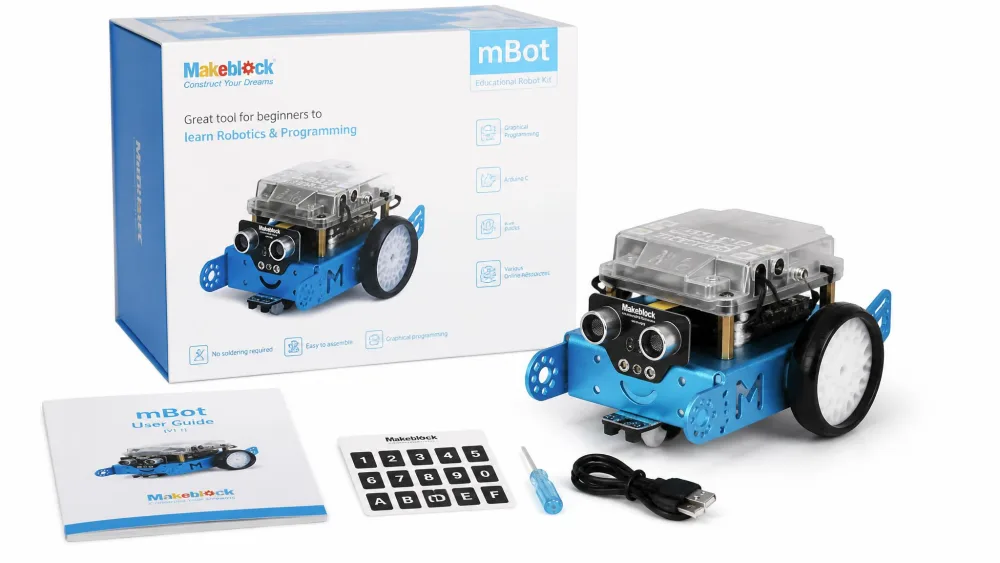
What we liked: The build teaches as much as the code. What to watch for: 4 AA batteries and a CR2025 aren't included. Best for: Kids who'd rather assemble than unbox.
11. Tynker - Best for Minecraft and Roblox Fans
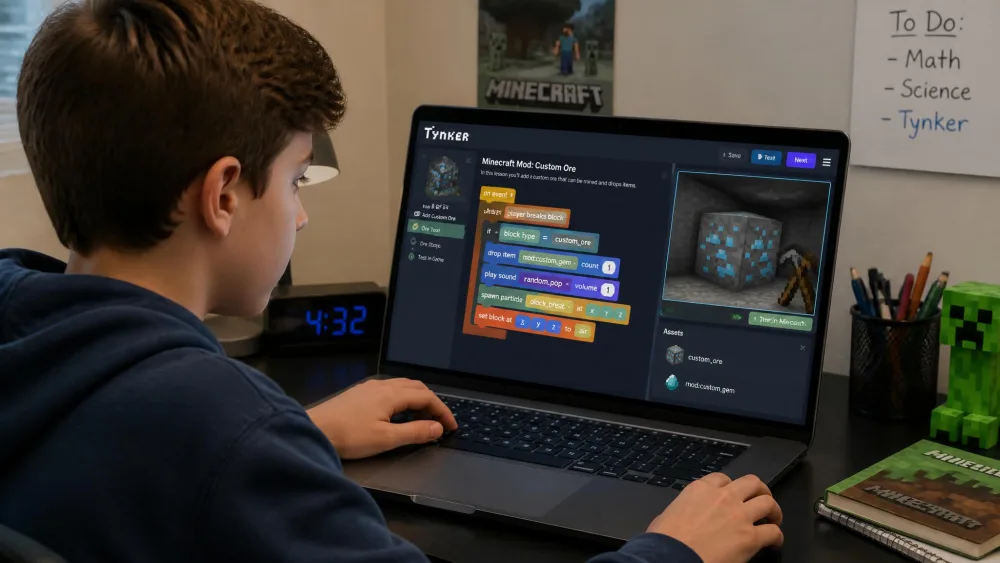
Ages: 11-13 · Format: App and web · Price: Subscription · Platform: Tablet, browser · Coding skill taught: Modding
If your child's whole world is Minecraft or Roblox, Tynker meets them where they already are. Its courses climb from drag-and-drop blocks to typed JavaScript and Python, and many are built around modding those games, so coding stops being a separate activity you nag about. Minecraft Education covers similar ground and is often available through a school account.
What we liked: Modding removes the "why am I doing this" problem. What to watch for: A recurring subscription, so diary the renewal date. Best for: Ages 11-13 who play Minecraft.
12. Code.org - Best Free Challenge Site for Ages 11-13
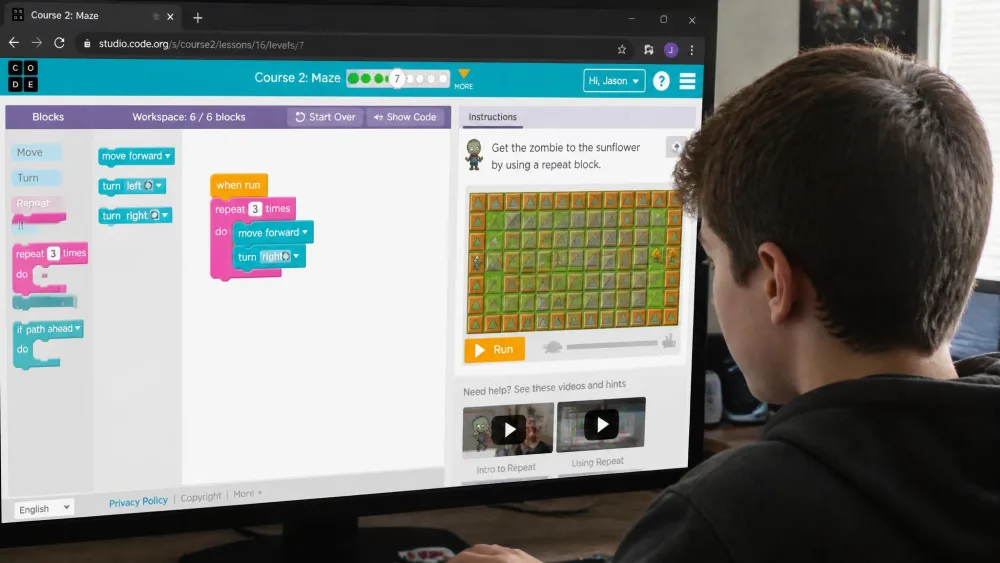
Ages: 11-13 · Format: Free website · Price: Free · Platform: Browser · Coding skill taught: Functions
Start with an Hour of Code puzzle, which is a self-contained twenty-minute problem built around characters your child already recognises. Code.org runs the free challenge courses most schools use, and nothing stops a family working the same material at home. After that the full courses run in order, sequences to loops to functions, and the move to typed JavaScript is handled gently.
What we liked: Free, structured and properly sequenced. What to watch for: It reads like schoolwork to some kids, largely because it is. Best for: Ages 11-13 who want a set path.
CodeMonkey belongs on the same shortlist, teaching typed code through a character collecting bananas, and the Sphero Mini is the cheapest route into the app the BOLT uses.
Best Coding Games for Teens (Ages 14+)
Teenagers need somewhere left to climb, so these three all lead to a language someone could be paid to write.
13. Sphero BOLT - Best Overall for Teens
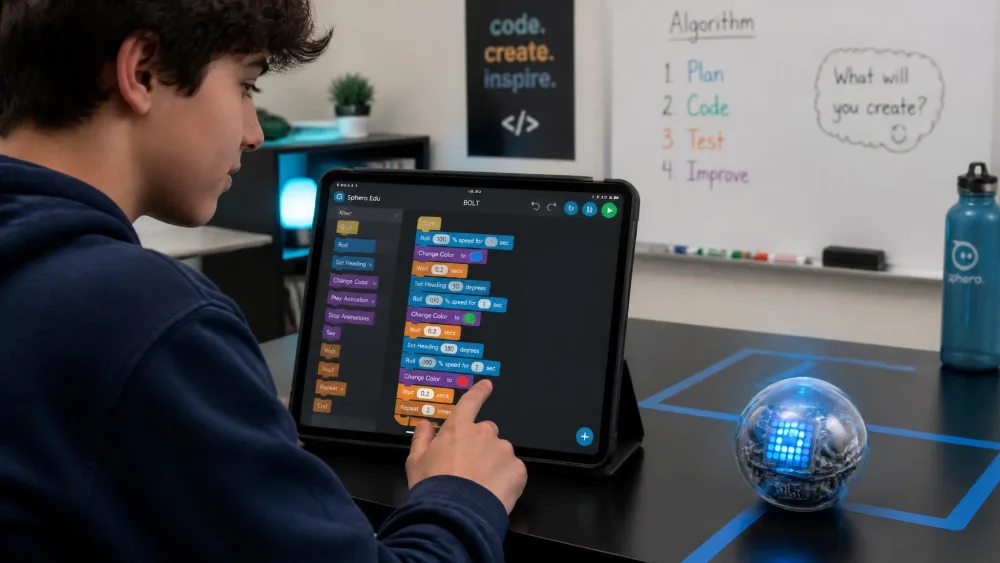
Ages: 8 and up · Format: Robot plus app · Price: About $179 · Platform: iOS, Android · Coding skill taught: JavaScript, Python
A fourteen-year-old given a Sphero BOLT at Christmas can still be using it months later through a homeschool co-op, which is the strongest argument for spending this much on a ball. The Sphero Edu app gives 3 ways to code it. You draw a path with a finger, snap blocks together, or type JavaScript and Python. A teenager can start in blocks on Tuesday and be typing by the weekend. A charge covers 4 hours or so, which is a long afternoon or a class.
It can also stop dead on night one. A ten-year-old who would rather build her robots than drive them used one on her birthday, lost half an hour to pairing, and never brought it out again. A twelve-year-old starting from block code goes the other way. She stays in it for weeks by setting her own projects, from LED animations to obstacle courses to messages driven into the next room.
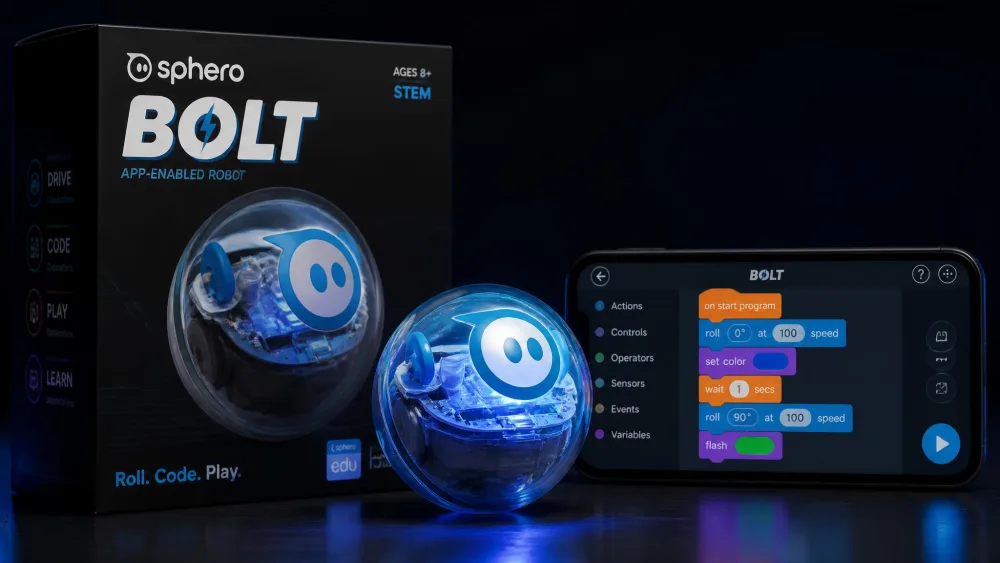
What we liked: Programmable sensors and an LED matrix a teenager can drive directly. What to watch for: Nothing to assemble, and the shell scuffs within days. Best for: Teens who want hardware.
14. Makeblock mBot2 - Best for Learning a Real Language (Python or JavaScript)
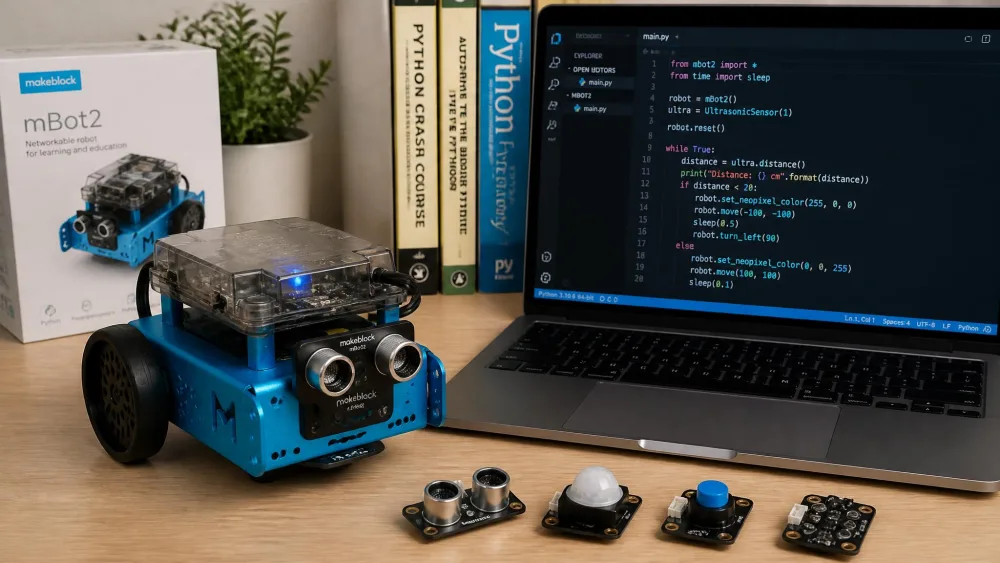
Ages: 8-14 · Format: Build kit · Price: About $160 · Platform: Computer · Coding skill taught: Scratch, Python
This is the pick for a child ready to stop dragging blocks around. The Makeblock mBot2 builds in about 30 minutes, and the preloaded demo confirms the wiring before anyone writes a line of code. It carries 10 or more sensors, and the bundled material runs to 24 projects and 8 courses spanning Scratch and Python. The Wi-Fi module lets several robots share one program.
What we liked: One robot carries a teenager from blocks to Python. What to watch for: The listing gives two age ranges, and the app is the weak side. Best for: Ages 14 and up who want the language.
15. CodeCombat - Best Free Way to Keep Practising
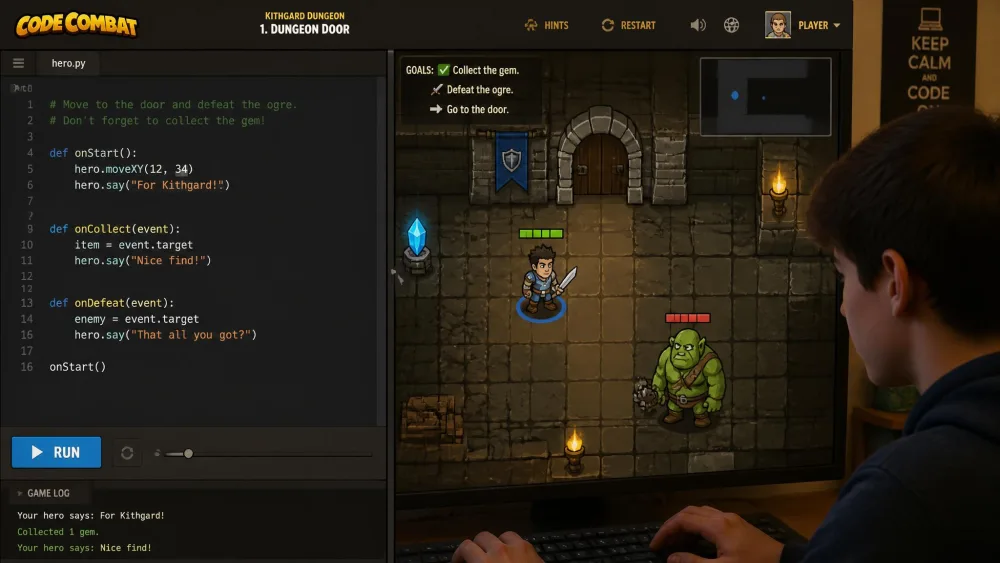
Ages: 14+ · Format: Free, paid tiers · Price: Free tier · Platform: Browser · Coding skill taught: Python syntax
CodeCombat turns typed code into a game, which is the trick that keeps practice going once blocks lose their shine. Your teenager types real Python or JavaScript to move a character through levels, and a syntax error simply stops the hero instead of throwing a wall of red text. Use it between projects rather than as the main event.
What we liked: Typed syntax with instant feedback, free to start. What to watch for: Only the early worlds are free. Best for: Ages 14 and up who need reps.
Once the syntax clicks, Codewars and CheckiO are free places to keep those reps going.
How We Picked These Coding Games
If you want to know where these judgments came from before trusting them, here's the basis in plain words.
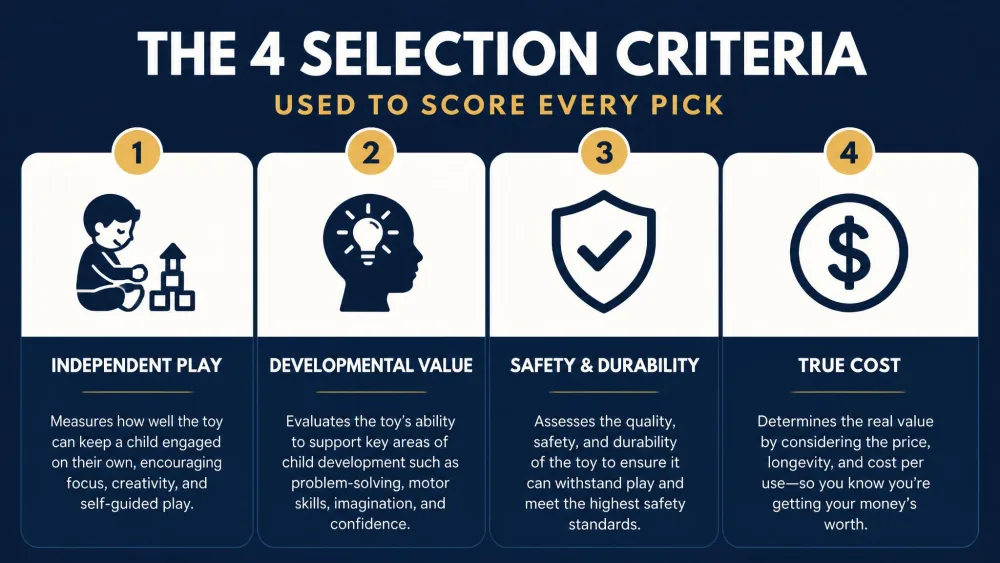
Every pick was scored on four things:
- Whether a child can run it without an adult permanently attached.
- Whether the coding is real sequencing, not button-pressing dressed up.
- Whether it survives longer than a fortnight once the novelty passes.
- What it truly costs, counting batteries, tablets and subscriptions.
That last question separates these fifteen faster than anything else, because the same three patterns keep coming round. Some of these games never really get played at all. They stall on the first evening over a login that will not work, a tablet the app does not support, or a drive wheel that gives out on day one. Others carry a child for a few weeks, then go quiet once the basic idea has clicked.
Robot Turtles is the clearest case of that, and an mBot2 built at Christmas can sit untouched for the three months afterwards. The ones that keep going are the ones where a child starts setting her own challenges instead of working through the supplied ones. Two players taking turns to build mazes for each other will outlast any pack of supplied levels.
Age does the rest of the sorting, and the useful age is often not the one printed on the box. A three-year-old codes the Coding Critters dog happily, while a six-year-old is done with it inside one sitting. The Code & Go mouse has a real window of roughly four to seven, and Code Master says eight but lands squarely with a seven- to nine-year-old. One Dash covers four to nine because its apps split by age.
NoteEvery judgment here is written as what happens to the product in the households that own it, not as a story about our own children. Those judgments rest on the makers' listings for specs, ages and contents, and on the review record of owners who have lived with these products for months. That is where details like Botley drifting on carpet and Dash's wheels failing first have come from. The app and website picks carry no retail listing at all, so check prices and free tiers on the vendor page before committing.
Screen-Free vs App-Based Coding Games: Which Should You Buy?
Those four criteria come down to one decision for most parents, so it's worth being clear what each side of it costs you.
Both sides teach the same ideas and fail in different ways. Screen-free sets fail physically, with flat batteries, a wheel that stops turning, or a mouse that beeps but won't drive. App-based picks fail in software: a login that stops working, a dropped Bluetooth link, a tablet the app no longer supports. If a broken robot in week three would end the experiment in your house, the two board games are the safest money here.
The Code & Go Robot Mouse Activity Set is the classic middle ground, with 16 maze grids and 30 coding cards, and preschools buy the TTS Bee-Bot for the same reason. A five-year-old who has been shown two activity cards will run the whole thing alone, laying the tiles, building the maze and programming the route. Getting there on the third attempt is a normal first result. For the electronics angle, see our Snap Circuits Explore Coding review and our Snap Circuits Code Journey review.
| Criteria | Screen-free picks | App-based picks |
|---|---|---|
| Cost now | About $37 to $96 | Free to about $190 |
| Setup | Batteries and a screwdriver, or nothing for the board games | A tablet or computer, plus an app install or Wi-Fi pairing |
| Adult help | High at first for robots, then independent; board games need an adult as the computer | Setup is the adult's job, and failures are software rather than logic |
| Start age | 4 for Code & Go, Coding Critters, Robot Turtles; 8 for Code Master | 5 for Osmo, 6 for Dash, 7 for Artie, 8 for Sphero and mBot |
| What it teaches | Sequencing and debugging by watching the robot go wrong | The same, plus Blockly, JavaScript and Python |
How to Choose the Best Coding Game for Your Child
If you're still deciding, four questions narrow fifteen picks down to one or two.
Match the game to reading level, not just age
The age on the box tells you about hand size and patience. Reading level tells you whether your child can use the thing alone, which is a different question. A confident five-year-old reader works happily through Kodable on a tablet, while a six-year-old still sounding words out does better with Botley's remote or the Coding Critters storybook.
Parent tipIf your child can't yet read a sentence without help, choose a game whose instructions are pictures, buttons or a storybook. Screen-free robots and icon-driven apps let a pre-reader work alone, and working alone is where the confidence comes from.
Look for progressive difficulty so it lasts more than a week
Ask what the game looks like on day thirty. Code Master's 60 levels are still going well past that point, while Robot Turtles runs out once the basic move cards click. The Artie 3000 from Educational Insights shows the pattern best, accepting 4 coding languages from Blockly and Snap! up to Python.
Check the real cost: subscriptions, in-app purchases, and extra kits
The sticker price is rarely the real one. Osmo needs an iPad you already own, and Botley wants 5 AAA batteries and a screwdriver on day one. The Botley 1.0 Activity Set does nearly the same job for about thirty dollars less. The Osmo Coding Family Bundle is the games-only route at about $39.99 if you own a base, and the Sphero Mini reaches the same app far cheaper. The Code & Go Robot Mouse on its own now costs about the same as the full set, so compare both.
Watch outSubscription coding apps renew on their own, and a free tier often stops a few levels in. Before signing up, check what the free portion covers, put the renewal date in your calendar, and switch off in-app purchases on your child's device.
Decide how much adult setup and co-play you can commit to
Some of these need you in the room and some genuinely don't, so be honest about the evenings you have.
- Needs an adult throughout: Robot Turtles, and Osmo with a four-year-old.
- Setup only, then runs alone: Botley, Dash, mBot and mBot2.
- Solo from the start: Code Master, Scratch and Code.org.
Frequently Asked Questions
These are the questions that come up most when parents start shopping for a coding game.
At what age can kids start coding games?
Around three or four, as long as the game needs no reading. Coding Critters works from a storybook and Robot Turtles is rated four and up, because a grown-up does the moving. Anything asking a child to read menus is realistically a five-plus purchase.
Are free coding games as good as paid ones?
For the core ideas, yes. Scratch, ScratchJr and Code.org cost nothing and teach sequencing, loops and conditionals as well as anything here. What you pay for is structure, a physical robot, or a game shaped tightly enough to hold one child.
What happens when a screen-free coding robot breaks?
Change the batteries before you decide it has broken, because a robot that lights up and makes noise but won't roll is usually running flat. If it really has stopped taking commands, the replacement comes through the retailer you bought it from rather than the brand, so keep the order confirmation somewhere you can find it.
Can a parent who has never coded actually help?
Yes, and the better picks are built for exactly that. Code Master ships an answer key so you can check a solution you couldn't have found yourself, and Robot Turtles only asks you to move the turtle precisely as the cards say. The build kits are the harder ask, since mBot2's documentation is thin enough to stop an adult who does code.
How much screen time is reasonable for coding games?
Treat it as ordinary screen time rather than an exception that doesn't count. Alternating works well: a screen-free set on school nights and tablet-based picks at weekends, which also stops either going stale.
What programming languages do kids learn, and when should they move from games to real code?
Block coding comes first, usually Scratch or something Scratch-shaped, from about eight. Python and JavaScript typically start between twelve and fourteen, and the smoothest bridge is a tool offering both, such as Sphero BOLT's text mode.
Final Verdict: Our Top Coding Game Picks by Age
If you'd rather have one recommendation per age than fifteen picks to weigh up, this is it.