Snap Circuits Jr. Review: What Kids Build With the SC-100 Kit
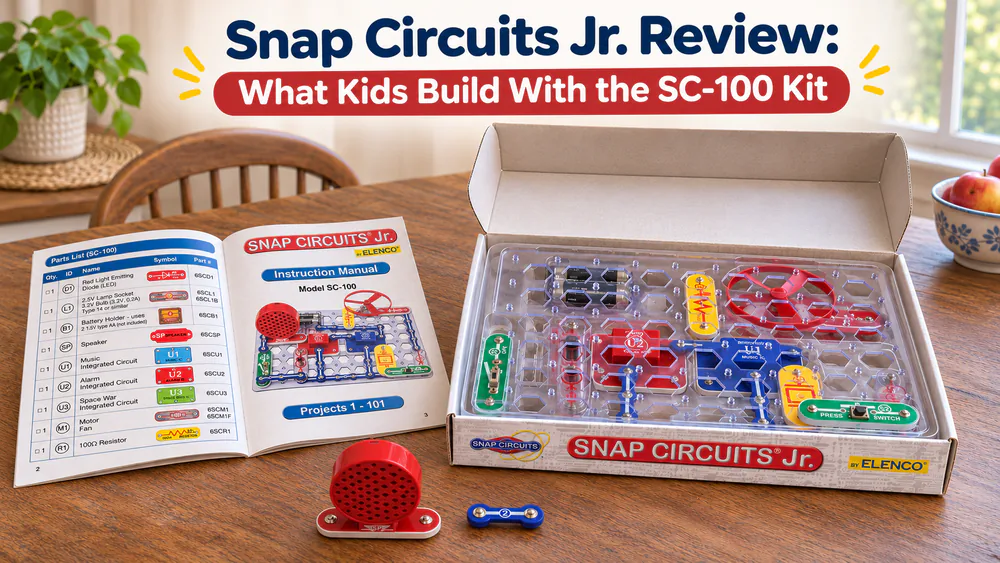
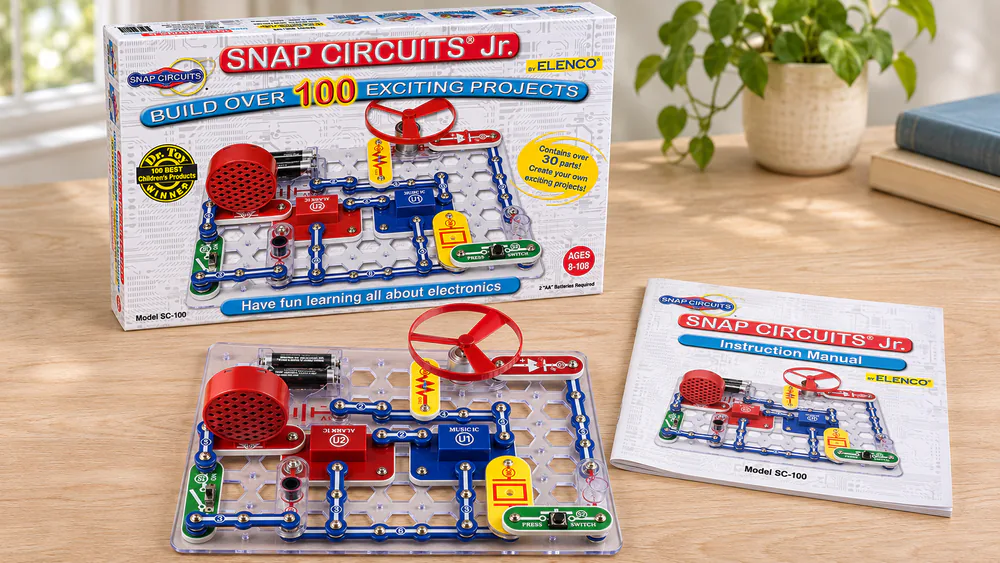
Snap Circuits Jr. (SC-100) is a starter electronics kit for ages 8+. It comes with instructions for over 100 projects, and the parts snap together on a plastic grid with no tools required.
This overview covers what the kit includes, what you need to add, how it compares with larger kits and whether it deserves a place on your shelf.
What Is Snap Circuits Jr.?
Snap Circuits Jr. teaches basic circuits without wires to strip or solder. Numbered, color-coded pieces snap onto a plastic base grid, and the manual shows which piece goes where. The kit also includes the maker's Circuit Safe protection, a patented safety device built into Snap Circuits products.
Who It Is For (Ages 8+)
The maker lists the kit for ages 8 and up. Younger kids can still take part. The first circuits are simple, and the numbered pieces and clear diagrams are easy to follow, even for a 5- or 6-year-old with a grown-up helping.
Kids who already like taking electronics apart tend to love this kit. They take circuits apart, rebuild them into something new, and do not get bored quickly.
What's in the Box
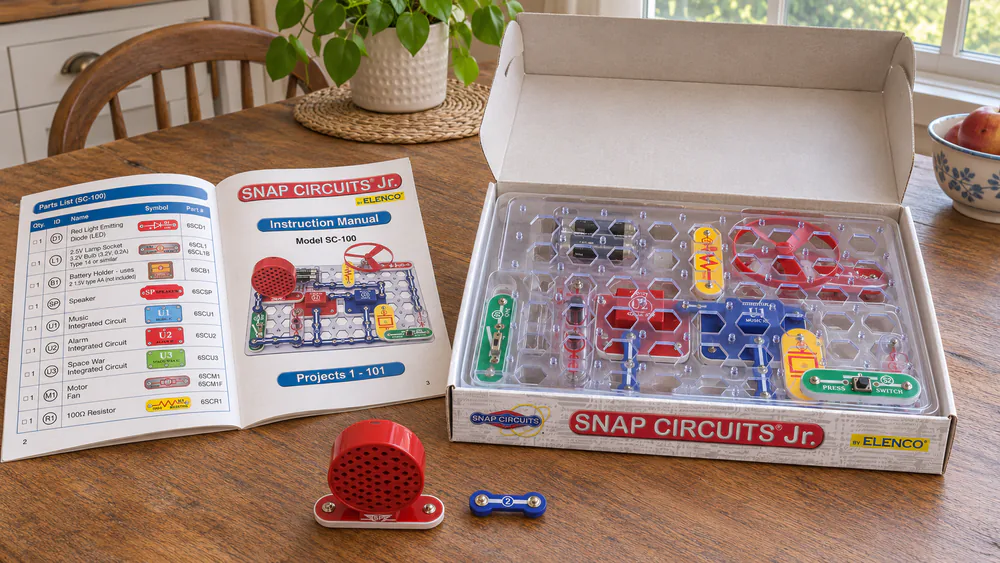
Everything snaps onto the grid that comes with the kit. There is nothing to cut, strip, or solder.
Parts and the 100 Projects
The kit has around 30 parts. These include snap wires, slide switches, a speaker, a music chip, an alarm circuit, and lamp and motor-type output parts. The full color illustrated manual covers over 100 projects, from a simple light to alarms, doorbells, and a flying saucer. The maker's kit page lists the contents if you want to check before buying.
Kids who want more of the same can look at our Snap Circuits Classic SC-300 page, which covers a larger kit.
Batteries and Other Things You Need
The kit needs 2 AA batteries, and they are sold separately. Put them in before the first build, or your child will have a finished circuit that does nothing.
Watch outThe kit is not for children under 3. It has small parts, which are a choking hazard, and it contains a cord. Keep the pieces and the batteries away from toddlers, and put everything back in the box after each session.
How It Works: Building a First Circuit
Your child follows the manual's numbered diagram, placing each matching piece on the grid and pressing it down until it snaps. Add the batteries, flip the slide switch, and the lamp or motor responds.
Some projects point to online material. That adds a screen to a kit that is otherwise screen-free, and the printed manual should be enough on its own.
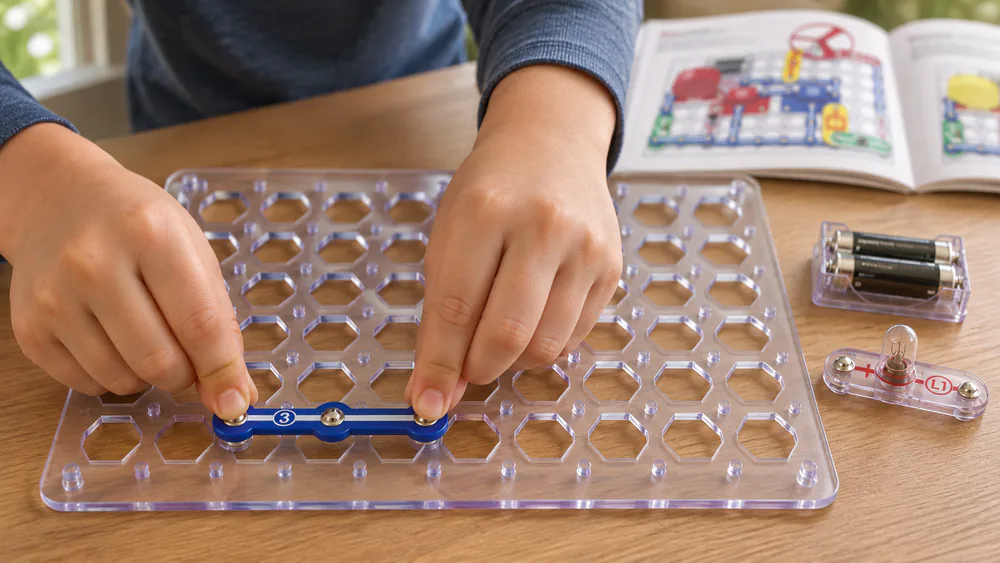
NoteOur best advice is to build the first three projects exactly as shown, then let your child change one thing at a time. Swapping a lamp for a speaker teaches more than another perfect copy.
What Kids Learn Along the Way
Kids learn that a circuit is a complete loop, that a switch opens and closes it, and that different parts do different jobs. Because the pieces rebuild into new layouts, the kit rewards curiosity. It also works well as a shared activity, since children, parents, and older siblings can all build together.
For deeper detail on individual builds, see our Snap Circuits Jr. SC-100 review.
What We Liked and What Frustrated Us
The kit is easy to follow and easy to start. The weak points are the snaps and the packaging.
Pros
- Snap-together parts, no tools or soldering required
- Over 100 projects in an easy-to-follow color manual
- Simple first circuits that build confidence
- Pieces can be taken apart and rebuilt into new projects
- Screen-free, and good for building together
Cons
- Some pieces feel fragile, and a few do not snap on securely
- Connections can wear out with heavy use, so check the maker's support if a part fails
- Some projects point to online material
- The cardboard box is not sturdy enough for long-term storage
A plastic bin for the pieces solves the box problem.
Between sessions, keep the batteries outside the box and let your child lead the cleanup, sorting pieces by number. That way the next build starts quickly, and nothing small ends up under the couch.
Manuals and Downloads
Beyond the printed manual in the box, the maker hosts a copy online, so the official Snap Circuits Jr. manual is a good backup if the printed copy goes missing. A digital copy is also handy when two kids want to build different projects at the same time.
The download is also useful if you buy the kit as a gift. You can read through the first few projects ahead of time and see what your child will build on day one. You can also check whether the kit suits your child's age and interests without opening the box, helping you keep a gift a surprise.
Specs at a Glance
| Spec | Snap Circuits Jr. SC-100 |
|---|---|
| Model | SC-100 |
| Ages | 8+ |
| Projects | Over 100 |
| Parts | Around 30 |
| Power | 2 AA batteries (not included) |
| Tools needed | None |
| Safety note | Not for children under 3 |
Snap Circuits Jr. vs. Jr. Select vs. Jr. 130 Access Kit
The Jr. Select (SC-130) is the natural upgrade. It has 133 projects in its color manual, around 30 parts, and the same 2 AA battery need. It adds a glow-in-the-dark flying propeller, a phototransistor, and LEDs, and it works with all Snap Circuits sets.
The Jr. 130 Access Kit is a different product for a different reader. APH's Jr. 130 Access Kit has braille-labeled parts and braille and large-print inserts for blind and low-vision learners. It comes with instructions for 130 projects, and its manuals are digital downloads only.
| Jr. SC-100 | Jr. Select | Jr. 130 Access Kit | |
|---|---|---|---|
| Projects | Over 100 | 133 | 130 |
| Parts | About 30 | 30 | Jr. kit plus motor, horn, fan, battery holder |
| Ages | 8+ | 8+ | Eight and older |
| Best for | A first electronics kit | More projects and a flying propeller | Blind or low-vision learners |
Common Questions
Does it work with other Snap Circuits sets?
The maker says the Jr. Select works with all Snap Circuits sets. For mixing the SC-100 with other kits, check the maker's page before you buy.
Are the Jr. Select's parts different from the SC-100's?
Mostly the extras. The Select adds a glow-in-the-dark flying propeller, a phototransistor, and LEDs, and it has around 30 parts like the SC-100.
Where is the Jr. 130 Access Kit sold?
Through APH, on its product page. Its manuals are digital downloads only, so plan to open them on a device.
Does the Select need different batteries?
No. It takes the same 2 AA batteries as the SC-100, sold separately.
Is Snap Circuits Jr. Worth It?
The kit is a budget-friendly way to learn how circuits work. If your child finishes the manual and wants more, the Jr. Select is the next step.
Our Verdict in Brief