8 Best Raspberry Pi Kits for Kids (Sorted by Age)
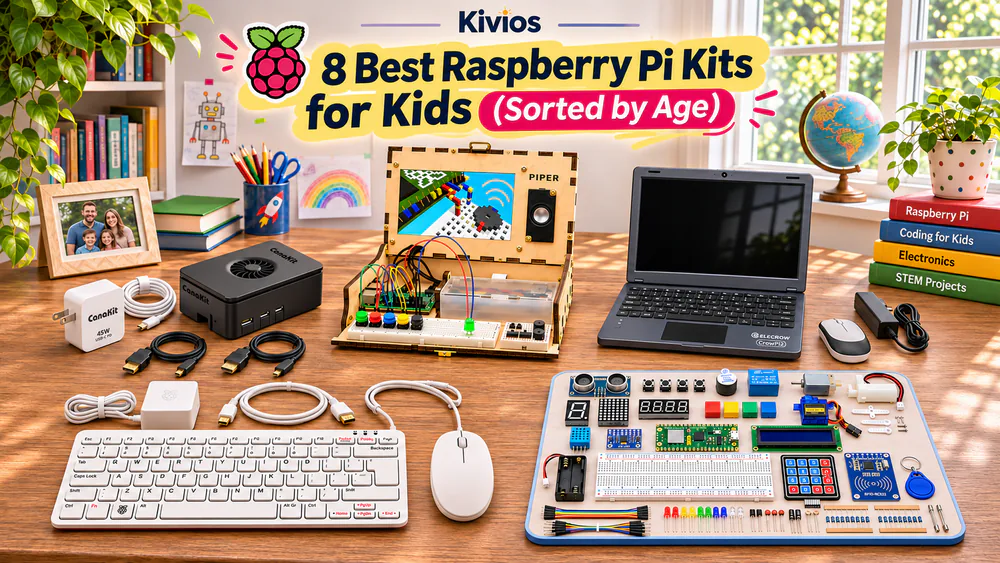
If your child has outgrown coding apps and keeps asking how a computer works, a Raspberry Pi kit is a natural next step. The kits range from a bare board in a case to 450-piece electronics sets, and some don't include a Raspberry Pi at all.
We found that setup effort matters as much as the parts list. A full Pi kit with a pre-loaded card can be running within about 15 to 20 minutes, while a robot car takes most of a weekend.
Below, we sort each kit by age, coding level and setup effort, and flag the snags that tend to stop a child early.
If you buy through our links, we may earn a small commission at no extra cost to you.
Our quick picks
At a glance
Check the board column first, because three of these kits need a Raspberry Pi you buy separately.
| Kit | Recommended age | Board included? | Coding language | Needs monitor/keyboard? | Best for | Rating | Buy |
|---|---|---|---|---|---|---|---|
| CanaKit Pi 5 Starter Kit PRO | Teens; 8+ with a parent | Yes, Pi 5 (8GB) | Scratch 3, Python | Yes, both | A computer that grows with them | 9/10 | Check price |
| Raspberry Pi 500 Desktop Kit | 6+ with a parent | Yes, Pi 500 (8GB) | Scratch 3, Python | Monitor only | Younger kids | 8.5/10 | Check price |
| Piper Computer Kit | 8+ | Yes, model varies | Blocks, then Python | No | Building the computer | 8/10 | Check price |
| ELECROW CrowPi2 (Basic) | 8 to 12 with help | No, add Pi 4B/5 | Scratch, Python | No | Sensors, no wiring | 7.5/10 | Check price |
| Freenove Ultimate Starter Kit | About 12+ | No, add any Pi | Python, Scratch, C, more | Yes | Teen electronics | 8.5/10 | Check price |
| SunFounder Pico W Ultimate | 8+ | Yes, Pico W | Blocks, MicroPython, C/C++ | No, uses a laptop | Wi-Fi gadgets | 8.5/10 | Check price |
| LAFVIN Basic Pico Kit | 8 to 12, supervised | Yes, Pico | Blocks, MicroPython, C/C++ | No, uses a laptop | A first try | 7.5/10 | Check price |
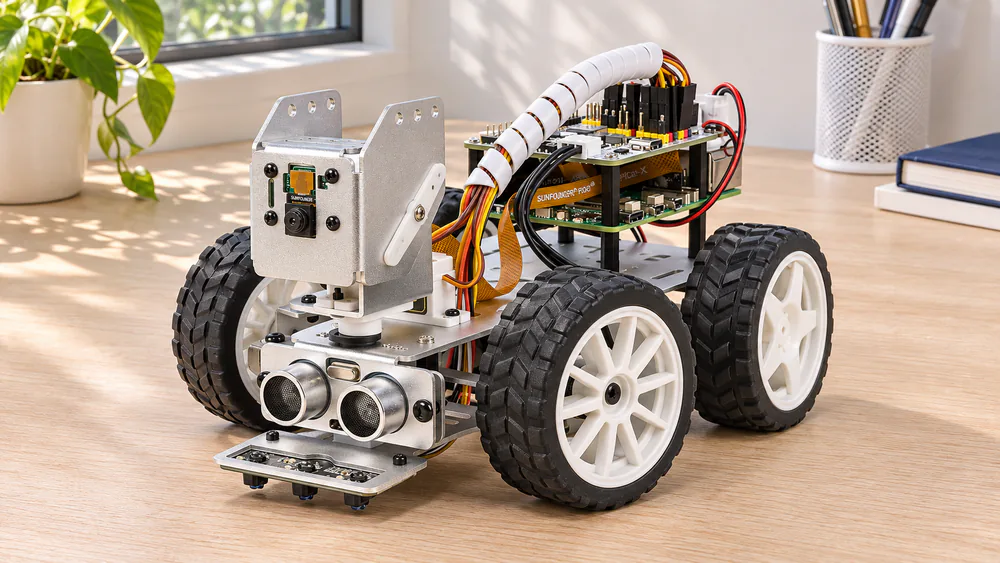
| SunFounder PiCar-X | About 10+, with an adult for the build | No, add a Pi | Blocks, Python | Not after setup | Robots | 8/10 | Check price |
How we chose
We judged each one on age fit, whether the board is in the box, the path from blocks to Python, setup effort, tutorial quality and how well the parts hold up. Where a maker publishes no age, the ages in our table are our own guidance.
We gave extra weight to the things that make a child give up in the first week. Those include a part that arrives dead, an online-only tutorial with no booklet to keep beside them, and a cheap charger that causes random reboots. The Rating column in the table above reflects these criteria.
The reviews
CanaKit Raspberry Pi 5 Starter Kit PRO: Best overall
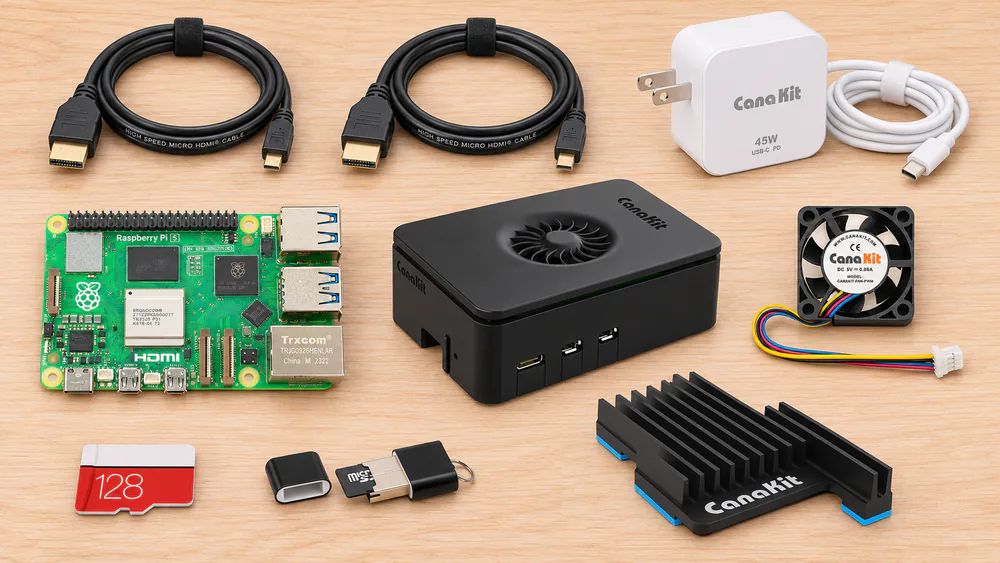
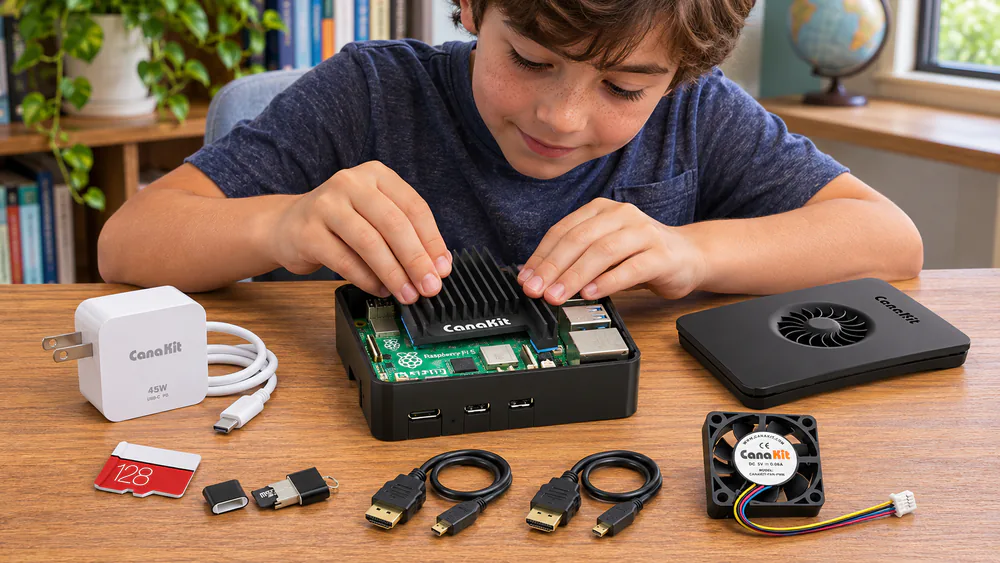
Building the CanaKit starts with the case, which clicks together without tools, and the heat sink and fan drop in quickly. Press the heat sink down firmly, because its pads don't always grip on the first try. Next comes the step that trips up first-time builders. The microSD card goes in the slot on the underside of the board, not in the USB reader, which only gives a confusing half-start. With the card in place, it boots straight to the desktop and skips about half an hour of flashing.
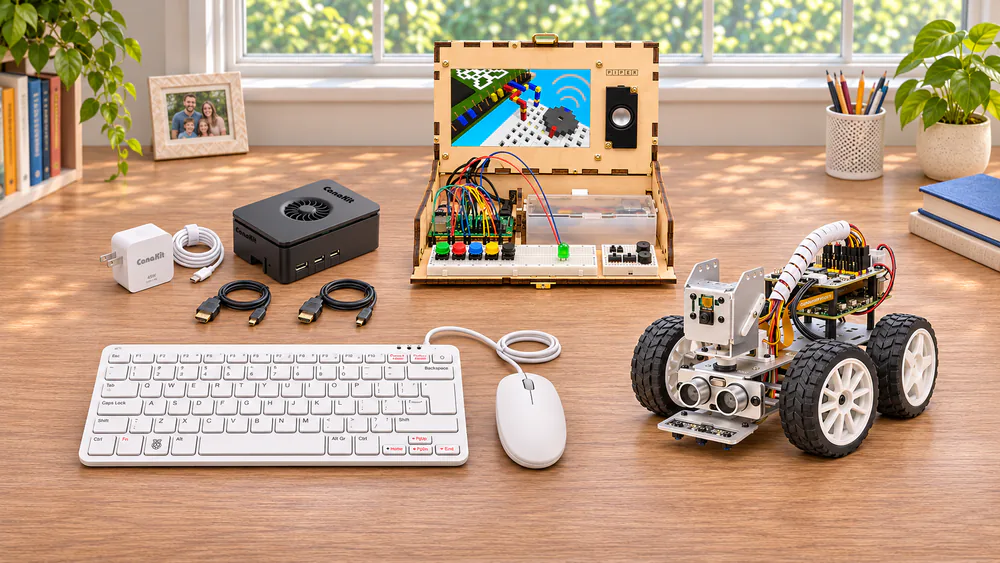
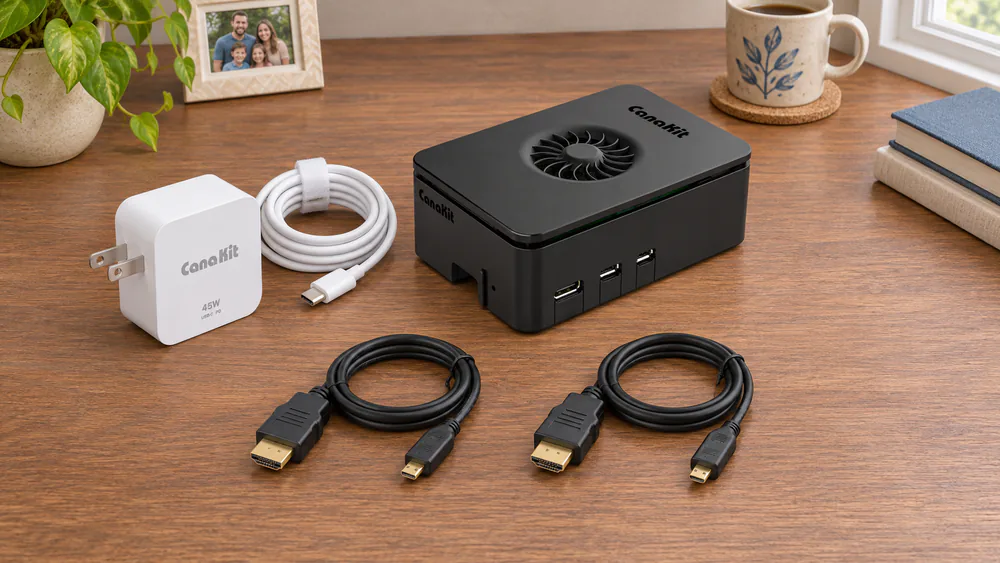
Inside the box is a Raspberry Pi 5 with a 2.4GHz quad-core processor and 8GB of RAM. You also get the case with a quiet fan, a 45W USB-C supply, a 128GB microSD card pre-loaded with Raspberry Pi OS, a card reader and two 6-foot micro-HDMI cables. You supply the monitor, keyboard and mouse.
Apps open noticeably faster than on older Pi boards, so it feels like a real computer rather than a slow toy. Thonny for Python is ready, Scratch 3 may need a quick install, and free online projects stand in for a project book.
Pros
- Pi 5 with 8GB included
- Pre-loaded card boots straight to the desktop
- Fan stays quiet in a shared room
Cons
- No monitor, keyboard, mouse or printed guide
- Glossy case shows fingerprints, and the power button feels flimsy
Raspberry Pi 500 Desktop Kit: Best keyboard computer for younger kids
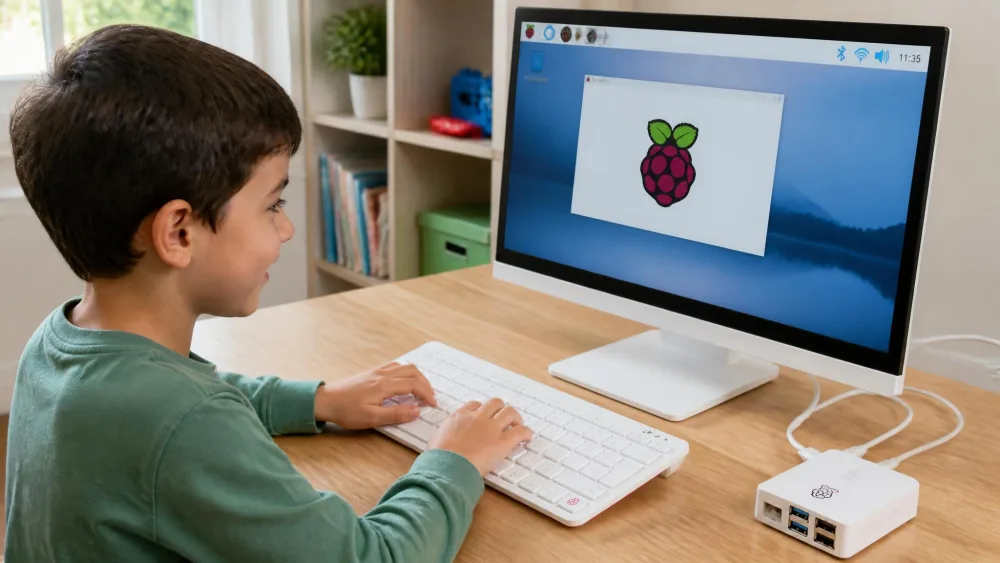
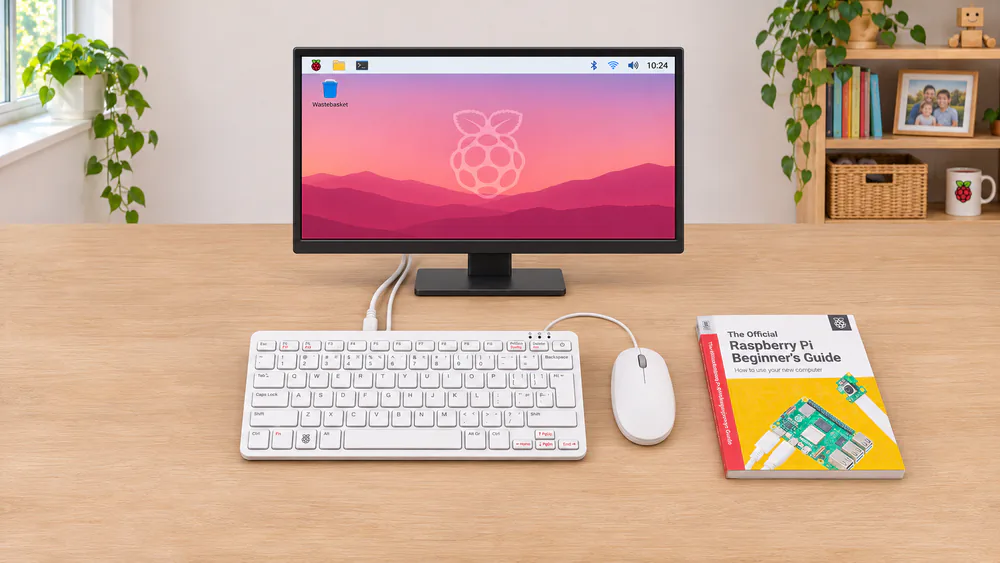
Where the CanaKit needs a short build, the Pi 500 needs none. Plug in a monitor, the mouse and the power supply, and it switches on by itself. The familiar shape is why we like it for younger kids. A six-year-old who has watched a parent type knows straight away what it is and how to use it. With no fan inside, it runs silently and holds full speed through a ten-minute stress test.
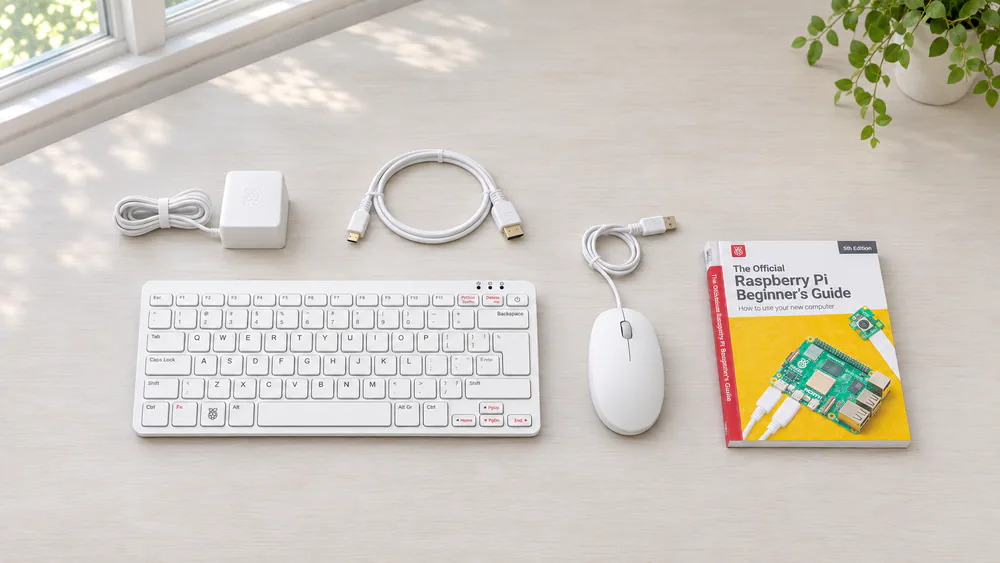
The keyboard hides a whole computer with the same 2.4GHz chip as the Pi 5 and 8GB of RAM. A 32GB card comes with Raspberry Pi OS already on it. The Desktop Kit adds a mouse, the official 27W supply, a micro-HDMI cable and the printed Official Raspberry Pi Beginner's Guide.
Raspberry Pi says it stays in production until at least January 2034. The 40-pin GPIO header sits along the back edge, which makes wiring awkward. It also draws a little power when off, so unplug it at night.
Pros
- Everything but a monitor in the box
- Printed Beginner's Guide
- Silent, fanless design
Cons
- GPIO pins on the back edge
- Only two USB ports free with the mouse in
Piper Computer Kit: Best build-your-own computer for ages 8+
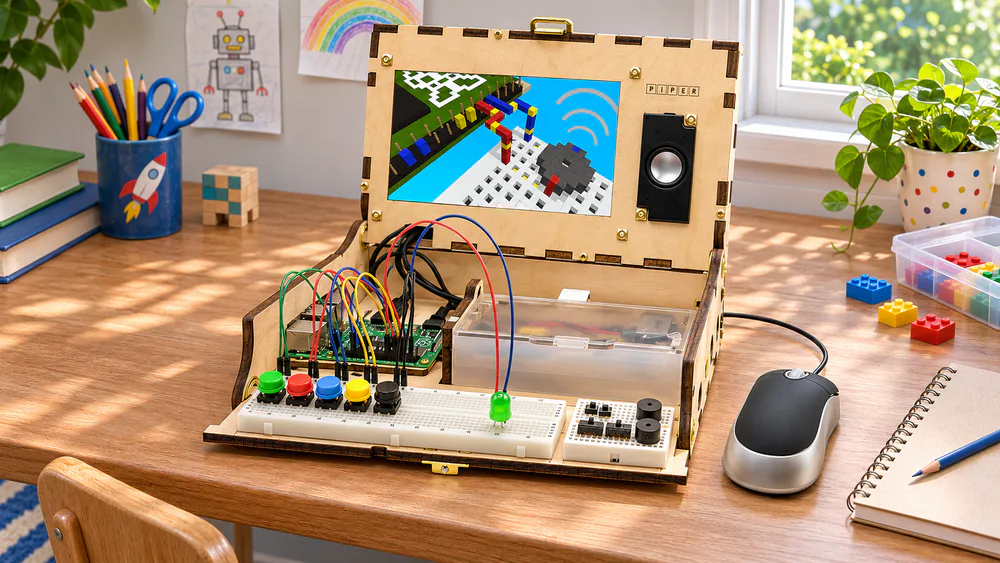
Where the Pi 500 arrives ready-made, Piper has the child build the computer itself. Clear a big table first, because the assembly poster needs the room. Children around 8 to 11 can follow the large picture instructions with very little adult help. Some parts are small, though, so younger kids need an adult nearby. The build takes anywhere from under an hour to about two and a half hours. Finishing a computer they made gives kids a real sense of pride.
Made for ages 8+, the box holds a Raspberry Pi, a 7-inch screen, a speaker to assemble, a rechargeable battery, a mouse, buttons, a breadboard and wires, all fitting into a wooden case. There is no keyboard, and the Pi model changes between editions.
Coding starts with StoryMode, Minecraft-style missions where kids wire buttons to progress. Then come 11 drag-and-drop projects and pre-loaded Python. Younger kids stay hooked, but some older kids lose interest after the build. Give the battery a long first charge and test the screen early. Piper no longer supports its older editions, so buy the current kit new.
Pros
- Kids build the whole computer
- Picture instructions they can follow alone
- Moves from blocks to Python
Cons
- No keyboard
- The screen is the part most likely to fail
ELECROW CrowPi 2: Best all-in-one learning laptop
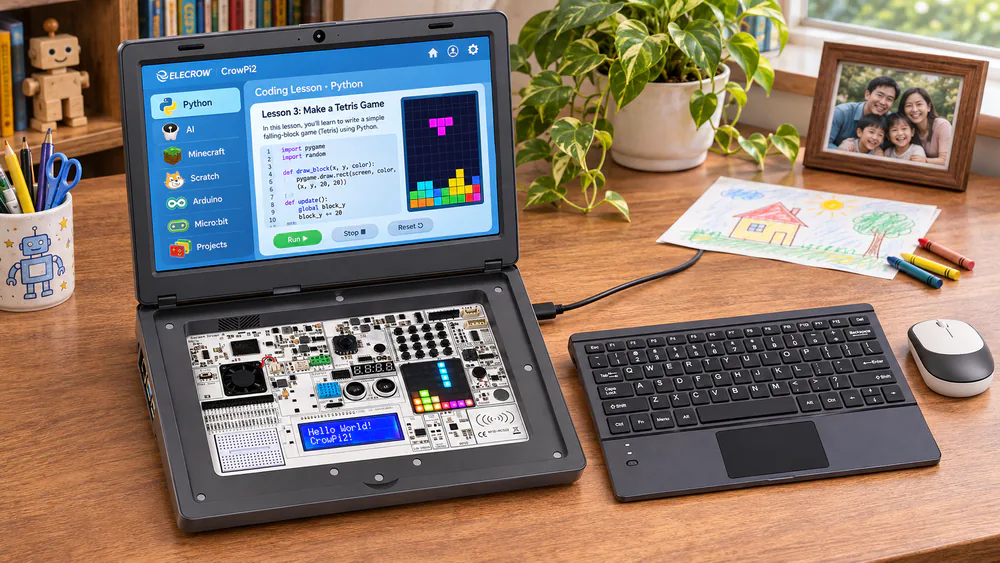
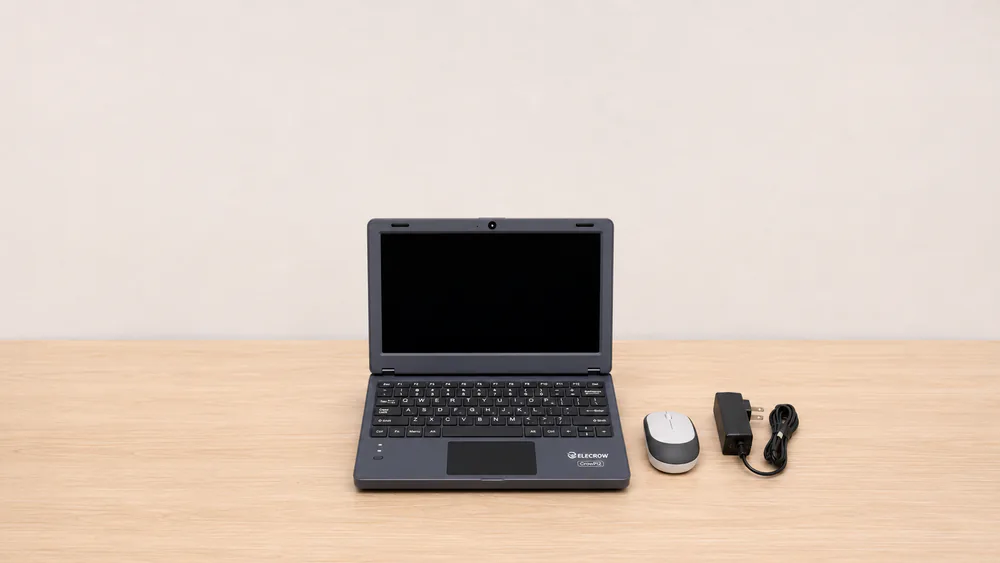
The CrowPi2 skips the build that Piper is all about. Open the lid, and a child can play Tetris on the LED matrix or run an ultrasonic distance reader without touching a wire. The guided lessons come next, and they are its strongest part. A virtual teacher reveals the code one line at a time, so the child can try writing it first. The lesson order is odd, though. The first Scratch lesson jumps straight into GPIO, and the vibration lesson makes the whole laptop buzz nonstop, which can upset an 8-year-old.
The shell is laptop-style, with an 11.6-inch HD screen, a camera, a magnetic wireless keyboard, a mouse and 22 pre-wired sensors and modules. There are 76 lessons, from Scratch and Python to Minecraft and face recognition, plus 18 small Python games. The Basic Kit we link does not include the Raspberry Pi, and Elecrow recommends a Pi 4B or 5 with 4GB of RAM or more.
There is no battery or proper shutdown button, the keyboard wobbles, and the shell feels cheap for the money. Keep a backup system card, since the bundled one can corrupt during an update.
Pros
- Demos run with no wiring
- Screen and keyboard included
- Lessons cover Python, Scratch and AI
Cons
- Pi not included in the Basic Kit
- No battery, and the shell feels cheap
Freenove Ultimate Starter Kit: Best for electronics projects
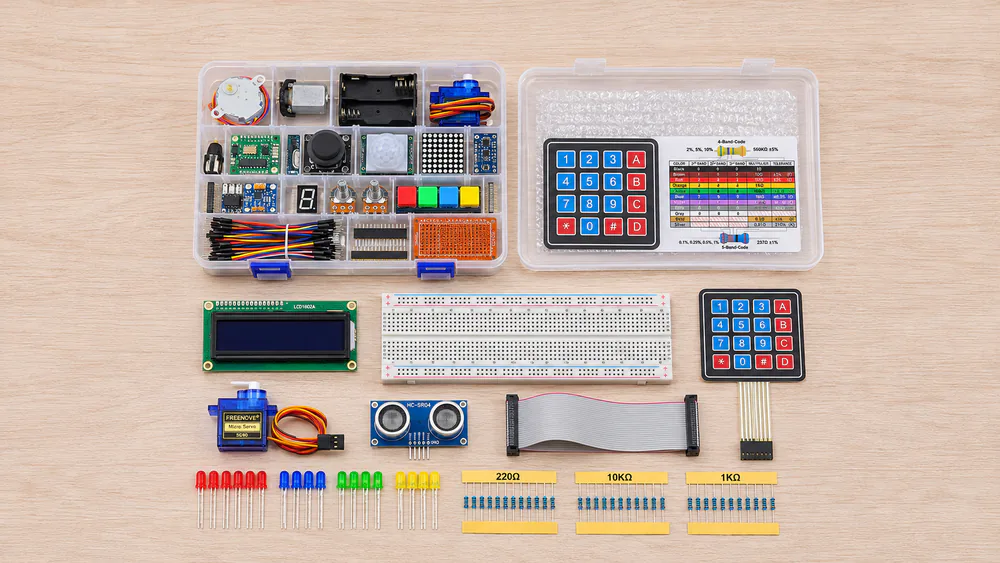
Unlike the CrowPi2's pre-wired sensors, Freenove makes the child wire everything. About 15 projects fit into a weekend, starting with a blinking LED and moving on to sensors and motors. Each project starts from a clear wiring diagram, and the parts come sorted in a compartmented box, so finding one small resistor is easy. Seat the thin resistor leads firmly, or they can slip out mid-project.
The Raspberry Pi is not included, but this parts box works with the Pi 5, 500, 4B and others. You get 223 items, from LEDs to sensors, motors and displays, all used on a breadboard. The 962-page tutorial is online only and covers 128 projects with full code in 5 languages, including Python and Scratch. Python is the smoother path.
The tutorial has typos and the odd mismatched part label, but it is easy to follow circuit by circuit. It suits motivated learners from about junior high up.
Pros
- Full code for every project
- No soldering
- Works with almost any Pi
Cons
- Online-only tutorial with typos
- Too deep for a young beginner
SunFounder Raspberry Pi Pico W Ultimate Starter Kit: Best Pico kit for tweens
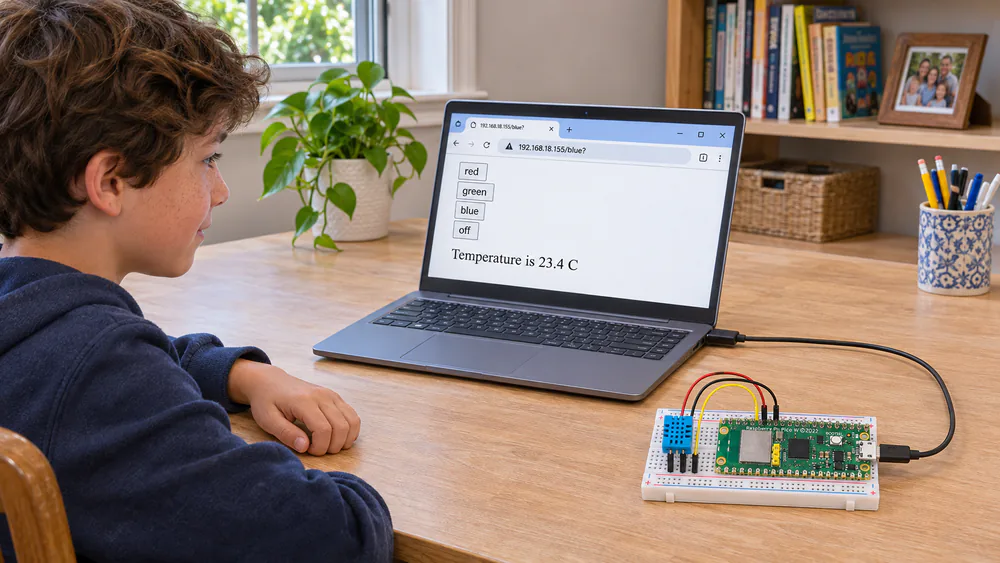
If the Freenove kit is a teen's workbench, the SunFounder kit is the tween version. The step-by-step video lessons by educator Paul McWhorter suit kids who would rather watch than read, since they can pause and rewind. By around the tenth project, a temperature sensor is sending readings over Wi-Fi to a web dashboard, which feels like a real gadget to a kid.
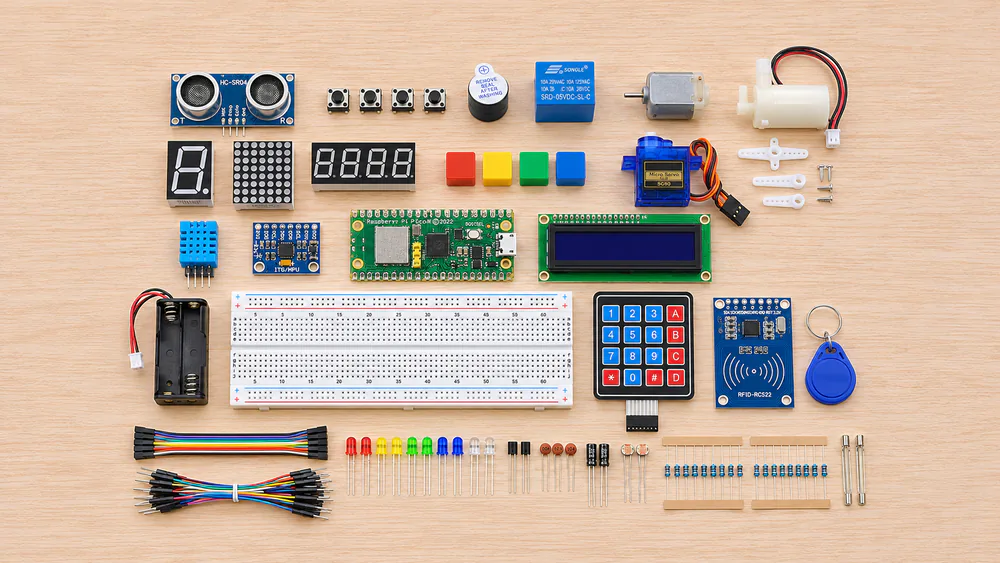
Made for ages 8+, this kit includes the board, a Pico W. It is a small Wi-Fi microcontroller, not a desktop computer, so your child programs it from a laptop over USB. The box holds 450+ components, including an LCD, a servo, a water pump, sensors, an RFID reader and an 800mAh battery. There are 117 projects and 27 video lessons, with 3 ways to code: Piper Make blocks, MicroPython or C/C++.
The small battery drains fast on Wi-Fi, so most builds end up on USB power.
Pros
- Board and battery included
- Blocks, MicroPython and C/C++
- Neatly labeled parts
Cons
- Needs a laptop to program
- All instructions are online
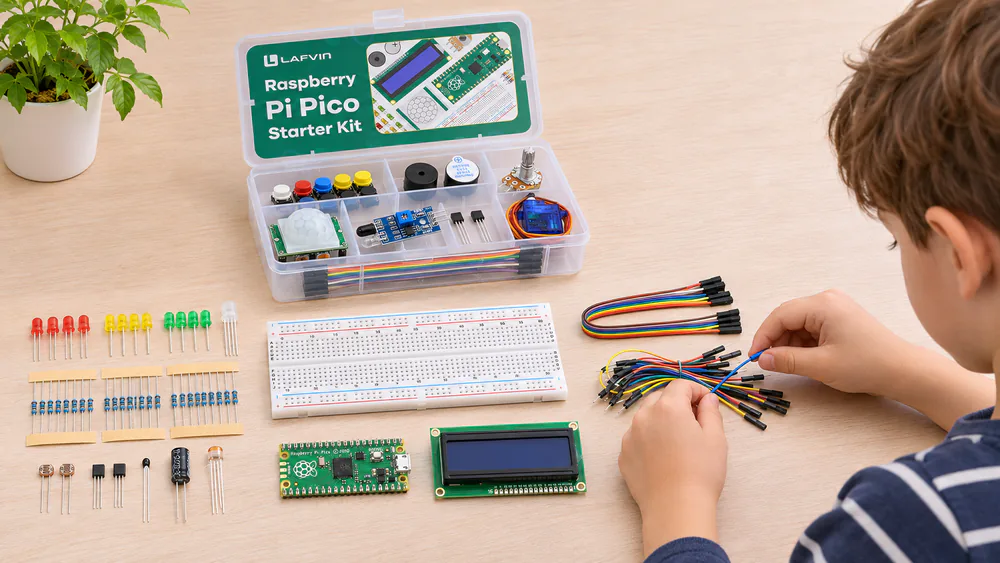
LAFVIN Basic Starter Kit for Raspberry Pi Pico: Best budget kit
The LAFVIN kit offers a gentler introduction than the SunFounder kit. Start with the Piper Make blocks, and a young beginner can finish a first LED-blink project in under an hour. Make the second goal a temperature readout on the little LCD screen, which feels far more satisfying to a child than watching lights blink.
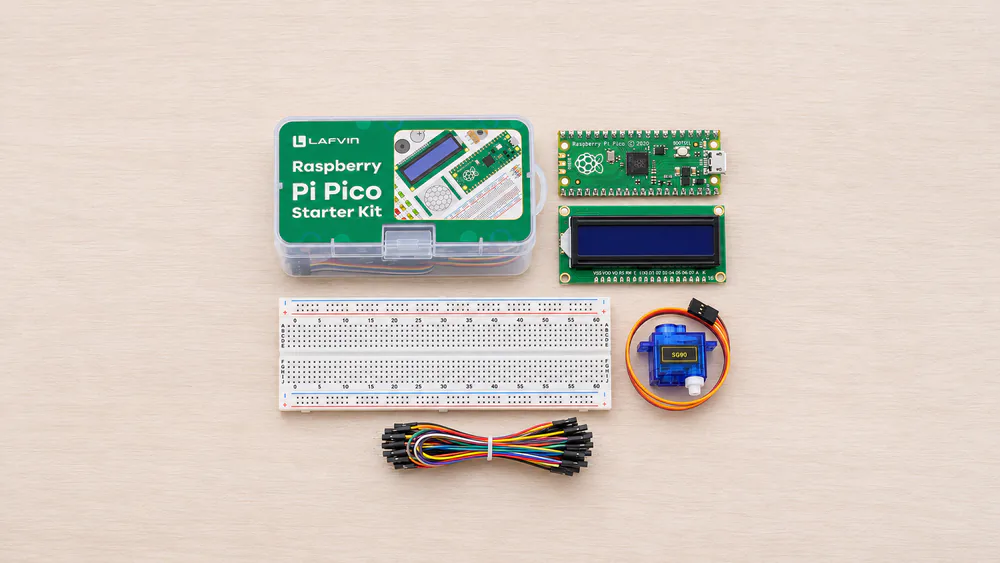
The kit includes a Raspberry Pi Pico board based on the RP2040 chip, which you program from a laptop. The box holds a breadboard, an LCD1602 screen, a servo, a motion sensor, an LED strip, a buzzer and wires. A downloadable tutorial covers a set of starter projects, with 3 ways to code: Piper Make blocks, MicroPython and C/C++.
Budget quality shows. A jumper wire can arrive broken, and the tutorial's MicroPython section assumes more background than a novice has. We'd hand it to kids about 8 to 12 with an adult nearby.
Pros
- Pico board included
- First project done in under an hour
- LCD makes projects feel real
Cons
- Rough tutorial
- Keen learners outgrow it fast
SunFounder PiCar-X: Best robot kit for kids
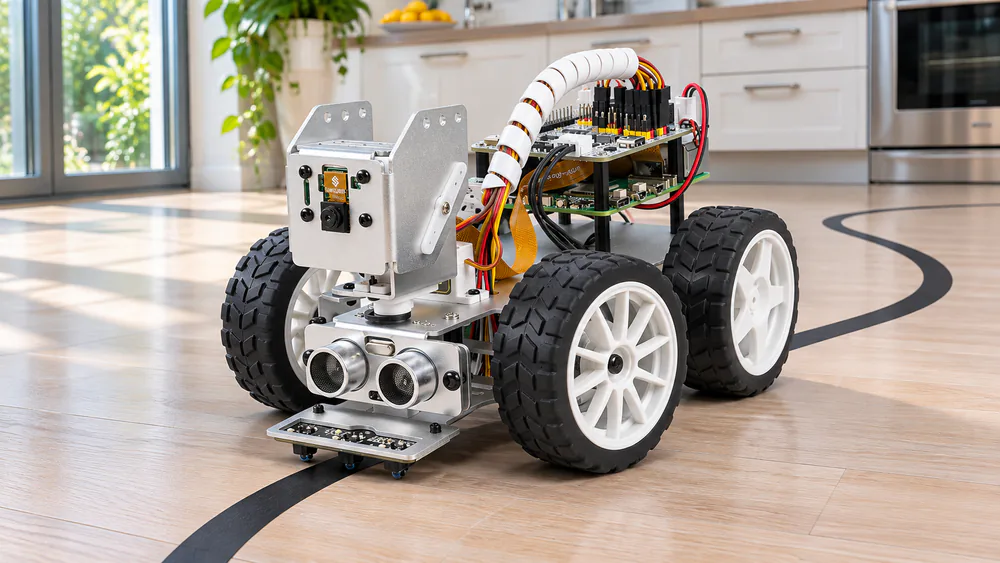
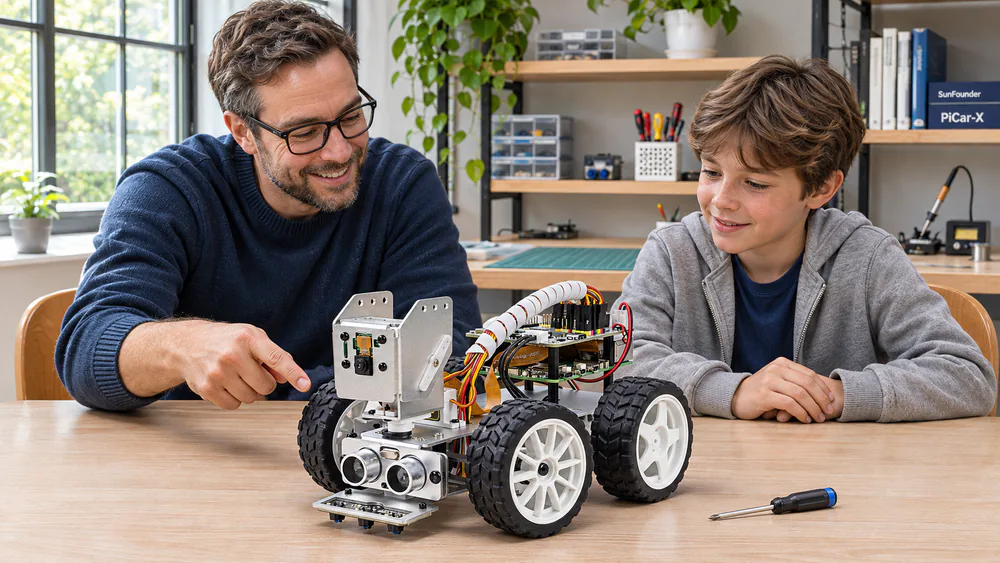
Where the Pico kits stay on the desk, the PiCar-X drives off it. The weekend build follows a printed color guide that labels every screw and part, so it is easy to follow even as a first robot. Lining up the steering and wheel servos is the fiddliest step, and the servos can break if anyone turns them by hand once powered. Setting up the software takes longer than the build. An obstacle-avoidance script rarely works on the first try. Once it is set up, voice commands like "turn left" and "follow the line" work well.
The PiCar-X suits kids about 10 and up, with an adult for the build. The Raspberry Pi is not included, but it works with the Pi 5, 4, 3B+ and Zero 2 W. You get an aluminum chassis, a camera on a 2-axis mount, a distance sensor and a 3-channel line sensor. Battery inclusion varies by version, so check the box and plan for a separate charger.
Kids code in blocks or Python, or drive from a phone app. The camera struggles in dim rooms, so tracking games work best in a well-lit space.
Pros
- Clear color guide
- Blocks, Python and phone control
- Line following and voice commands
Cons
- Raspberry Pi not included
- Software setup takes longer than the build
What to look for
With the eight kits covered, the choice comes down to four questions, starting with the board.
Full computer kit or project kit?
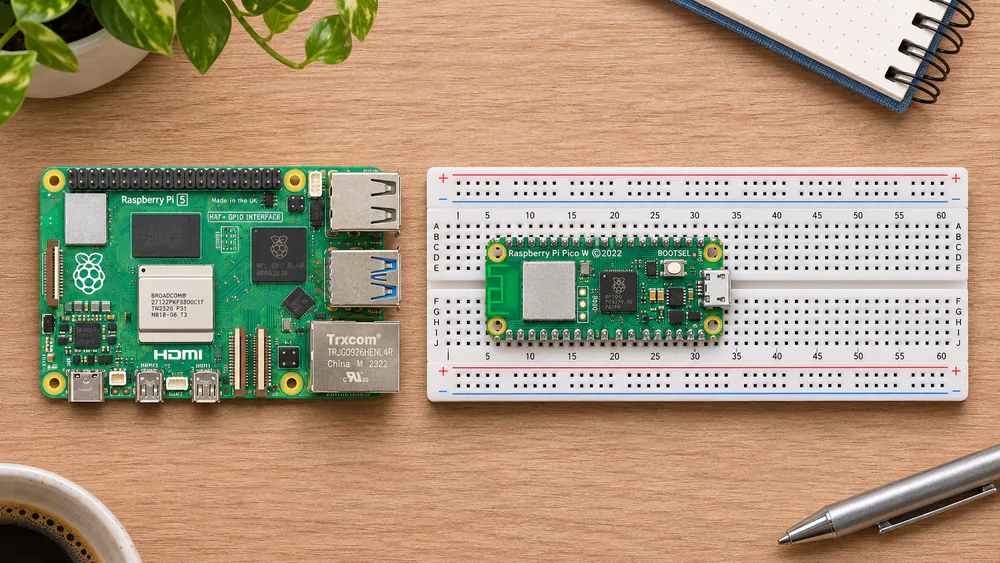
A Raspberry Pi 5 or Pi 500 is a full computer. It runs a desktop with a browser and coding apps, and it needs a monitor and keyboard.
A Pico is a microcontroller. It runs one program, has no desktop, and needs a laptop to code it. Pico kits are great for lights, sensors and motors, but they are not a first computer.
Match the kit to your child's age and coding level
Most kids start with block coding. MIT's free Scratch block-coding editor runs in a browser, so you can see whether your child enjoys it before you buy. Python comes next, and kits that offer both let a child switch when ready.
Parent tipAges 6 to 8: a Pi 500 with Scratch and a parent. Ages 8 to 12: Piper, a Pico kit, the CrowPi2, or the CanaKit with a parent nearby. About 10 and up, with an adult for the build: the PiCar-X. Teens: the CanaKit on their own, or the Freenove kit.
Is the Raspberry Pi included? What else you need to buy
The CrowPi2 Basic Kit, the Freenove kit and the PiCar-X all ship without a Raspberry Pi. If a kit has no pre-loaded card, you can install Raspberry Pi OS with Imager, a free tool that sets up a microSD card from another computer.
Watch outA Pi 5 wants a 5V, 5A USB-C supply like the official 27W unit. On a 3A supply, it limits all USB devices to 600mA combined and shows a power warning.
Tutorials and project books your child can follow alone
Online-only tutorials frustrate kids who want a booklet beside them, so print the first few lessons. The Raspberry Pi Foundation also offers hundreds of free Raspberry Pi coding projects, from Scratch to Python.
Common mistakes
Beyond the board question above, the most common mistake is a spare phone charger. Cheap USB-C chargers cause low-voltage warnings, random reboots and even corrupted microSD cards. The supply that comes with a reputable kit avoids this.
On any kit, check every part when the box arrives. And don't rush to Python, because a child who masters blocks first moves on with far less frustration.
Buying-guide FAQ
What if a part arrives dead?
Contact the maker. Freenove replaces parts quickly, and a dead SunFounder servo is usually replaced within about a week.
My PiCar-X camera isn't working on a Pi 5. Is it faulty?
Probably not. Check that you have the correct camera ribbon cable for the Pi 5 first.
Can my child use a kit without reliable internet?
Yes, with planning. Download the PDF tutorials ahead of time, especially for the SunFounder Pico W. The Pi 500's printed guide needs no connection.
How long before a child outgrows a Pico kit?
The LAFVIN kit gives a few evenings of tinkering before a keen learner wants more. The SunFounder Pico W kit has enough parts and projects to keep a curious child busy for months.
Does the kit need soldering?
The breadboard kits here plug together without solder, but some Pico boards ship without header pins, so check the listing first.
Is a Raspberry Pi safe for kids to use online?
A full Pi browses the web like any computer, so set browsing rules up front and keep it in a shared room.
For most kids, start with the CanaKit Raspberry Pi 5 Starter Kit PRO