10 Best Robotics Kits for Kids in 2026, Tested by Age
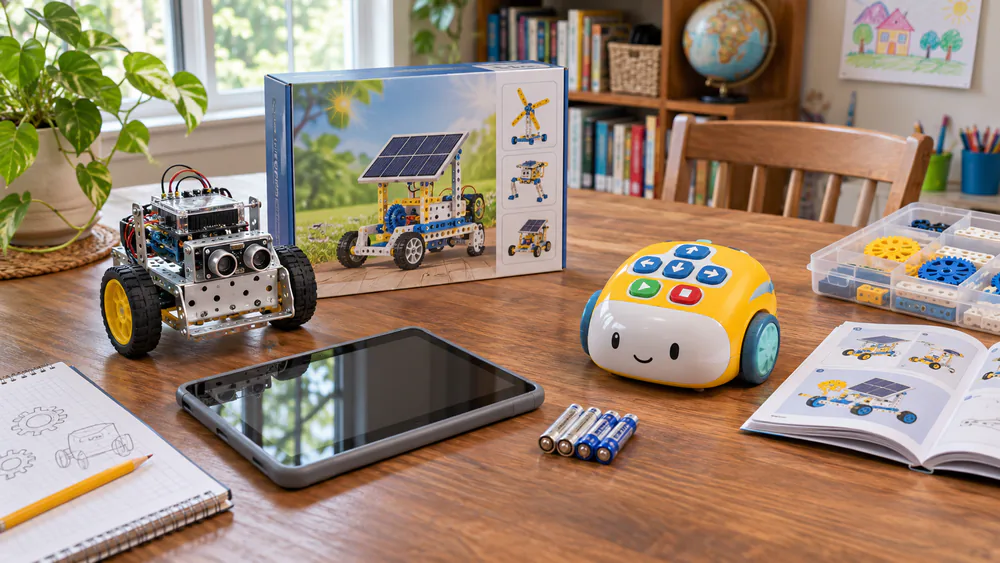
If your child outgrew a robotics kit in a weekend, or never touched it after the first afternoon, the problem is usually a mismatch between the kit and the child. One maze set can pull in siblings from 3 to 8 at the same table, while a harder build sits unopened. This guide sorts ten kits by age and coding step: screen-free, block and app coding, Arduino, and Python. Start with the top three below, then choose the coding level your child is ready for.
Top 3 Picks at a Glance
Our quick picks
| Pick | Age range | Coding type | Price tier |
|---|---|---|---|
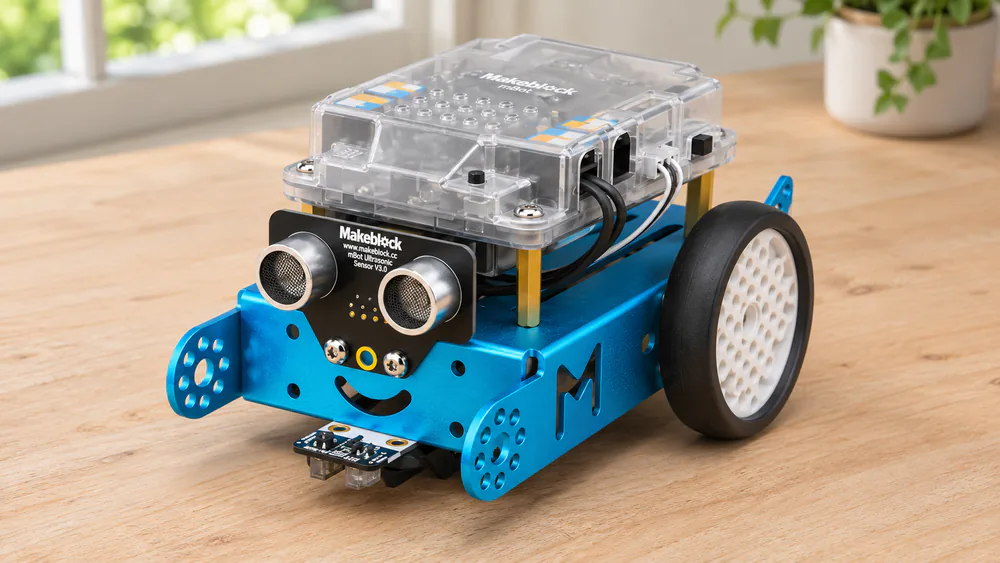
| Makeblock mBot | 8-12 | App and block, up to Arduino | Mid-priced |
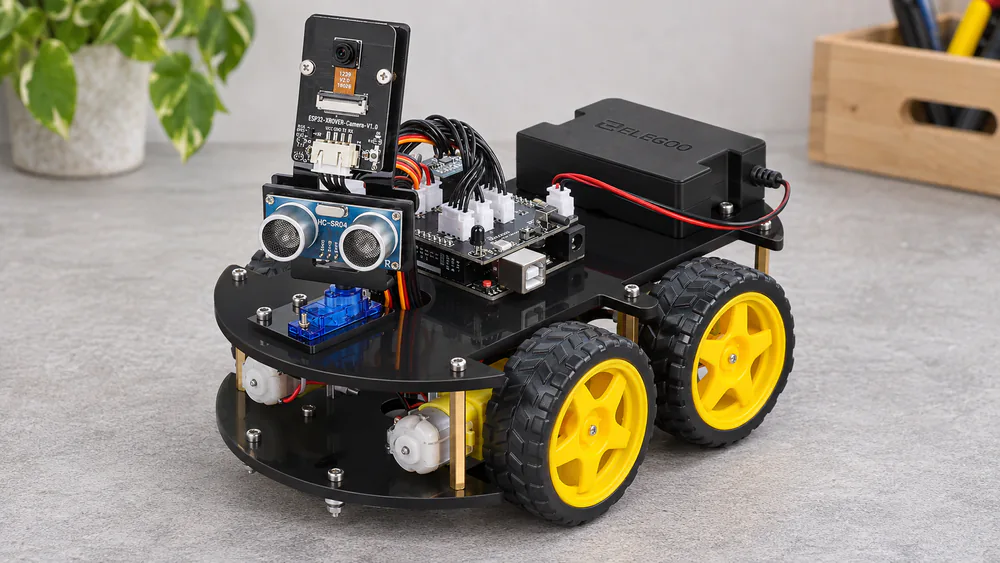
| ELEGOO UNO R3 Smart Robot Car V4 | 8+ | Arduino | Mid-priced |
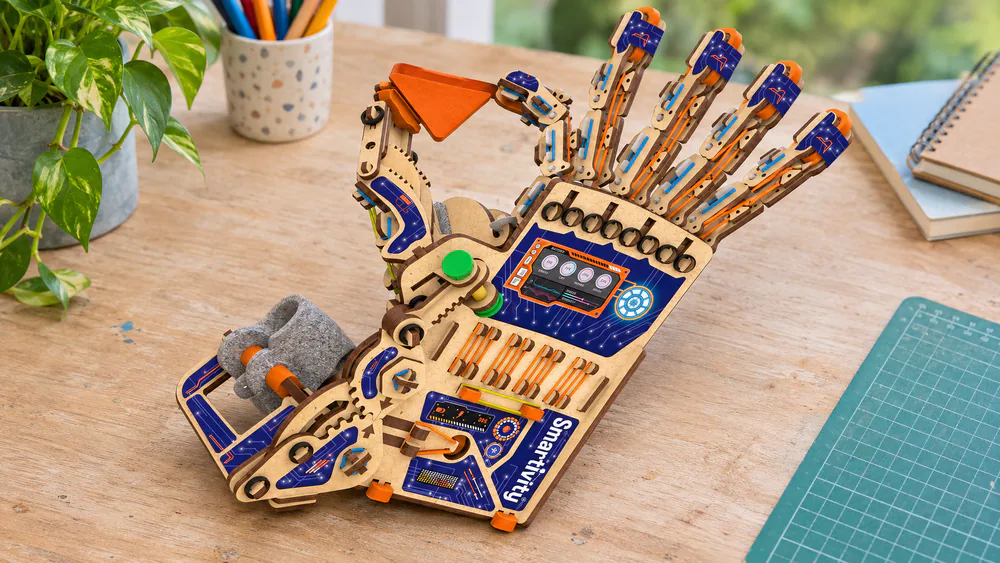
| Smartivity Robotic Mechanical Hand | 8-14 | None, mechanical | Budget |
How We Chose These Robotics Kits
We judged each kit by the coding step it asks a child to take, and then by how the build and first run actually went. We looked at how long the build takes, how clear the instructions are, whether the app connects without a fight, and whether the parts survive a child who is not gentle.
The build and first-run notes below come from households using these kits with children, not from a lab, and we say so plainly where a kit has quirks.
1. Makeblock mBot - Best Overall
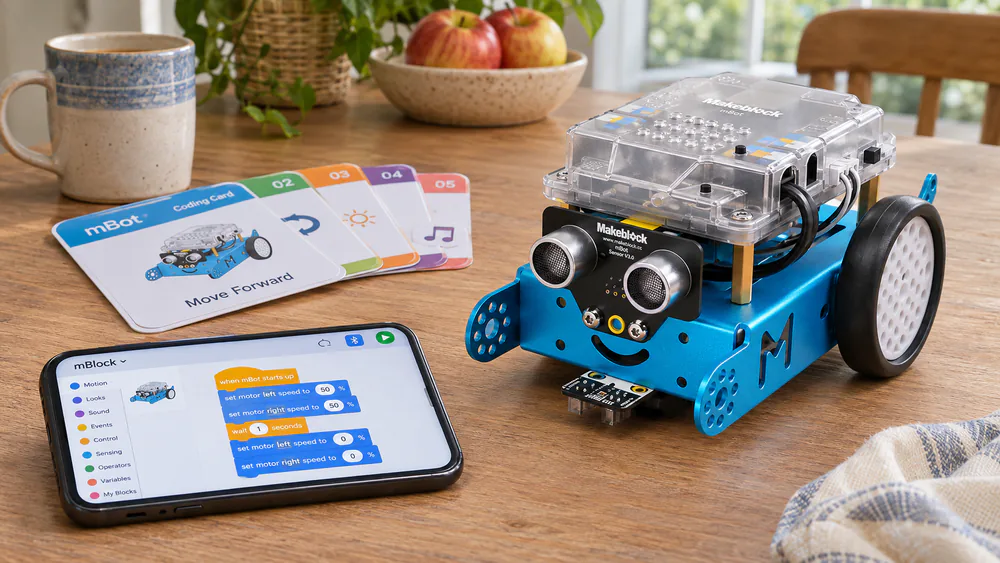
mBot is our pick for most curious 8 to 12 year olds. It sits on the middle rung of the ladder: kids start with drag-and-drop blocks, then move toward Arduino-style code as they grow.
Who It Is For
Kids ages 8-12 who want a robot that drives, follows lines and avoids obstacles, with room to grow. Not for children under 8 working alone. The robot builds in about 15 minutes, and a first build fits in one evening. The metal frame feels sturdy, and programming from the app is simple to start.
Before You Start
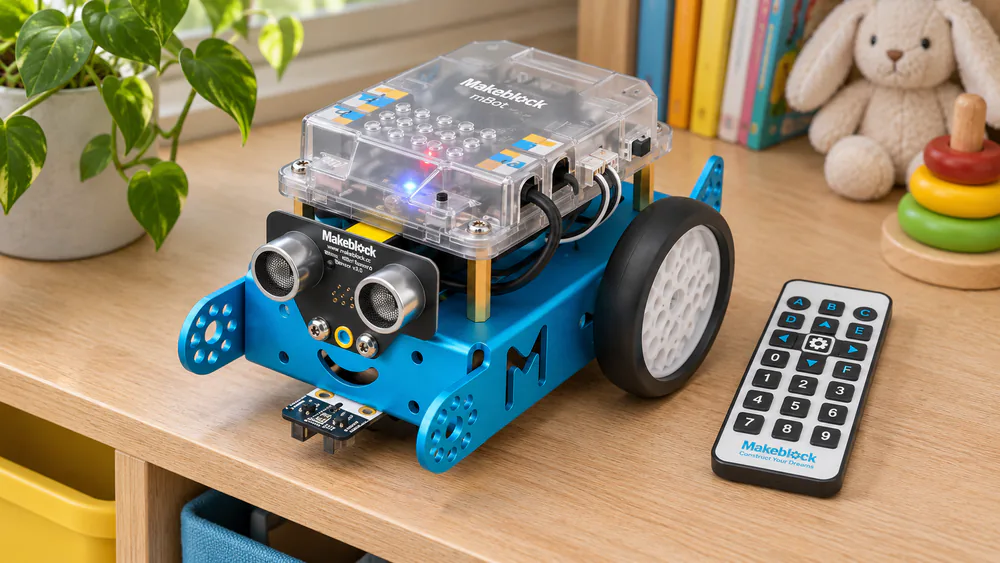
Buy 4 AA batteries for the robot and a CR2025 for the remote before build night, since neither is included. Pair the Bluetooth with the app early, and keep the coding cards beside you, because the printed instructions skip detail in places.
Pros
- Sturdy metal build
- Scratch to Arduino coding in one kit
- Line-follow, obstacle-avoidance and remote-control modes
Cons
- Bluetooth pairing and the app can be fiddly
- Printed instructions skip some detail
- Batteries are not included
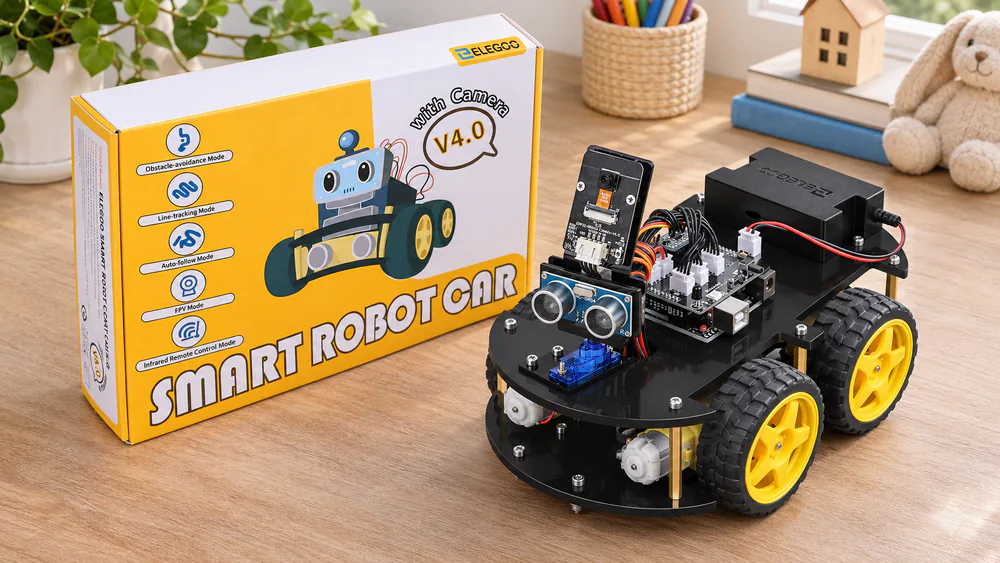
2. ELEGOO UNO R3 Smart Robot Car V4 - Best Arduino Kit for Tweens and Teens
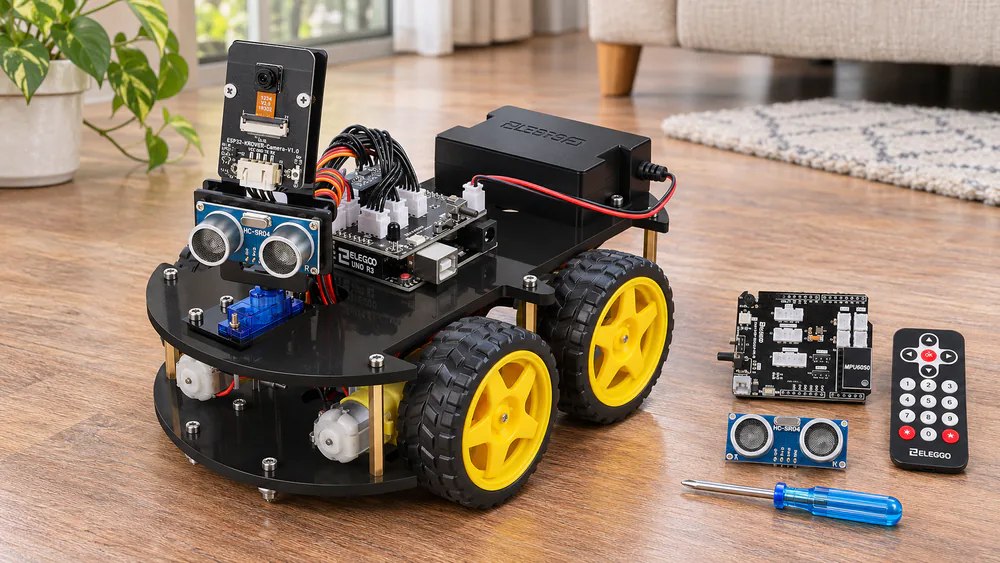
Where mBot is block-first, this kit is text-first: it is for a child who is done with drag-and-drop and wants to type real code. It is a car built around an Arduino-compatible UNO R3 board.
Who It Is For
Kids 8+ who already know a little basic electronics, and who like wiring things up. Perfect for a 9-year-old taking a first step into real Arduino, with a parent nearby for the tricky spots. Not for a child who wants a robot running in ten minutes. The kit includes 24 kinds of module parts, so assembly happens in stages, and it includes the tools you need.
Before You Start
Build in stages and test each module before moving on. The car drives around the house right after assembly, so leave floor space clear. If the factory code misbehaves, re-flash it before you blame the wiring.
Pros
- Real Arduino-compatible board and code
- Tools included
- Obstacle avoidance, line tracing, infrared and phone control
Cons
- Instructions are hard to follow in places
- Factory code sometimes needs a re-flash
- Basic electronics knowledge helps
3. Smartivity Robotic Mechanical Hand - Best Budget Kit
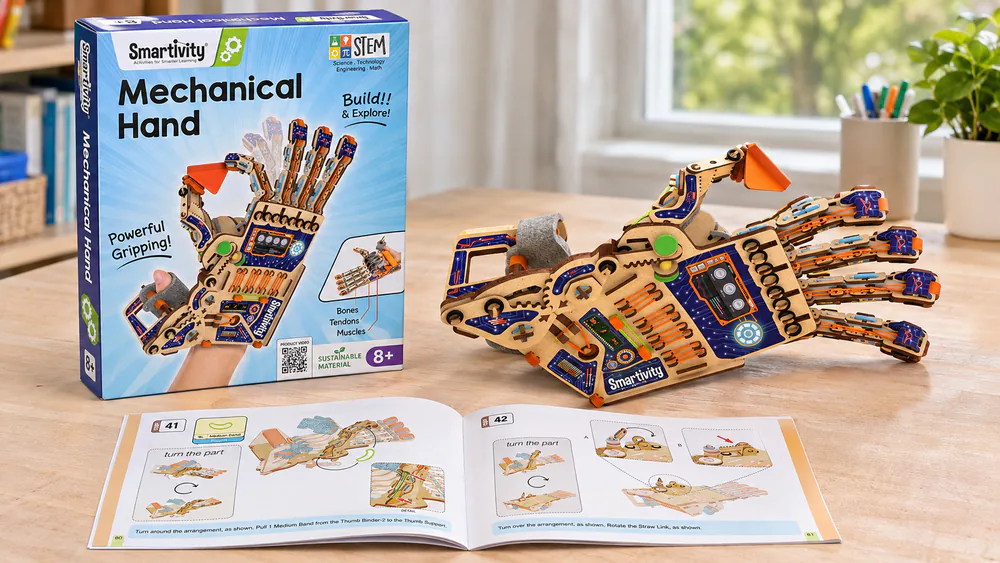
After two electronic kits, this budget hand drops the screen, batteries and app entirely. It is a mechanical build, so the learning is about levers and tension rather than code.
Who It Is For
Kids ages 8-14 who like following a step-by-step manual and then seeing the finished hand grip. Best for a child who enjoys building more than programming. Not for a 6-year-old: it is too hard for most children that age, while 8 and up find it engaging. There are no electronics, so it also works as a quiet-time project.
Before You Start
Work through the manual in order and keep the finished hand away from rough play. Plan to rebuild a part or two, and let an 8-year-old take the lead rather than a 6-year-old.
Pros
- Budget friendly
- No batteries, app or screen needed
- Step-by-step manual
Cons
- Too hard for most 6-year-olds
- Some builds break within days
- No coding component
4. Teach Tech Mech-5 - Best Screen-Free Coding Robot
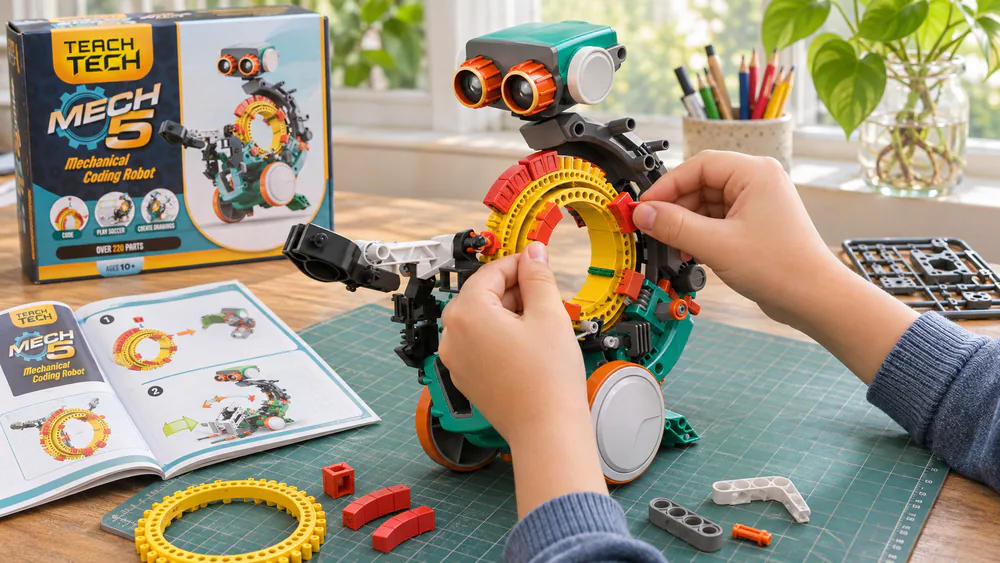
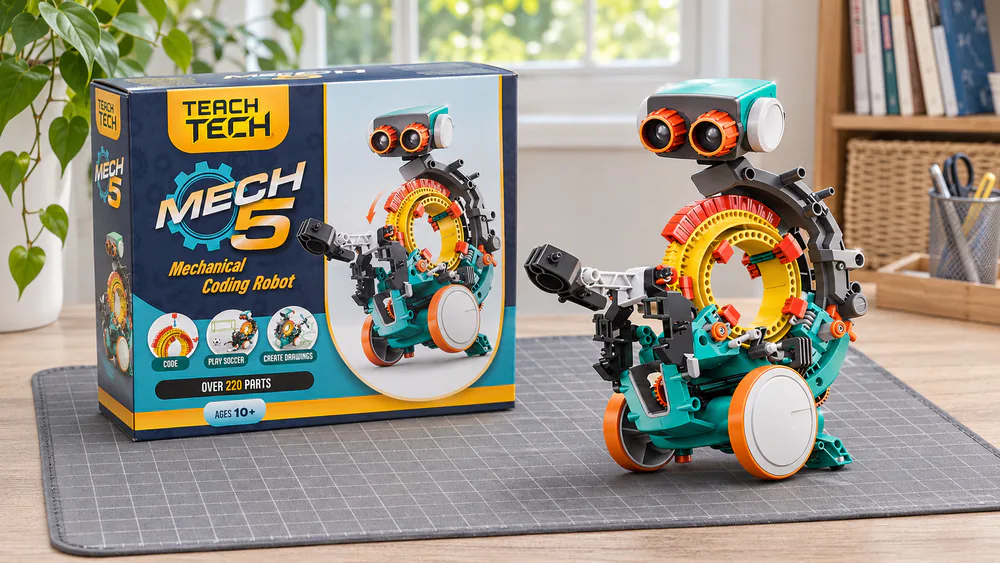
Mech-5 keeps the screen-free idea but asks far more of the builder. Kids snap buttons onto a coding wheel, and the robot carries out those moves: it throws, lifts, kicks and draws.
A Long, Careful Build
Building Mech-5 takes several hours of careful work before it is ready for play. Set aside an afternoon, go slowly, and do not force parts together, since plastic quality is uneven. The payoff is hours of play once it is running.
Who It Suits
Children 10+ with the patience for the build, especially those who already enjoy model building. Not for impatient younger kids.
Pros
- Screen-free coding with a button wheel
- Throws, lifts, kicks and draws
- Budget friendly
Cons
- Build takes multiple hours
- Plastic quality is uneven
- Too long a build for younger kids
5. Wonder Workshop Dash - Best Pre-Built Coding Robot for Ages 6+
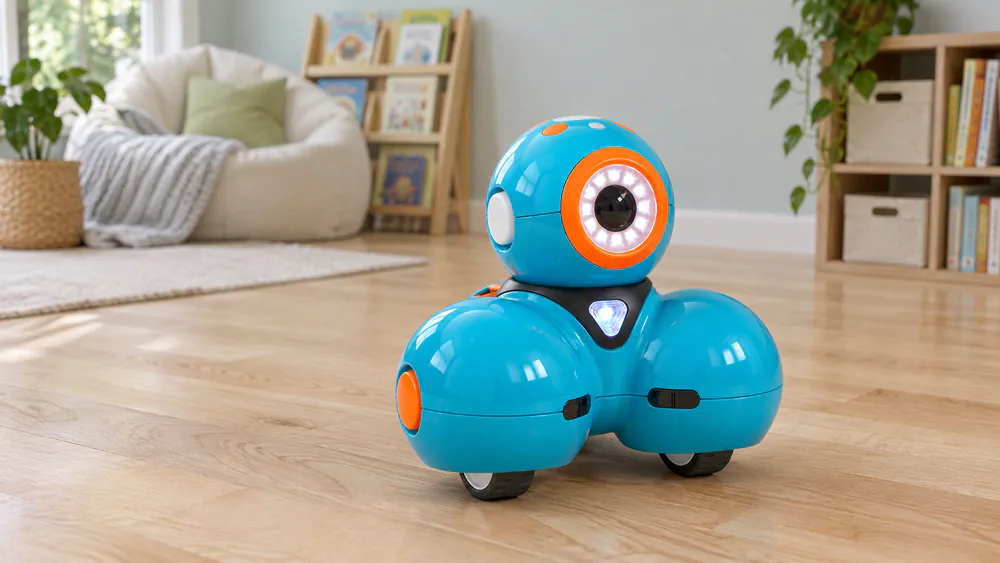
Dash skips building altogether and is ready to play right out of the box. It sings, dances, avoids obstacles and responds to voice.
Out of the Box
Dash needs no assembly, so coding starts within minutes. A 4 to 7 year old stays busy with it for hours, thanks to a gradual progression of challenges. It uses Blockly and the Wonder apps and gives up to 5 hours of active play. Keep the tablet charged, and if the robot drops its app connection, restart the pairing.
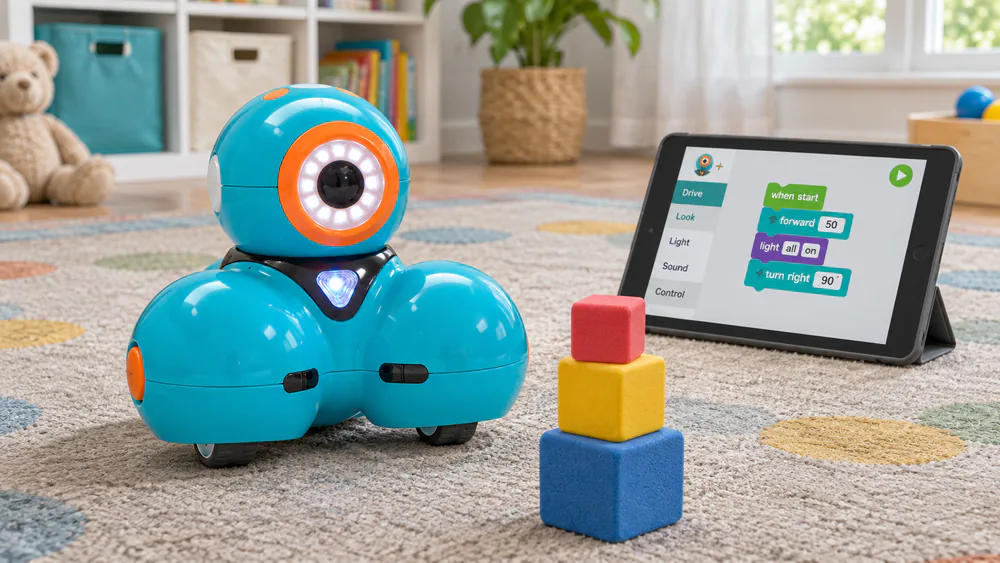
Best for kids ages 6 and up and families who want zero assembly. Not for children who want to build a robot themselves.
Pros
- No assembly
- Gradual progression of coding challenges
- Up to 5 hours of active play
Cons
- Wheels can stop working
- Occasionally drops its app connection
- Premium price tier
6. LEGO Boost Creative Toolbox - Best for LEGO Fans
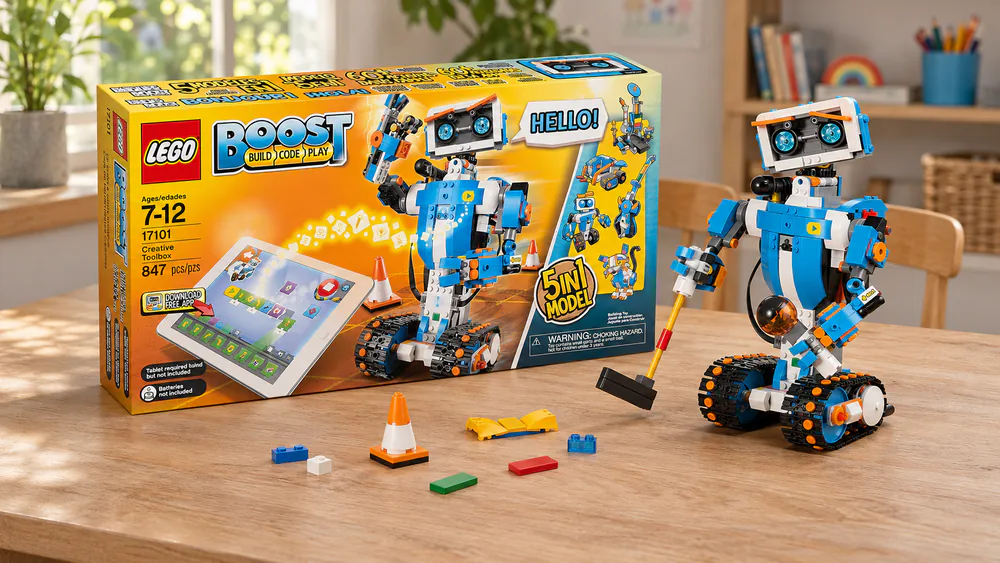
Dash arrives built, while Boost lets children build five different robots from bricks. Its icon-based coding lets a child who already loves LEGO start without much reading.
Who It Is For
Kids 7+ who are happy to build and rebuild. The set has 847 LEGO pieces and five models, including Vernie, Frankie the Cat and Guitar4000. Rebuilding those five keeps kids busy for months. It uses 6 AAA batteries, not included.
Before You Start
The instructions live only in the app, so charge the tablet before each build session. Availability and price have been inconsistent lately, so check current listings.
Pros
- Five models from one set
- Icon-based coding in a free app
- Keeps kids busy for months
Cons
- App can act up
- Instructions are only in the app
- Splurge price tier
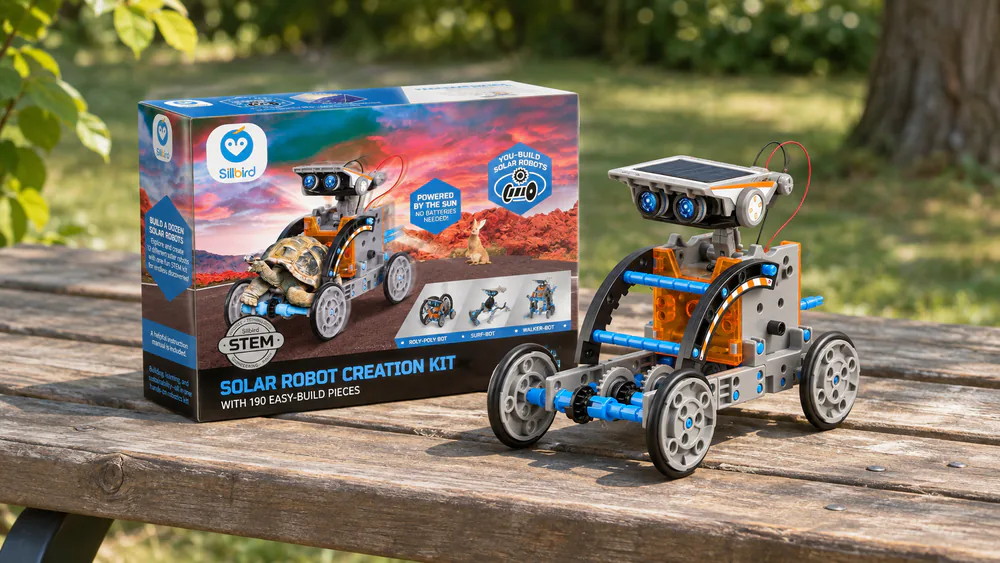
7. Sillbird 12-in-1 Solar Robot - Best Solar Build, No Electronics Needed
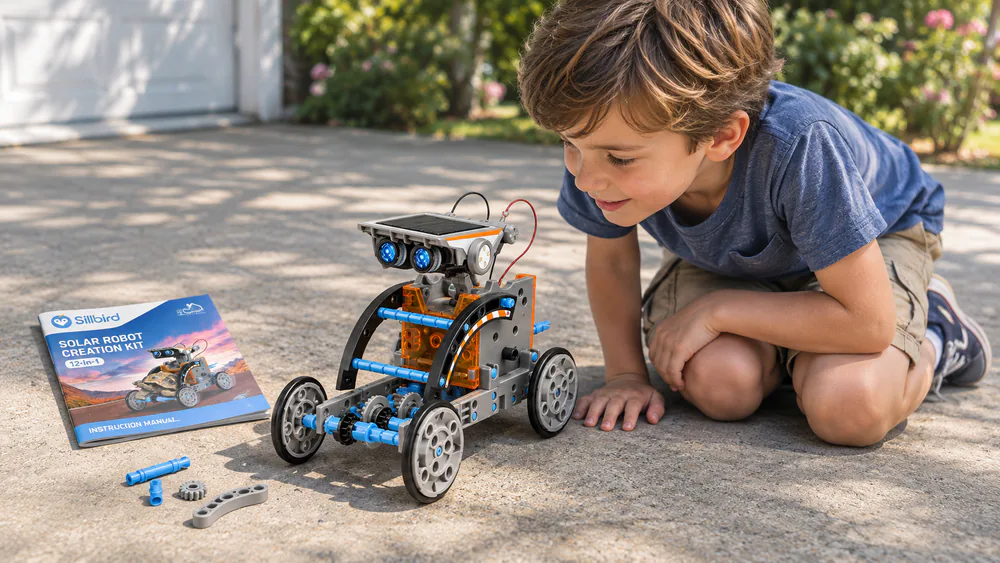
Sunlight, or a strong lamp, is the whole story with this kit. It turns one box of parts into twelve models, with no coding and no screen.
Sun or Lamp
The solar robot needs bright sun or a strong lamp to run, so build it where you can carry it outside. It will not run in dim rooms or on gloomy winter afternoons. Kids ages 8-13 who like to build get lots of hands-on variety from the twelve models, plus a lesson in renewable energy and basic engineering.
Who It Suits
Best for a child who would rather snap gears together than write code.
Pros
- 12 models from one kit
- Screen-free, no coding
- Budget friendly
Cons
- Needs bright sun or a strong lamp
- No coding, so no programming step
8. Thames & Kosmos Mega Cyborg Hand - Best Mechanical or Hydraulic Build
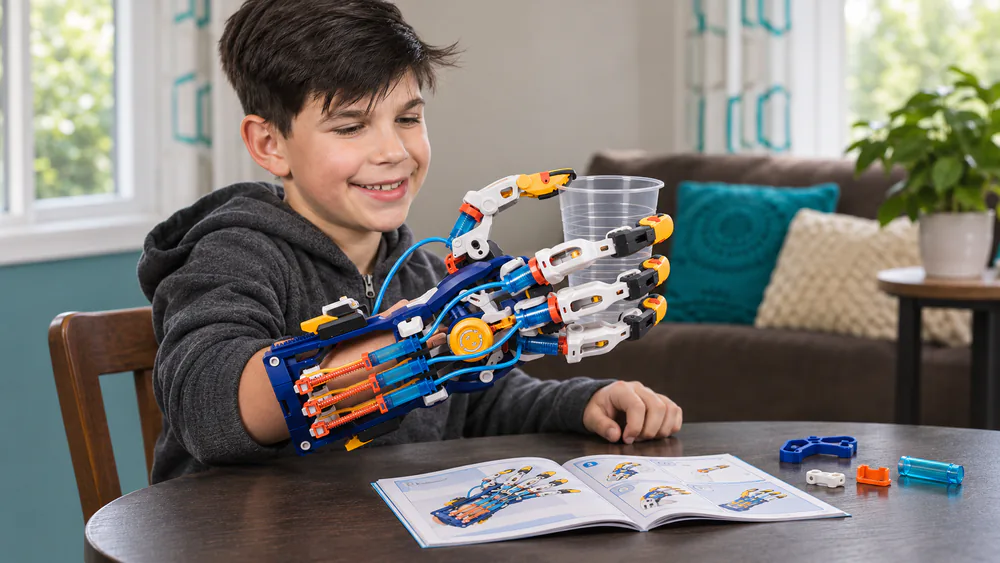
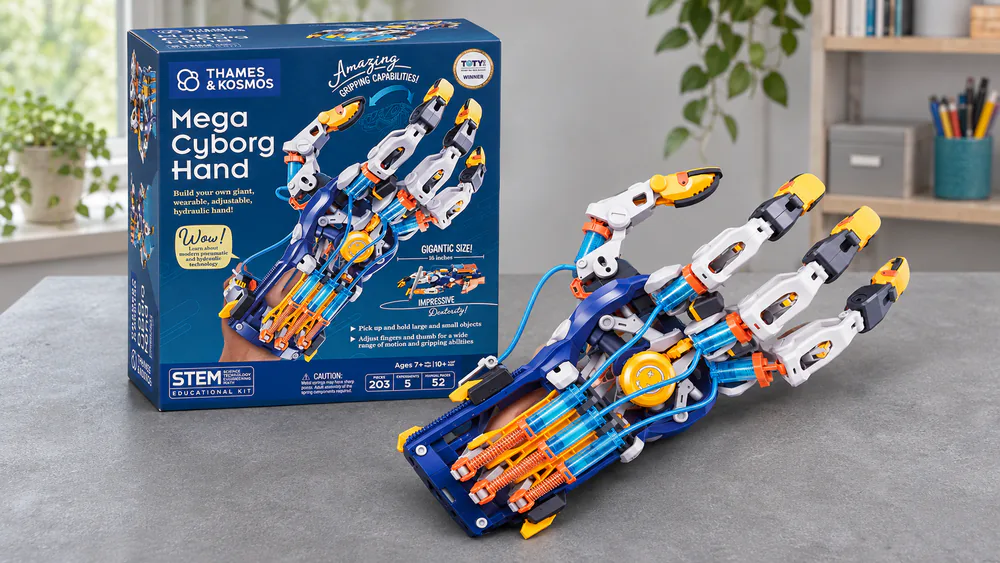
Where Sillbird needs light, the Mega Cyborg Hand needs only water: it is a wearable hydraulic arm that runs on water and air. It has no motors and no batteries, which makes it feel different from every other kit here.
Who It Is For
Kids who like building with a parent at their side. The kit has over 200 plastic pieces, a 40-page full-color manual, and right, left or claw configurations. Not for a child who wants to finish quickly alone: parts can snap during assembly. Check the listing for the age range.
Before You Start
Building the Cyborg Hand together with a parent works well, and kids love gripping objects with it. If the hydraulics will not work at first, fill the tubes again and make sure they are seated correctly. Go slowly with the tubing and test as you go.
Pros
- Wearable hydraulic hand
- No motors or batteries
- Detailed 40-page manual
Cons
- Parts can snap during assembly
- Hydraulics may fail until tubes are seated
- Works best with a parent helping
9. Learning Resources Botley - Best for Preschoolers
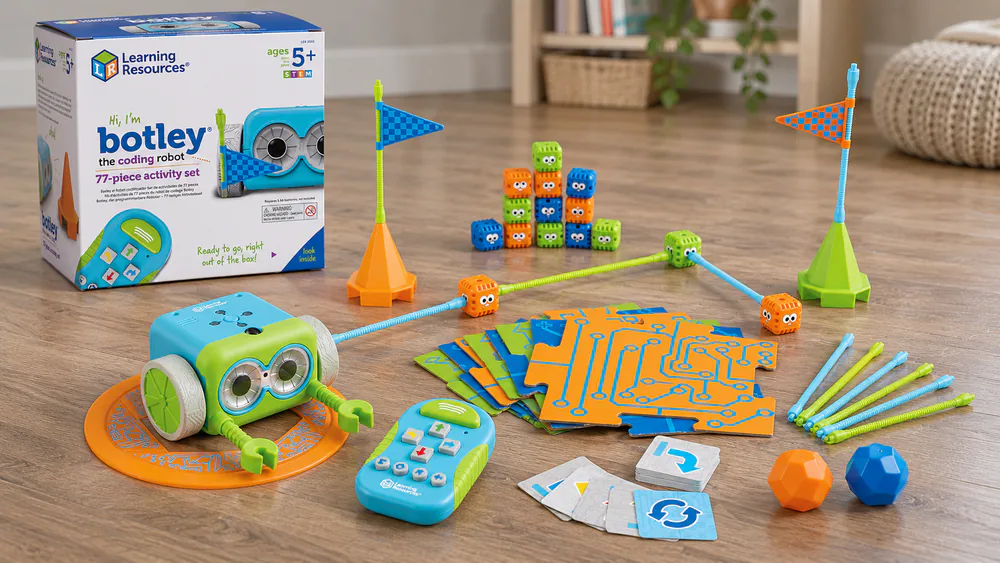
Siblings from 3 to 8 all join in building mazes with the Botley cubes and rods. After the hydraulics of the last pick, Botley is the gentlest start on the ladder: a screen-free robot that follows a program entered on a remote.
Setting Up the Maze
Botley sets up fast with batteries and a screwdriver. It needs 5 AAA batteries and a Phillips screwdriver, neither included, and the activity set has 77 pieces, 40 coding cards and 27 obstacle pieces. The label says 5+, though a 3-year-old enjoyed Botley 2.0 with a grown-up helping. Botley 2.0 does not turn a perfect 90 degrees and can stop following commands, which frustrates kids on mazes, so build in a little extra room at each turn.
Best for mixed-age families. Not for kids who get frustrated by small errors in turning.
Pros
- Screen-free coding remote
- Fast setup
- Works for a wide range of ages with help
Cons
- Botley 2.0 can stop following commands
- Turns are not a perfect 90 degrees
- Batteries and screwdriver not included
10. Makeblock mBot2 - Best Advanced Kit for Python
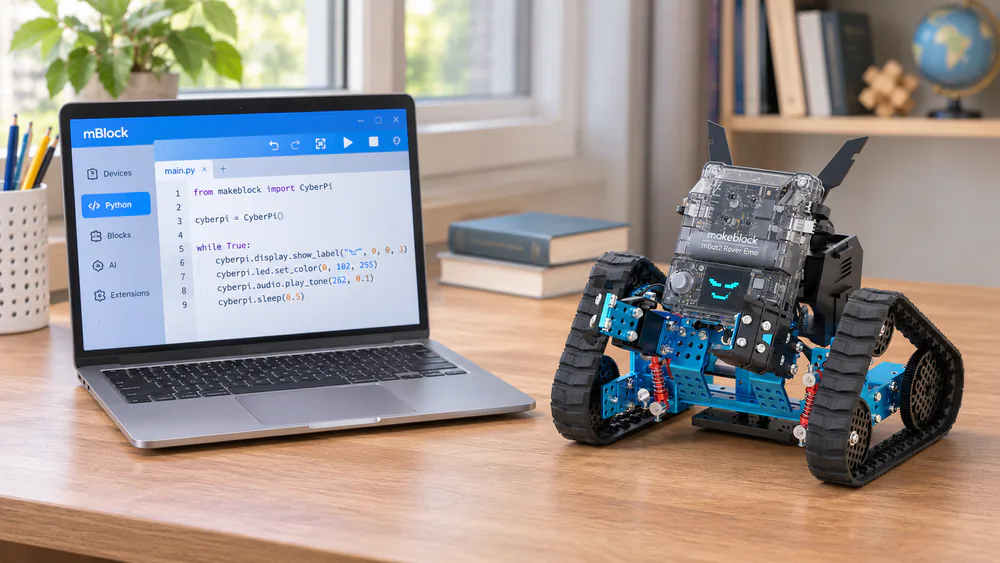
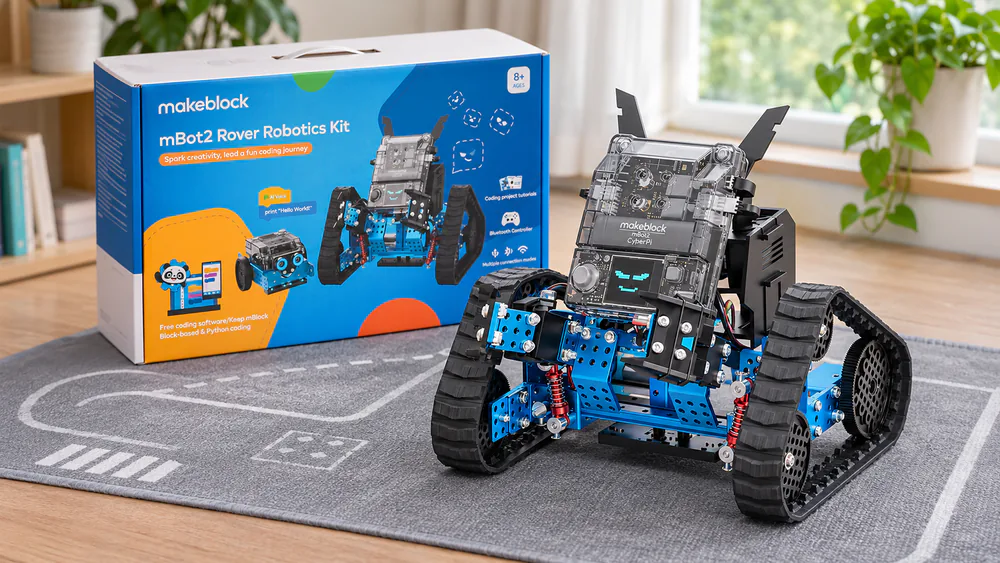
Where the original mBot stops at Arduino-style blocks, mBot2 adds Python: a CyberPi controller with built-in Wi-Fi and encoder motors, programmed in Scratch 3 or Python.
Who It Is For
Tweens and teens ready to move from blocks to text code. Sellers differ on ages, from 8-12 up to 8-16, so treat Python as the step for older kids rather than a fixed age. It takes about 40 minutes to assemble and goes together smoothly in under an hour. Not for a young child who still needs the drag-and-drop stage.
Before You Start
Programming feels intuitive, and the robot holds up in group coding camps. Install the app on a phone or regular tablet, not a Fire tablet. Buy it only once a child has outgrown the original mBot.
Pros
- Scratch 3 and Python, including MicroPython
- Smooth, quick assembly
- Holds up in group coding use
Cons
- App has trouble on Fire tablets
- Premium price tier
- Overkill for beginners
Robotics Kits Compared: Age, Price, Coding Level
| Kit | Age range | Coding type | Price tier | Build |
|---|---|---|---|---|
| Makeblock mBot | 8-12 | App and block, up to Arduino | Mid-priced | 15 minutes |
| ELEGOO UNO R3 Smart Robot Car V4 | 8+ | Arduino | Mid-priced | Multi-module, 24 module types |
| Smartivity Robotic Mechanical Hand | 8-14 | None, mechanical | Budget | Step-by-step manual |
| Teach Tech Mech-5 | 10+ | Screen-free wheel | Budget | Multiple hours |
| Wonder Workshop Dash | 6 and up | App and Blockly | Premium | None, pre-built |
| LEGO Boost Creative Toolbox | 7+ | App icon coding | Splurge | 847 pieces |
| Sillbird 12-in-1 Solar Robot | 8-13 | None, solar | Budget | 12 models |
| Thames & Kosmos Mega Cyborg Hand | See listing | None, hydraulic | Mid-priced | 200+ pieces |
| Learning Resources Botley | 5+ | Screen-free | Mid-priced | 77 pieces |
| Makeblock mBot2 | 8-12, Python for older kids | Scratch and Python | Premium | 40 minutes |
How to Choose a Robotics Kit for Your Child
By Age
Under 6, pick a screen-free robot like Botley with a grown-up beside you. From 6 to 8, a pre-built robot like Dash keeps the focus on coding. From 8 to 12, mBot, Mech-5, or the mechanical builds give hands-on challenge. Past that, ELEGOO and mBot2 move into Arduino and Python. Whatever the age, check the box for small parts and battery needs using the CPSC toy safety guidance.
Coding vs. Building
Some kids want to program, and some want to build. The solar, mechanical and hydraulic kits focus on building and require no coding, while Dash and Sphero Mini focus almost entirely on programming. Sphero Mini is tiny and fun right out of the box, works best on hardwood or thin carpet, and can be coded with drawing, blocks or JavaScript, though it sometimes will not pair over Bluetooth. For simpler robot toys, see our guide to the best robot kits for kids. If your child loves Scratch, Scratch is a free on-ramp before any kit.
Screen-Free vs. App-Based
Screen-free kits like Botley and Mech-5 teach sequences with cards, buttons and a remote. App-based kits like Dash, Boost and mBot add more depth but depend on Bluetooth and a working tablet, so pairing is the weak spot to plan for.
Budget
Budget kits like Smartivity, Mech-5 and Sillbird offer real hands-on learning. Mid-priced kits add coding depth, and the premium and splurge tiers buy polish, pre-built convenience or a long runway. When your child outgrows the kit, FIRST LEGO League is a natural next step.
Watch outCheck each box for small parts and battery needs. Several kits here need AA or AAA batteries that are not included, and some have small pieces that are unsuitable for children under three.
Frequently Asked Questions
Does a robotics kit need coding experience?
No. Dash, Botley and mBot are all built for first-time coders, and the solar and mechanical kits need no coding at all.
How do kids move from Scratch to Python?
Start with blocks on a kit like mBot, then move to Python on mBot2 once your child is comfortable with loops and conditions. Python suits tweens and teens.
Can one kit serve siblings of different ages?
Botley is the best fit: siblings from 3 to 8 all join in building mazes, with a grown-up helping the youngest.
What if the app will not pair?
Restart the robot and the app, charge both, and try a phone instead of a Fire tablet. Screen-free kits sidestep the problem.
Can a 4-year-old start robotics?
Yes, with Botley and a grown-up beside them, though the label says 5+.
Is a kit a good gift or classroom pick?
Pick by age and coding step. Mid-priced kits like mBot suit a group, and mBot2 holds up in group coding camps.
Final Verdict: Which Kit Should You Buy?