Coding for Kids: A Parent's Guide to Getting Started
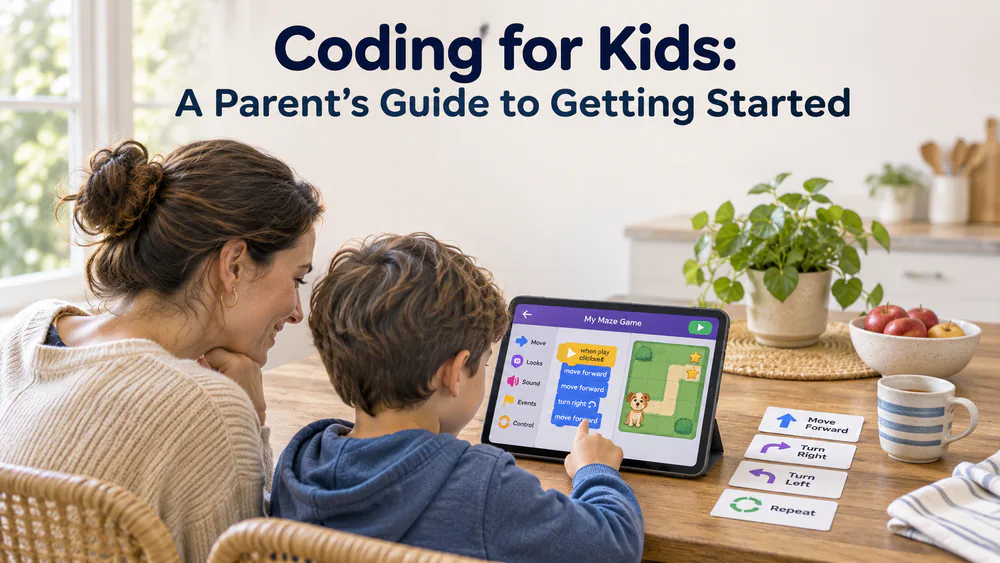
If your kid has asked about coding and you have never written a line yourself, here is how we would start. Coding just means giving a computer step-by-step instructions, and kids can learn to code with games and puzzles long before they type a single word.
You do not need a degree, a special laptop or a budget. The best first steps are free, and the path moves from picture blocks to real text languages like Python as your child grows.
Keep the first session short and simple. Learn the blocks first so you can sit beside your child and help them make a favorite character move. Picture-based blocks like ScratchJr's let young kids animate a character almost right away, which builds confidence fast.
What Age Should Kids Start Coding
There is no single right age. Most kids are ready for simple, picture-based coding between 5 and 7, and the tools change as reading, typing and patience grow. Treat the ages below as rough ranges, not deadlines.
Ages 5-7
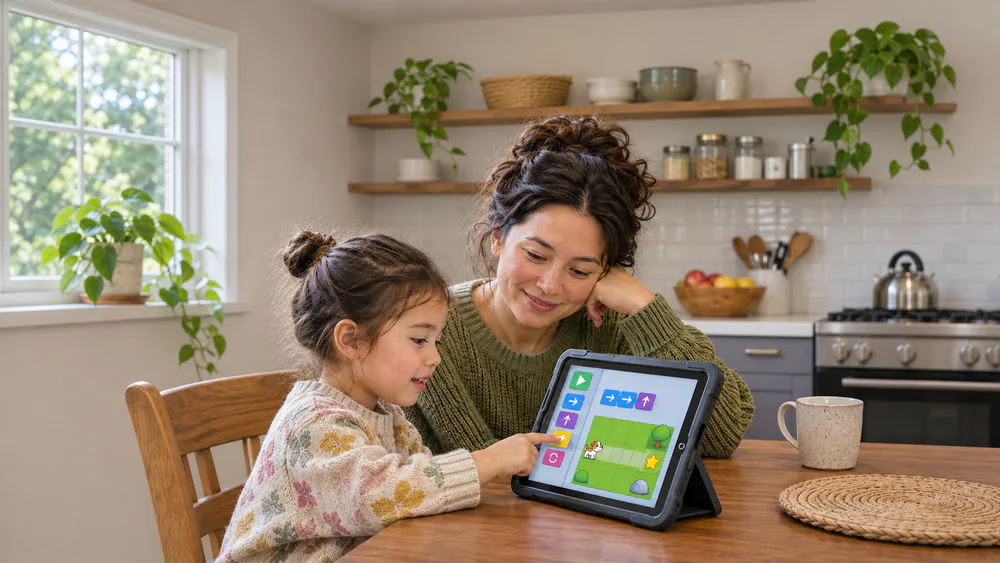
ScratchJr is aimed at ages 5-7. It uses picture-based blocks, so no reading is needed. Kids snap blocks together to make a character move, jump or talk.
Young kids still need an adult nearby. A parent reads instructions, helps with menus and coaches gently, then steps back as confidence grows. Under-5s can struggle with the touch controls.
Parent tipFor ages 4-6, start unplugged. A treasure hunt where your child gives you step-by-step directions teaches the same idea as a block of code, with no screen at all.
Ages 8-10
This is the sweet spot for Scratch, which is a block-based visual language where kids build games, stories and animations. Age guidance varies by source, but around 8 is a reasonable starting point. Kids at this age usually outgrow ScratchJr.
Code.org's courses fit here too. The Pre-reader Express covers K-3, and the Express Course covers grades 3-8.
Ages 11-13
Many kids in this range are ready to try text. Microsoft MakeCode starts in blocks and switches to JavaScript or Python in the same editor, so the jump feels small. Kids can also program a micro:bit in the simulator without owning the hardware.
Python gets easier once typing is comfortable, often around 10-12, though it depends on patience and typing speed. Let your child decide when they are ready.
Ages 14 and up
Teens can move fully into Python or JavaScript, build real projects and follow their own interests, whether that is games, websites or hardware. The core ideas from block coding carry over: loops, conditionals and variables.
How to Start Coding at Home, Step by Step
Think of coding as four small steps. You can move through them in a few weeks or a few years.
Parent tipBefore Step 1, sit down with your child and pick one small goal, like "make a character dance." A tiny goal beats a vague plan to "learn coding."
Step 1: Try a free Hour of Code activity
Hour of Code activities are free and take about one hour. The site now sits within Hour of AI, which also offers activities that work without devices. There is no sign-up pressure and no commitment, so it is the lowest-risk way to see whether your child enjoys it.
Step 2: Move to a visual language such as Scratch
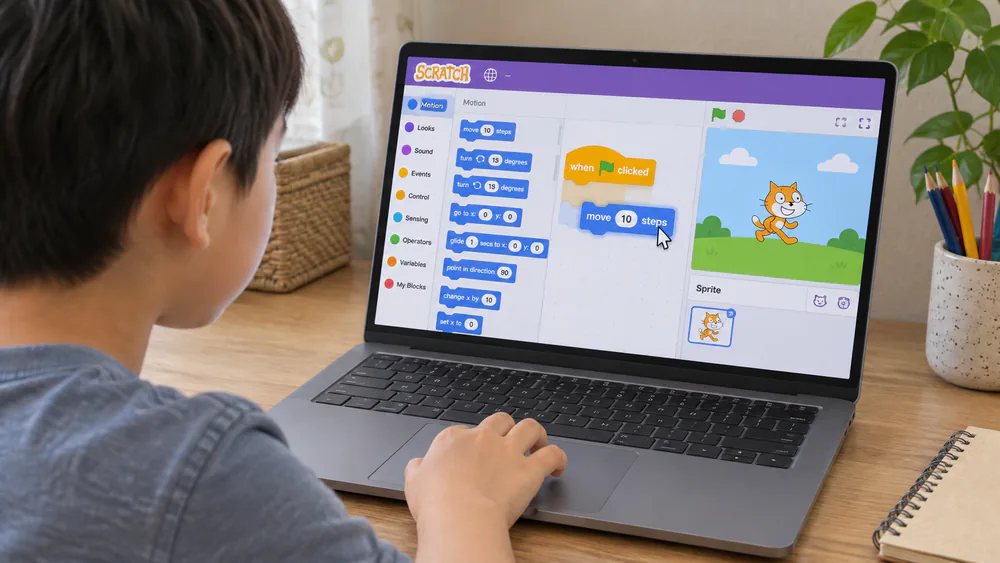
If the first hour goes well, open Scratch. Scratch is free for everyone. Kids drag blocks together to make games and stories, and they can remix other projects.
Younger kids do best with an adult close by, or with the offline editor. The online community is moderated, but it has no automated filtering. Remixed projects can include mild swearing, mean comments or cartoon violence.
Step 3: Add a hands-on project
Screens are not the only way to code. A micro:bit program, a programmable robot or a circuit that lights up gives kids something real to hold. If you want to go that way, our guides to robot kits for kids and circuit kits for kids are good places to look. Snap Circuits Explore Coding is a gentle bridge between a building kit and real code.
Step 4: Graduate to Python or JavaScript
Typing speed makes Python miserable for many kids under about 10. One missing colon stops the whole program, and that precision frustrates kids who are not ready for it. If your child hits that wall, go back to blocks for a while. Nothing is lost.
When they are ready, MakeCode is a gentle bridge. A small computer is another fun next step, and we cover Raspberry Pi kits for kids in a separate guide.
Free Coding Games and Resources Worth Trying
You can learn to code for free. These are the starting points we would try first, and each is safe for children to use.
- Code.org: Code.org's elementary courses are free and self-paced. Sprite Lab and Music Lab are free block-based tools, and there are over 100 free hour-long activities.
- Scratch: Free, with an offline version for younger kids.
- ScratchJr: Free and picture-based for ages 5-7.
- MakeCode: Free, and it builds arcade games or programs a micro:bit in the browser.
- Kodable: Built for pre-readers and early readers from kindergarten. It is ad-free and works on Chromebook, iPad and the web.
Kodable's parent materials also help adults who are new to loops and conditionals follow along. For more game-style options, see our roundup of the best coding games for kids.
NoteSome tools mix free and paid access. CodeMonkey covers ages 5-14 and has a free trial before its paid home plan. Kahoot! Coding is a puzzle game for ages 8-14 with limited free challenges. CodaKid offers 14 days free. Check the current terms before you commit.
Screen Time and Unplugged Coding Projects
Coding is screen time, but it is active screen time. Your child is making something, not scrolling. We still keep it balanced, and the AAP's guidance on kids and screen time is a useful reference for setting limits that fit your family.
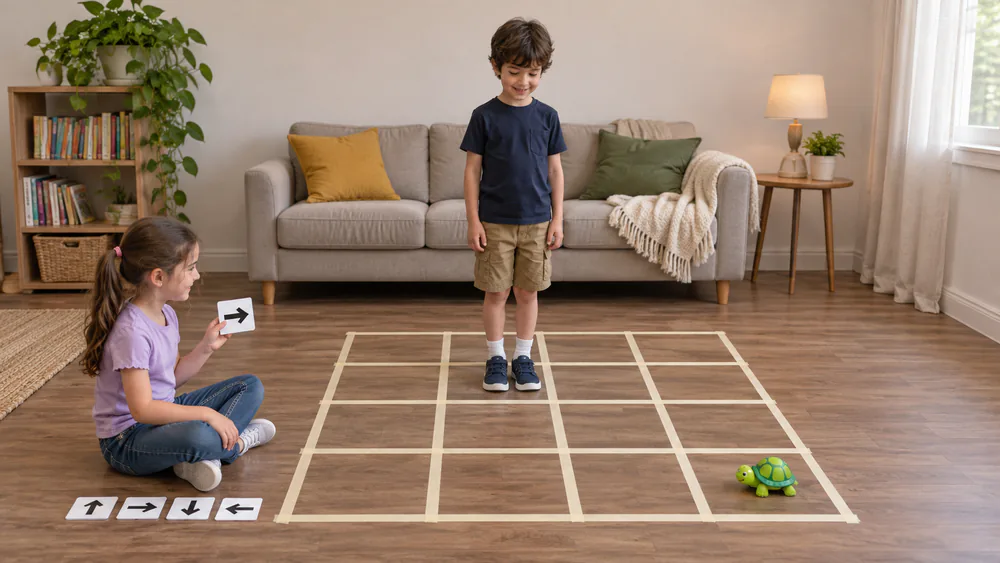
Unplugged projects teach the same thinking without a device:
- Robot directions: One person is the robot. The other gives commands like "two steps forward, turn left."
- Paper grid maze: Draw a grid, place an object, and write arrow instructions to reach it.
- Recipe debugging: Write out the steps for a sandwich and find the missing step.
Parent tipA good balance is a short coding session, then a hands-on build or an unplugged game. Stop while your child still wants more.
How to Choose a Coding Platform or Class
Start with your child's age and reading level, then look at cost and how they feel after a session. If they ask to keep going, the tool is working.
Comparison by age, cost and language
| Platform or tool | Ages | Cost | Block-based or text | Best for |
|---|---|---|---|---|
| ScratchJr | 5-7 | Free | Block (picture) | First taste, pre-readers with an adult |
| Scratch | About 8+ | Free | Block | Games and stories after ScratchJr |
| Code.org / Hour of Code | K-3 and 3-8 courses | Free | Block | One-hour first step |
| Tynker | Broad, varies | Paid, limited free start | Block to Python or JavaScript | Story lessons, Minecraft mods |
| CodeMonkey | 5-14 | Paid, free trial | Block to CoffeeScript or Python | Puzzle-style text coding |
| Kodable | K-5 | Freemium | Block to JavaScript | Early readers, school-style |
| MakeCode | No stated range | Free | Block to JavaScript or Python | micro:bit and arcade games |
Tynker is a good example of why to check current terms. Its access and pricing change often, and its story lessons are less polished than free Scratch, but the sandbox coding options are strong.
Classes vs self-paced learning
Self-paced tools cost little and let your child move at their own speed. That works well for curious kids who like to experiment. A class, whether live or one-on-one, adds a teacher and a schedule, which helps kids who stall or need someone to answer questions. Many families start self-paced and add a class later if interest holds.
A teacher can make a big difference when a child finds it difficult to progress through a CodeMonkey course. If you want a standards reference, the CSTA K-12 computer science standards show what schools aim for at each grade.
Why Teach Kids to Code
Coding is not about turning every child into a programmer. It is about the habits it builds along the way.
Skills it builds (problem-solving, logic, creativity)
Coding builds problem-solving, because a program rarely works the first time and kids learn to find the bug and try again. It builds logic, because steps have to come in the right order. It also builds creativity, since the goal is usually a game or story your child invented. Real-world skills like patience and critical thinking come with it.
What it is not (it does not have to lead to a programming career)
Learning to code does not have to lead to a programming job. Plenty of kids learn it the way they learn music or art, for fun and for the way it changes how they think. Keep the pressure low and the projects playful.
What Coding for Kids Actually Means
Coding for kids covers two broad styles, and most children move between them.
Block-based coding vs text-based coding
Block-based coding uses snap-together visual pieces, so there are no typos and no syntax rules. Scratch, ScratchJr and the early parts of MakeCode work this way. Text-based coding means typing commands in a language like Python or JavaScript. It is closer to what professionals use, but it demands precision. Most kids do best starting with blocks.
Unplugged activities (no screen)
These are the no-screen games covered in the Screen Time section above.
Frequently Asked Questions
Is coding good for kids?
Yes, in moderation. It builds problem-solving, logic and creativity, and it gives kids something to make instead of only consume. It does not have to lead to a career to be worthwhile.
How do I teach my 7 year old to code?
Start with ScratchJr or a free Hour of Code activity, and sit beside them. Read instructions aloud, let them click, and keep sessions short. Add an unplugged game or two to keep it fun.
Does my child need to know math first?
No. Early coding is mostly about order and logic, not arithmetic. Math tends to come up naturally later, for example when a game needs a score.
Do I need to know how to code to help?
No. Tools like Code.org and Kodable are built for beginners, and Kodable's parent materials help adults follow along. Learning beside your child is often the best way to help.
Should kids still learn to code now that AI can write code?
Yes. Knowing how code works helps kids tell good output from bad and fix it when it breaks. Hour of Code now includes Hour of AI activities, some of which work without devices.
Conclusion: Start Small and Keep It Fun
Pick one free tool, set a small goal and sit beside your child for the first hour. If it clicks, move up a step. If it does not, take a break and try an unplugged game instead. The goal is a child who likes making things, not one who races through a ladder of languages.