Coding Camps for Kids: How to Choose the Right One
If you're trying to find a coding camp your kid will actually stick with, the options can feel endless. Some camps run on university campuses, some meet in a strip-mall learning center, and some happen on a laptop at your kitchen table. Prices range from nearly free to well over a thousand dollars a week. In this guide, we walk through the main camp types, which ages suit which format, and what to check before you pay. We also cover when a camp is the wrong tool and a simpler option works better.
Day, Overnight and Online Coding Camps Compared
Most camps run Monday to Friday, one week per session. Beyond that, the format shapes the group size, daily hours, price and time you need to set aside each week.
| Camp type | Ages | Format | Typical length | Cost tier | Best for |
|---|---|---|---|---|---|
| Day camp | 5-14 | Local center, half or full day | 1 week | Budget to mid-priced | First-timers |
| Overnight and university residential | 7-17 | Campus, day or overnight | 1-2 weeks | Premium to splurge | Teens and older kids who want a campus |
| Live online | 5-18 | Live instructor, home setup | 1-2 weeks | Budget to mid-priced | Rural or busy families |
| Franchise center and after-school | 5 to 14 | Center-based, themed weeks | 1 week | Budget to mid-priced | Younger kids, repeat themes |
Day camps
Local day camps are the easiest first step. Half-day sessions keep younger kids engaged and tired in a good way, and they usually come home eager to show the game they made that day. Free options exist too, including school-sponsored sessions and volunteer-led clubs.
Overnight and university residential camps
Residential camps sit in the premium-to-splurge tier, well above local day camps. iD Tech is one example: ages 7-17, one-week sessions with some two-week options, across 70+ locations. A typical day runs about 8:30 to 4:30 with lab blocks, a computer break and outdoor time. Overnight camps pair coding blocks with outdoor games and evening free time, which helps first-time-away kids settle in.
Live online camps
Live online camps suit families who live far from a campus or have a packed calendar. Coding with Kids runs live online and in-person camps for ages 5-18, half-day or full-day. USC's Viterbi K-12 programs offer a virtual track with one 90-minute session a day over two weeks.
Franchise center and after-school style camps
Code Ninjas is a franchise example for ages 5 to 14. Its week-long half-day camps run in themes such as Robotics, Roblox and Minecraft, and you can combine two halves into a full day. Themes repeat, which makes these a good fit for a child who wants to go deeper on one topic.
Which Coding Camp Fits Which Age
Age matters more than any brand. The right camp is easier to spot when its tools match what your child can already do. Our guide to coding classes for kids goes deeper on the class side, and how to start coding for kids covers the home route.
Ages 5-7: Block-based starts
Look for half-day, block-based sessions with drag-and-drop tools. Short days matter at this age. The best first day gets a child to a working game in the first 15 minutes, which sparks excitement in shy beginners.
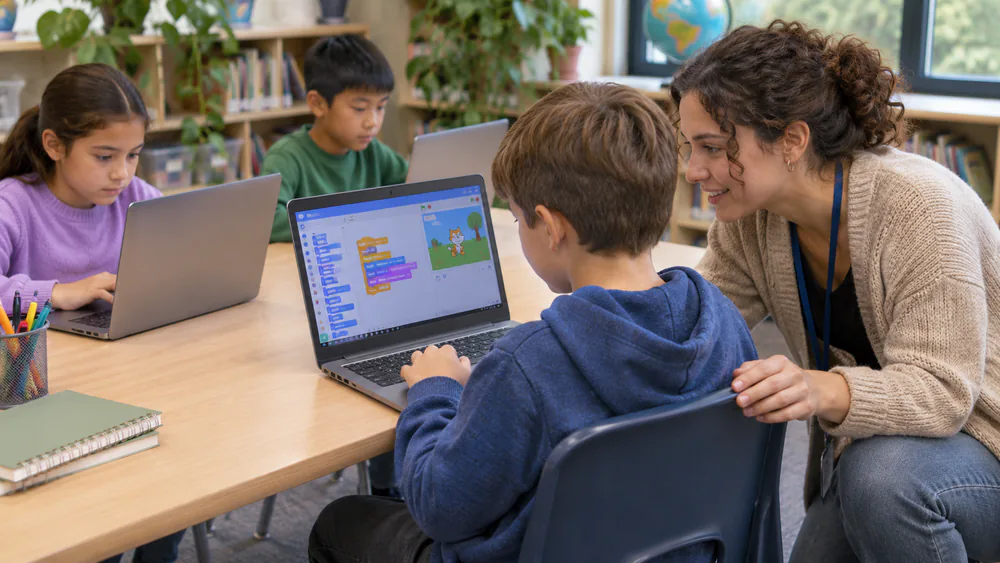
Ages 8-11: Scratch, Roblox and Minecraft
This is the sweet spot for themed camps. Kids at this age can follow a project from idea to finished game, and Scratch, Roblox and Minecraft give them familiar worlds to build in.
Ages 12-14: Python, game design and app basics
Middle schoolers can move from blocks to text. Look for a first real language, usually Python, plus game design and simple apps.
Teens 15-17: Real languages and portfolio projects
Teens do best on university-style programs with real-world languages like Python, JavaScript or C++, and projects they can show later. This is where a campus camp earns its price.
What Kids Actually Build at Camp
Ask what your child will have made by Friday. Good answers are concrete.
Game design
Game design is the most common track. Kids plan levels, code characters and test with friends. Building, playing and fixing a game gives kids practical problems to solve.
Robotics and AI
Robotics tracks add motors, sensors and sometimes AI. Some providers introduce AI gradually, with students owning the thinking rather than copying output. That is the approach we'd look for.
Web and app projects
Older kids build simple websites and mobile apps. These are the projects that fill a portfolio, and they teach future skills like debugging and design.
How to Judge a Camp Before You Pay
A glossy brochure tells you little. These checks tell you more.
Instructor ratio and group size
Small groups matter. One verified benchmark is iD Tech's 8:1 average student-to-instructor ratio. Ask every provider for its number, and ask whether the ratio applies to the whole day or only to lab time.
Projects kids take home
Ask whether your child leaves with files they can open at home, such as a game, a site or an app. A camp that only shows demos on the provider's computers gives your child nothing to build on.
Equipment and laptop requirements
Some camps provide laptops, and some ask you to bring one. Online camps nearly always need a working computer, a stable connection and a quiet corner. Confirm all of it a week early.
Parent tipAsk for a sample day schedule and a list of last year's projects. A provider who is proud of its program answers in minutes.
Questions to ask before you enroll
- What is the student-to-instructor ratio during lab time?
- What will my child have made by the end of the week?
- Is there a refund or transfer policy if my child hates it?
- Are early drop-off and late pick-up included?
- Do you provide equipment, or do we bring our own?
The CSTA standards for K-12 computer science are a useful yardstick if you want to know whether a program teaches real concepts or only tool clicking.
What Coding Camps Cost and Ways to Save
Local and day camps sit in the budget-to-mid-priced tier. University residential camps are premium to splurge. The spread is wide, so compare your own options rather than chasing one number. The same family could pay a few hundred dollars for a franchise week and over a thousand for a residential one.
Watch outCheck the extras. Early drop-off and late pick-up are often extra, for example $60 per week each at one franchise location. For working parents, the true weekly cost runs above the sticker price. We could not verify refund terms across providers, so ask for them in writing.
Ways to save:
- Start with free options such as school sessions, volunteer-led clubs and free self-paced lessons.
- Choose half-day over full-day.
- Book the early-registration window. Summer 2027 registration at some providers opens in November 2026, though dates shift each year, so confirm on the provider's page.
- Ask about payment plans, which some residential camps offer.
When a Camp Isn't the Right Fit (Class, Kit or Game Instead)
Some kids are too young, too shy or too booked for a week away from home. A home option can work well. For games, see our best coding games for kids, and for hardware, our picks of robotics kits for kids and STEM kits for kids.
A few options we would point to:
- Osmo Coding Kit. Tablet-and-block sets work for a five-year-old with a decent attention span, and kids often do not realize they are coding. It needs an iPad, and some newer models will not work without removing the case, so check your tablet first.
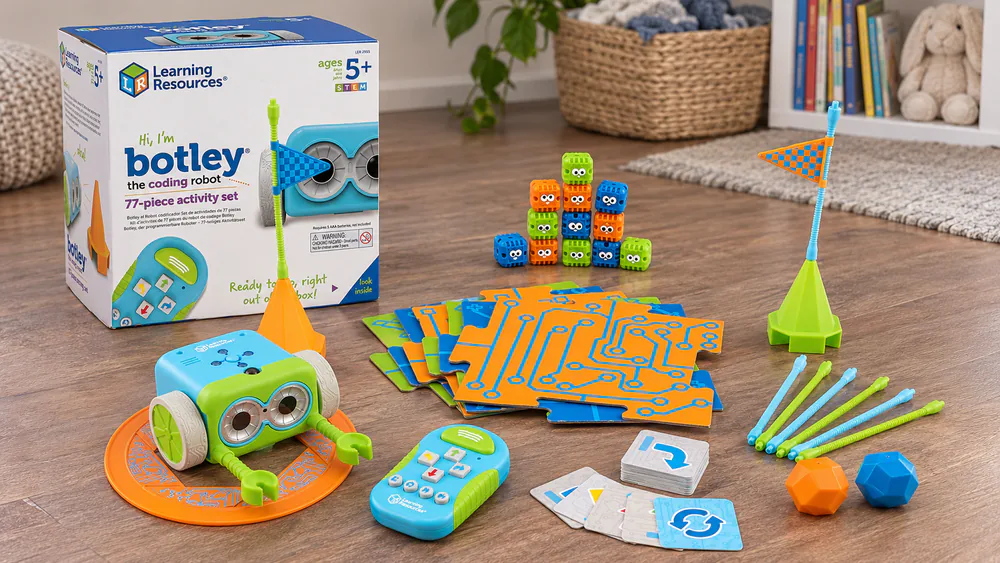
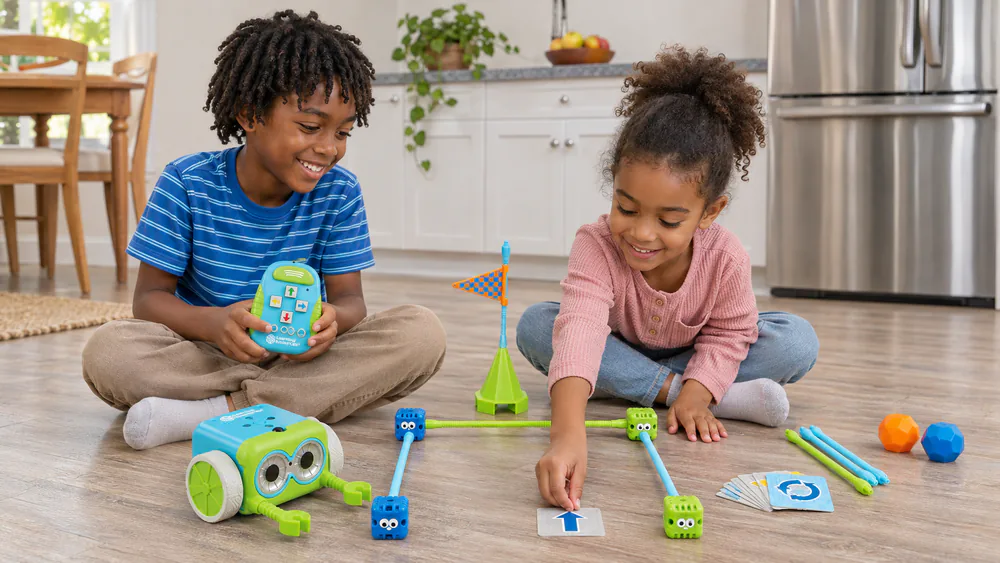
- Botley the Coding Robot. This screen-free set has 77 pieces and works across a mixed-age house: the five-year-old stickers the maze and the eight-year-old programs the loops. It needs a screwdriver and extra batteries before it moves.
- Makeblock mBot. For ages 8-12, it builds in about 15 minutes and moves from Scratch to Arduino. A ten-year-old can build it alone, though the Bluetooth connection sometimes needs a grown-up to reconnect it.
- Coding for Kids: Python. The book has 50 games and activities. It is easy to follow, but some kids will not push through it without a parent sitting beside them.
What a Coding Camp Actually Is (and Isn't)
A coding camp is a short, structured block of guided projects, usually a week, led by an instructor with a small group. It is not a full course and it will not make a child fluent. It can give a child an early success with a hands-on project and help them decide whether they enjoy building things with code.
It is also not childcare, even when the hours look like it. Check what the hours cover and what your child will do in each block.
Frequently Asked Questions
What age should kids start coding camp?
Providers start as young as 5, and Code Ninjas serves ages 5 to 14. Half-day, block-based sessions are the gentlest start. If your child is under 7 and wary, try a home kit first.
Do kids need experience before attending?
Not for beginner tracks. Most camps place first-timers in an intro group. A good first day gets a game running within about 15 minutes, so a beginner sees results fast.
How much does a coding camp cost?
It depends on format. Day and online camps run budget to mid-priced, while residential university camps are premium to splurge. Add early drop-off and late pick-up fees to your estimate.
Are online coding camps worth it?
They are worth it for rural or busy families and for kids who focus well with a live instructor. Look for live teaching, not recorded videos, and a small group. Confirm your computer and connection first.
What should my child bring?
Day camps often supply laptops, but ask. Pack water, a snack and a lunch if the day is full. For overnight camps, ask the provider for its packing list.
Final Thoughts
Pick the format first, then the age track, then the provider. Ask for the student-to-instructor ratio, a list of take-home projects and the refund terms, and read the extra fees before you commit. If a week away feels like too much, a kit, a book or a game at home is a perfectly good way to start.