7 Best Drones for Kids in 2026: Safe Picks for Every Age
Most kids' drones fail for one of two reasons. Either the drone is too advanced for the child holding the controller, or it is so flimsy that the first hard landing ends it. Both problems are avoidable, and both come down to one decision: matching the drone to your child's age and to the space they will actually fly in. A six-year-old needs a slow indoor hover toy with a cage around the propellers. A thirteen-year-old wants a camera.
That is the guide in one paragraph. Below we have sorted seven drones by the age and skill they suit, from a $16 hand-flown ball that needs no controller to a 4K camera drone that stays under the FAA's registration weight. Every pick has propeller guards or a full shell, except the one teen drone where we say plainly that it does not.
Our Top Picks at a Glance
Our quick picks
Comparison Chart: Best Drones for Kids
| Drone | Age range | Weight (g) | Flight time | Camera | Prop guards | Price band | Buy |
|---|---|---|---|---|---|---|---|
| Holy Stone HS210 | 8-12 (from 6 with help) | 24.8 | 7-9 min x 3 batteries | None | Full, fixed | ~$40 | Check price |
| Holy Stone HS190 | 8-12 | Not stated | 3-7 min, 1 battery | None | Removable | ~$30 | See current price |
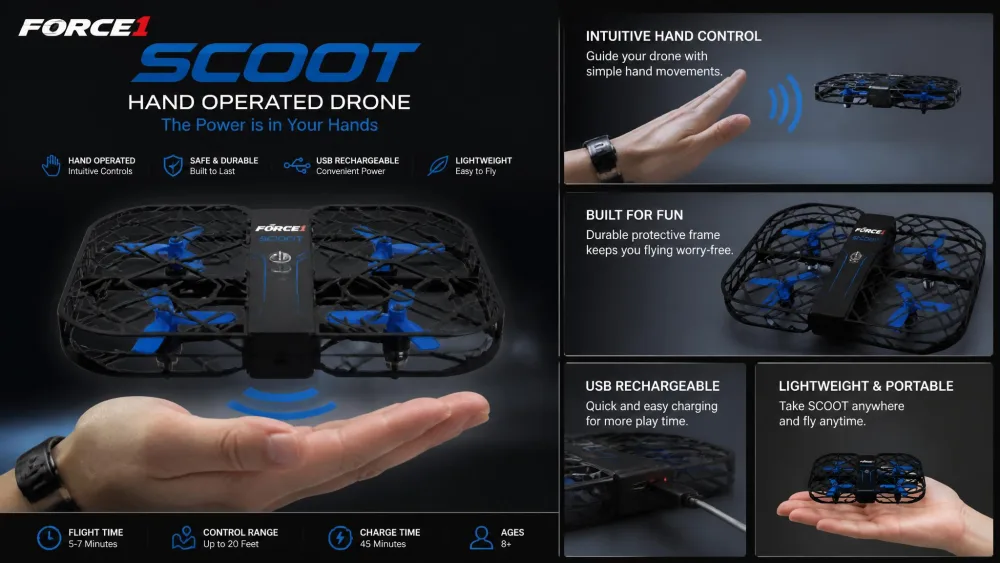
| Force1 Scoot | 8+ (younger with supervision) | Not stated | Up to 8 minutes | None | Webbed shell cage | ~$16 | View at Amazon |
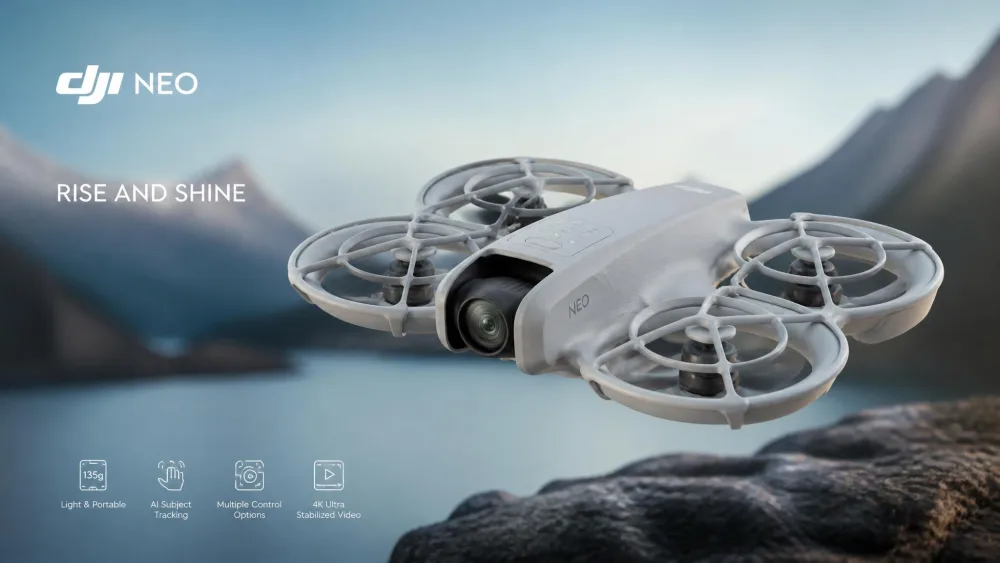
| DJI Neo | 10+ | 135 | 18 min rated, 17 with guards | 4K UHD, 12 MP | Full-coverage, included | ~$139 | See today's price |
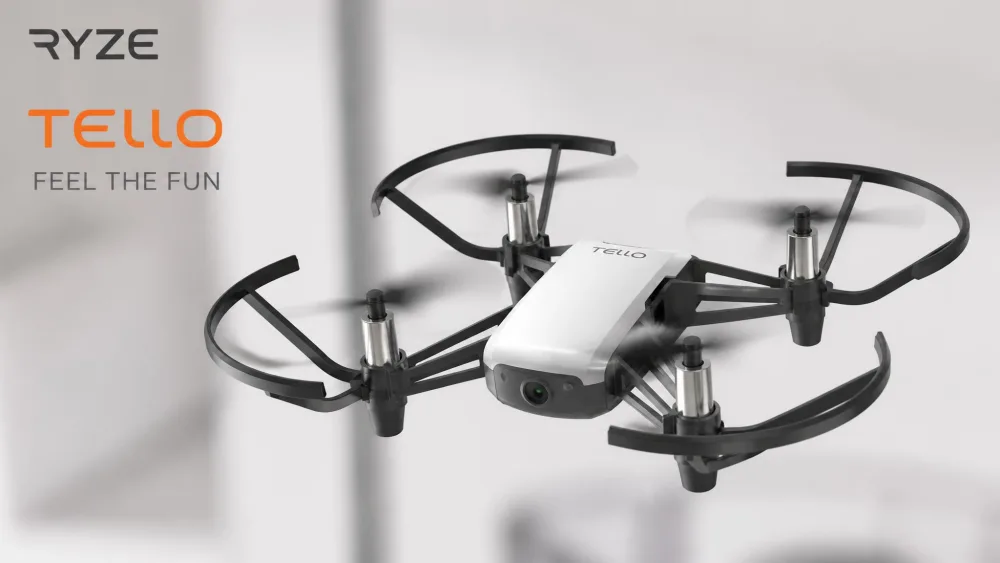
| Ryze Tello | 10-14 | 80 | 13 minutes | 720p, 5 MP | Removable | ~$99-$129 | Check availability |
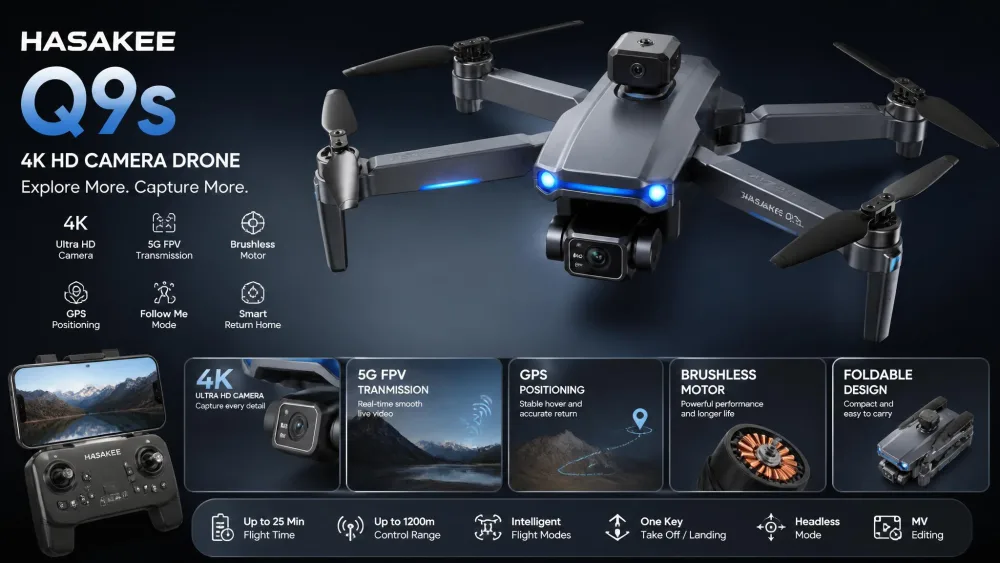
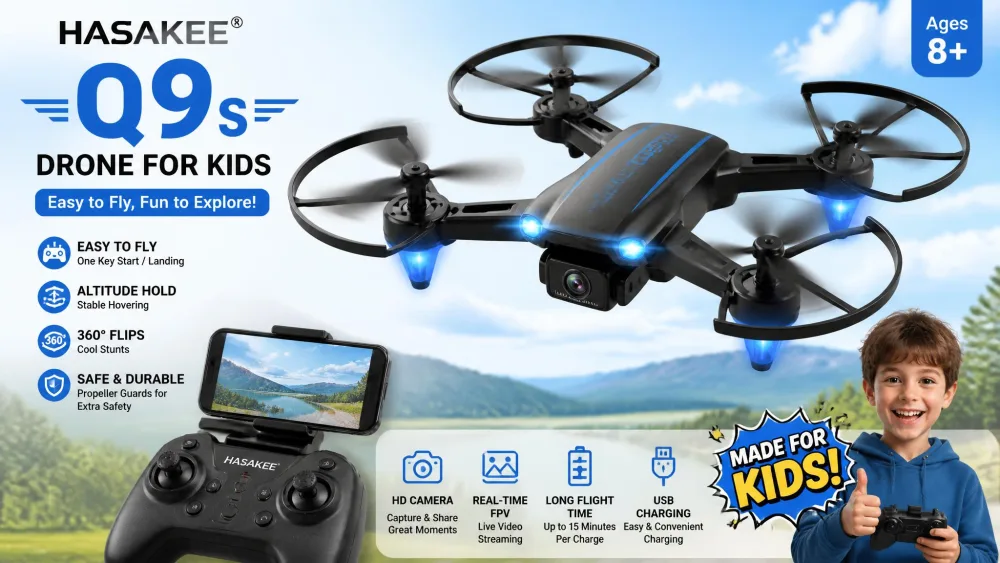
| HASAKEE Q9s | 6-12 | Not stated | ~5-6 min x 2 batteries | None | Four full guards | ~$40 | Check the price |
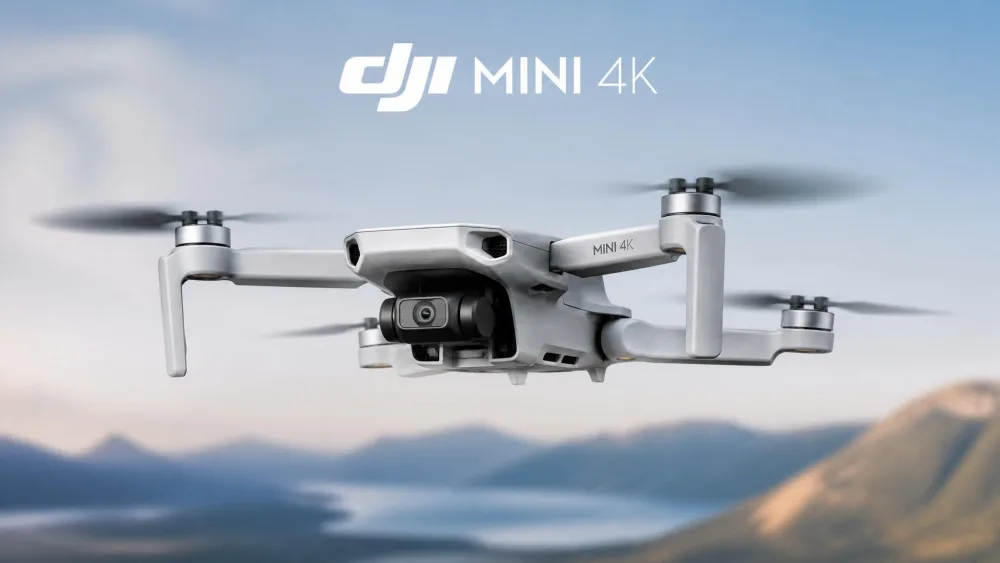
| DJI Mini 4K | 13+ | Under 249 | 31 min rated, 20-25 real | 4K UHD, 3-axis gimbal | Not included | ~$299 | See the current price |
Prices move with Amazon promotions and sellers, so treat the bands above as planning figures.
The 7 Best Drones for Kids
1. Holy Stone HS210: Best Overall for Kids
Why We Picked It
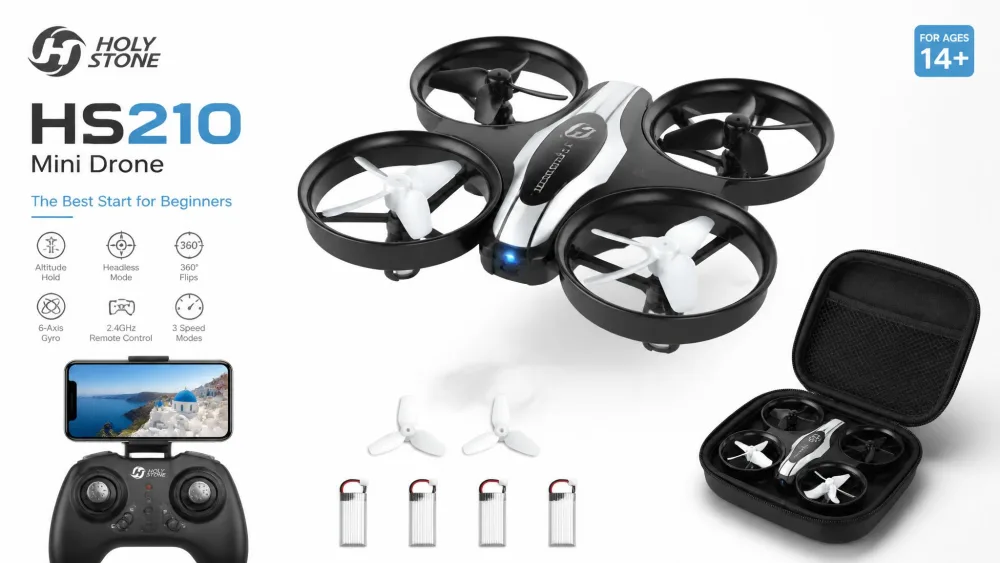
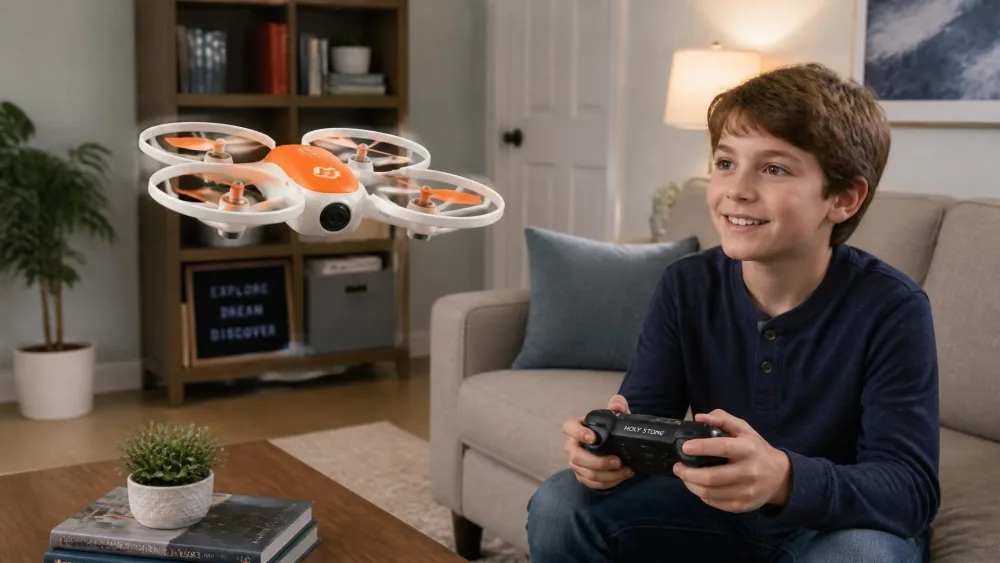
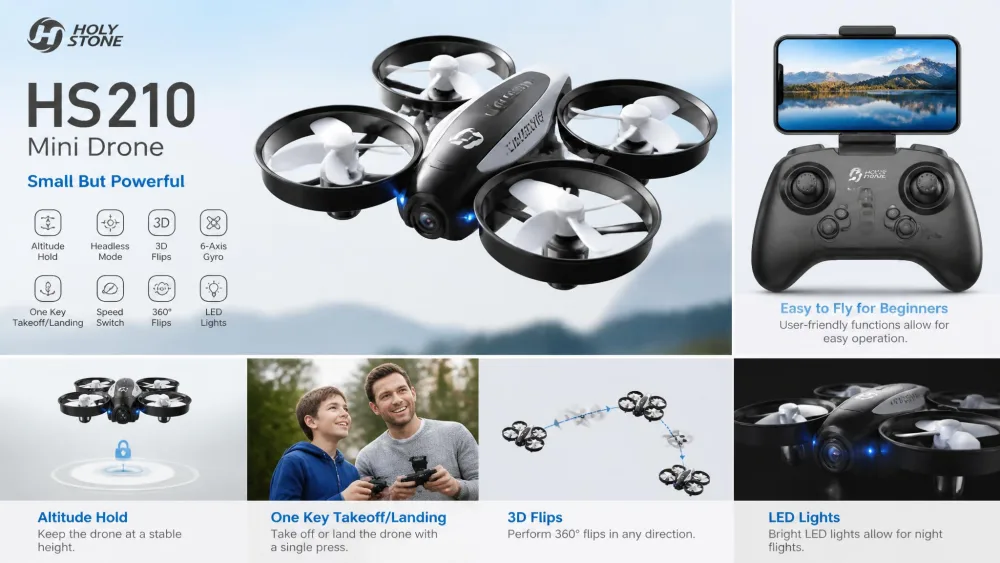
The Holy Stone HS210 is the drone we would hand to a beginner between six and twelve, and the reason is the three batteries in the box. Swapping packs keeps a session going without a charging break, which is the difference between a drone that gets flown and one that sits on a shelf.
It is stable enough indoors that a six- to nine-year-old gets controlled flight on the first afternoon, with the altitude hold doing most of the work. Altitude hold means the drone holds its own height, so your child only steers, and headless mode makes the controls follow the way the child is facing rather than the way the drone points.
Be honest about where it flies. Even a gentle breeze outside pushes it away, and indoors it gets shoved around by its own downwash near walls. The highest of its three speed modes is too fast for a normal room. Durability also splits: plenty of units survive weeks of crashes, and others quit within a day.
Pros and Cons
Pros
- Three batteries stretch a session to roughly 20-25 minutes
- Full fixed propeller guards on all four rotors
- Altitude hold and headless mode make it beginner-friendly
Cons
- Indoor use only in any real wind
- Top speed mode is unusable in a normal room
- Durability is inconsistent between units
Key Specs
- Weight: 24.8 g, far under the FAA's 250 g threshold
- Size: 80 x 80 x 30 mm
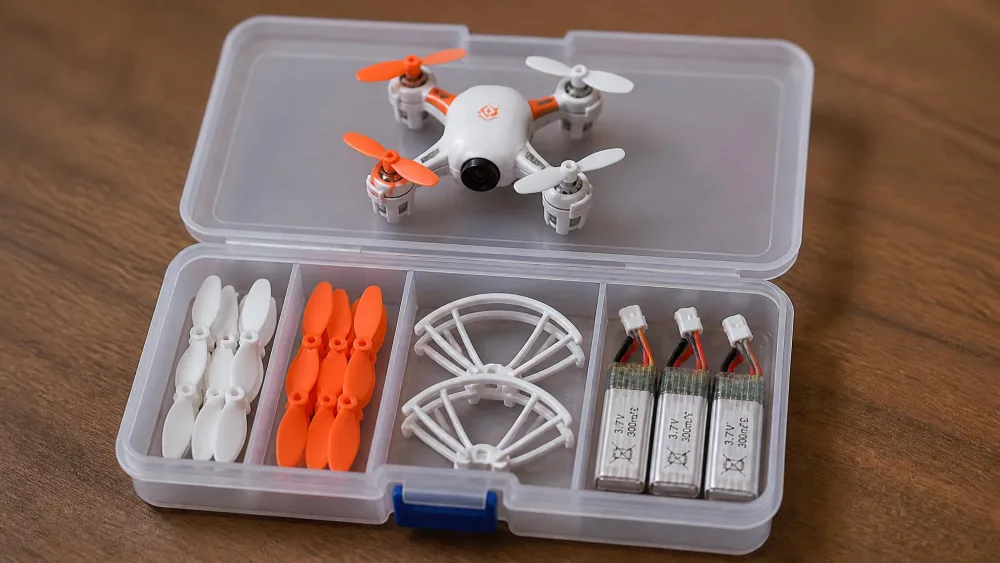
- In the box: 3 batteries, 4 spare propellers, screwdriver, USB cable
- Charge time: 40-60 minutes per 250 mAh battery
- Control range: 50 m unobstructed
Bottom line: the most forgiving first drone here, provided you accept it is an indoor flyer.
2. Holy Stone HS190: Best Budget Drone Under $50
Why We Picked It
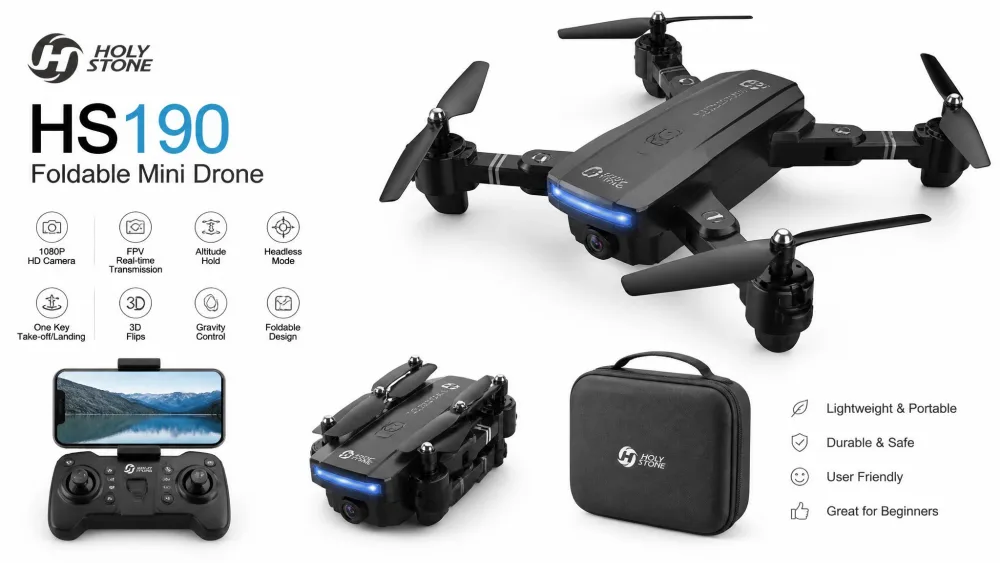
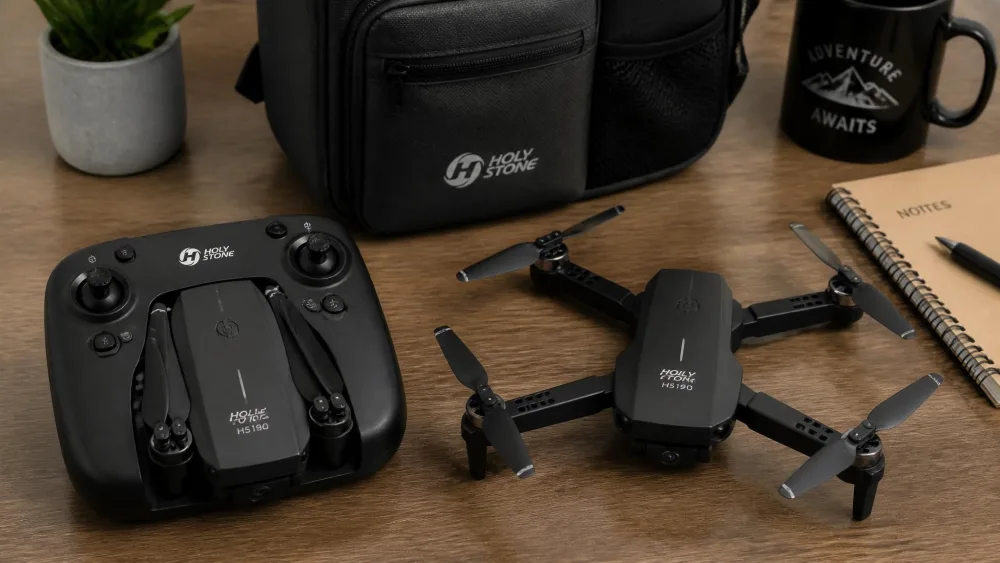
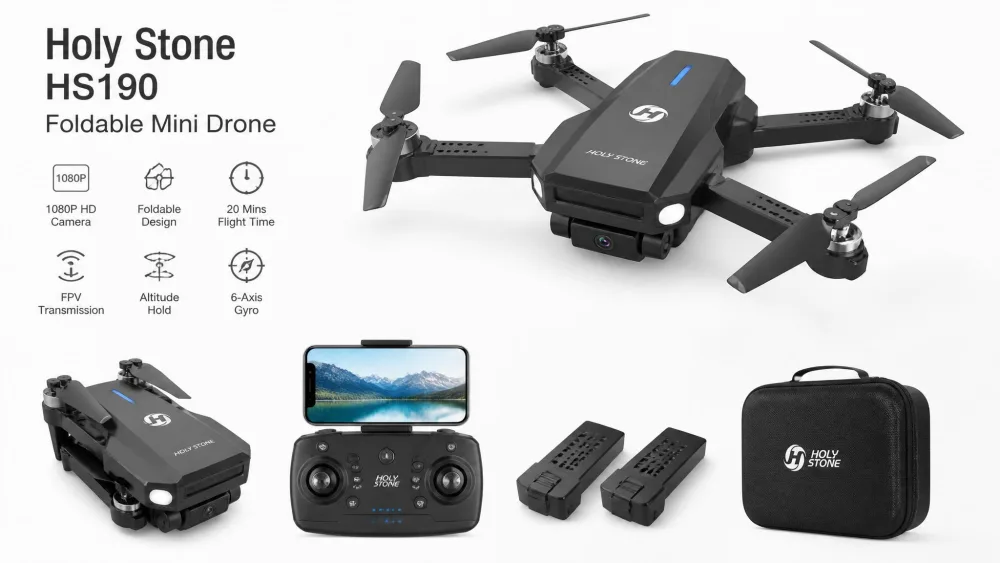
The Holy Stone HS190 folds into its own controller, which is why it survives being tossed in a bag. That makes it the travel drone rather than the everyday one. Folded it measures 2.44 x 2.44 x 0.94 inches, and its small size makes it easy to lose in grass or under furniture.
It carries the same beginner package as its bigger sibling: removable propeller guards, altitude hold, headless mode, one-key takeoff and landing, an emergency stop and three speed modes. The catch is the single flight battery, so sessions end in three to seven minutes. It will also keep going if it drifts out of range, and the controller with its AAA batteries is too fiddly for the youngest kids.
Pros and Cons
Pros
- Folds into the transmitter, so it packs and travels well
- Altitude hold, headless mode and an emergency stop for under $30
- 30-day whole-unit warranty plus 90 days on accessories
Cons
- One flight battery only, so sessions are very short
- Easy to lose outdoors, and drifts away in wind with no return function
- Controller AAA batteries are not included
Key Specs
- Folded size: 2.44 x 2.44 x 0.94 inches
- Flight time: about 3-7 minutes per charge
- Guards: removable propeller guards
- Warranty: 30-day unit, 90-day accessories
Bottom line: the cheapest way to find out whether your child actually likes flying.
3. Force1 Scoot: Best for Ages 6–8 (Indoor)
Why We Picked It
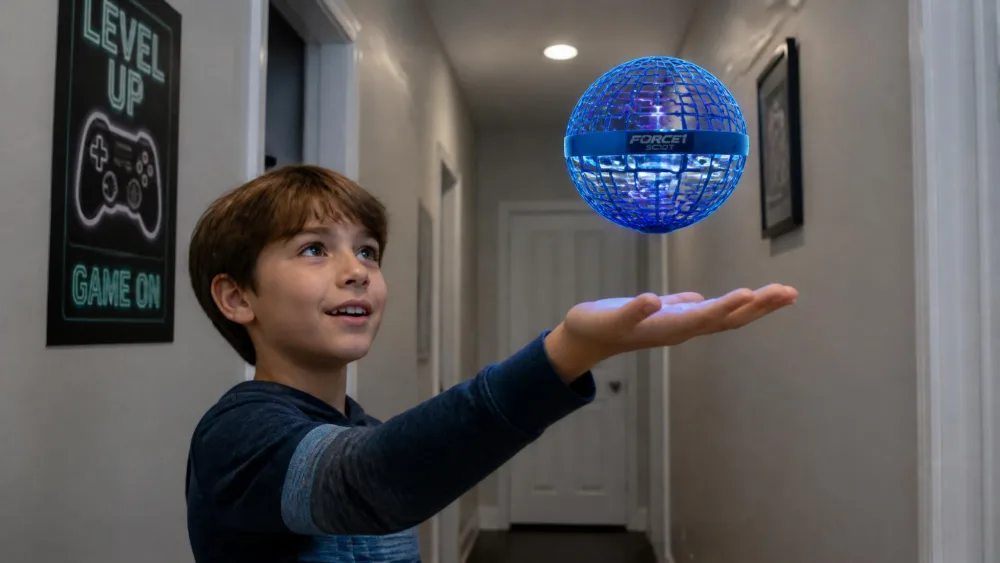
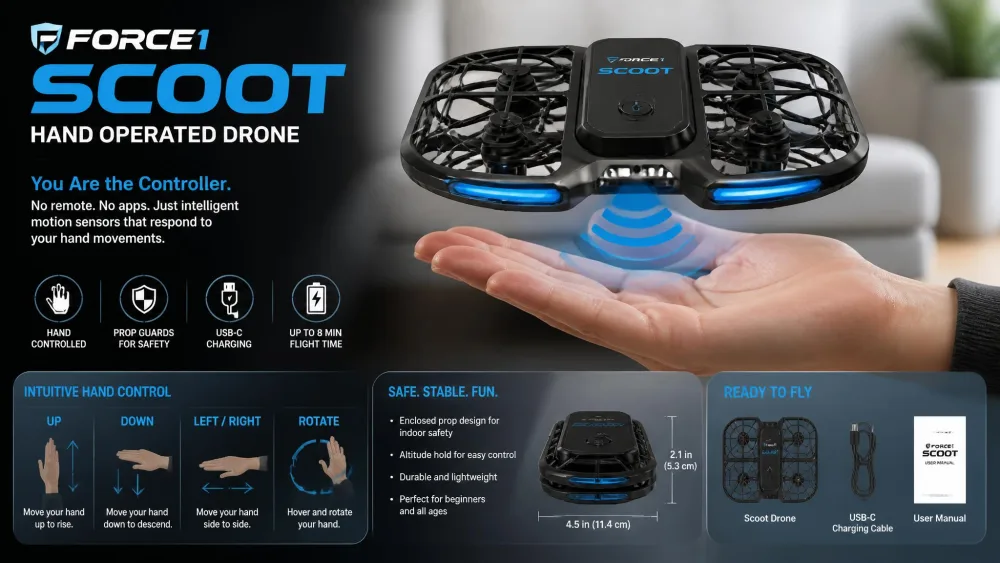
The Force1 Scoot is not a quadcopter in the usual sense. There is no controller. You toss it, motion sensors detect your hand, and you steer by holding a palm underneath. That hand-guided flight works for kids who cannot yet manage a two-stick controller, and younger children chase it happily without a remote.
At 4.7 inches in diameter with a webbed shell around the propellers, it is the right first flying toy at six or seven. Manufacturer age guidance is 8 and up, and there is a reason to take that seriously: the shell slats are wide enough for small fingers to reach a spinning propeller. Lifespan is the trade-off. The propellers snap off repeatedly, the battery commonly stops holding a charge within a week to two months of daily use, and the printed instructions are too small to read.
Pros and Cons
Pros
- No controller to learn, so a young child flies it immediately
- LED-lit shell, and the cheapest pick here by a wide margin
- Up to 8 minutes of flight on a 50-minute charge
Cons
- Shell slats let small fingers reach a propeller
- Propellers snap off with repeated crashes
- Battery life fades within weeks of daily use
Key Specs
- Size: 4.7 inches in diameter
- Flight time: up to 8 minutes, 50-minute charge
- Guards: webbed shell cage over the propellers
- Age guidance: 8 and up
Bottom line: a brilliant supervised indoor toy, not a drone that lasts a year.
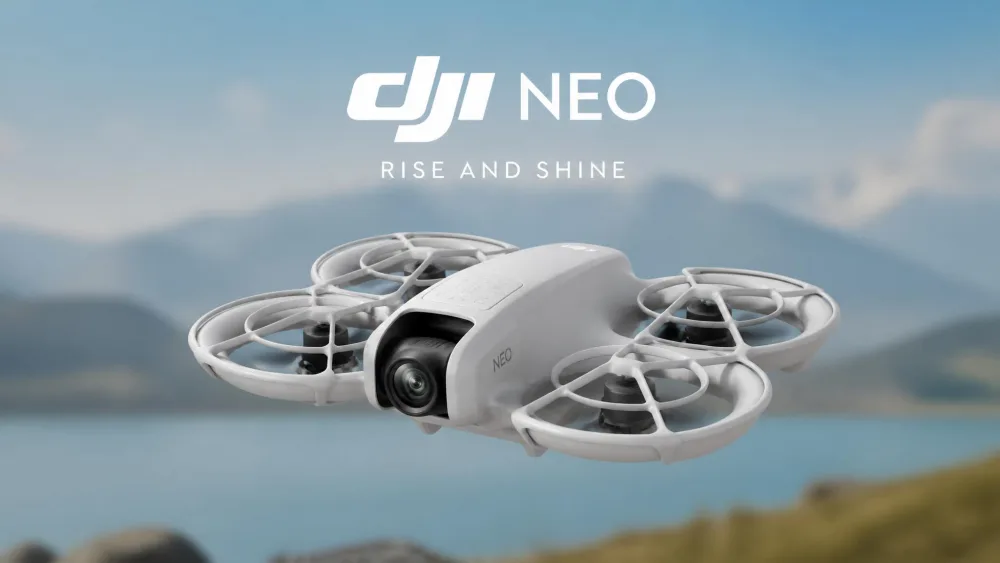
4. DJI Neo: Best Camera Drone for Kids
Why We Picked It
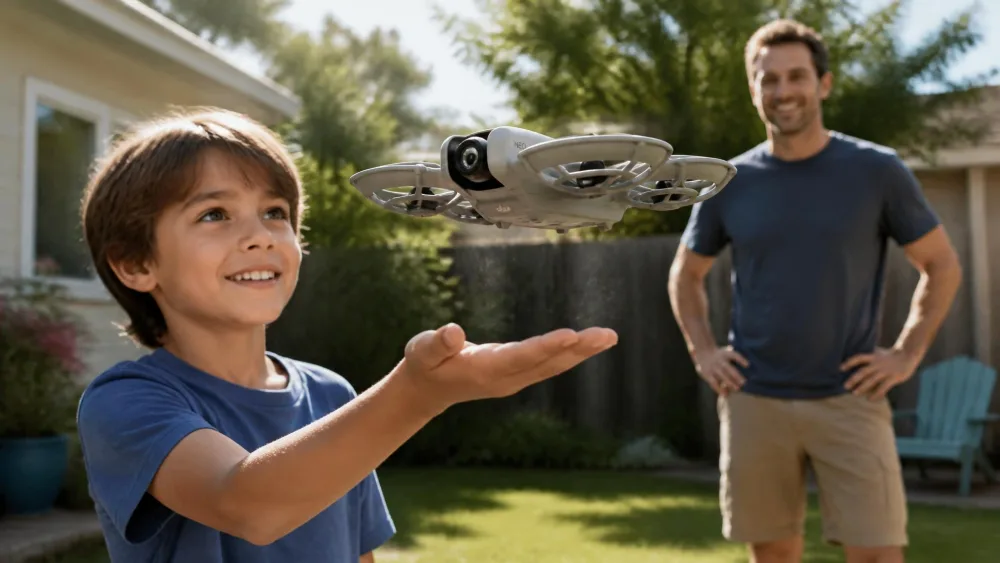
The DJI Neo bridges toy drones and camera drones. Palm takeoff removes the controller-pairing step entirely, so a child launches it from an open hand and it flies itself. The full-coverage propeller guards are built into the airframe rather than clipped on, which is what you want on a drone flying near people.
The camera is the point. It shoots 4K UHD video at 3840x2160/30fps with stabilization plus 12 MP stills, and eight QuickShots modes fly a preset path and film your child automatically. Daylight footage looks clean, and night footage falls apart. At about 135 g it sits under the 250 g threshold, and wind resistance is rated 8 m/s, though light gusts still push it around. Battery capacity and charging are the main gripes, and some units arrive with propellers that will not spin, so test it while the return window is open.
Pros and Cons
Pros
- Palm takeoff and landing with no controller needed
- Built-in full-coverage propeller guards
- 4K UHD video with stabilization, subject tracking, and no FAA registration needed
Cons
- Night video quality drops off sharply
- Short battery life, slow charging, and pushed around by light wind
- The DJI Fly app must be downloaded from DJI's site rather than Google Play
Key Specs
- Weight: about 135 g
- Flight time: about 18 minutes rated, 17 with guards fitted
- Camera: 4K UHD 30fps, 12 MP stills
- Wind resistance: 8 m/s (Level 4)
The 18-minute rating comes from controlled conditions. With guards on and real flying it lands nearer 15 minutes.
Bottom line: the first drone here a child will use to make something, not just fly.
5. Ryze Tello: Best STEM/Coding Drone
Why We Picked It
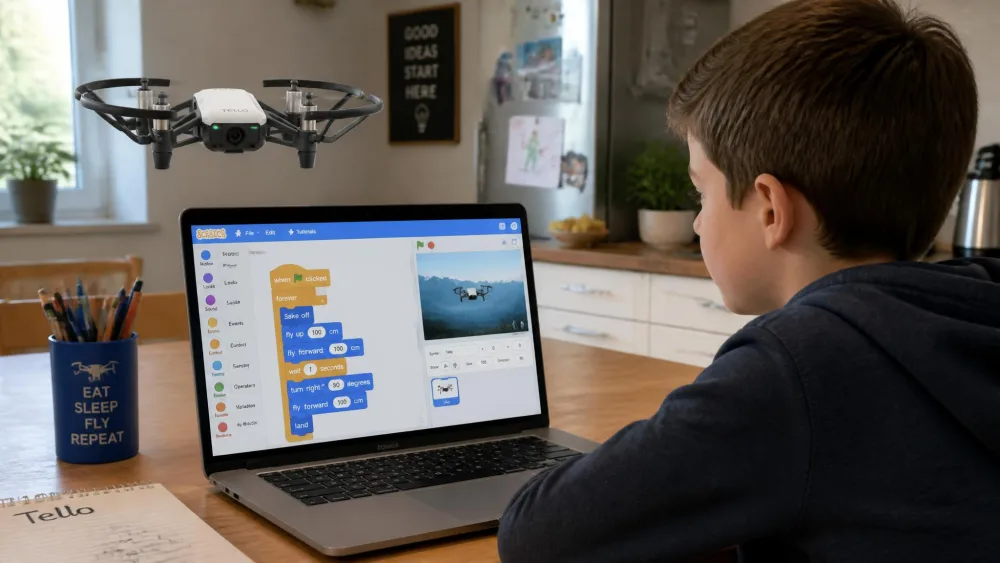
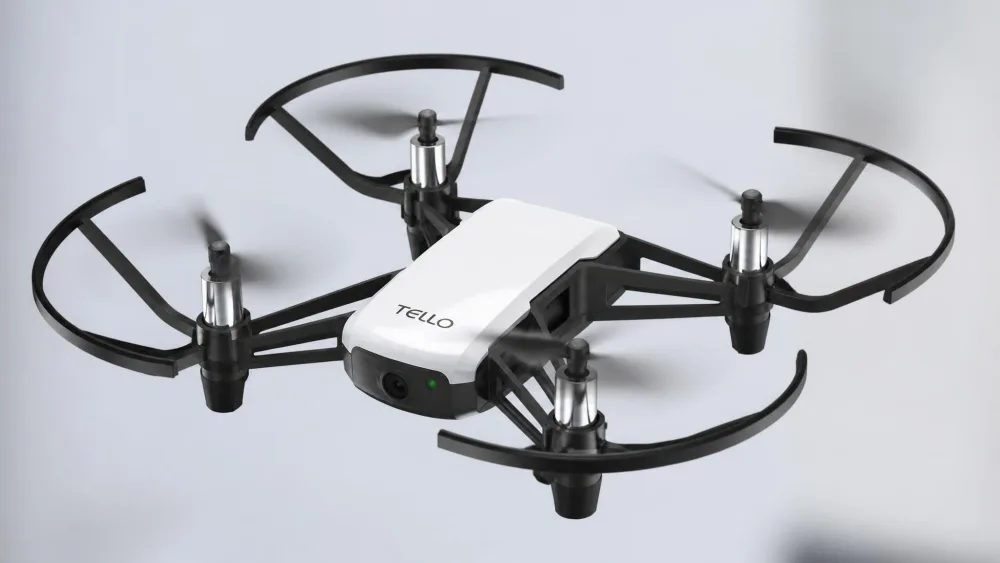
The Ryze Tello is the one drone here that teaches something beyond stick control. It takes block coding through Scratch, plus Python and Swift, and the EDU edition adds a 2.0 SDK, Mission Pads and a Swift Playgrounds course. For a homeschool unit or a kid who has outgrown flips, writing a flight path and watching it execute is a different kind of afternoon.
The hardware holds up its end. At about 80 g and 98 x 92.5 x 41 mm, it uses vision positioning for a steady indoor hover, manages up to 13 minutes of flight time, and shoots 720p video with 5 MP stills. Range runs up to 100 m, and top speed is 8 m/s. Two caveats: it needs a phone for everything beyond basic flight, and the propeller guards loosen over time. Supply is thin and pricing varies by seller, so treat roughly $99-$129 as a range and check stock first.
Pros and Cons
Pros
- Real programming through Scratch, Python and Swift
- Vision positioning gives an unusually stable indoor hover
- 13 minutes of flight time, and a fixture in classroom STEM programs
Cons
- Requires a phone for setup and most features
- Propeller guards loosen with use, and stock and pricing are unpredictable
- 720p camera is dated next to the DJI picks
Key Specs
- Weight: about 80 g
- Size: 98 x 92.5 x 41 mm
- Flight time: up to 13 minutes
- Camera: 720p video, 5 MP stills
- Range: up to 100 m, 30 m ceiling
Bottom line: buy it for the coding, not for the camera.
6. HASAKEE Q9s: Best LED/Night-Flight Drone
Why We Picked It
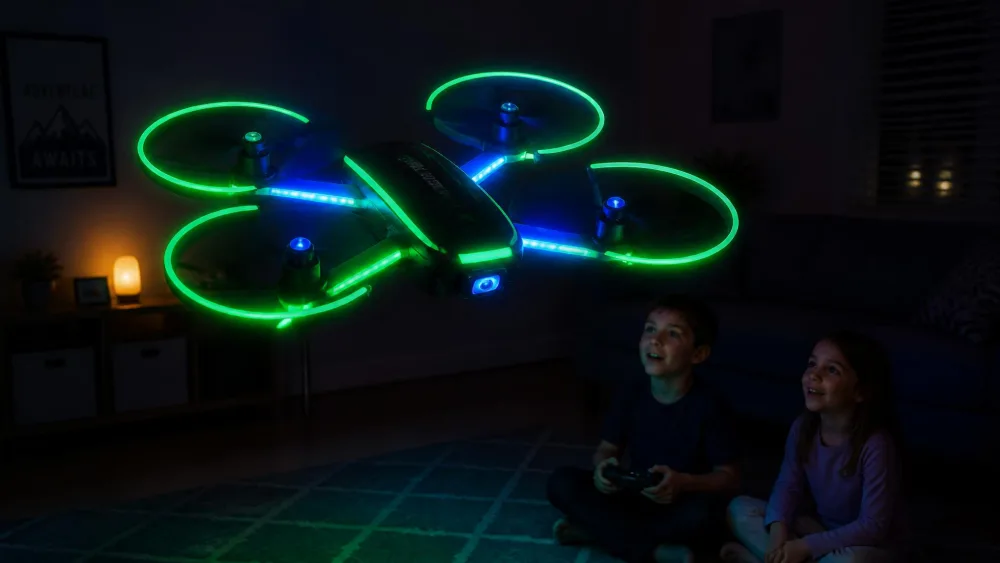
The HASAKEE Q9s exists for one moment: the first time a child flies it with the lights off. Neon green and blue LEDs run across the whole frame with three lighting modes, and flying it in a dark room or at dusk is the thing that keeps kids coming back to it. On paper it is another $40 beginner quadcopter, and in practice the lights are what stop it being abandoned in week two.
The rest of the package is complete: four full propeller guards, an ABS airframe, altitude hold, headless mode, one-button takeoff and landing, and 360-degree flips. Those assists take enough stress out of the first flights that a nine-year-old is doing flips the same day. The battery is the weak point, since the two 500 mAh UL-certified packs give about five to six minutes each. Build quality is uneven too, so check it on day one.
Pros and Cons
Pros
- Full-frame LEDs with three modes, genuinely fun after dark
- Four full propeller guards on an ABS airframe
- Altitude hold and headless mode for a fast first flight
Cons
- About five to six minutes of flying per battery
- Build quality varies between units
- No camera, and no rated flight-time figure published
Key Specs
- Batteries: two 500 mAh UL-certified packs
- Flight time: roughly 5-6 minutes per pack
- Guards: four full propeller guards
- Modes: altitude hold, headless, one-button takeoff and landing
Bottom line: the most fun per dollar here, provided you buy a third battery.
7. DJI Mini 4K: Best for Teens 13+
Why We Picked It
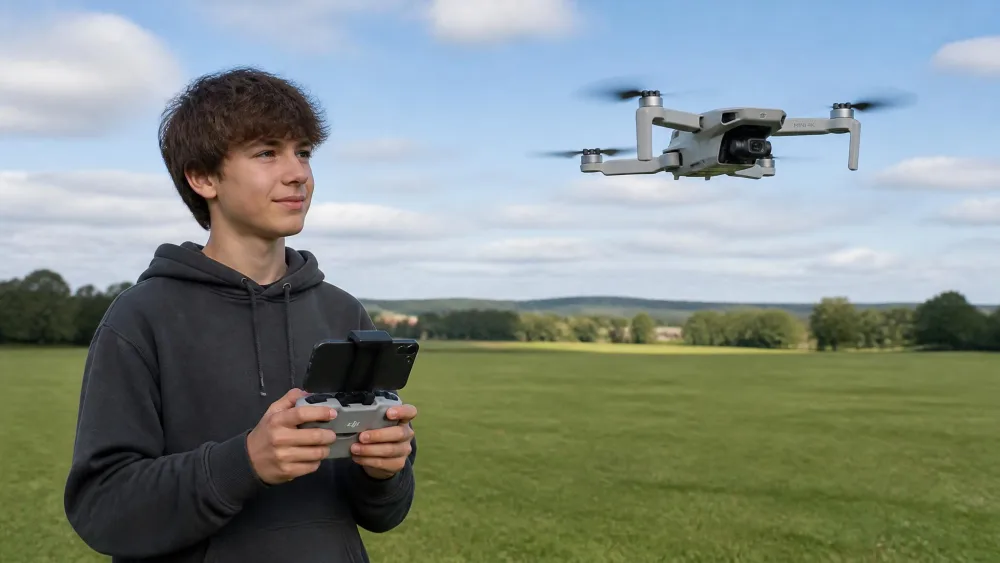
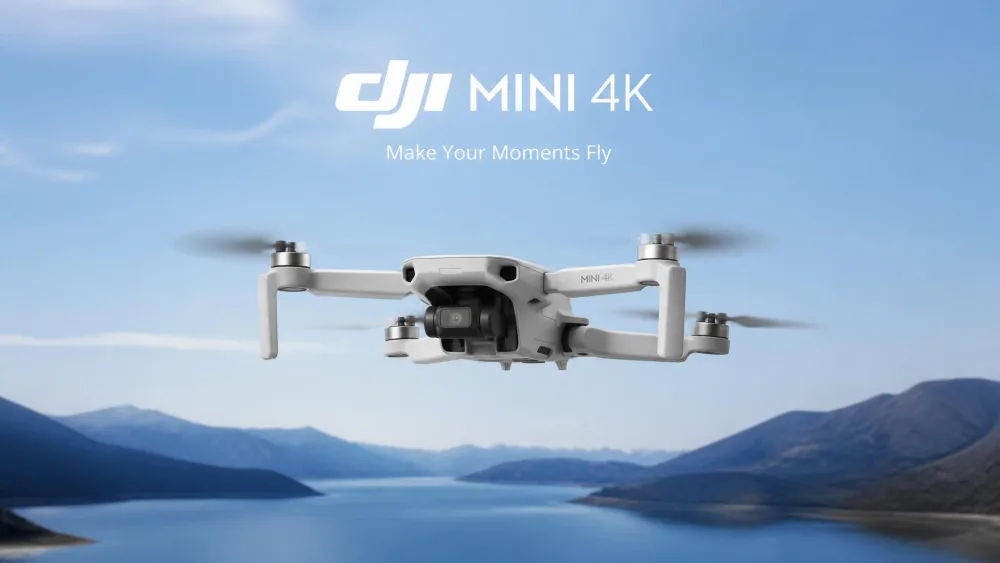
The DJI Mini 4K is a real camera drone that is still forgiving enough for a teenager's first flight. It gets a complete beginner into stable, controlled flight within minutes of unboxing, and the GPS Return to Home lands it within inches of the takeoff spot. That one feature is why we recommend it over cheaper camera drones at this age.
It shoots 4K UHD on a 3-axis mechanical gimbal, transmits video up to 10km, and handles 38kph winds on brushless motors. It weighs under 249 g, so recreational flying needs no registration or Remote ID. Rated flight time is 31 minutes per battery, but real flights come in nearer 20-25 minutes. Two warnings: no propeller guards are included as standard, and flying under trees is a mistake, because a low-battery auto-return climb can put it into branches.
Pros and Cons
Pros
- GPS Return to Home lands it within inches of takeoff
- 4K UHD on a 3-axis mechanical gimbal, with Level 5 wind resistance
- Under 249 g, so no registration for recreational flying
Cons
- No propeller guards included
- Real flight time is well short of the 31-minute rating
- The DJI Fly app is unreliable on Android and must be side-loaded
Key Specs
- Weight: under 249 g
- Flight time: 31 minutes rated, 20-25 minutes in practice
- Camera: 4K UHD, 3-axis mechanical gimbal
- Transmission: 10km range
- Wind resistance: 38kph (Level 5)
Bottom line: the right first serious drone for a teen, but buy the multi-battery kit.
How We Chose These Drones
We built this list from manufacturer specifications, current retail listings and the accumulated experience of families who have already flown these drones. For every pick we checked the published weight against the FAA's 250 g threshold, confirmed what propeller protection ships in the box, compared rated flight time against what these drones actually deliver, and read the failure reports before recommending anything.
We were deliberately picky about age fit. A drone marketed for kids that needs a phone, a two-stick controller and a calibration routine is not a six-year-old's drone, however cheap it is. So we sorted the picks by the skill each one demands, and we flag the durability problems rather than burying them.
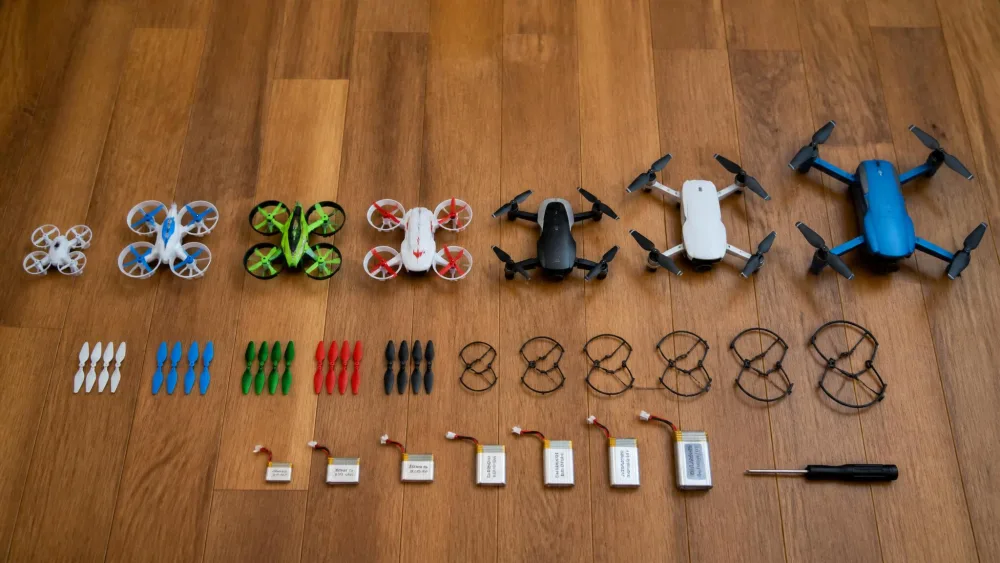
Rated flight time is a lab number. Plan your afternoon around 7-10 minutes per battery, and buy spares.
Best Drone by Age Group
Ages 6–8: First Indoor Flyers
Start with no controller at all if you can. Hand-guided flight removes the coordination problem, which is why the Force1 Scoot works so well for a six- or seven-year-old, and why an adult should be in the room while it flies. If your child is closer to eight, the HS210 on speed one is the gentlest real quadcopter here.
Ages 9–12: Step-Up Drones
This is the sweet spot for toy drones. A nine-year-old can handle headless mode, three speed settings and one-button flips, and will want all three within a week. The HS210 and the Q9s both land here, and the Q9s pulls ahead if your child is more excited by night flights than outdoor range. Kids lose interest in a drone that only flies in circles, so flips and LEDs matter more than they look on a spec sheet. Around eleven or twelve, a Tello and a coding project keeps a curious kid going for months.
Ages 13+: Real Camera Drones
By thirteen a capable teen is ready for GPS, a gimbal and a controller with a phone mounted on it. The DJI Mini 4K is our pick, with the Neo as the cheaper alternative that keeps built-in propeller guards. Thirteen is also the age the FAA cares about, because you must be at least 13 years old to register a drone. Below that, a parent registers on the child's behalf.
Drone Safety for Kids: What Actually Matters
Propeller Guards and Weight
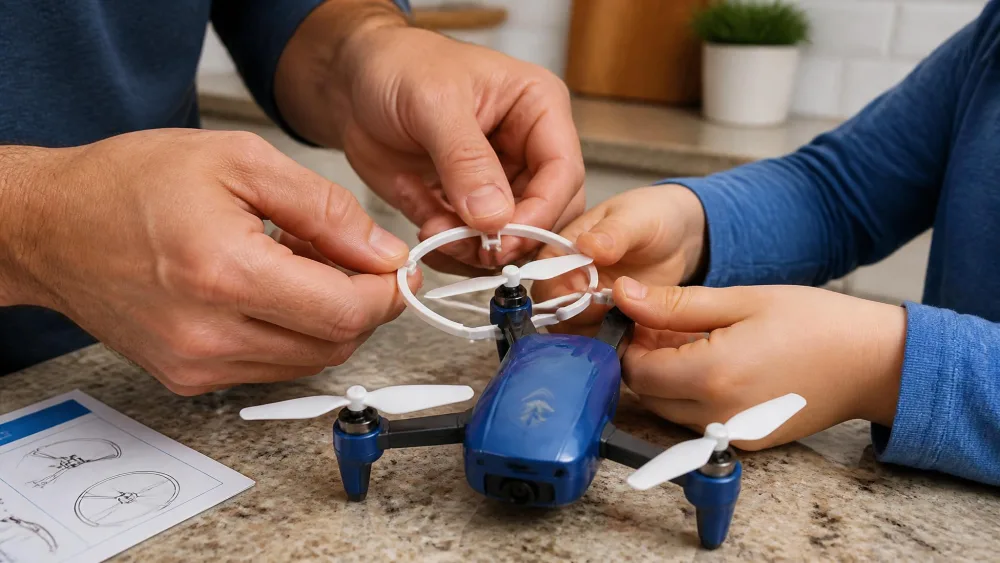
Spinning propellers cut. That is the safety story on a toy drone, and propeller guards are the fix. Fixed, full-coverage guards like the HS210's beat removable clip-on rings, because removable guards come off and stay off. Guards moulded into the frame, like the Neo's, are better still.
Weight matters for the same reason. A 24.8 g drone that clips a shoulder is a non-event, and a heavier camera drone with exposed propellers is not. That is why the Mini 4K sits in the teen bracket. The other features worth insisting on are altitude hold, headless mode and an emergency stop that cuts the motors instantly.
Supervision and Where to Fly
Match the drone to the space as carefully as you match it to the age. Toy drones belong indoors or in a still, open yard. Any real breeze will carry a 25 g drone across a fence in seconds, and the HS190 in particular will keep going once it drifts out of range.
Indoors, clear the room first. The failure points on kids' drones are propellers cracked against walls and ceilings, motor shafts jammed by carpet fuzz, sand or long hair, and fragile battery wiring.
Watch outAny recreational drone weighing 250 g (0.55 lb) or more must be registered with the FAA, and every pick in this guide is under that threshold. You can register with the FAA online, and registration costs $5 and covers all of a recreational flyer's drones. Separately, every recreational flyer must pass the TRUST safety test and carry proof of passing, regardless of drone weight. When the pilot is a child, an adult is normally the responsible party for rules, certification and registration.
Do Kids Need to Register a Drone with the FAA?
For every drone in this guide, no. Recreational drones weighing 250 g (0.55 lb) or more must be registered, and anything under 250 g needs no registration or Remote ID for recreational use. The heaviest pick here is the DJI Mini 4K at under 249 g, and DJI designed it that way on purpose.
If you move up to something heavier, registration is straightforward. It costs $5, covers all of a recreational flyer's drones, and is valid for 3 years. The rule that catches families out is the age minimum: you must be at least 13 years old to register a drone, so for a younger child a parent registers and the registration sits in the parent's name.
Registration is not the only requirement, and this is the part most families miss. Every recreational flyer, at any drone weight, must pass The Recreational UAS Safety Test and carry proof of passing. It is free, takes about twenty minutes online, and is worth doing with your child rather than for them. The recreational flyer rules also cover where you can fly.
How to Choose a Drone for Your Child
Ease of Flight and Auto Modes
The features that decide whether a drone gets flown twice are altitude hold, headless mode and one-button takeoff and landing. A no-app drone gets a child in the air within a minute of opening the box, while phone pairing on camera drones adds a layer younger pilots need help with. If your child is under ten, that alone argues for the Holy Stone HS210 over anything app-driven.
Battery and Flight Time
Assume every rating is optimistic. Real per-battery flight time on toy drones runs about 7-10 minutes, and two or three included packs stretch a session to roughly 20-26 minutes. The number of batteries in the box matters more than the flight-time claim on the front of it, and a spare pack is the cheapest upgrade you can make.
Durability and Spare Parts
Assume crashes, because they are the whole first month. Look for spare propellers in the box and replacements you can buy, since a set of propellers and guards runs about $6-10 depending on brand. Brushed motors on budget toy drones wear out after roughly 30-50 hours of flying, depending heavily on crash frequency and debris, while the brushless motors in the Ryze Tello and the DJI models last far longer.
Camera Quality
Below about $100, treat any camera as a bonus rather than a feature. A 720p toy camera produces shaky, low-detail clips a child watches once. If footage is the point, the step change is stabilization: the DJI Neo uses electronic stabilization, and the Mini 4K adds a 3-axis mechanical gimbal.
Price and What You Get
There are three price tiers. Roughly $16 to $40 buys a guarded indoor toy drone with no camera, which is right for most kids under ten. Roughly $99 to $139 buys a first camera drone or a coding platform. Roughly $299 buys a sub-250 g camera drone for a teen. Spending more inside a tier rarely buys durability, while moving up a tier does.
Parent tipOrder the extra battery pack with the drone. A second or third battery costs a few dollars and turns a ten-minute novelty into an afternoon outside.
Frequently Asked Questions
What age can a kid start flying a drone?
Around six with a hand-flown toy like the Force1 Scoot, and around eight for a controller-flown quadcopter with altitude hold. Manufacturer guidance on most toy drones starts at 8 and up, and the coordination for a two-stick controller usually arrives around then.
Are drones safe for young children?
They are, with the right model and an adult in the room. Insist on full propeller guards, keep the weight low, and use the emergency stop. Note that some cage designs, including the Scoot's webbed shell, have slats wide enough for small fingers to reach a spinning propeller.
What is the easiest drone for a kid to fly?
The Force1 Scoot, because there is no controller. Among controller-flown drones, the Holy Stone HS210 is the most forgiving, since altitude hold, headless mode and one-key takeoff get a six- to nine-year-old into controlled flight on the first afternoon.
How long do toy drone batteries last?
Plan on about 7-10 minutes per battery in real use, shorter than the rating on the box. The HS210 gives 7-9 minutes a pack, the Q9s about five to six, and the HS190 three to seven on its single battery. Charging takes 40-60 minutes, so extra batteries matter more than any flight-time figure.
Can you fly these drones indoors?
The toy drones are best indoors. The HS210 is effectively an indoor drone, since even a gentle breeze pushes it off course outside. The Scoot and the Q9s are indoor flyers too, and the Tello's vision positioning gives it a stable indoor hover. Camera drones like the Mini 4K want open outdoor space.
What happens if the drone gets stuck in a tree?
On a toy drone, usually nothing good, because there is no return function and the emergency stop only drops it, so fly in open space away from branches. On a GPS drone like the Mini 4K, flying under trees is a specific mistake, because a low-battery automatic return climbs before it heads home and can put the drone into the canopy.
Final Verdict: Our Top Pick for Most Families